Freedom251 › Display Calibration Software
PatternSpace
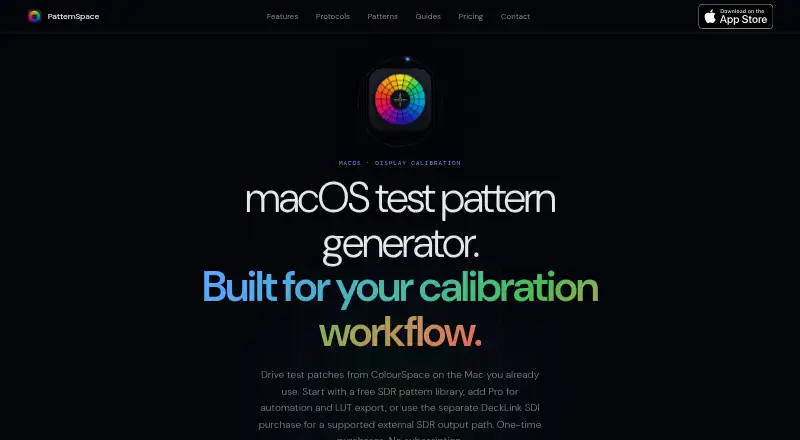
What PatternSpace is
PatternSpace is a macOS test pattern generator for display calibration, producing SDR and HDR patches, pattern grids, clipping checks, gamma tools, and color swatches. Its library contains more than 100 GPU-rendered patterns in Color, Checks, Geometry, Swatch, Gamma, and Clipping categories. The Metal EDR pipeline supports up to 16-bit-per-channel rendering and vsync-locked patch output. It works with connected internal or external displays and requires macOS 15.6 or later on Apple Silicon or Intel Macs. Pro adds support for ColourSpace Network Server, CalMAN UPGCI, and PGenerator network automation. PatternSpace Remote uses a documented WebSocket/JSON-RPC protocol with four-digit pairing; the free evaluation allows up to 25 rendered patches per session. The free plan includes 14 SDR reference presets. PatternSpace supplies patterns but does not measure or automatically correct displays, so accuracy requires measurement hardware. Pro costs $39.99 one-time; DeckLink SDI output is a separate $39.99 one-time purchase and requires compatible Blackmagic hardware and Desktop Video 16.4.x.
Who it suits
PatternSpace is aimed at display calibrators, reviewers, video engineers, and home theater installers who need predictable pattern output from a Mac. It may also suit people using supported calibration automation or LUT and ICC export tools.
What it does well
- Includes more than 100 GPU-rendered patterns.
- Supports connected internal and external displays.
- Pro supports three calibration integrations.
- Free plan includes 14 SDR reference presets.
- Maker says it sends no internet analytics or telemetry.
What to know first
- Requires macOS 15.6 or later.
- Does not measure or automatically correct displays.
- DeckLink output requires compatible Blackmagic hardware.
- HDR and UHD SDI are not supported.
Limits
The free plan includes up to 25 Remote patches per session. LUT Tools is marked beta; inspecting and building chains are free, while writing LUT or ICC files requires Pro. DeckLink SDI is limited to specified progressive 720p/1080p SDR modes and does not support library patterns or HDR/UHD SDI.
Plans
| Plan | Billed and limits | Price |
|---|---|---|
| PatternSpace | 100+ patterns · 14 SDR reference presets · up to 25 Remote patches per session | Free |
| PatternSpace Pro | one-time purchase · Unlocks calibration software automation · unlimited Remote rendering · advanced HDR · LUT and ICC export | $39.99, paid once |
| DeckLink SDI Output | one-time · separate from Pro · Requires compatible Blackmagic hardware and Desktop Video 16.4.x · supported progressive 720p/1080p · 10-bit YCbCr · solid and window patches | $39.99, paid once |
As patternspace.caplaz.com lists them, read 2 Oct 2026. The maker's own page has the final word.
Getting started
- Open the PatternSpace website.
- Use a Mac running macOS 15.6 or later on Apple Silicon or Intel.
- Connect an internal or external display.
- Start with the free plan, or buy Pro for automation, unlimited Remote rendering, advanced HDR, and LUT or ICC export.
- For DeckLink SDI output, buy it separately and use compatible Blackmagic hardware with Desktop Video 16.4.x.
Verdict
PatternSpace offers extensive pattern generation and calibration automation options for Mac users, but it is not a display measurement or correction tool. Check the required macOS version and separate DeckLink requirements if you need SDI output.
Questions
How much does PatternSpace cost?
The PatternSpace plan is free. PatternSpace Pro costs $39.99 one-time, and DeckLink SDI Output is a separate $39.99 one-time purchase.
What is included in the free plan?
It includes more than 100 patterns, 14 SDR reference presets, and up to 25 Remote patches per session.
Which Macs can run PatternSpace?
It requires macOS 15.6 or later on Apple Silicon or Intel Macs.
What does Pro add?
Pro unlocks calibration software automation, unlimited Remote rendering, advanced HDR, and LUT and ICC export. It supports ColourSpace Network Server, CalMAN UPGCI, and PGenerator network automation.
Does PatternSpace measure or calibrate a display automatically?
No. It provides patches but does not measure or automatically correct a display; display accuracy requires measurement hardware.
What is required for DeckLink SDI output?
It is a separate $39.99 one-time purchase and requires compatible Blackmagic hardware and Desktop Video 16.4.x.
Facts from PatternSpace's own pages
- Calibration integrations
- Pro supports ColourSpace Network Server, CalMAN UPGCI, and PGenerator network automation. · patternspace.caplaz.com, 2 Oct 2026
- Calibration limitation
- PatternSpace provides patches but does not measure or automatically correct a display; display accuracy requires measurement hardware. · patternspace.caplaz.com, 2 Oct 2026
- Display support
- The app supports connected internal or external displays and requires macOS 15.6 or later on Apple Silicon or Intel Macs. · patternspace.caplaz.com, 2 Oct 2026
- Intended users
- The maker describes it as designed for display calibrators, reviewers, video engineers, and home theater installers who need predictable pattern output from a Mac. · patternspace.caplaz.com, 2 Oct 2026
- LUT tools
- LUT Tools is marked beta; inspecting and building chains is free, while writing LUT or ICC files requires Pro. · patternspace.caplaz.com, 2 Oct 2026
- Pattern library
- It includes more than 100 GPU-rendered patterns across Color, Checks, Geometry, Swatch, Gamma, and Clipping categories. · patternspace.caplaz.com, 2 Oct 2026
- Permissions
- The maker states that the app does not access the camera, microphone, location, or Bluetooth, and uses read-only access to user-selected files. · patternspace.caplaz.com, 2 Oct 2026
- Purpose
- PatternSpace is a macOS test pattern generator for display calibration that renders SDR and HDR patches, pattern grids, clipping checks, gamma tools, and color swatches. · patternspace.caplaz.com, 2 Oct 2026
- Remote protocol
- PatternSpace Remote is an openly documented WebSocket/JSON-RPC protocol with 4-digit pairing; its free evaluation allows up to 25 rendered patches per session. · patternspace.caplaz.com, 2 Oct 2026
- Rendering
- The app uses a Metal EDR pipeline with up to 16-bit-per-channel rendering and vsync-locked patch output. · patternspace.caplaz.com, 2 Oct 2026
- SDI limits
- DeckLink SDI output supports specified progressive 720p/1080p SDR modes; library patterns and HDR/UHD SDI are not supported. · patternspace.caplaz.com, 2 Oct 2026
- Security
- The maker says the app is sandboxed, limits network traffic to calibration protocols on the local network, and sends no analytics or telemetry to the internet. · patternspace.caplaz.com, 2 Oct 2026
Where PatternSpace stands on Freedom251
- Display Calibration Software#8 of 24