Freedom251 › Display Calibration Software
PsyCalibrator
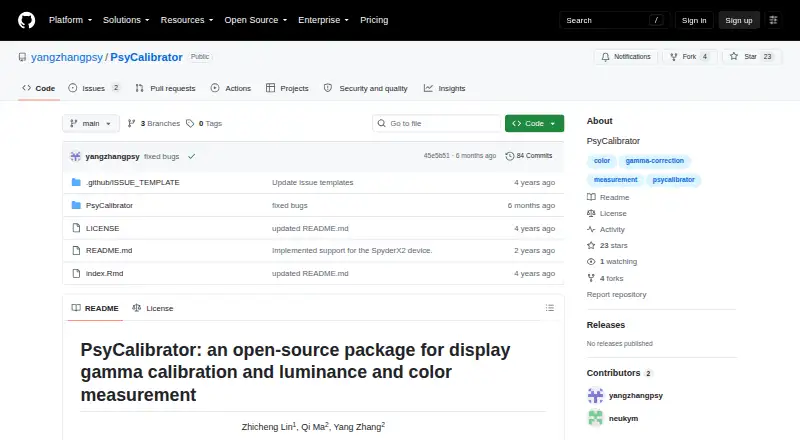
What PsyCalibrator is
PsyCalibrator is a free, open-source package for calibrating display gamma and measuring luminance and color. It uses a Spyder5, SpyderX, or SpyderX2 instrument to measure a display and return CIE 1931 xyY coordinates. Its correction workflow makes luminance linear with RGB intensity, either across grayscale or for individual color channels. The fitting process incorporates Mcalibrator2 and uses cubic spline interpolation as its main method. Users can apply gamma correction through a color lookup table and restore the display’s uncorrected state. PsyCalibrator supports Windows, macOS, and Linux, and its tutorial describes use in research workflows. Getting started requires MATLAB or GNU Octave, Psychtoolbox, and one of the supported Spyder instruments. The tutorial says Windows requires a photometer driver, while Linux and Mac do not. SpyderX and SpyderX2 can use built-in Windows 10 or 11 drivers with Psychtoolbox 3.0.19 or later. For measurement, the tutorial advises maintaining consistent ambient light and positioning the sensor area so it is smaller than the target stimulus. The repository names Zhicheng Lin, Qi Ma, and Yang Zhang as authors.
Who it suits
PsyCalibrator suits researchers who need to measure luminance and color or correct monitor output in research workflows. It is intended for people with a supported Spyder instrument and MATLAB or GNU Octave with Psychtoolbox.
What it does well
- Free, open-source package.
- Measures luminance and color with supported Spyder instruments.
- Returns CIE 1931 xyY coordinates.
- Corrects grayscale or individual color channels.
- Supports lookup-table gamma correction and restoration.
- Runs on Windows, macOS, and Linux.
What to know first
- Requires MATLAB or GNU Octave and Psychtoolbox.
- Requires a Spyder5, SpyderX, or SpyderX2 instrument.
- Windows users need a photometer driver, subject to the stated compatibility conditions.
Limits
The free package requires MATLAB or GNU Octave, Psychtoolbox, and a Spyder5, SpyderX, or SpyderX2 instrument. On Windows, SpyderX/X2 built-in drivers require Windows 10 or 11 and Psychtoolbox 3.0.19 or later.
Plans
| Plan | Billed and limits | Price |
|---|---|---|
| PsyCalibrator | Free package · requires MATLAB or GNU Octave, Psychtoolbox, and a Spyder5, SpyderX, or SpyderX2 instrument | Free |
As github.com lists them, read 8 Oct 2026. The maker's own page has the final word.
Getting started
- Open the PsyCalibrator repository website.
- Install MATLAB or GNU Octave and Psychtoolbox.
- Connect a Spyder5, SpyderX, or SpyderX2 instrument.
- On Windows, install a photometer driver; SpyderX/X2 can use built-in Windows 10/11 drivers with Psychtoolbox 3.0.19 or later.
- Follow the tutorial to measure and calibrate the display. Keep ambient light constant and the sensor area smaller than the target stimulus.
PsyCalibrator is a free, open-source calibration package for measuring display luminance and color and correcting gamma. It is aimed at research labs that need quantified monitor output and already work with supported Spyder sensors. Its focused workflow is useful for controlled experiments, but the required hardware and MATLAB-or-Octave software stack makes it a poor fit for casual or hardware-agnostic calibration.
Overview
The package measures with Spyder5, SpyderX, or SpyderX2 instruments and reports CIE 1931 xyY coordinates. It calibrates the link between RGB intensity and luminance toward linearity, either by color channel or for gray. That is a narrower, research-oriented job than general desktop color management, but it directly addresses experiments where stimulus output must be measured and repeatable.
Its fitting process incorporates Mcalibrator2 and uses cubic-spline interpolation as the principal fitting approach. A color lookup table (LUT) applies gamma correction, and the display can be returned to its uncorrected state. Multi-monitor calibration is supported, a practical advantage for laboratories operating several displays. Accuracy still depends on controlled conditions: the guidance calls for constant ambient light and a sensor area smaller than the stimulus being measured.
Key features
- Instrument-based xyY measurement: Spyder5, SpyderX, and SpyderX2 produce luminance and color readings in CIE 1931 xyY. Researchers can work with measured output rather than relying on nominal display settings, provided they own one of these instruments.
- Channel and gray calibration: Linearizing individual RGB channels or gray helps tailor correction to the type of visual stimulus a study uses. It is more precise than a single broad gamma adjustment, but it also demands a measurement workflow and compatible equipment.
- Cubic-spline fitting with Mcalibrator2: The interpolation-based fit gives the calibration process a defined modeling method. Users choosing a package for a different fitting strategy may find this narrower approach less suitable.
- LUT gamma correction: A color lookup table applies the correction at the display level, while a restore function removes it. That reversible control is useful when a workstation alternates between calibrated experiments and ordinary operation.
- Multi-monitor support: Labs can calibrate more than one display within the package, which is valuable for synchronized or distributed testing setups.
Pricing
| Plan | Price | Includes |
|---|---|---|
| PsyCalibrator | free | Free package; requires MATLAB or GNU Octave, Psychtoolbox, and a Spyder5, SpyderX, or SpyderX2 instrument |
There are no paid tiers, seat charges, quotas, trial periods, or renewal terms. The meaningful cost is outside the package: users must provide the supported sensor and the required MATLAB-or-GNU-Octave and Psychtoolbox environment. The free price therefore suits academic and laboratory users who already have that setup; it does not remove the practical barrier for teams starting from no compatible hardware or software.
Platforms
PsyCalibrator supports Windows, macOS, and Linux, and its calibration feature set includes LUT and multi-monitor work. The operating-system instructions have an important distinction: Windows requires a photometer driver, while Linux and macOS do not. SpyderX and SpyderX2 can use built-in Windows 10/11 drivers when Psychtoolbox is version 3.0.19 or later, which narrows the compatibility choices for older installations.
Who it's for
This is a strong fit for visual-psychology and other research workflows that need measured luminance and chromaticity, repeatable gamma behavior, and reversible LUT control across one or several monitors. It also suits teams comfortable with MATLAB or GNU Octave and Psychtoolbox. It is not the right choice for users seeking a turnkey desktop calibrator, owners of sensors outside the Spyder5/SpyderX/SpyderX2 family, or workflows that cannot accommodate the stated dependencies and driver requirements.
Pros and cons
Pros
- Free and open source: There is no license bill or tier restriction for the package itself.
- Research-relevant measurements: CIE 1931 xyY output and channel-level or gray calibration support quantified experimental display control.
- Reversible LUT workflow: Correction can be applied and the uncorrected state restored.
- Multi-monitor calibration: Better suited to laboratories managing several displays than a single-screen-only utility.
- Cross-platform reach: Windows, macOS, and Linux are supported.
Cons
- Narrow hardware compatibility: Only Spyder5, SpyderX, and SpyderX2 are named as supported instruments.
- Heavy dependencies: MATLAB or GNU Octave and Psychtoolbox are required, adding setup work before calibration can begin.
- Windows driver work: Windows users need a photometer driver, with newer Psychtoolbox versions required for built-in SpyderX/X2 drivers.
- Controlled measurement conditions matter: Ambient light and sensor placement must be managed for accurate readings.
Alternatives
For a broader, command-line and open-source calibration toolkit, choose ArgyllCMS; its commercial or non-GPL use requires a separate license. DisplayCAL is a free GNU GPL-licensed option for users who want a general display-calibration application instead of PsyCalibrator's research-focused MATLAB/Psychtoolbox workflow. Choose EIZO ColorNavigator 7 when the target hardware is a compatible EIZO ColorEdge monitor. ColourSpace offers a free ZRO plan with manual calibration and verification, but no LUT capability, so it is better only when LUT correction is unnecessary. QUBYX OS Tools is an open-source GNU-licensed alternative for users who want auditable, adaptable code. pacsDisplay is a Windows-only open-source choice. Display Calibration Software is the broader list for comparing additional options.
Verdict
Choose PsyCalibrator if your research workflow needs measured luminance and color, CIE 1931 xyY output, and reversible LUT gamma correction across supported Spyder hardware and potentially multiple monitors. Its strongest advantage is a focused, free calibration workflow built around experimental measurement. Look elsewhere if you need wider sensor compatibility, a self-contained desktop application, or calibration without MATLAB or GNU Octave, Psychtoolbox, and the associated driver setup.
Verdict
Choose PsyCalibrator if your research workflow needs display luminance and color measurement with supported Spyder hardware, plus gamma correction. It requires MATLAB or GNU Octave, Psychtoolbox, and a compatible instrument, so it does not suit workflows without those dependencies.
Questions
Is PsyCalibrator free?
Yes. The listed plan is free.
Is PsyCalibrator open source?
Yes. It is described as an open-source package.
Which operating systems does it support?
Windows, macOS, and Linux.
What hardware does it use for measurement?
A Spyder5, SpyderX, or SpyderX2 instrument.
What software does it require?
The tutorial requires MATLAB or GNU Octave and Psychtoolbox.
Who are the listed authors?
The repository lists Zhicheng Lin, Qi Ma, and Yang Zhang.
Facts from PsyCalibrator's own pages
- Authors
- The repository lists Zhicheng Lin, Qi Ma, and Yang Zhang as authors and gives their university affiliations in China. · github.com, 8 Oct 2026
- Compatibility limit
- SpyderX/X2 can use built-in Windows 10/11 drivers with Psychtoolbox 3.0.19 or later, according to the tutorial. · github.com, 8 Oct 2026
- Correction control
- Users can apply gamma correction with a color lookup table and restore the display to its uncorrected state. · github.com, 8 Oct 2026
- Data fitting
- Its fitting workflow incorporates Mcalibrator2 and describes cubic spline interpolation as its main fitting method. · github.com, 8 Oct 2026
- Display correction
- It calibrates displays so the relationship between RGB intensity and luminance is linear, including individual color channels or gray. · github.com, 8 Oct 2026
- Hardware requirement
- The tutorial names Spyder5, SpyderX, or SpyderX2 as the supported measurement instruments. · github.com, 8 Oct 2026
- Intended users
- The tutorial describes using the package for luminance and color measurement and monitor correction in research workflows. · github.com, 8 Oct 2026
- Measurement
- It uses Spyder5, SpyderX, or SpyderX2 hardware to measure luminance and color and returns CIE 1931 xyY coordinates. · github.com, 8 Oct 2026
- Measurement guidance
- The tutorial advises keeping ambient light constant and ensuring the sensor area is smaller than the target stimulus for accurate measurement. · github.com, 8 Oct 2026
- Operating systems
- The instructions discuss Windows, Linux, and Mac; they say Windows users need a photometer driver while Linux and Mac users do not. · github.com, 8 Oct 2026
- Purpose
- PsyCalibrator is an open-source package for display gamma calibration and luminance and color measurement. · github.com, 8 Oct 2026
- Software dependencies
- The tutorial requires MATLAB or GNU Octave and Psychtoolbox. · github.com, 8 Oct 2026
Where PsyCalibrator stands on Freedom251
- Display Calibration Software#5 of 24