Freedom251 › Display Calibration Software

Atrise Lutcurve
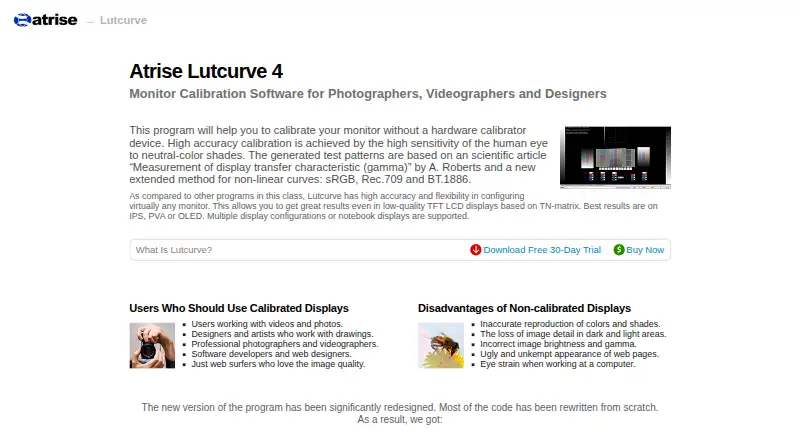
What Atrise Lutcurve is
Atrise Lutcurve is Windows software for visually calibrating a monitor without a hardware calibrator. It guides users through test patterns and adjustments based on how they perceive neutral shades. Supported standards include Gamma 2.2, sRGB, Gamma 2.4, BT.1886 and Rec.709. It works with CRT and LCD displays, including TN, VA and IPS, as well as OLED and high-contrast displays. Multiple monitors can be configured independently, and the software can be used to match their colors. Its calibration lookup table supports up to 256 points, 16-bit precision and smooth spline interpolation. The maker says its step-by-step process takes about 15 minutes. Lutcurve is a native 32-bit application that supports 32- or 64-bit Windows XP through Windows 11, with a minimum display resolution of 1024×768. A manufacturer video-card driver is required because most default Windows drivers cannot change the LUT table. Portable mode is also available. The listed license costs 40.00 USD once and covers one computer for versions 4.x.x.
Who it suits
Lutcurve suits photographers, videographers, colorists, designers, artists, developers and web designers who want calibrated displays. It is also relevant to people matching colors across multiple monitors.
What it does well
- Calibrates visually without a hardware calibrator.
- Supports five listed display standards.
- Can configure multiple monitors independently.
- Calibration table supports up to 256 points and 16-bit precision.
- Offers portable mode.
What to know first
- Requires a manufacturer video-card driver.
- License covers one computer and versions 4.x.x only.
- Supports Windows XP through Windows 11 only.
- Minimum display resolution is 1024×768.
Limits
The 30-day trial is the available trial period. The listed license is valid for version 4.x.x and covers one computer.
Plans
| Plan | Billed and limits | Price |
|---|---|---|
| Atrise Lutcurve 4.x.x License | One license per computer; personal computers and notebooks permitted for self-employed and home users; valid for versions 4.x.x only | $40, paid once |
As atrise.com lists them, read 8 Oct 2026. The maker's own page has the final word.
Getting started
- Open the Atrise Lutcurve website
- Download the Windows application or use its portable mode
- Install a manufacturer video-card driver that can change the LUT table
- Launch the step-by-step calibration process
- Adjust each monitor independently using the test patterns
Verdict
Lutcurve offers guided visual calibration and supports a range of display types and standards. Before buying, check the driver requirement, supported Windows versions and the one-computer license terms.
Questions
How much does Atrise Lutcurve cost?
Pricing starts from $50 one-time. The listed Atrise Lutcurve 4.x.x license is $40, paid once.
Is there a free plan?
No. A 30-day free trial is available.
Which systems does it support?
It supports 32-bit or 64-bit Windows XP, Vista, 7, 8, 8.1, 10, and 11.
Can it calibrate more than one monitor?
Yes. Settings can be configured independently for multiple monitors and used to match their colors.
Does it need special hardware?
No hardware calibrator is required, but a manufacturer video-card driver is required for LUT changes.
Facts from Atrise Lutcurve's own pages
- Calibration method
- It uses test patterns and visual perception of neutral-color shades to calibrate displays. · atrise.com, 8 Oct 2026
- Calibration specifications
- The LUT supports up to 256 calibration points, 16-bit precision, and smooth spline interpolation. · atrise.com, 8 Oct 2026
- Display support
- The product supports CRT and LCD displays, including TN, VA, and IPS types, as well as OLED and high-contrast displays. · atrise.com, 8 Oct 2026
- Driver requirement
- A manufacturer video-card driver is required because most default Windows drivers cannot change the LUT table. · atrise.com, 8 Oct 2026
- Founded
- 1999 · atrise.com, 28 Sept 2026
- Intended users
- The maker identifies photographers, videographers, colorists, designers, artists, software developers, and web designers as users for calibrated displays. · atrise.com, 8 Oct 2026
- Multiple monitors
- Settings can be configured independently for multiple monitors, and the product can be used to match display colors. · atrise.com, 8 Oct 2026
- Portability
- The program also works in portable mode. · atrise.com, 8 Oct 2026
- Privacy
- Atrise says its website does not record IP addresses, exact visit times, or user-agent details, and that voluntarily provided personal information is not shared without consent. · atrise.com, 8 Oct 2026
- Purpose
- Lutcurve calibrates monitors visually without a hardware calibrator device. · atrise.com, 8 Oct 2026
- Security
- The maker says its executables are timestamped and digitally signed with the developer’s private root certificate. · atrise.com, 8 Oct 2026
- Standards
- Supported standards include Gamma 2.2, sRGB, Gamma 2.4, BT.1886, and Rec.709. · atrise.com, 8 Oct 2026
- Support
- Users can report bugs or issues to the author. · atrise.com, 8 Oct 2026
- System requirements
- It is a native 32-bit Windows application supporting 32- or 64-bit Windows XP through Windows 11 and a minimum display resolution of 1024×768. · atrise.com, 8 Oct 2026
- Workflow
- The program provides step-by-step adjustments, and the maker says calibration takes about 15 minutes. · atrise.com, 8 Oct 2026
Where Atrise Lutcurve stands on Freedom251
- Display Calibration Software#10 of 24