Freedom251 › Email Cleanup Software
Paperweight
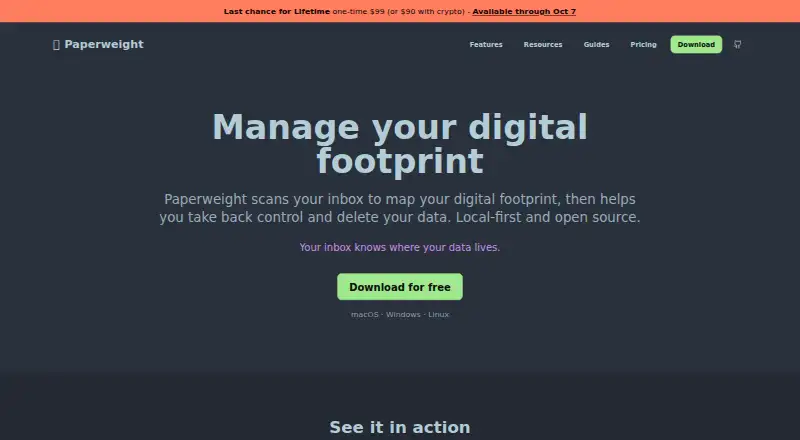
What Paperweight is
Paperweight is a desktop app for reviewing what an inbox reveals about accounts, mailing lists, and personal information. It builds a company inventory from messages such as receipts, sign-up confirmations, password resets, and security alerts. It can find mailing lists and support unsubscribe requests through one-click headers, email triggers, or links from senders. It also detects details in past messages, including email addresses, phone numbers, postal addresses, payment cards, IBANs, and national identifiers. Paperweight works with Gmail, Outlook, Apple/iCloud, standard IMAP accounts, and Proton Mail through Proton Bridge. Email analysis and database storage take place on the user’s computer; the maker says its servers do not receive email content or credentials. The app is published under the MIT license. Its Free plan costs nothing and covers one email account with full-history sync, inventory and overview features, and local curation. Paperweight prepares access or deletion requests for user review rather than sending them automatically. It focuses on relationships found in the inbox and does not remove data-broker records.
Who it suits
Paperweight may suit people who want to map accounts and mailing lists from their email and review privacy requests before sending them. Its Free plan covers one email account; multiple accounts and cleanup actions are included in paid plans.
What it does well
- Supports Gmail, Outlook, Proton Mail, Apple/iCloud, and IMAP.
- Analysis and database storage happen locally.
- Detects several types of personal information in past messages.
- MIT-licensed code can be inspected or built.
- Free plan includes full-history sync for one account.
What to know first
- Does not remove records from data brokers.
- Deletion requests require user review and are not sent automatically.
- Automatic cleanup rules are not available.
- Proton Mail support requires Proton Bridge.
Limits
The Free plan supports one email account and does not include cleanup actions, privacy requests, multiple accounts, or MCP access. Paid options include Pro at $60 a year, Lifetime at 99.00 USD once, and Cleanup Pass at 2530.00 USD once.
Plans
| Plan | Billed and limits | Price |
|---|---|---|
| Free | free forever · 1 email account · full-history sync · account/company inventory · mailing-list overview · breach/risk overview · personal-data overview · local curation · GitHub community support | Free |
| Cleanup Pass | one payment for 30 days · Everything in Free · unsubscribe/trash/spam · bulk cleanup · privacy requests and follow-ups · multiple accounts · MCP access · GitHub community support · no renewal | $25, paid once |
| Paperweight Pro crypto | manual renewal · Same Pro access · BTC, ETH, XMR or ZEC · manually verified payment · no recurring subscription | $55 a year |
| Paperweight Pro | billed yearly · Everything in Free · unsubscribe/trash/spam · bulk cleanup · privacy requests and follow-ups · multiple accounts · MCP access · email support | $60 a year |
| Lifetime | Permanent full Pro access; offer available through October 7, 2026 · Permanent full Pro access · crypto price $90 | $99, paid once |
As paperweight.email lists them, read 15 Oct 2026. The maker's own page has the final word.
Getting started
- Visit https://www.paperweight.email/.
- Choose the Free plan for one account or select a paid plan for additional features.
- Install the app for Linux, macOS, or Windows.
- Connect a supported email account: Gmail, Outlook, Apple/iCloud, standard IMAP, or Proton Mail via Proton Bridge.
- Review the account inventory, mailing lists, and personal-data overview.
- Use cleanup or prepare privacy requests if your plan includes those features.
Paperweight is a desktop inbox-auditing tool that maps accounts, mailing lists, and personal information, then guides cleanup and privacy requests. It suits privacy-conscious users who want local processing and an inspectable codebase. Choose it for a broad, locally stored view of inbox relationships; look elsewhere for automatic cleanup rules or data-broker removal.
Overview
Paperweight reconstructs a company inventory from sign-up confirmations, receipts, password resets, and security alerts. It also finds mailing lists and personal details in older messages, including email addresses, phone numbers, postal addresses, payment cards, IBANs, and national identifiers. That scope makes it an inbox intelligence tool as much as an unsubscribe utility.
Analysis and database storage occur on the user's computer. The maker says no server receives email content or credentials. Provider connections use HTTPS/TLS, and OAuth tokens are encrypted in macOS Keychain or Windows Credential Manager. The MIT license allows users to inspect or build the code, a useful transparency measure for software handling sensitive mail.
Key features
Account mapping and mailing-list cleanup
The inventory turns scattered email evidence into a reviewable list of companies and subscriptions. Unsubscribe workflows can use one-click headers, email triggers, or sender links, covering more than a simple sender blacklist. There are no automatic cleanup rules, so people wanting recurring, hands-off filtering should choose another tool.
Personal-data review and requests
Paperweight surfaces sensitive values in past messages so users can see what an inbox contains. It prepares access or deletion requests for review rather than sending them automatically. That approval step reduces accidental requests but makes the process deliberately supervised.
Privacy and MCP controls
Gmail, Outlook, Proton Mail through Proton Bridge, Apple/iCloud, and standard IMAP accounts are supported. Pro adds a local MCP server that is off by default and can be read-only or read-write. The agent can access sender and recipient, subjects, previews, and app classifications, while full bodies and raw headers remain out of scope and known personal data is masked by default. These controls suit cautious automation, but MCP is a paid feature and still requires configuration.
Paperweight focuses on first-party relationships found in the inbox. It does not remove records held by data brokers, limiting its value for people seeking comprehensive people-search removal.
Pricing
Free costs nothing, billed free forever with no payment required. It supports one email account with full-history sync, account and company inventory, mailing-list, breach and risk, and personal-data and privacy overviews, plus local curation and GitHub community support. It omits cleanup actions, privacy requests, multiple accounts, and MCP.
Paperweight Pro costs $60 a year, billed yearly through Polar (equivalent to $5 per month). Crypto costs $55 for one year with manual renewal. Pro adds everything in Free, cleanup actions, privacy requests and follow-ups, multiple email accounts, MCP access, and email support. It is the practical choice for ongoing multi-inbox work.
Lifetime costs 99.00 USD once for permanent full Pro access; the offer is available through October 7, 2026. The crypto price is $90. It favors users who expect long-term use and prefer avoiding renewal.
Cleanup Pass costs 2530.00 USD once, with no subscription or renewal. It includes Free's features plus unsubscribe, trash, mark-as-spam, bulk cleanup, privacy requests and follow-ups, multiple accounts, MCP, and GitHub community support. Its unusually high one-time price makes it sensible only for buyers who specifically want a single comprehensive cleanup engagement.
Platforms
Paperweight runs on Linux, macOS, and Windows. Supported providers include Gmail, Outlook, Proton Mail via Proton Bridge, Apple/iCloud, and standard IMAP accounts.
Who it's for
Choose Paperweight if you want to audit years of inbox history, understand company relationships, and handle unsubscribe or privacy requests while keeping analysis local. It is particularly suitable for technically minded users who value MIT-licensed software and configurable automation. It is not the right fit for automatic recurring rules or removal from data-broker databases.
Pros and cons
- Pros: local analysis and storage; broad detection of accounts, subscriptions, and sensitive data; support for major providers and IMAP; MIT-licensed code; reviewed, user-approved deletion requests; Pro MCP controls with masked personal data.
- Cons: no automatic cleanup rules; deletion requests are not sent automatically; scope excludes data brokers; Free is limited to one account; MCP requires Pro; Cleanup Pass costs 2530.00 USD once.
Alternatives
Email Cleanup Software is the broader category guide for comparing cleanup tools.
- Clean Email fits users wanting Android, iOS, macOS, or web access and a free trial; its free account cleans up to 1,000 messages but excludes advanced settings and Auto Clean.
- Gmail Bulk Unsubscribe & Cleanup Tool suits users seeking a free, MIT-licensed option across desktop, web, or self-hosted setups.
- InboxSweeper is a free, open-source choice with no account or subscription.
- Cleanfox is a free Android, iOS, and web option for inbox cleaning and newsletter unsubscribing.
- Gmail Unsubscriber is a free Android, iOS, and web alternative with an MIT-licensed open-source project.
- Leave Me Alone offers a free yearly Casual Emailer plan with four accounts and unlimited unsubscribes on Android and web.
- Trimbox is a freemium Android, iOS, web, and extension tool with the first 10 unsubscribes free.
- Unroll.Me is free on Android, iOS, and web but requires access to commercial emails and uses commercial-email data for measurement products.
Verdict
Paperweight is a strong match for privacy-focused users who want a locally stored map of inbox relationships and supervised cleanup requests. Its main reason to choose it is the combination of broad personal-data discovery, open-source transparency, and local processing. Look elsewhere if you need automatic cleanup, a lower-cost bulk-cleanup service, or removal from data brokers.
Verdict
Paperweight combines inbox-based account discovery, mailing-list cleanup, and personal-data review, with analysis stored locally. Its scope is limited to first-party relationships found in the inbox, and users must review requests before sending them.
Questions
Is Paperweight free?
Yes. The Free plan costs nothing, with no payment required, and is billed Free forever.
What does the Free plan include?
It includes full-history sync for one email account, account and company inventory, mailing-list and risk overviews, personal-data and privacy overviews, local curation, and community support on GitHub.
Which email providers does it support?
Paperweight supports Gmail, Outlook, Apple/iCloud, standard IMAP accounts, and Proton Mail through Proton Bridge.
Which platforms can run Paperweight?
Paperweight is listed for Linux, macOS, and Windows.
Is Paperweight open source?
Yes. It is published under the MIT license, and users can inspect or build the code.
How much do the paid plans cost?
Pro is $60 a year. Lifetime is 99.00 USD once, and Cleanup Pass is 2530.00 USD once.
Facts from Paperweight's own pages
- Account discovery
- It reconstructs forgotten services and company relationships from sign-up messages, receipts, password resets and security alerts. · paperweight.email, 15 Oct 2026
- AI-access limit
- The changelog warns that external model providers can read data sent to them and recommends local models such as Ollama. · paperweight.email, 15 Oct 2026
- API availability
- The maker says the MCP integration uses no Paperweight services or hosted APIs; no public REST API or SDK is documented on the cited pages. · paperweight.email, 15 Oct 2026
- Breach information
- Paperweight provides breach and risk overviews for companies discovered in the mailbox. · paperweight.email, 15 Oct 2026
- Company developer
- The legal and privacy pages identify the developer as westech and provide [email protected] as the contact address. · paperweight.email, 15 Oct 2026
- Company launch date
- Product Hunt records Paperweight as launched in 2026. · producthunt.com, 15 Oct 2026
- Data collection
- The desktop app states that it collects no analytics or usage data and stores connected-mail data only locally. · paperweight.email, 15 Oct 2026
- Deletion requests
- Paperweight prepares access or deletion requests for user review and does not send deletion requests automatically. · paperweight.email, 7 Oct 2026
- Discovery limit
- Companies that never emailed the user or whose messages were deleted cannot be discovered from the inbox. · paperweight.email, 15 Oct 2026
- Documentation depth
- The repository README documents providers, OAuth scopes, development setup, releases and contribution rules, while the site publishes detailed changelog entries. · github.com, 15 Oct 2026
- Email cleanup
- Paid features can unsubscribe, trash or mark messages as spam and perform bulk cleanup actions. · paperweight.email, 15 Oct 2026
- Email providers
- Supported connections include Gmail, Microsoft, Apple, Proton Mail through Proton Bridge and standard IMAP accounts. · paperweight.email, 15 Oct 2026
- GDPR automation caution
- On Product Hunt, the maker recommends manually reviewing GDPR requests rather than sending them automatically in bulk. · producthunt.com, 15 Oct 2026
- Install formats
- Downloads are offered as Windows installer, macOS DMG, Linux AppImage and Linux deb package. · paperweight.email, 15 Oct 2026
- Known feature limits
- The maker's comparison guide says Paperweight lacks AI inbox prioritization, daily rollups or digests, mobile apps, browser extensions and cross-device synchronization. · paperweight.email, 15 Oct 2026
- Latest release
- The site lists version 1.0.0 as the latest downloadable release, while its changelog records v0.7.1 on September 22, 2026. · paperweight.email, 15 Oct 2026
- Limit: download reliability
- A Product Hunt commenter said none of three website download buttons worked and the maker directed them to GitHub Releases instead. · producthunt.com, 15 Oct 2026
- Limit: incomplete automation
- FunBlocks notes that Paperweight cannot automate deletion for every service because some providers use difficult off-boarding processes. · funblocks.net, 15 Oct 2026
- Limit: large-mailbox progress
- A Reddit tester reported synchronization appearing stuck at 1% for a 300,000-message inbox and progressing slowly on a 65,000-message inbox, although the smaller test eventually completed. · reddit.com, 15 Oct 2026
- Limit: pricing clarity
- A Reddit commenter called the free claim misleading because an earlier offer limited free scanning and placed unlimited history and multi-account support behind a paid licence. · reddit.com, 15 Oct 2026
- Limit: scan duration
- FunBlocks warns that setup and initial scanning can take substantial time for large or decades-old mailboxes. · funblocks.net, 15 Oct 2026
- Local processing
- The maker says analysis, email storage and account data processing stay on the user's device without Paperweight servers. · paperweight.email, 15 Oct 2026
- MCP data scope
- The changelog says the agent can access sender/recipient, subject, previews, and app classifications, but not full email bodies or raw headers; known personal data is masked by default. · paperweight.email, 7 Oct 2026
- MCP integration
- Version 0.7.0 added a local stdio MCP server; AI access is off by default and can be read-only or read/write. · paperweight.email, 15 Oct 2026
Where Paperweight stands on Freedom251
- Email Cleanup Software#4 of 31