PaperScanner
by PaperScanner
What PaperScanner is
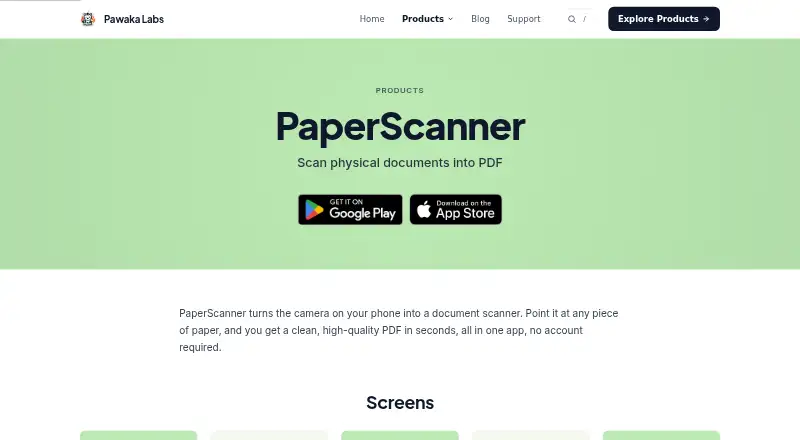
PaperScanner uses a phone camera to turn physical documents into digital files. A visual edge indicator helps frame pages, then the app converts scans to PDF and can export JPG files. The product page says it works without signing up. Its Basic tier includes document scanning, instant PDF conversion, document management, and a simple workflow. Premium removes the watermark, adds batch scanning, and provides priority access to new features. Premium costs $9.99 a month or $19.99 a year. PaperScanner is listed for Android, iOS, and macOS; the iOS listing requires iOS 13 or later on iPhone and iPadOS 13 or later on iPad. Google Drive sync appears in the App Store version history. The developer declarations say no data is collected or shared with third parties; Apple notes that it has not verified its App Store information. Pawaka Labs, based in Batu Pahat, Malaysia, offers email or Discord support and typically replies within one business day.
Who it suits
It suits people who need phone-based document scanning, PDF or JPG exports, and document management across Android, iOS, or macOS. Users wanting batch scans or watermark-free output need Premium.
What it does well
- Works without account signup
- Converts scans to PDF and JPG
- Visual indicator helps frame pages
- Available on Android, iOS, and macOS
- Offers Google Drive sync
What to know first
- Batch scanning requires Premium
- Basic scans include the free-tier limits
- iOS requires version 13 or later
Plans
| Plan | Billed and limits | Price |
|---|---|---|
| Premium | No watermark · Batch scanning · Priority access to new features | On request |
| Basic | Scan physical documents · Convert to PDF · Manage documents | Free |
| PaperScanner Premium - Yearly | Yearly · No watermark · Batch scanning · Priority access to new features | $19.99 a year |
| PaperScanner Premium - Monthly | Monthly · No watermark · Batch scanning · Priority access to new features | $9.99 a month |
As pawakalabs.com lists them, read 22 Sept 2026. The maker's own page has the final word.
Verdict
PaperScanner provides a straightforward camera-to-document workflow with PDF and JPG output. Its free Basic tier handles core scanning, while Premium adds batch processing and removes watermarks.
Facts from PaperScanner's own pages
- Account
- The product page says PaperScanner can be used without signing up. · pawakalabs.com, 12 Oct 2026
- Android app
- Yes · pawakalabs.com, 22 Sept 2026
- Edge detection
- A visual indicator helps users frame document pages while scanning. · pawakalabs.com, 12 Oct 2026
- Export formats
- The App Store listing says the app converts scans to JPG and PDF. · apps.apple.com, 12 Oct 2026
- Free features
- The free Basic tier includes scanning physical documents, instant PDF conversion, document management, and a simple workflow. · pawakalabs.com, 12 Oct 2026
- Free plan
- Yes · pawakalabs.com, 22 Sept 2026
- Headquarters
- Batu Pahat, Johor, Malaysia · pawakalabs.com, 28 Sept 2026
- Integration
- The App Store version history lists Google Drive sync as a feature added in version 1.0.4. · apps.apple.com, 12 Oct 2026
- iOS app
- Yes · pawakalabs.com, 22 Sept 2026
- iOS compatibility
- The App Store listing requires iOS 13 or later for iPhone and iPadOS 13 or later for iPad. · apps.apple.com, 12 Oct 2026
- Notable limitation
- The maker lists batch scanning as a Premium feature. · pawakalabs.com, 12 Oct 2026
- Platforms
- The maker links to Google Play for Android and the Apple App Store for iOS; the App Store listing also says it is designed for iPad and is not verified for macOS. · pawakalabs.com, 12 Oct 2026
- Premium features
- Premium includes scanning without a watermark, batch scanning, and priority access to new features. · pawakalabs.com, 12 Oct 2026
- Privacy
- The App Store listing says the developer declares that the app does not collect data, and notes that Apple has not verified this information. · apps.apple.com, 12 Oct 2026
- Purpose
- PaperScanner uses a phone camera to scan physical documents and turn them into high-quality PDFs. · pawakalabs.com, 12 Oct 2026
- Security
- The Google Play listing reports that the developer declares no data collected and no data shared with third parties. · play.google.com, 12 Oct 2026
- Support
- Pawaka Labs says it typically replies within one business day and offers support by email or Discord. · pawakalabs.com, 12 Oct 2026
Where PaperScanner stands on Freedom251
- Scanner apps#48 of 76
- Mobile Scanning Apps#53 of 76