Freedom251 › Mobile Scanning Apps
Mobile Scanner
What Mobile Scanner is
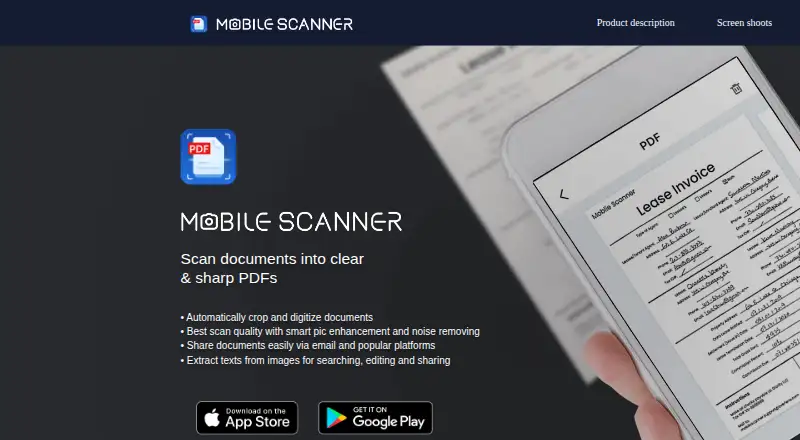
Mobile Scanner is an iOS and Android app that turns documents, notes, photos, receipts, and books into PDFs or images. It supports high-resolution and batch scanning, including combining multiple pages into one PDF. Automatic border detection and cropping, rotation, color adjustment, resizing, filters, and imperfection removal help refine scans. Built-in OCR recognizes text, allows edits, exports text as TXT, and creates searchable PDFs. Scans can be shared by email, uploaded to Dropbox, Google Drive, or OneDrive, and printed as PDFs. Passwords can lock confidential documents and folders. The free plan is free to download but includes ads and in-app purchases; a free trial is also available.
Who it suits
Mobile Scanner suits people who need document capture and OCR on iOS or Android devices. It is useful for users who want searchable, multipage PDFs and sharing to common cloud services.
What it does well
- Available on iOS and Android
- OCR creates editable, searchable text
- Supports batch and multipage scanning
- Password protection for documents and folders
- Shares to Dropbox, Google Drive, and OneDrive
What to know first
- Free plan includes ads and in-app purchases
- Privacy policy says uploaded content and device data may be collected
- Security cannot be guaranteed
Plans
| Plan | Billed and limits | Price |
|---|---|---|
| Free | Free to download; ads and in-app purchases | Free |
| Yearly Premium | 1 year; auto-renews unless canceled at least 24 hours before the current period ends · Unlimited scans and folders · unlimited export · batch scanning · unlimited cloud storage · no ads | On request |
As mobilescanner.com lists them, read 11 Oct 2026. The maker's own page has the final word.
Verdict
Mobile Scanner covers scanning, OCR, PDF creation, editing, sharing, and document locking in a mobile app. The free plan provides access with ads, while Premium lists broader scanning, export, storage, and ad-free allowances.
Facts from Mobile Scanner's own pages
- Android app
- Yes · mobilescanner.com, 23 Sept 2026
- Data rights
- The privacy policy says users may request access, correction, deletion, or portability of personal information, subject to limitations. · app-service.mobilescanner.com, 11 Oct 2026
- Developer
- Google Play identifies the developer as Glority Global Group Limited and lists an address in Hong Kong. · play.google.com, 11 Oct 2026
- Document security
- The app lets users set passwords to lock confidential documents and folders. · play.google.com, 11 Oct 2026
- File sharing
- Users can share scans by email, upload them to Dropbox, Google Drive, and OneDrive, and print PDFs from the app. · play.google.com, 11 Oct 2026
- Free plan
- Yes · mobilescanner.com, 23 Sept 2026
- Headquarters
- 11/F., Capital Centre, 151 Gloucester Road, Wan Chai, Hong Kong · mobilescanner.com, 28 Sept 2026
- Image editing
- Features include automatic border detection and cropping, rotation, color adjustment, resizing, filters, and tools to erase imperfections. · play.google.com, 11 Oct 2026
- iOS app
- Yes · mobilescanner.com, 23 Sept 2026
- Multipage PDF
- Yes · mobilescanner.com, 23 Sept 2026
- OCR
- Built-in OCR recognizes text from scans, which users can edit and export as TXT. · play.google.com, 11 Oct 2026
- Premium limit
- The store listing describes Premium as including unlimited scans and folders, unlimited export, batch scanning, unlimited cloud storage, and ad-free use. · apps.apple.com, 11 Oct 2026
- Privacy practices
- The privacy policy says the company may collect account details, scanned content and metadata, device information, and usage information, and states that uploaded documents, photos, and images will not be publicly shared. · app-service.mobilescanner.com, 11 Oct 2026
- Scanning
- The app supports high-resolution and batch scanning, including saving multiple scanned pages as one PDF. · play.google.com, 11 Oct 2026
- Searchable PDF
- Yes · mobilescanner.com, 23 Sept 2026
- Security practices
- The privacy policy says the company uses commercially reasonable measures such as encryption, firewalls, and server authentication, while noting it cannot guarantee security. · app-service.mobilescanner.com, 11 Oct 2026
- Support
- The app listing provides support at [email protected]. · play.google.com, 11 Oct 2026
- What it does
- Mobile Scanner scans documents, notes, photos, receipts, and books into PDFs and images, and uses OCR to convert images into text and searchable PDFs. · mobilescanner.com, 11 Oct 2026
Where Mobile Scanner stands on Freedom251
- Mobile Scanning Apps#43 of 76
- Scanner apps#44 of 76