Freedom251 › Painting Contractor Software

PaintOps
What PaintOps is
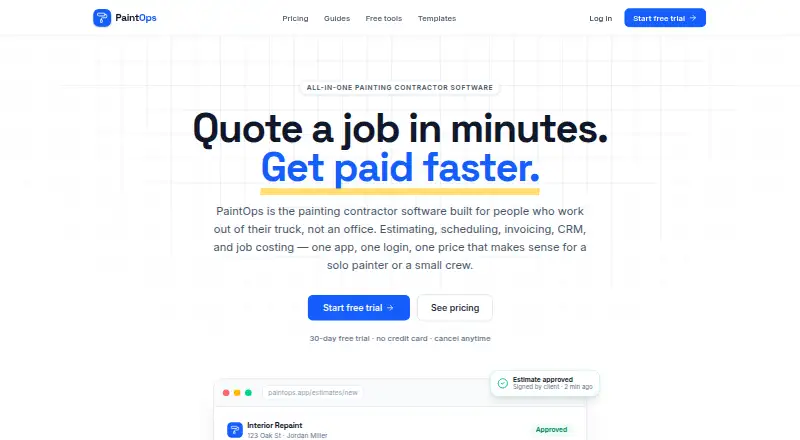
PaintOps is browser-based software for painting contractors, combining estimating, scheduling, invoicing, CRM, and job costing. Its estimate builder covers interior and exterior surfaces, coats, sheen, color, paint quantity calculations, target-margin pricing, estimate tiers, and e-signatures. The calendar has day, week, and month views, with drag-and-drop scheduling, multi-day jobs, crew assignment, conflict detection, and automatic client confirmations. Invoices can include deposits and progress billing. Card and ACH payments use a provider the maker says is being finalized; standard transaction fees apply, with no additional PaintOps markup. Job costing tracks materials, labor hours, and subcontractor costs against quoted prices, and reporting includes margins, company performance, and CSV export. The site lists one-way QuickBooks Online export and an embeddable quote-request widget for websites and Google Business Profiles. Solo costs $23/user/month billed annually; Team is $39/month billed annually and includes three seats, with additional seats at $6 each. Both plans offer a 30-day trial with all features and no credit card required.
Who it suits
PaintOps is designed for solo painters and small painting companies of roughly one to ten people. It suits contractors who want estimates, scheduling, invoicing, and job costs in a web browser.
What it does well
- Estimate builder supports e-signatures and target-margin pricing.
- Scheduling includes crew assignment and conflict detection.
- Tracks material, labor, and subcontractor costs.
- 30-day trial includes all features without a card.
- Embeddable quote-request widget is listed.
What to know first
- No free plan is available.
- Only web access is listed.
- Card and ACH payment provider is still being finalized.
- QuickBooks Online export is one-way.
Limits
The Solo plan is for one user. Team includes three seats, then costs $6 per additional seat; the pricing page says there is no hard user ceiling.
Plans
| Plan | Billed and limits | Price |
|---|---|---|
| Solo | billed annually · $29/month · 1 user · paint-specific estimates · e-signature · invoicing · basic scheduling | $23 a month |
| Team | billed annually · $49/month · 3 seats included, then $6/seat · CRM and booking · multi-crew scheduling · time tracking · job costing · reporting and CSV export | $39 a month |
As paintops.app lists them, read 2 Oct 2026. The maker's own page has the final word.
Getting started
- Visit https://www.paintops.app/.
- Open PaintOps in a web browser; desktop installation is unnecessary.
- Choose Solo or Team, or begin the 30-day trial with all features and no credit card.
- Set up estimates with surfaces, coats, colors and pricing, then add e-signatures.
- Schedule jobs and assign crews in the calendar.
- Create invoices and track job costs against quoted prices.
Verdict
PaintOps brings core estimating, scheduling, invoicing, and cost tracking into a browser-based service for painting businesses. Review payment processing and the one-way accounting export before choosing a plan.
Questions
Is PaintOps free?
No free plan is listed. Every plan has a 30-day trial with all features and no credit card required.
How much does PaintOps cost?
The pricing note says From $23/user/mo (annual) · 30-day trial. Solo is $23 a month billed annually; Team is $39 a month billed annually.
Which platforms does PaintOps support?
PaintOps lists web as its platform and says it runs in a browser, without desktop installation.
How many people can use Team?
Team includes three seats, then additional seats cost $6 per seat. The pricing page says there is no hard user ceiling.
Does PaintOps integrate with QuickBooks Online?
The site lists a one-way QuickBooks Online export at launch.
Are card and ACH payments included?
Invoices can include deposits and progress billing, while card and ACH payments use a provider PaintOps says is being finalized. Standard processor transaction fees apply, with no PaintOps markup.
Facts from PaintOps's own pages
- Audience
- PaintOps says it is for solo painters and small painting companies of roughly 1–10 people. · paintops.app, 2 Oct 2026
- Estimating
- Its estimate builder supports interior and exterior surfaces, coats, sheen, color, paint quantity calculations, target-margin pricing, estimate tiers, and e-signatures. · paintops.app, 2 Oct 2026
- Integrations
- The site lists a one-way QuickBooks Online export at launch and an embeddable quote-request widget for websites and Google Business Profiles. · paintops.app, 2 Oct 2026
- Job costing
- PaintOps tracks materials, labor hours, and subcontractor costs against quoted prices and provides margin and company reporting with CSV export. · paintops.app, 2 Oct 2026
- Payment fees
- Client card and ACH payments incur standard processor transaction fees, and PaintOps says it adds no markup to those fees. · paintops.app, 2 Oct 2026
- Payments
- Invoices can include deposits and progress billing, while card and ACH payments use a provider the maker says is being finalized. · paintops.app, 2 Oct 2026
- Product
- PaintOps combines estimating, scheduling, invoicing, CRM, and job costing for painting contractors. · paintops.app, 2 Oct 2026
- Scheduling
- The scheduling calendar supports day, week, and month views, drag-and-drop, multi-day jobs, conflict detection, crew assignment, and automatic client confirmations. · paintops.app, 2 Oct 2026
- Team limits
- Team includes three seats and additional seats cost $6 per seat; the pricing page says there is no hard user ceiling. · paintops.app, 2 Oct 2026
- Trial
- Every plan has a 30-day trial with all features and no credit card required. · paintops.app, 2 Oct 2026
- Web use
- The maker says PaintOps runs in a web browser and that desktop installation is unnecessary. · paintops.app, 2 Oct 2026
Where PaintOps stands on Freedom251
- Painting Contractor Software#14 of 22