Freedom251 › Photo Editing Software
Paint.NET
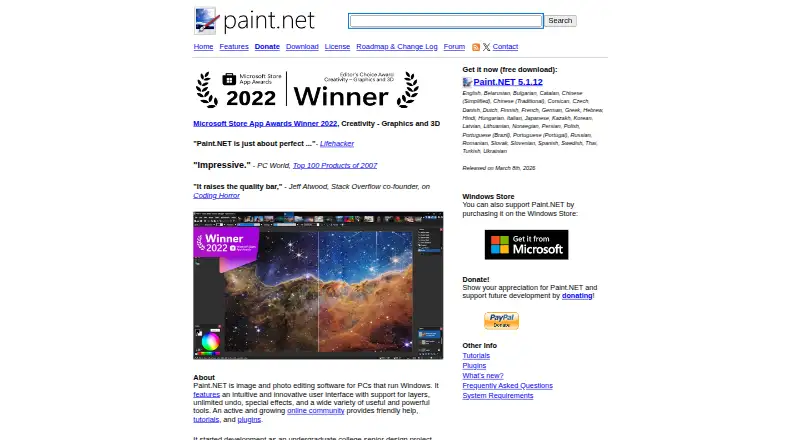
What Paint.NET is
Paint.NET is Windows desktop software for editing images and photos. It provides layer editing, unlimited undo, special effects, and other image tools, while opening several images in a tabbed workspace. Tabs can be reordered by dragging. The application supports PDN, PNG, JPEG, JPEG XL, JPEG XR, BMP, GIF, TGA, DDS, TIFF, HEIC, WebP, and AVIF files. Its built-in color profiles include sRGB, Adobe RGB, Display P3, and Pro Photo RGB, and ICC or ICM files can be imported. Community plugins can add effects, adjustments, and file-format support; those plugins are distributed through the Paint.NET forum and are not supported by the project team. Updates are free: the Store release updates automatically, while Classic updates in a few clicks. The software has a free plan, does not support RAW photos or masking tools, and runs on Windows systems meeting the listed requirements. Its license allows personal, business, commercial, school, and government use on as many systems as desired.
Who it suits
It suits Windows users who need free desktop image editing with layers, tabs, broad file-format support, and optional community plugins. The license also covers business, school, government, and personal use.
What it does well
- Free plan available
- Layer editing and unlimited undo
- Tabbed multi-image workspace
- Wide file-format support
- Importable color profiles
What to know first
- Windows only
- No RAW photo support
- No masking tools
- Community plugins lack team support
Plans
| Plan | Billed and limits | Price |
|---|---|---|
| Microsoft Store | Paid Store release · Automatic updating | On request |
| Classic | Windows download · same functionality as Store release | Free |
| Store | Paid Windows Store release · same functionality as Classic · fully automatic updating | On request |
As paint.net lists them, read 20 Sept 2026. The maker's own page has the final word.
Verdict
Paint.NET offers a free Windows editor with layers, extensive format support, color profiles, and tabbed image handling. Users needing RAW processing, masking, or a non-Windows platform should look elsewhere.
Facts from Paint.NET's own pages
- Color management
- Built-in color profiles include sRGB, Adobe RGB, Display P3, and Pro Photo RGB, and users can import ICC or ICM files. · paint.net, 12 Oct 2026
- Editing features
- It supports layers, unlimited undo, special effects, and a variety of image-editing tools. · paint.net, 12 Oct 2026
- Extensibility
- Third-party plugins can add effects, adjustments, and file-format support, and are distributed through the Paint.NET forum. · paint.net, 12 Oct 2026
- File formats
- Supported formats include PDN, PNG, JPEG, JPEG XL, JPEG XR, BMP, GIF, TGA, DDS, TIFF, HEIC, WebP, and AVIF. · paint.net, 12 Oct 2026
- Free plan
- Yes · paint.net, 20 Sept 2026
- Intended users
- The license permits use for personal, business, commercial, school, and government purposes, and allows installation on as many systems as desired. · paint.net, 12 Oct 2026
- Layer editing
- Yes · paint.net, 20 Sept 2026
- Maker and project
- The homepage says the project began as a college senior design project mentored by Microsoft and is now maintained and developed by Rick Brewster. · paint.net, 12 Oct 2026
- Masking tools
- No · paint.net, 20 Sept 2026
- Multiple images
- The app can open multiple images at once in a tabbed interface, and tabs can be reordered by drag and drop. · paint.net, 12 Oct 2026
- Platform
- desktop · paint.net, 20 Sept 2026
- Plugin security
- The documentation advises downloading plugins only from the Paint.NET forum or author links there and recommends scanning plugins for viruses before installation. · paint.net, 12 Oct 2026
- Plugin support
- The Paint.NET team does not provide support for community plugins; plugin users are directed to the forum thread where each plugin was released. · paint.net, 12 Oct 2026
- Privacy
- The maker says the software does not collect or transmit personal information, while Classic anonymously reports completed installations and updates unless MSI-based deployment is used. · paint.net, 12 Oct 2026
- Purpose
- Paint.NET is image and photo editing software for PCs that run Windows. · paint.net, 12 Oct 2026
- RAW photo support
- No · paint.net, 20 Sept 2026
- System requirements
- The current download page lists Windows 10 version 21H2 or newer, Windows 11, or Windows Server 2022, a 64-bit CPU with at least four cores, and a Direct3D 11 GPU. · paint.net, 12 Oct 2026
- Updates
- Updates are free; the Store release updates automatically in the background, while the Classic release can be updated in a few clicks. · paint.net, 12 Oct 2026
Where Paint.NET stands on Freedom251
- Photo Editing Software#56 of 159