Freedom251 › Digital Scrapbooking Software

BeautyPlus
What BeautyPlus is
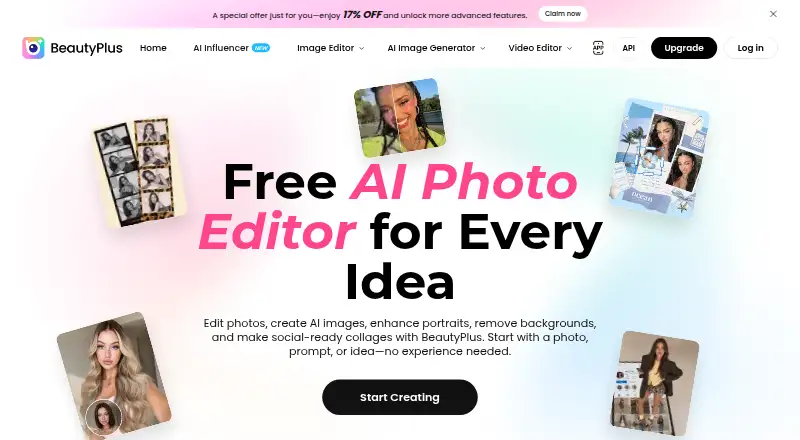
BeautyPlus is a photo and video editor for selfies, portraits, and other images, with AI tools available on the web and in iOS and Android apps. Its portrait tools can adjust facial features, smooth skin, and reshape body contours. Other editing options can enhance image quality, generate content, change backgrounds, remove objects, restore videos, and create professional headshots. Creative tools include AI filters, textures, color grading, and collages, while virtual try-on features cover hairstyles, hair colors, outfits, nail designs, tattoos, and glasses. BeautyPlus supports generative editing, layers and masks, and batch editing. Its online tools let users start editing without downloading an app. The service also offers image-editing APIs and Skills for AI agents, with Claude, OpenAI, and OpenClaw listed as supported agents. API use cases include e-commerce, photography studios, social apps, ID and profile photos, and photo restoration services; applying for an API key requires a BeautyPlus account and VIP membership. Cloud editing uploads photos to BeautyPlus servers and may transmit EXIF data, including GPS coordinates and device details. BeautyPlus says it takes reasonable security measures, including SSL encryption for some services, but cannot guarantee complete security. The service was founded in 2013.
Who it suits
BeautyPlus suits people editing selfies, portraits, and videos who want AI retouching, creative effects, or virtual try-ons across web and mobile. Its API options may also suit businesses building image editing into e-commerce, photography, social, profile-photo, or restoration services.
What it does well
- Edits photos and videos on web, iOS, and Android.
- Retouches faces, smooths skin, and reshapes body contours.
- Includes filters, textures, color grading, and collages.
- Virtual try-ons cover hair, outfits, nails, tattoos, and glasses.
- Supports generative editing, layers and masks, and batch editing.
What to know first
- Free plan provides limited AI feature access.
- Applying for an API key requires VIP membership.
- Cloud editing uploads photos and may transmit EXIF data.
Limits
The Free plan includes limited AI feature access. Pro lists 200 credits per month, 2,400 seconds of video enhancement, and 40+ images per month each for object removal and image creation; Max lists higher monthly allowances and includes UHD video enhancement.
Plans
| Plan | Billed and limits | Price |
|---|---|---|
| Free | $0 · limited usage · Limited access to AI features · basic assets · exports with watermark | Free |
| Max | Monthly $16.99/month · 500 BeautyPlus Credits/mo | $16.99 a month |
| Max | Yearly $5.59/month · 500 BeautyPlus Credits/mo | $5.59 a month |
| Pro | /month · 200 BeautyPlus Credits every month · Unlimited Photo Enhancer · Video Enhance: 2,400s/mo · AI Object Remover: 40+ images/mo · AI Image Creation: 40+ images/mo · Premium assets · No watermarks on HD exports | On request |
| Enterprise Plan | Custom · Custom API solution for enterprises with high volume, tailored needs, and dedicated support | On request |
As beautyplus.com lists them, read 8 Oct 2026. The maker's own page has the final word.
Getting started
- Open the BeautyPlus website to use its online editing tools without downloading.
- For mobile editing, download the iOS app from the App Store or the Android app from Google Play.
- Start with the Free plan, which costs nothing and has limited AI feature access.
- For API access, create a BeautyPlus account and obtain VIP membership before applying for an API key.
Verdict
Choose BeautyPlus for portrait retouching, AI edits, and virtual try-ons across web and mobile. The free plan has limited AI access, and API users need a BeautyPlus account and VIP membership; consider the photo handling involved when using cloud editing.
Questions
Is BeautyPlus free?
Yes. Its Free plan costs nothing and includes limited AI feature access.
What platforms does BeautyPlus support?
BeautyPlus offers web tools and mobile apps for iOS and Android.
What do the Pro and Max plans include?
Pro includes 200 credits monthly, 2,400 seconds of video enhancement, and 40+ images per month each for object removal and image creation. Max includes 500 credits, 6,000 seconds of video enhancement, 2,000 seconds of UHD video enhancement, and 100+ images per month for each of those image tools.
Can I use BeautyPlus through an API?
Yes. BeautyPlus offers image-editing APIs and identifies e-commerce, photography studios, social apps, ID and profile photos, and photo restoration as use cases. Applying for an API key requires a BeautyPlus account and VIP membership.
Which AI agents does BeautyPlus support?
BeautyPlus lists Claude, OpenAI, and OpenClaw as supported AI agents.
How does BeautyPlus handle cloud-edited photos?
Cloud editing uploads photos to BeautyPlus servers for processing and may transmit EXIF data, including GPS coordinates and device details.
Facts from BeautyPlus's own pages
- AI editing
- Its AI editing tools enhance image quality, generate content, change backgrounds, remove objects, restore videos, and create professional headshots. · beautyplus.com, 8 Oct 2026
- API access requirement
- The developer page says users need a BeautyPlus account and VIP membership to apply for an API key. · beautyplus.com, 8 Oct 2026
- API and agent integrations
- BeautyPlus offers image-editing APIs and Skills and lists Claude, OpenAI, and OpenClaw as supported AI agents. · beautyplus.com, 8 Oct 2026
- API use cases
- The API page identifies e-commerce, photography studios, social apps, ID and profile photos, and photo restoration services as use cases. · beautyplus.com, 8 Oct 2026
- Batch editing
- Yes · pre.beautyplus.com, 23 Sept 2026
- Creative tools
- The service includes AI filters, textures, color grading, and collages. · beautyplus.com, 8 Oct 2026
- Facial data
- The privacy policy says facial feature information may be processed for features and facial mapping information is discarded when recommendations finish or the services close. · beautyplus.com, 8 Oct 2026
- Founded
- 2013 · beautyplus.com, 28 Sept 2026
- Free plan
- Yes · pre.beautyplus.com, 23 Sept 2026
- Generative editing
- Yes · pre.beautyplus.com, 23 Sept 2026
- Layers and masks
- Yes · pre.beautyplus.com, 23 Sept 2026
- Mobile app
- Yes · pre.beautyplus.com, 23 Sept 2026
- Mobile apps
- The official download page offers BeautyPlus for iOS through the App Store and Android through Google Play. · beautyplus.com, 8 Oct 2026
- Photo handling
- Using cloud editing uploads photos to BeautyPlus servers for processing and may transmit EXIF data, which can include GPS coordinates and device details. · beautyplus.com, 8 Oct 2026
- Portrait retouch
- Its portrait tools adjust facial features, smooth skin, and reshape body contours. · beautyplus.com, 8 Oct 2026
- Purpose
- BeautyPlus offers photo and video editing with AI tools for selfies, portraits, filters, virtual try-ons, and image editing. · beautyplus.com, 8 Oct 2026
- Security
- The privacy policy says BeautyPlus takes reasonable security measures and that some services use encryption techniques such as SSL, while acknowledging it cannot guarantee information is 100% secure. · beautyplus.com, 8 Oct 2026
- Support
- BeautyPlus directs users to [email protected] for general enquiries, subscription questions, payment disputes, refunds, and technical support. · beautyplus.com, 8 Oct 2026
- Supported platforms
- Web, iOS, Android · pre.beautyplus.com, 23 Sept 2026
- Virtual try-on
- Users can digitally try hairstyles, hair colors, outfits, nail designs, tattoos, and glasses. · beautyplus.com, 8 Oct 2026
- Web tools
- The home page describes online editing tools and says users can start creating without downloading. · beautyplus.com, 8 Oct 2026
Where BeautyPlus stands on Freedom251
- Digital Scrapbooking Software#1 of 26
- AI Photo Editors#4 of 97
- Photo editors#25 of 97
- Photo Editing Software#52 of 160