Freedom251 › Revenue Lifecycle Management Software

Paddle Billing
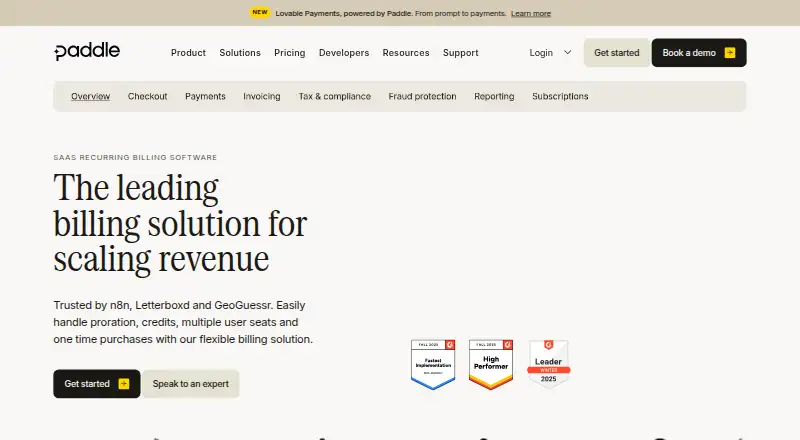
What Paddle Billing is
Paddle Billing is web-based software for online payments and recurring billing. It supports recurring invoices, recurring payments, payment reminders, and a client portal. Billing can use multiple currencies, with 30 currencies supported, while tax calculation is automatic. Local payment methods are available, and Paddle acts as the merchant of record. Checkout is offered in both checkout modes. The Pay-as-you-go plan charges 5% + 50¢ per Checkout transaction and lists no migration fees, monthly fees, or hidden extras. Paddle Billing has no free plan and uses a paid model. Paddle was founded in 2012 and is headquartered in London, United Kingdom. The product is available on the web.
Who it suits
It suits businesses collecting online payments and managing recurring charges across currencies. Companies needing invoicing should assess the custom-pricing requirement before selecting a plan.
What it does well
- Supports recurring invoices and payments
- Automatic tax calculation
- 30 supported currencies
- Local payment methods
- Merchant-of-record service
What to know first
- No free plan
- Invoicing requires custom pricing
- Pay-as-you-go charges 5% + 50¢ per transaction
Limits
The Pay-as-you-go plan charges 5% + 50¢ per Checkout transaction. Invoicing is limited to the Custom pricing plan, whose price is custom.
Plans
| Plan | Billed and limits | Price |
|---|---|---|
| Pay-as-you-go | 5% + 50¢ per Checkout transaction · No migration fees, monthly fees, or hidden extras | On request |
| Pay-as-you-go | 5% + 50¢ per Checkout transaction · No migration fees, monthly fees, or hidden extras | On request |
| Custom pricing | Custom pricing for rapidly scaling and established large-scale businesses · Invoicing requires custom pricing | On request |
| Custom pricing | Custom pricing for rapidly scaling and established large-scale businesses · Invoicing requires custom pricing | On request |
As paddle.com lists them, read 19 Sept 2026. The maker's own page has the final word.
Getting started
- Open the Paddle Billing website
- Choose the Pay-as-you-go plan for Checkout transactions
- Use Custom pricing when invoicing is required
- Configure Checkout in either available mode
- Set up recurring payments, invoices, reminders, and the client portal
- Enable supported currencies and local payment methods
Verdict
Paddle Billing covers recurring billing, checkout, reminders, and tax handling in a web service. The key decision is whether transaction pricing fits your checkout volume or your invoicing needs require a custom plan.
Questions
Does Paddle Billing offer a free plan?
No. Paddle Billing uses paid pricing and has no free plan.
What does Pay-as-you-go cost?
It costs 5% + 50¢ per Checkout transaction, with no migration fees, monthly fees, or hidden extras.
Is invoicing included in Pay-as-you-go?
Invoicing requires the Custom pricing plan, which uses custom pricing.
How many currencies are supported?
Paddle Billing supports 30 currencies and provides multi-currency invoicing and billing.
Does Paddle calculate tax automatically?
Yes. Tax calculation is automatic.
What payment and customer tools are included?
It supports online payments, recurring payments, local payment methods, payment reminders, and a client portal.
Facts from Paddle Billing's own pages
- Payment reminders
- Yes · paddle.com, 19 Sept 2026
- Client portal
- Yes · paddle.com, 19 Sept 2026
- Founded
- 2012 · paddle.com, 28 Sept 2026
- Free plan
- No · paddle.com, 19 Sept 2026
- Headquarters
- London, United Kingdom · paddle.com, 28 Sept 2026
- Multi-currency invoicing
- Yes · paddle.com, 19 Sept 2026
- Online payments
- Yes · paddle.com, 19 Sept 2026
- Recurring invoices
- Yes · paddle.com, 19 Sept 2026
Where Paddle Billing stands on Freedom251
- Revenue Lifecycle Management Software#18 of 30
- Tax Compliance Software#64 of 105
- Invoicing software#70 of 84
- Subscription Billing Software#41 of 49
- Billing And Invoicing Software#26 of 29
- Merchant of Record Software#31 of 32