Freedom251 › Contract Analysis Software
PactSage
What PactSage is
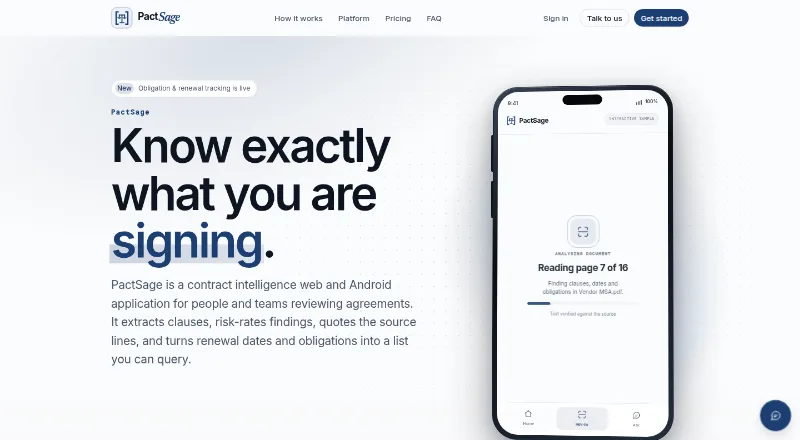
PactSage is a contract intelligence web and Android application that extracts clauses, rates risks, and links findings to sentences in the source file. It can flag quoted findings that cannot be verified and report clause types that are missing. Supported agreements include services agreements, SOWs, NDAs, vendor and employment contracts, leases, rent agreements, sale deeds, and settlements; it says it declines unsupported types. Users can upload PDFs, Word documents, or photographs of signed pages, and scanned files are processed with OCR. The builder drafts agreements for the user's side and checks them before export in English, Hindi, or both. Users can group agreements into Spaces and ask questions across them, with responses grounded in retrieved passages. PactSage also tracks obligations, renewal dates, and notice periods with action-by-date alerts. Uploaded content and prompts are sent to third-party AI services, and PactSage says it does not use documents to train a PactSage model. Its Android APK supports Android 7.0 and above but is not yet on the Play Store; the iOS app is not released.
Who it suits
PactSage suits individuals reviewing documents they sign and professionals who review contracts as part of their work. It is also relevant to teams tracking obligations and renewal dates across grouped agreements.
What it does well
- Findings link to source sentences in the original file.
- Scanned documents can be processed with OCR.
- Spaces support questions across grouped agreements.
- Tracks obligations, renewals, and notice periods.
- Free plan is available.
What to know first
- Android app is an APK, not yet on the Play Store.
- The iOS app is not released.
- Uploaded content and prompts go to third-party AI services.
- Output is not legal advice.
Limits
The free plan allows 2 scans and 2 analyses per day, 1 Space, 10 questions per day, 2 contracts, 2 drafts per month, 1 seat, and 1 GB of storage. Word export is available on paid plans.
Plans
| Plan | Billed and limits | Price |
|---|---|---|
| Free | no card required · 2 scans/day · 2 analyses/day · 1 space · 10 questions/day · 2 contracts · 2 drafts/month · 1 seat · 1 GB storage | Free |
| Professional | estimated EUR checkout; billed monthly · 50 scans/day · 50 analyses/day · 50 spaces · 200 questions/day · 150 contracts · 80 drafts/month · 5 seats · 100 GB storage · case-law search · priority support | 23.51 CHF a month |
| Personal | estimated EUR checkout; billed monthly · 10 scans/day · 10 analyses/day · 10 spaces · 30 questions/day · 15 contracts · 20 drafts/month · 1 seat · 10 GB storage · Word/PDF export | 7.52 CHF a month |
| Enterprise | custom priced on a call · Unlimited scans, analyses, spaces, questions, contracts, drafts, seats and storage · full API · SSO · calendar sync · approval workflow · clause benchmarks | On request |
As pactsage.com lists them, read 15 Oct 2026. The maker's own page has the final word.
Getting started
- Open the PactSage website to use the web service.
- For Android, install the APK on a device running Android 7.0 or above.
- Choose the Free plan or a paid plan based on its document, usage, and seat limits.
- Upload a PDF, Word document, or photograph of signed pages for review.
Overview
PactSage is a cloud service for reviewing, drafting, and tracking supported contracts. It suits individuals and small teams that want source-linked findings alongside portfolio questions and deadline alerts. It is a poor fit for anyone who needs an iOS app or requires a Play Store download.
Key features
Review with context
PactSage extracts clauses, identifies risks, compares terms, and reports clause types it does not find. Each finding includes a sentence placed at its location in the original file, and unverifiable quotes are flagged. That makes it easier to check the context behind an alert, rather than relying on a risk label alone. The boundary is a supported set of eight agreement types, including NDAs, services agreements, leases, and settlements; PactSage says it refuses other types.
Documents, drafts, and portfolio questions
Users can upload PDFs, Word documents, or photographs of signed pages, with OCR for scans. The contract builder drafts for the user's side, checks drafts before export, and supports English, Hindi, or both. Word export requires a paid plan. Grouping agreements into a Space enables questions across them, with answers grounded in retrieved passages. These tools make PactSage more than a one-off scanner, though free and Personal quotas may be restrictive for frequent reviewers.
Obligation tracking and safeguards
PactSage tracks obligations, renewal dates, and notice periods, with alerts keyed to the action-by date. Enterprise adds Google and Outlook calendar sync and full API access. Uploaded content and prompts go to third-party AI services, including OpenRouter-hosted models and Google Gemini services; PactSage says it does not use documents to train a PactSage model. Its stated safeguards include access controls, server-side session handling, encrypted transport on its hosted service, and scoped workspaces. That does not remove the need to consider third-party processing before uploading sensitive agreements. PactSage is not a law firm, and its output is not legal advice.
Pricing
The free plan costs nothing and allows 2 scans and 2 analyses per day, 1 space, 10 questions per day, 2 contracts, 2 drafts per month, 1 seat, and 1 GB of storage. It is a modest way for an individual to try the workflow, but the contract and draft caps limit ongoing use.
Personal costs 6.91 CHF a month (billed per month; estimated · CHF Checkout · INR). It raises the limits to 10 scans and analyses per day, 10 spaces, 30 questions per day, 15 contracts, 20 drafts per month, and 10 GB, while retaining one seat. This is the natural step up for an individual reviewing agreements regularly, not a shared team plan.
Professional costs 21.62 CHF a month (billed per month; estimated · CHF Checkout · INR). It includes 50 scans and analyses per day, 50 spaces, 200 questions per day, 150 contracts, 80 drafts per month, 5 seats, 100 GB, and priority support. It fits people reviewing contracts as part of their job and small teams that need shared access.
Enterprise has custom pricing, billed custom priced on a call. It offers unlimited scans, analyses, spaces, questions, contracts, drafts, seats, and storage, plus full API access, SSO, calendar sync for Google and Outlook, and priority support. It is the tier for organizations that need integrations or usage beyond Professional's fixed quotas.
Platforms
PactSage runs on the web and in the cloud, with an Android APK for Android 7.0 and above. The APK is not yet on the Play Store, and the iOS app has not been released. That distribution is a meaningful drawback for readers who expect app-store installation or Apple-device access.
Who it's for
Personal is aimed at individuals checking what they sign; Professional targets people who review contracts as part of their job. PactSage is most suitable when agreements fall within its supported types and users value traceable findings, drafting, and ongoing deadline tracking. It is less suitable when a buyer needs an iOS app, broader document coverage, or is unwilling to send document content and prompts to third-party AI services.
Pros and cons
- Pro: Findings link back to source sentences, and unverifiable quotes are flagged, giving reviewers a way to inspect the evidence.
- Pro: Review, drafting, portfolio questions, and obligation alerts bring several contract workflows into one service.
- Pro: Professional provides 5 seats and substantially higher quotas than Personal, while Enterprise removes the stated usage caps.
- Con: The service refuses unsupported agreement types, so it cannot serve as a general-purpose reviewer for every contract.
- Con: Third-party AI processing may rule it out for users with strict document-handling requirements.
- Con: Android installation requires an APK, and there is no released iOS app.
- Con: Free is limited to 2 contracts and 2 drafts per month, while Personal remains single-seat.
Alternatives
Contract Analysis Software is the broader category for comparing contract-review tools. Choose ClauseShield instead if a web-based free tier with 3 contracts per month, full clause detection, risk explanations, redline suggestions, and Word, PDF, and TXT export better matches the workflow. ClauseShift is another freemium option with Android, web, and Windows access; consider it if Windows support matters. ClearTerm offers a free account capped at 5 scans per month, with Shield Mode, Diff Mode, safety scores, plain-English explanations, and ready-to-copy negotiation material, making it an option for readers prioritizing those tools. Draft Ally has API and web access and a free Solo tier with 5 contracts per month, 10 risk categories, plain-English explanations, and Word upload; consider it if those limits and features suit your use. Tiro is a paid option for readers considering a browser extension. DocJuris offers an annual platform fee sized to contract volume and enabled apps, unlimited users, and 25+ standard apps, agents, and enterprise integrations; it may suit organizations seeking that broader platform structure. eBrevia is a paid option with API, self-hosted, and web platforms. Robin AI is a paid option with a free plan and trial, available as an extension and on the web.
Verdict
Choose PactSage if you are an individual or small team handling supported agreements and want source-checkable review results alongside drafting and action-by-date alerts. Its breadth and traceability are its strongest reasons to choose it; third-party AI processing, document scope, and uneven mobile availability are the clearest reasons to look elsewhere.
Verdict
PactSage combines contract review, drafting, portfolio questions, and obligation tracking. Its stated document limits, third-party AI processing, and legal-advice limitation are important considerations before uploading agreements.
Questions
Is PactSage free?
Yes. The Free plan costs nothing and includes 2 scans and 2 analyses per day, 1 Space, 10 questions per day, 2 contracts, 2 drafts per month, 1 seat, and 1 GB of storage.
What do the paid plans cost?
Personal is 6.91 CHF a month, billed monthly and estimated. Professional is 21.62 CHF a month, billed monthly and estimated. Enterprise is custom priced on a call.
Which platforms does PactSage support?
It supports web and Android. The Android APK requires Android 7.0 or above; the iOS app has not been released.
What documents can I upload?
PactSage accepts PDFs, Word documents, and photographs of signed pages, and processes scanned documents with OCR. It supports eight agreement types, including services agreements, SOWs, NDAs, vendor and employment contracts, leases and rent agreements, sale deeds, and settlements.
Does PactSage provide legal advice?
No. PactSage says it is not a law firm and that its output is not legal advice.
What happens to uploaded document content?
PactSage says document content and prompts are sent to third-party AI services, including OpenRouter-hosted models and Google Gemini services. It says documents are not used to train a PactSage model.
Facts from PactSage's own pages
- AI and privacy
- Uploaded document content and prompts are sent to third-party AI services, including OpenRouter-hosted models and Google Gemini services, and PactSage says it does not use documents to train a PactSage model. · pactsage.com, 29 Sept 2026
- AI data processing
- Uploaded documents and prompts are sent to configured third-party services including OpenRouter-hosted models and Google Gemini for OCR, analysis, generation, embeddings and question answering. · pactsage.com, 15 Oct 2026
- Alerts
- PactSage tracks obligations, renewal dates, and notice periods, with alerts keyed to the action-by date. · pactsage.com, 29 Sept 2026
- Android availability
- The Android app is distributed as an APK for Android 7.0 and above and is not yet on the Play Store; the iOS app is not released yet. · pactsage.com, 29 Sept 2026
- Android distribution
- The Android client is an approximately 90 MB sideloaded APK requiring Android 7.0 or newer and is not distributed through Google Play. · pactsage.com, 15 Oct 2026
- API availability
- Full API access and unlimited API calls are listed only for Enterprise; the public schema endpoint returned HTTP 401 when opened. · pactsage.com, 15 Oct 2026
- App-store status
- Searches found no PactSage listing or rating on Google Play or Apple's App Store; the maker explicitly says the Android APK is not yet on Play Store and iOS is unreleased. · pactsage.com, 15 Oct 2026
- Case-law research
- Professional and Enterprise plans include searches of Supreme Court and High Court judgments. · pactsage.com, 15 Oct 2026
- Citation verification
- Each finding is linked to a passage in the uploaded file, and quotes that cannot be relocated are marked unverified. · pactsage.com, 15 Oct 2026
- Cited findings
- Each finding includes a source sentence relocated in the original file, and findings with quotes that cannot be verified are flagged. · pactsage.com, 29 Sept 2026
- Clause coverage
- PactSage says its taxonomy covers 43 clause types across eight agreement categories and records clauses that are absent. · pactsage.com, 15 Oct 2026
- Company transparency
- The About page says PactSage has no customer counts, testimonials or logo wall yet. · pactsage.com, 15 Oct 2026
- Contract drafting
- The builder creates agreements for the user's side, asks clarifying questions and checks drafts before export. · pactsage.com, 15 Oct 2026
- Deadline alerts
- Renewal and notice alerts are scheduled on the action-by date rather than only on the contract event date. · pactsage.com, 15 Oct 2026
- Deletion
- Deleting an account removes its documents, analyses, search index, spaces, contracts and tokens, although certain de-identified records and backups may remain. · pactsage.com, 15 Oct 2026
- Document formats
- Users can upload PDFs, Word documents, or photographs of signed pages, and scanned documents are processed with OCR. · pactsage.com, 29 Sept 2026
- Document inputs
- Users can upload PDF files, Word files or photographs of signed pages; scanned documents are processed with OCR. · pactsage.com, 15 Oct 2026
- Drafting
- The contract builder drafts agreements for the user's side, checks drafts before export, and supports English, Hindi, or both; Word export is available on paid plans. · pactsage.com, 29 Sept 2026
- Exports
- All plans export PDF; Enterprise additionally exports JSON and can produce reports on the customer's letterhead. · pactsage.com, 15 Oct 2026
- Extraction quality target
- The maker states that its extraction evaluation fails a build below a 0.85 precision floor. · pactsage.com, 15 Oct 2026
- Independent-review status
- Searches of G2, Capterra, GetApp, Software Advice, TrustRadius, Trustpilot and Gartner Peer Insights found no exact PactSage listing or user-rating page as of 15 October 2026. · g2.com, 15 Oct 2026
- Integrations
- Enterprise includes Google and Outlook calendar synchronization and API access. · pactsage.com, 15 Oct 2026
- Intended users
- The Personal plan is described for individuals reviewing what they sign, while Professional is aimed at people who review contracts as part of their job. · pactsage.com, 29 Sept 2026
- iOS availability
- The maker states that an iOS application has not been released; the web application can be used in a mobile browser. · pactsage.com, 15 Oct 2026
Where PactSage stands on Freedom251
- Contract Analysis Software#6 of 23