Freedom251 › Contract Analysis Software

ClauseShield
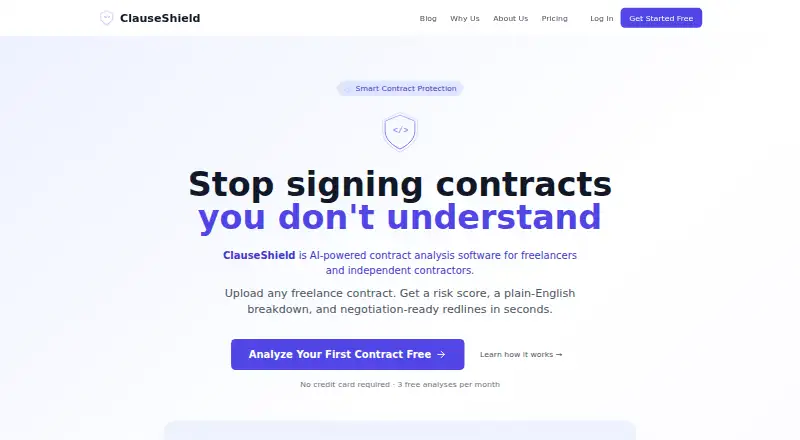
What ClauseShield is
ClauseShield is a web-based contract analysis service for freelancers and independent contractors. It identifies eight clause types, including payment, termination, IP ownership, liability, NDA, non-compete and kill-fee clauses, then provides risk scores, plain-English explanations and suggested redlines. The maker says it checks more than 70 risk patterns and reports an F1 score of 0.9574 for its Legal-BERT model, trained on more than 40,000 legal clauses. It accepts PDF, DOCX, DOC, TXT, PNG, JPG and JPEG files; OCR processes scanned PDFs and images. The homepage sets uploads at up to 100 MB and 20 pages. Analyses can be exported as a redlined DOCX, PDF risk report, plain-text summary or searchable six-sheet Excel workbook. The free plan covers three contracts per month. Pro costs $15 a month for 15 contracts, and Premium costs $29 a month for unlimited contracts. The maker says uploaded contracts are not shared with third parties or used to train models without explicit consent. Output is informational and educational, not a substitute for legal counsel.
Who it suits
ClauseShield is aimed at freelancers and independent contractors reviewing contracts. Its maker says the analysis is not tailored legal advice and does not replace legal counsel.
What it does well
- Flags eight types of contract clauses
- Maker says it checks more than 70 risk patterns
- OCR handles scanned PDFs and images
- Exports include redlines, reports and a searchable workbook
- Free plan includes three contracts per month
What to know first
- Free plan is limited to three contracts monthly
- Uploads are limited to 100 MB and 20 pages
- Analysis is not a substitute for legal counsel
Limits
The Free plan covers 3 contracts per month. Pro costs $15 a month and covers 15 contracts per month; Premium costs $29 a month and allows unlimited contracts. Uploads are limited to 100 MB and 20 pages.
Plans
| Plan | Billed and limits | Price |
|---|---|---|
| Free | forever · 3 contracts/month · full clause detection · risk scoring and explanations · redline suggestions · Word/PDF/TXT export | Free |
| Pro | monthly · 15 contracts/month · full clause detection · risk scoring and explanations · redline suggestions · Word/PDF/TXT export · priority analysis · email support | $15 a month |
| Contractor's Bundle | billed yearly · ClauseShield Pro · LienShield mechanic's-lien filings · Solo/Crew/Company tiers · 20% annual-billing discount | $15 a year |
| Premium | monthly · Unlimited contracts · full clause detection · risk scoring and explanations · redline suggestions · Word/PDF/TXT export · priority analysis · bulk upload · priority support | $29 a month |
As clauseshield.app lists them, read 15 Oct 2026. The maker's own page has the final word.
Getting started
- Open https://clauseshield.app/.
- Use the web service and upload a contract in a supported format: PDF, DOCX, DOC, TXT, PNG, JPG, or JPEG.
- Keep uploads within the 100 MB and 20-page limits; scanned PDFs and images are processed with OCR.
- Choose the Free plan for 3 contracts per month, Pro for 15 contracts per month, or Premium for unlimited contracts.
- Export the analysis as a redlined DOCX, PDF risk report, plain-text summary, or searchable Excel workbook.
ClauseShield gives freelancers and independent contractors a structured first pass on contract terms, with risk scoring and suggested redlines. It is strongest for solo professionals reviewing routine agreements; its monthly contract caps and 20-page upload ceiling make it less suited to heavier workloads.
Overview
The service identifies eight clause types, including payment, termination, IP ownership, liability, NDA, non-compete, and kill-fee clauses. Risk scores and plain-English explanations can help a freelancer focus negotiation on specific terms rather than scan an agreement unaided. Suggested redlines provide a starting point, not a final legal position: ClauseShield describes its output as informational and educational, not advice tailored to the user’s situation.
The maker says the system checks more than 70 risk patterns and uses a fine-tuned Legal-BERT model trained on more than 40,000 legal clauses, reporting an F1 score of 0.9574. These are meaningful descriptions of its approach, but they do not establish that a particular interpretation fits a contract’s context.
Key features
ClauseShield accepts PDF, DOCX, DOC, TXT, PNG, JPG, and JPEG files, using OCR for scanned PDFs and images. The 100 MB and 20-page cap should cover many freelance agreements, but longer contracts may need splitting, which adds friction and can complicate review of connected terms.
Exports include a redlined DOCX, PDF risk report, plain-text summary, and searchable six-sheet Excel workbook. That range helps users move from review to editing, sharing, or organizing findings. Term comparison and clause extraction are also supported.
Privacy protections include a promise not to share uploaded contracts with third parties or use them for model training without explicit consent. The policy also describes HTTPS in transit, bcrypt password hashing, short-lived JWTs with httpOnly cookies, encrypted database connections, and per-user file isolation. Contracts and results remain while the account is active; after account deletion, associated data is permanently deleted within 30 days. Users handling sensitive agreements should weigh that retention period before uploading.
Pricing
The Free plan costs nothing and includes three contracts per month, full clause detection, risk scores and explanations, redline suggestions, and Word, PDF, and TXT export. It is a useful way for occasional users to try the main review workflow, but three contracts will not stretch far for regular project work.
Pro costs $15 a month, billed monthly, and raises the allowance to 15 contracts per month with priority analysis and email support. Its Word, PDF, and TXT exports match the free plan, so the upgrade chiefly buys capacity, priority, and support rather than additional export formats. It fits freelancers reviewing several agreements each month.
Premium costs $29 a month, billed monthly, for unlimited contracts, priority analysis, bulk upload, priority support, and the same three export formats. It is the better fit for sustained or batch review; users who only handle a few agreements would be paying for headroom they may not need. The searchable Excel workbook and PDF risk report are described as export options, while the plans specify Word, PDF, and TXT.
Platforms
ClauseShield is a cloud-based web app. That makes it accessible through a browser, but it is not presented as a desktop or mobile app.
Who it's for
Independent professionals who want plain-language explanations and suggested edits before negotiating are the clearest fit. The free tier suits occasional reviews, Pro accommodates a moderate monthly flow, and Premium is aimed at users who need unlimited volume or bulk upload. It is not the right endpoint for decisions that require tailored legal advice; the maker itself says to consult legal counsel.
Pros and cons
- Pros: Risk scoring, explanations, and redline suggestions combine issue-spotting with practical next steps for freelancers.
- Pros: OCR and support for common document and image formats reduce the need to prepare scanned agreements separately.
- Pros: Multiple export formats support editing, sharing, and structured review records.
- Cons: The 20-page limit can interrupt work on longer agreements.
- Cons: Free and Pro caps of three and 15 contracts per month may constrain users with recurring high volume; unlimited contracts require Premium.
- Cons: Its output is educational rather than tailored legal advice, so consequential or disputed terms still call for a lawyer.
Alternatives
Contract Analysis Software is a useful starting point for comparing tools across the category. PactSage is worth considering if Android access or a broader set of usage allowances such as daily scans, questions, and drafts matters alongside web access. ClauseShift may suit readers who want Android or Windows support as well as web access, with a free tier of three reviews monthly and three questions daily.
ClearTerm is an alternative for readers who want five free scans monthly and features such as Shield Mode, Diff Mode, and a category-based safety score. Draft Ally may fit users who want a free allowance of five contracts monthly and ten risk categories, or an API alongside its web app. Tiro is another paid option, offered on the web and as an extension.
DocJuris is positioned for buyers seeking an annual platform arrangement sized to contract volume, with unlimited users and standard apps, agents, and enterprise integrations. eBrevia is an option for teams that prefer a custom quote and a personalized demo, with web, API, and self-hosted platforms. Robin AI is another paid alternative, with a free plan and trial and access through web or an extension.
Verdict
ClauseShield is a sensible choice for freelancers who want an affordable, structured first review with explanations and editable redlines. Its free plan lowers the barrier to occasional use, while Premium removes the monthly contract cap and adds bulk upload. Look elsewhere if your agreements regularly exceed 20 pages, or bring in legal counsel when a contract needs advice tailored to your circumstances.
Verdict
ClauseShield combines clause detection, risk explanations and export options for independent professionals. Consider its upload and contract limits, and seek legal counsel for advice tailored to your situation.
Questions
Is ClauseShield free?
Yes. The Free plan costs nothing and covers 3 contracts per month, with full clause detection, risk scoring and explanations, redline suggestions, and Word, PDF, and TXT export.
How much do the paid plans cost?
Pro costs $15 a month and covers 15 contracts per month. Premium costs $29 a month and includes unlimited contracts, bulk upload, and priority support.
Which platforms does ClauseShield support?
ClauseShield is available on the web.
What files can I upload?
Supported formats are PDF, DOCX, DOC, TXT, PNG, JPG, and JPEG. Scanned PDFs and images are processed with OCR; uploads can be up to 100 MB and 20 pages.
Does ClauseShield provide legal advice?
No. The maker describes its output as informational and educational, not tailored legal advice or a substitute for legal counsel.
How can I contact support?
The support page offers email support at [email protected] and a support ticket form. Pro lists email support, while Premium lists priority support.
Facts from ClauseShield's own pages
- Alternative wording
- The analysis supplies replacement language intended to help users negotiate risky provisions. · clauseshield.app, 15 Oct 2026
- Audience
- The product is designed for freelancers and independent professionals rather than corporate legal departments. · clauseshield.app, 15 Oct 2026
- Audience and origin
- The maker describes ClauseShield as built for independent professionals and says it was created by a husband-and-wife team in Tennessee. · clauseshield.app, 30 Sept 2026
- Clause categories
- It detects eight clause types, including payment, termination, IP ownership, liability, NDA, non-compete, and kill-fee clauses. · clauseshield.app, 30 Sept 2026
- Clause detection
- It identifies payment, termination, intellectual-property, liability, NDA, non-compete, kill-fee and other clause categories. · clauseshield.app, 15 Oct 2026
- Company founded
- LinkedIn lists the company founding year as 2026. · linkedin.com, 15 Oct 2026
- Company headquarters
- LinkedIn lists the headquarters as Elmwood, Tennessee, United States. · linkedin.com, 15 Oct 2026
- Company size
- LinkedIn lists Obsidian Clad Labs as a privately held software-development company with 2–10 employees. · linkedin.com, 15 Oct 2026
- Contract training use
- Uploaded contracts are not used to train the AI models unless the user explicitly consents. · clauseshield.app, 15 Oct 2026
- Data encryption
- The privacy policy says data in transit uses HTTPS, passwords use bcrypt, database connections are encrypted and files are isolated by account. · clauseshield.app, 15 Oct 2026
- Data location
- The privacy policy says servers are in the United States and uses European Commission standard contractual clauses for EEA transfers. · clauseshield.app, 15 Oct 2026
- Developer access
- The terms prohibit reverse engineering, decompiling or extracting the AI models, training data, algorithms or proprietary technology. · clauseshield.app, 15 Oct 2026
- Exports
- Results can be exported as redlined DOCX, PDF risk reports, plain text and a six-sheet searchable Excel workbook. · clauseshield.app, 15 Oct 2026
- Independent technical article
- A DEV Community article describes a three-step flow: upload or paste text, classify clauses with Legal-BERT and export explanations and redlines. · dev.to, 15 Oct 2026
- Independent technical detail
- The DEV article lists eight categories as payment, termination, IP ownership, liability, NDA/confidentiality, non-compete, kill fee and other. · dev.to, 15 Oct 2026
- Independent technical detail: liability
- A second DEV article says ClauseShield flags uncapped liability, broad indemnification, missing damage exclusions and one-sided risk allocation. · dev.to, 15 Oct 2026
- Independent technical detail: rules
- The DEV article says rule-based checks cover issues such as uncapped liability, perpetual NDAs, missing payment timelines and one-sided termination rights. · dev.to, 15 Oct 2026
- Legal disclaimer
- The terms say outputs are informational estimates, do not create an attorney-client relationship and may contain errors or omissions. · clauseshield.app, 15 Oct 2026
- Legal limitation
- The maker says ClauseShield is not a substitute for legal counsel, and its terms describe the output as informational and educational rather than tailored legal advice. · clauseshield.app, 30 Sept 2026
- Licence
- The terms describe the models, algorithms, model weights, interface and documentation as proprietary trade secrets owned by ClauseShield. · clauseshield.app, 15 Oct 2026
- Limit: legal advice
- The service does not apply jurisdiction-specific legal judgment or provide advice tailored to a user's facts. · clauseshield.app, 15 Oct 2026
- Limit: refunds
- Paid subscriptions are monthly and the terms state that partial months are not refunded. · clauseshield.app, 15 Oct 2026
- Model
- ClauseShield says it uses a fine-tuned Legal-BERT classifier trained on more than 40,000 clauses from five legal datasets. · clauseshield.app, 15 Oct 2026
- Model metric
- The official site reports a macro F1 score of 0.9574 on its held-out test set. · clauseshield.app, 15 Oct 2026
Where ClauseShield stands on Freedom251
- Contract Analysis Software#2 of 23