Freedom251 › Web Application Security Scanners
OWASP ZAP
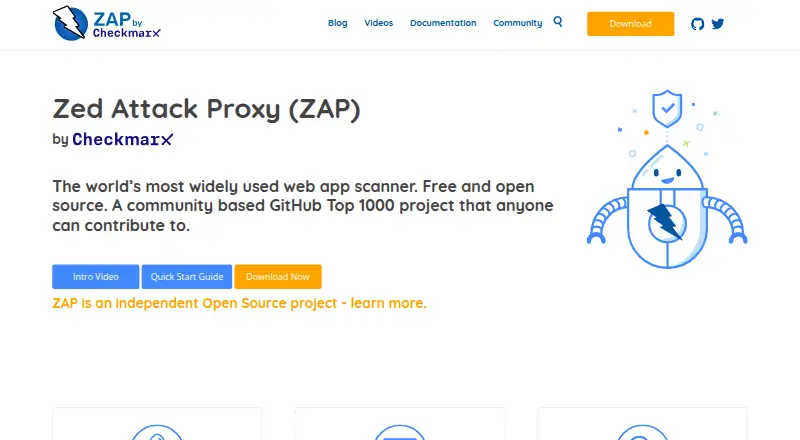
What OWASP ZAP is
ZAP is a free, open-source web application scanner and proxy for security testing. It offers active and passive scans, spidering, alerts, and scan policies, with add-ons available from an online Marketplace. The Automation Framework uses YAML plans for tasks such as scanning, API imports, spidering, and report creation. It can import OpenAPI, GraphQL, SOAP, and Postman definitions through jobs or add-ons. GitHub Actions support baseline, full, and API scans through Docker-packaged scans, and ZAP also publishes Docker images, including a minimal image described as suitable for CI. It supports Linux, macOS, Windows, API use, and self-hosted deployment. Windows and Linux installers require Java 17 or higher; the macOS installer includes Java 17. The project now identifies itself as ZAP or ZAP by Checkmarx and says it has not been an OWASP project since August 2023. Current releases are unsigned, with checksums available, and the team supports only the latest full release.
Who it suits
ZAP is intended for developers, testers new to security testing, and security testing specialists. Its automation and Docker options also suit teams incorporating scans into CI workflows.
What it does well
- Free and open source.
- Active and passive scans, spidering, alerts, and scan policies.
- YAML automation supports API imports and report generation.
- GitHub Actions support baseline, full, and API scans.
- Dynamically installable add-ons usually need no restart.
What to know first
- Windows and Linux installers require Java 17 or higher.
- The team supports only the latest full release.
- Current releases are unsigned, though checksums are provided.
Plans
| Plan | Billed and limits | Price |
|---|---|---|
| ZAP | Free and open source · add-ons available in the Marketplace | Free |
| Free / open source | full ZAP functionality · desktop, command line, Docker and API use | Free |
As zaproxy.org lists them, read 29 Sept 2026. The maker's own page has the final word.
Getting started
- Open the ZAP website and choose a platform or Docker image.
- For Windows or Linux installers, provide Java 17 or higher; the macOS installer includes Java 17.
- Install add-ons from the online Marketplace if needed.
- For automated runs, create a YAML plan using the Automation Framework.
- For CI scans, use the Docker-packaged scans with the provided GitHub Actions.
Overview
OWASP ZAP is a self-hosted web application scanner and proxy for security testing, suited to developers, testers new to security, and security specialists. It brings scanning, API imports, and CI automation together at no software cost, but teams must own deployment and account for its installer requirements and release-support limits.
ZAP describes itself as free and open source, and welcomes contributions. It has used the name ZAP or ZAP by Checkmarx since it ceased to be an OWASP project in August 2023, a distinction worth keeping in mind when identifying the current project.
Key features
Scanning and extensibility
Active and passive scanning, a spider, alerts, and scan policies give users tools for finding application paths and assessing security issues. Active scanning sends tests to the application, while passive scanning and alerts help assess observed traffic. This breadth makes ZAP useful across a security review, though it is a toolset to configure and operate rather than a managed scanning service.
Add-ons from the online Marketplace can typically be installed or removed without restarting ZAP. That lets teams adapt the tool as their needs change without making each addition a full application restart.
Automation and APIs
The Automation Framework uses YAML plans to orchestrate jobs for active and passive scanning, spidering, API imports, and report generation. It supports importing OpenAPI, GraphQL, SOAP, and Postman definitions through jobs or add-ons, making it a practical option for teams that need to bring API descriptions into repeatable scans.
GitHub Actions support baseline, full, and API scans through ZAP's Docker-packaged scans. Published Docker images include a minimal bare image intended for CI. These options make pipeline use a core strength, although teams need to manage their own container or self-hosted setup.
Deployment and upkeep
ZAP publishes installers for Windows, Linux, and macOS, as well as Docker images. Windows and Linux installers require Java 17 or higher; the macOS installer includes Java 17. The download page warns that current releases are unsigned and provides checksums. The ZAP team says it can support only the latest full release, so organizations that need support across multiple release lines should weigh that constraint.
Authenticated scanning, browser-based scanning, API testing, and CI/CD integration are supported. ZAP results can also be imported by products including DefectDojo, Dradis, and Faraday, which can help fit it into a broader testing workflow.
Pricing
ZAP — free. The free and open-source plan includes Marketplace add-ons. There is no paid tier or free-trial distinction in this pricing model: the software is offered free, with no published seat or scan quota in the plan.
This is a strong fit for individuals and teams that can run and maintain their own scanner. The trade-off is operational responsibility: ZAP is self-hosted, and the plan does not describe a hosted service.
Platforms
ZAP supports API, Linux, macOS, self-hosted, and Windows environments. The platform options and Docker packaging suit both desktop use and CI workflows, while the Java requirement on Windows and Linux may add setup work. macOS users get Java 17 bundled with the installer.
Who it's for
ZAP suits developers who want security checks in their workflow, testers learning security testing, and specialists who need configurable scanning and automation. Its API imports and GitHub Actions support are especially useful for teams building repeatable checks into development pipelines.
It is a weaker fit for organizations seeking a managed service or support across older full releases. Teams should also be comfortable managing deployment and verifying unsigned downloads with the provided checksums.
Pros and cons
- Pro: Free and open source, with Marketplace add-ons, makes a broad scanning tool accessible without a software charge.
- Pro: YAML automation, API-definition imports, GitHub Actions, and Docker scans support repeatable checks in CI.
- Pro: Active and passive scanning, spidering, alerts, and scan policies cover multiple parts of application assessment.
- Con: Self-hosted deployment puts installation and operational work on the user or team.
- Con: Windows and Linux installers require Java 17 or higher, and current releases are unsigned.
- Con: Support is limited to the latest full release, which may not suit teams maintaining older release lines.
Alternatives
For a free, self-hosted scanner with API imports and CI automation, ZAP is a strong starting point. Consider these alternatives when their pricing or product positioning better matches your needs:
- Qualys External Attack Surface Management offers a 30-day no-cost CSAM with EASM plan and a free trial, but no free plan; consider it if a time-limited trial is preferable to ZAP's ongoing free plan.
- Beagle Security has a free plan with one lite test per month, monthly surface scan reports, and SSL and domain expiry monitoring, plus an Essential plan at $99 a month (billed Billed $1188 annual). Its trial and web/API platforms may suit readers seeking that capped plan structure.
- Bright Security DAST is a paid option with custom pricing and a demo request; consider it if you want to evaluate a paid DAST product through a demo.
- Veracode DAST is a paid web-application and API option with a free trial and live demo; consider it if you prefer a trial or demo before committing.
- Burp Suite DAST offers a tailored solution with pricing based on portfolio and a free trial; consider it if you want a portfolio-dependent quote.
- StackHawk HawkScan is a paid alternative.
- Detectify Surface Monitoring is a paid web option with a free plan.
- Holm Security Cloud Security is a paid web option without a free plan.
Browse more options in Dynamic Application Security Testing Software, Web Application Security Scanners, and Penetration Testing Software.
Verdict
Choose ZAP if you want a no-cost, configurable web application scanner that can move from interactive assessment into API and CI workflows. Its main advantage is the combination of scanning and automation without a software charge; look elsewhere if you need managed deployment or support beyond the latest full release.
Verdict
ZAP combines web scanning with automation, API imports, and CI options at no charge. Check installer requirements and the project's release-support limits before choosing it.
Questions
How much does ZAP cost?
The listed plan is free.
Which platforms does ZAP support?
It supports Linux, macOS, Windows, API use, and self-hosted deployment.
Is ZAP open source?
Yes. ZAP describes itself as free and open source, and says anyone can contribute.
What Java version does it require?
The Windows and Linux installers require Java 17 or higher. The macOS installer includes Java 17.
Can ZAP scan APIs?
Yes. It provides API scans, and its Automation Framework can import OpenAPI, GraphQL, SOAP, and Postman definitions through jobs or add-ons.
What is the current project name?
The project identifies its current name as ZAP or ZAP by Checkmarx and says it has not been an OWASP project since August 2023.
Facts from OWASP ZAP's own pages
- Active scanning
- The feature set includes active scanning that sends attack requests to identify vulnerabilities. · zaproxy.org, 15 Oct 2026
- Add-ons
- Add-ons can be installed dynamically from the online Marketplace, and are typically added or removed without restarting ZAP. · zaproxy.org, 29 Sept 2026
- API
- The API and daemon mode provide programmatic control over ZAP, including scanner and spider operations. · zaproxy.org, 15 Oct 2026
- API formats
- The Automation Framework supports importing OpenAPI, GraphQL, SOAP, and Postman definitions through jobs or add-ons. · zaproxy.org, 29 Sept 2026
- Audience
- ZAP says it is designed for developers, testers new to security testing, and security testing specialists. · zaproxy.org, 29 Sept 2026
- Authentication
- Authentication features include browser-based, script-based, header-based and OAuth2 methods through the Authentication Helper add-on. · zaproxy.org, 15 Oct 2026
- Automation
- The Automation Framework controls ZAP with a YAML plan and supports jobs including active scanning, passive scanning, spidering, API imports, and report generation. · zaproxy.org, 29 Sept 2026
- Automation integrations
- Automation options include Docker packaged scans, GitHub Actions, the Automation Framework, command line, ZAPit and API/daemon mode. · zaproxy.org, 15 Oct 2026
- CI integration
- ZAP provides GitHub Actions for baseline, full, and API scans through its Docker packaged scans. · zaproxy.org, 29 Sept 2026
- Company fact: Checkmarx support
- The official ownership page says three ZAP Core Team members are employed by Checkmarx to work on ZAP. · zaproxy.org, 15 Oct 2026
- Company fact: OWASP Foundation
- LinkedIn lists the OWASP Foundation as a Wilmington, Delaware nonprofit founded in 2001, with a stated company size of 2–10 employees. · linkedin.com, 15 Oct 2026
- Current release
- Release 2.17.0 is described as a bug-fix and enhancement release with alert deduplication, systemic alerts, an Insights tab and improved disk and memory handling. · zaproxy.org, 15 Oct 2026
- Deployment
- ZAP publishes Docker images, including a bare image described as minimal and ideal for CI. · zaproxy.org, 29 Sept 2026
- Distribution security warning
- The download page warns that releases are currently unsigned and that browsers or antivirus tools may flag them. · zaproxy.org, 15 Oct 2026
- Documentation
- The project publishes getting-started material, a desktop user guide, developer guide, API reference, automation documentation, videos and community resources. · zaproxy.org, 15 Oct 2026
- Download security
- The download page warns that current ZAP releases are unsigned and provides checksums for downloads. · zaproxy.org, 29 Sept 2026
- Extensibility
- The Marketplace distributes team and community add-ons, and users can publish their own add-ons. · zaproxy.org, 15 Oct 2026
- Founded
- 2010 · zaproxy.org, 23 Sept 2026
- Licence
- The ZAP software package is open source under Apache License 2.0, with separately licensed third-party libraries. · github.com, 15 Oct 2026
- Limit: documentation and interface
- G2 feedback cites documentation gaps, cluttered or dated navigation and a lack of an integrated browser experience. · g2.com, 15 Oct 2026
- Limit: false positives
- G2 reviewers repeatedly report false positives that require manual validation or tuning. · g2.com, 15 Oct 2026
- Limit: scan duration and documentation sprawl
- Capterra reviewers report that large scans can take a long time, progress estimates can be inaccurate and documentation is spread across locations. · capterra.com, 15 Oct 2026
- Notable news
- On October 13, 2026, the project said it would continue accepting community contributions while requiring smaller, tested and easier-to-review pull requests, including LLM-assisted submissions. · zaproxy.org, 15 Oct 2026
- Open source
- ZAP describes itself as free and open source, and says anyone can contribute to the project. · zaproxy.org, 29 Sept 2026
Where OWASP ZAP stands on Freedom251
- Web Application Security Scanners#1 of 29
- Application Security Testing#1 of 28
- Dynamic Application Security Testing Software#1 of 26
- Penetration Testing Software#2 of 34
- Vulnerability Scanner Software#2 of 29
- Offensive Security#2 of 22