Freedom251 › Website Security Software

Detectify Surface Monitoring
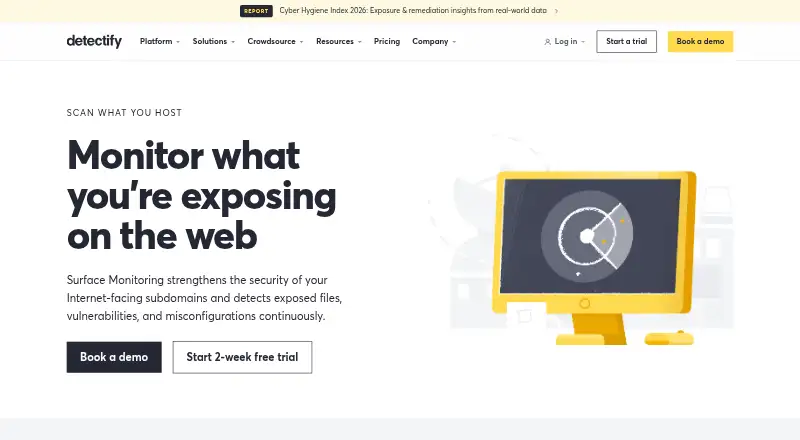
What Detectify Surface Monitoring is
Detectify Surface Monitoring continuously checks internet-facing subdomains for exposed files, vulnerabilities, and misconfigurations. It discovers domains, subdomains, IP addresses and ranges, open ports, and running technologies, using cloud connectors for AWS, Azure, Cloudflare, and GCP to find external assets. Its thousands of security tests cover issues such as misconfigurations, XSS, SSRF, and RCE. Teams can set custom rules for changes to their attack surface, then filter and tag findings that include remediation tips. Integrations include Jira, Slack, Microsoft Teams, PagerDuty, OpsGenie, ServiceNow, Splunk, webhooks, GitLab, and GitHub Actions. The service is cloud-based, with API access, authenticated and browser-based scanning, API testing, and CI/CD integration. The listed platform fees range from free for Starter to €15,000 a year for Enterprise; Surface Monitoring has an additional per-domain cost on every plan, and added assets, domains, environments, and IP ranges can also cost extra. Detectify lists a 14-day trial.
Who it suits
It suits security teams seeking ongoing visibility into internet-facing assets and a way to focus on remediation rather than manual discovery. Teams needing custom monitoring rules, cloud asset discovery, or integrations with their existing tools may find its listed capabilities relevant.
What it does well
- Continuous monitoring of internet-facing subdomains
- Discovers domains, IP ranges, ports, and technologies
- Custom rules monitor attack-surface changes
- Findings include remediation tips
- Cloud connectors cover AWS, Azure, Cloudflare, and GCP
What to know first
- Surface Monitoring costs extra per domain on every plan
- Extra costs may apply to assets, environments, and IP ranges
- Starter is limited to five users and one team
Limits
The Starter platform fee is free, billed annually, and allows up to five users and one team; Surface Monitoring costs extra per domain. All plans can also incur extra costs for added assets, domains, environments, and IP ranges.
Plans
| Plan | Billed and limits | Price |
|---|---|---|
| Starter | annual platform fee · up to 5 users · 1 team · Surface Monitoring costs extra per domain | Free |
| Enterprise | annual platform fee · unlimited users · unlimited teams · Surface Monitoring costs extra per domain | €15,000 a year |
| Standard | annual platform fee · up to 10 users · 1 team · Surface Monitoring costs extra per domain | €2,500 a year |
| Professional | annual platform fee · unlimited users · 2 teams · Surface Monitoring costs extra per domain | €5,000 a year |
As detectify.com lists them, read 5 Oct 2026. The maker's own page has the final word.
Getting started
- Visit the Detectify Surface Monitoring website.
- Choose a plan: Starter, Standard, Professional, or Enterprise.
- Use the 14-day trial to begin evaluating the service.
- Connect relevant cloud providers or listed integrations as needed.
- Configure custom rules for the surface changes your team wants to monitor.
Detectify Surface Monitoring continuously tracks internet-facing assets for exposed files, vulnerabilities, and misconfigurations. It suits security teams that need broad external-asset visibility and a route from discovery to remediation. Its continuous checks and integrations are compelling, but per-domain and other asset charges sit on top of annual platform fees.
Overview
Surface Monitoring discovers domains, subdomains, IP addresses and ranges, open ports, and running technologies. It is cloud-deployed and supports external and cloud asset discovery, giving teams a way to track an attack surface beyond a single web application. Continuous monitoring is a strong fit for teams whose internet-facing footprint changes; the added asset charges make the cost harder to judge from the platform fee alone.
Key features
Discovery and testing
Thousands of security tests cover issues such as misconfigurations, cross-site scripting (XSS), server-side request forgery (SSRF), and remote code execution (RCE). Authenticated scanning, API testing, and browser-based scanning broaden its coverage. Teams can also define custom rules to flag changes specific to their attack surface.
Actionable findings and integrations
Findings can be filtered and tagged, and include remediation tips, which helps teams sort work rather than treat every alert alike. Integrations include Jira, Slack, Microsoft Teams, PagerDuty, OpsGenie, ServiceNow, Splunk, webhooks, GitLab, and GitHub Actions. AWS, Azure, Cloudflare, and GCP connectors help discover assets across external attack surfaces.
Detectify incorporates research from a community of more than 400 ethical hackers and says findings can reach implementation in as little as 15 minutes. That supports a broad test library, though the stated turnaround is not a guarantee for any particular finding. The Trust Center lists an ISO 27001 certificate, an information security policy, a penetration test summary, and GDPR information.
Pricing
The pricing model combines an annual platform fee with an extra charge per domain on every listed plan. Added assets, domains, environments, and IP ranges can also incur extra costs, so the platform fee is only part of the budget.
- Starter: free, billed annually; up to 5 users and 1 team. Surface Monitoring costs extra per domain. Email support is included. This is the free entry point, but it does not remove the domain charge.
- Standard: €2,500 a year, billed annually; up to 10 users and 1 team, with professional support. It raises the user cap and support level over Starter, while still charging extra per domain.
- Professional: €5,000 a year, billed annually; unlimited users and 2 teams, with dedicated customer success support. It suits larger teams that need more seats and a higher-touch relationship, but not unlimited team structure.
- Enterprise: €15,000 a year, billed annually; unlimited users and teams, with dedicated customer success support. It fits organizations needing multiple teams without a stated team cap; domain and other extra-asset charges still apply.
A 14-day trial is offered. Compare plans against expected domain and asset counts as well as team size; otherwise the annual fee can understate the eventual cost.
Platforms
Surface Monitoring is available through web and API platforms. API access and CI/CD integration support workflows that connect scanning with development and operations processes.
Who it's for
Security teams responsible for maintaining visibility across internet-facing assets are the clearest fit, particularly when asset discovery and ongoing monitoring are more useful than manual inventory work. Teams that need bounded, predictable costs across many domains or assets should weigh the variable charges carefully.
Pros and cons
- Pro: Discovery spans domains, IPs, ports, technologies, and cloud-connected assets, helping teams build a wider external view.
- Pro: Continuous checks, custom rules, and remediation tips support ongoing triage rather than one-off scans alone.
- Pro: Broad integrations connect findings to ticketing, messaging, incident response, and CI/CD tools.
- Con: Per-domain and additional asset charges apply across plans, complicating cost estimates as the footprint grows.
- Con: Starter is limited to five users and one team; Standard to ten users and one team. Teams needing broader collaboration must move to higher annual fees.
Alternatives
For a ratings-focused option with a free forever entry point, Cybersecurityratings.com offers one security snapshot, a basic A–F grade, and the top five risk factors on Starter; choose it when that narrower ratings view suits the need better than continuous asset monitoring.
ThreatWatch has a free plan for an organization's own weekly rescans, but excludes breach and dark-web intelligence, OSINT enrichment, deep attack-surface scanning, AI agents, SSO, and API access; consider it for a limited free starting point.
RiskRecon offers 30-day portal access with ratings for up to 50 vendors, an organization report, and risk-prioritized findings; it is the better fit when third-party vendor ratings are the priority.
Scovery is another freemium option.
SecurityScorecard Third-Party Risk Management offers a free-forever plan with a rating for your own domain, digital-footprint management, issue prioritization and alerts, questionnaire response, and self-monitoring; choose it when those third-party risk and domain-rating capabilities fit better.
ThreatNG Security offers a limited-time evaluation with full platform capabilities, making it an option for a time-limited platform evaluation.
Bitdefender Total Security is a different kind of option: its first-year individual plan is $59.99 a year for five devices and one account, across Android, iOS, macOS, and Windows. Choose it for device security rather than external attack-surface monitoring.
ImmuniWeb offers a mobile-app scanning subscription at €395 a month per app, with unlimited scans of builds or versions of the same Android or iOS app; it fits teams focused on mobile application scans.
For category browsing, see Security Ratings Software, Dynamic Application Security Testing Software, Attack Surface Management Software, and Web Application Security Scanners.
Verdict
Choose Detectify Surface Monitoring if your security team needs continuous discovery and broad vulnerability checks across internet-facing assets, with findings routed into established workflows. Its strongest reason to buy is the combination of wide discovery, configurable monitoring, and integrations; its strongest reason to look elsewhere is the cost structure, which adds per-domain and other asset charges to substantial annual platform fees.
Verdict
Detectify Surface Monitoring combines continuous asset discovery with broad vulnerability checks, configurable rules, and integrations. Check the per-domain and other extra-asset charges alongside the annual platform fee when considering a plan.
Questions
How much does Detectify Surface Monitoring cost?
The listed pricing note says from €90/mo, with a 14-day trial. The plan platform fees are free for Starter, €2,500 a year for Standard, €5,000 a year for Professional, and €15,000 a year for Enterprise, all billed annually; Surface Monitoring costs extra per domain on every plan.
Is there a free plan or trial?
Yes. A free plan is listed, and the pricing note includes a 14-day trial. Starter has a 0.00 EUR annual platform fee, while Surface Monitoring is charged extra per domain.
Which platforms does it support?
The listed platforms are API and web. It is deployed as a cloud service.
What integrations are available?
Listed integrations include Jira, Slack, Microsoft Teams, PagerDuty, OpsGenie, ServiceNow, Splunk, webhooks, GitLab, and GitHub Actions. Cloud connectors are available for AWS, Azure, Cloudflare, and GCP.
Who makes Detectify, and where is it based?
Detectify was founded in 2013 and is headquartered in Stockholm, Sweden.
What support comes with the plans?
Starter includes email support, Standard includes professional support, and Professional and Enterprise include dedicated customer success support.
Facts from Detectify Surface Monitoring's own pages
- Asset discovery
- Surface Monitoring discovers domains, subdomains, IP addresses, IP ranges, open ports, and running technologies. · docs.detectify.com, 5 Oct 2026
- Cloud connectors
- Cloud connectors for AWS, Azure, Cloudflare, and GCP help discover assets across an external attack surface. · detectify.com, 5 Oct 2026
- Crowdsource
- Research from a community of 400+ ethical hackers is incorporated into Surface Monitoring, with the company saying findings can reach implementation in as little as 15 minutes. · detectify.com, 5 Oct 2026
- Custom policies
- Teams can configure custom rules to monitor for specific changes to their attack surface. · detectify.com, 5 Oct 2026
- Founded
- 2013 · detectify.com, 28 Sept 2026
- Headquarters
- Stockholm, Sweden · detectify.com, 28 Sept 2026
- Integrations
- Detectify lists integrations including Jira, Slack, Microsoft Teams, PagerDuty, OpsGenie, ServiceNow, Splunk, webhooks, GitLab, and GitHub Actions. · docs.detectify.com, 5 Oct 2026
- Intended users
- Detectify describes Surface Monitoring as a way for security teams to maintain visibility into internet-facing assets and focus on remediation rather than manual discovery. · docs.detectify.com, 5 Oct 2026
- Notable pricing limit
- Surface Monitoring has an additional cost per domain on every listed plan, and the pricing page also notes extra costs for added assets, domains, environments, and IP ranges. · detectify.com, 5 Oct 2026
- Prioritization
- Findings can be filtered and tagged, and include remediation tips. · detectify.com, 5 Oct 2026
- Purpose
- Surface Monitoring continuously monitors internet-facing subdomains for exposed files, vulnerabilities, and misconfigurations. · detectify.com, 5 Oct 2026
- Security
- Detectify's Trust Center lists an ISO 27001 certificate, an information security policy, a penetration test summary, and GDPR information. · support.detectify.com, 5 Oct 2026
- Support
- The pricing page lists email support for Starter, professional support for Standard, and dedicated customer success support for Professional and Enterprise. · detectify.com, 5 Oct 2026
- Vulnerability coverage
- The product uses thousands of security tests covering issues including misconfigurations, XSS, SSRF, and RCE. · detectify.com, 5 Oct 2026
Where Detectify Surface Monitoring stands on Freedom251
- Website Security Software#2 of 27
- Security Ratings Software#3 of 30
- Attack Surface Management Software#4 of 33
- Vulnerability Scanner Software#5 of 29
- Application Security Testing#7 of 28