Freedom251 › Rich Text Editor Software
OverType
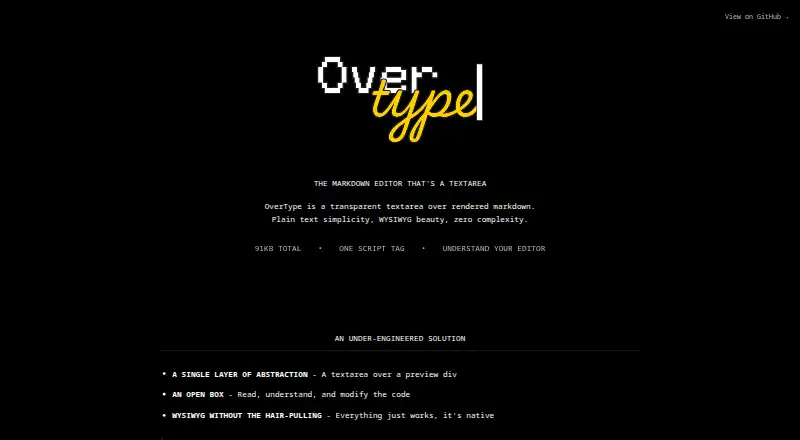
What OverType is
OverType is a free web Markdown editor designed around a transparent textarea placed over rendered Markdown. It uses the browser's native text input behavior for undo and redo, text selection, and mobile keyboards. Markdown syntax stays visible during editing, while the rendered view provides a preview. The editor can be added to a page with one script tag, without npm, a build step, or configuration; the project also documents npm and CDN distribution. Developers can use it with React, Vue, or vanilla JavaScript, or add it as a native Web Component. An optional toolbar provides formatting actions for bold, italic, code, links, headings, lists, task lists, quotes, and view mode. Solar and Cave themes are included, with global theming, mobile responsive styles, and support for custom toolbar buttons. A standalone Markdown parser is available for server-side rendering, static site generation, and browser extensions. Links open with Cmd/Ctrl-click so ordinary clicks can place the cursor. File paste and drop can be configured, with upload handling passed to the host application's backend callbacks. OverType supports Chrome 62+, Firefox 78+, Safari 16+, and Chromium-based Edge, and its repository identifies the license as MIT.
Who it suits
OverType suits developers adding a small Markdown editor to a web app who want native browser editing behavior, mobile keyboard support, and simple integration. It also fits writers who need straightforward Markdown entry and preview; the project recommends other editors for advanced needs such as tables, diagrams, or collaborative editing.
What it does well
- Free to use under an MIT license.
- Can be added with a script tag without a build step.
- Uses native textarea undo, redo, selection, and mobile keyboards.
- Works with React, Vue, vanilla JavaScript, and Web Components.
- Includes optional formatting toolbar and Solar and Cave themes.
- Supports configured file paste and drop with host backend callbacks.
What to know first
- Images are not rendered in the editor.
- Markdown syntax remains visible while editing.
- Requires a monospace font at a fixed font size.
- Does not provide table editing or real-time collaboration.
Limits
The free editor does not render images, and Markdown syntax remains visible while editing. It requires a monospace font at a fixed font size; table editing and real-time collaboration are not provided.
Getting started
- Open the OverType website.
- Add the editor with a script tag, or use its documented npm or CDN distribution.
- Integrate it with React, Vue, vanilla JavaScript, or as a native Web Component.
- Choose a theme and optionally configure toolbar buttons.
- Configure file paste or drop callbacks in the host application if uploads are needed.
Verdict
Choose OverType if you want a free Markdown editor that integrates into a web app and retains native textarea behavior, including on mobile. Its optional toolbar and parser cover common editing and embedding needs. Look elsewhere if you need rendered images, table editing, diagrams, or collaborative editing.
Questions
Is OverType free?
Yes. The project is free and its GitHub repository identifies the license as MIT.
How can I add OverType to a site?
The homepage describes adding it with one script tag without npm, a build step, or configuration. The project also documents npm and CDN distribution.
Which frameworks can use OverType?
The project documents React, Vue, and vanilla JavaScript support, as well as use as a native Web Component.
Which browsers are supported?
The README lists Chrome 62+, Firefox 78+, Safari 16+, and Chromium-based Edge.
Can I upload files from the editor?
File paste and drop can be configured. Upload handling is delegated to callbacks in the host application's backend.
Is OverType open source?
Its GitHub repository identifies the license as MIT.
Facts from OverType's own pages
- Audience
- The README recommends OverType for users who want a small editor, native browser behavior, mobile support, and simple integration without build tools. · github.com, 8 Oct 2026
- Browser support
- The README lists Chrome 62+, Firefox 78+, Safari 16+, and Chromium-based Edge as supported browsers. · github.com, 7 Oct 2026
- Distribution
- The repository documents installation through npm, a native ES module CDN build, and a global script-tag CDN build. · github.com, 8 Oct 2026
- Editing
- It uses native textarea input and supports undo and redo, mobile keyboards, and native text selection. · overtype.dev, 7 Oct 2026
- Editing model
- The editor overlays a textarea on a preview div and does not use a virtual DOM or ContentEditable. · overtype.dev, 8 Oct 2026
- File uploads
- When configured, OverType handles pasted or dropped files and calls user-provided callbacks to upload them to the user's backend. · github.com, 8 Oct 2026
- Framework support
- The repository README says OverType is framework agnostic and works with React, Vue, and vanilla JavaScript. · github.com, 8 Oct 2026
- Integrations
- The README documents syntax highlighting through Shiki or a custom highlighter and includes a Highlight.js integration example. · github.com, 8 Oct 2026
- Intended use
- The README describes OverType as suited to simple, fast, mobile Markdown editing and recommends other editors for advanced features such as tables, diagrams, or collaborative editing. · github.com, 7 Oct 2026
- License
- The public GitHub repository lists an MIT license. · github.com, 8 Oct 2026
- Links
- The README says links open with Cmd/Ctrl-click so clicks can still position the text cursor. · github.com, 7 Oct 2026
- Native input
- The maker says native textarea behavior supports undo and redo, mobile keyboards, and native selection. · overtype.dev, 8 Oct 2026
- Notable limits
- The README characterizes OverType as having basic advanced-feature support and says it is not suited to needs such as collaborative editing, diagrams, or a rich plugin ecosystem. · github.com, 8 Oct 2026
- Parser
- The standalone Markdown parser can be used for server-side rendering, static site generation, and browser extensions. · github.com, 7 Oct 2026
- Purpose
- OverType is a Markdown editor that uses a transparent textarea over rendered Markdown. · overtype.dev, 8 Oct 2026
- Setup
- The site describes adding OverType with one CDN script tag and initializing it without npm, a build step, or configuration. · overtype.dev, 8 Oct 2026
- Themes
- The repository README lists Solar and Cave themes, global theming, and mobile-specific responsive styles. · github.com, 8 Oct 2026
- Toolbar
- An optional toolbar offers formatting actions including bold, italic, code, links, headings, lists, task lists, quotes, and view mode. · github.com, 8 Oct 2026
- Toolbar and themes
- The README describes an optional formatting toolbar, built-in Solar and Cave themes, and custom toolbar buttons. · github.com, 7 Oct 2026
Where OverType stands on Freedom251
- Rich Text Editor Software#24 of 37