Freedom251 › Photo Watermarking Software

Overlay Studio
What Overlay Studio is
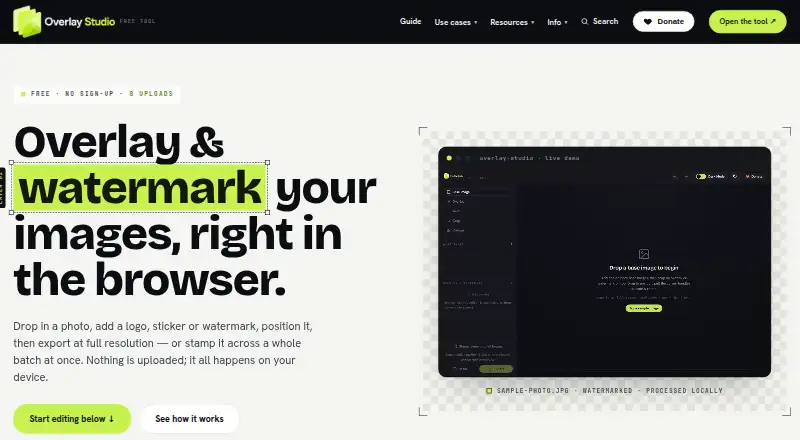
Overlay Studio is a browser-based editor for adding layers, overlays and watermarks to images, then exporting the results. You can adjust each layer’s position, size, rotation, blend mode and opacity, or repeat a watermark across an image with configurable spacing and opacity. For batch work, it applies a watermark to multiple images at the same relative size and position and downloads them together as a ZIP; the free batch limit is 25 images at once. Exports include PNG, JPG and WEBP at full source resolution, with crop, resize and quality controls. Editing and export happen locally in the browser, and the site says images are not uploaded to its servers. The editor can also work offline after it loads. Optional background removal downloads a model and code from public package CDNs; the site says the image remains on the device. Overlay Studio is free, with no export paywall or forced watermark, and is available in browsers, Android and iOS.
Who it suits
It suits small businesses, creators, sellers and developers who need to brand or protect images without desktop software. Its browser-based workflow also fits users who want to process images locally or in batches.
What it does well
- Edits and exports images locally in the browser
- Exports PNG, JPG and WEBP at source resolution
- Batch watermarking downloads as a ZIP
- Can work offline after loading
- Free plan has no export paywall or forced watermark
What to know first
- Free batch limit is 25 images at once
- Background removal downloads a model and code
Limits
The free plan allows batch watermarking of 25 images at once. A supporter code raises the limit for contributors; there is no paywall to export and no forced watermark.
Plans
| Plan | Billed and limits | Price |
|---|---|---|
| Free | Free for everyone; supported by voluntary donations. · Batch limit: 25 images at once; supporter code raises the limit · No paywall to export · No forced watermark | Free |
As overlaypics.com lists them, read 4 Oct 2026. The maker's own page has the final word.
Getting started
- Open the Overlay Studio website in a desktop or mobile browser.
- Load the editor; it can work offline after it has loaded.
- Add image layers or choose watermark mode and adjust the available controls.
- For batch watermarking, load up to 25 images and apply the mark at a shared relative size and position.
- Export as PNG, JPG or WEBP, adjusting crop, size and quality as needed.
Overlay Studio is a browser editor for building layered image compositions, applying protective marks and exporting finished files. It is a strong fit for small businesses, creators, sellers and developers who want a private workflow on desktop or mobile without installing software. Its zero-cost, local-processing approach is compelling for modest workloads, but larger catalogs will run into the 25-image batch cap.
Overview
The editor combines general layer composition with dedicated watermark tools. You can create logo marks and save watermark presets, then export without a payment gate or forced branding. Since work happens in the browser, it is more convenient than a desktop package for occasional campaigns, marketplace listings and portfolio updates, while still offering controls beyond a one-click watermark utility.
Image files are processed and exported on the device; the site says they are never uploaded to its servers. After the editor has loaded, it can continue operating offline. That is a practical privacy benefit for client, product or unreleased images. Background removal is an optional exception to the self-contained feel: activating it downloads an AI model and code from public package CDNs, although processing remains on the device and the image is not sent away.
Key features
Layered editing
Layers can be added and reordered individually. Position, scale, rotation, blend mode and opacity controls let you assemble several marks or graphic elements and control how they sit together. This makes Overlay Studio suitable for a composed campaign graphic, not just a logo placed in a fixed corner. Blend and opacity adjustments are especially useful when a mark must remain visible without overwhelming the underlying image.
Watermark modes
Watermark mode repeats a mark across the image with adjustable spacing, rotation and opacity. Tiling is the better choice when deterrence matters more than an unobtrusive signature, such as preview artwork or product photography intended for public display. Logo marks and reusable presets reduce repeated setup for recurring work.
Batch and export controls
A batch operation applies a watermark to multiple loaded images at the same relative size and position and downloads the results as a ZIP. Consistency is useful for a small product set or a creator's latest gallery, but 25 images at once is a hard ceiling on the free workflow. An honour-system supporter code raises that limit for contributors; there is no paid export lock.
Exports retain full source resolution and support PNG, JPG and WEBP. Crop, resize and quality controls provide enough output tuning for web listings and social assets without sending files through another service. The combination is more flexible than a watermark-only tool, though high-volume production will require repeated batches.
Pricing
Free — free (billed Free for everyone; supported by voluntary donations). The plan includes all stated editing, watermarking, preset, batch and export functions, with no paywall to export and no forced watermark. Batch processing is limited to 25 images at once. A supporter code can raise that limit, but it is tied to contribution rather than a standard paid tier. There is no free trial because the product is already free, and no recurring subscription term or seat charge is stated.
This plan suits individuals and small teams handling occasional image groups. It is less suitable for agencies or catalogs that routinely exceed 25 files per run, even though the rest of the editor remains unrestricted.
Platforms
Overlay Studio runs in a web browser, including mobile browsers, on Android and iOS devices as well as desktop web use. Offline operation is possible after the editor has loaded, which helps when connectivity is unreliable, but initial loading and the optional background-removal model still require downloads.
Who it's for
Choose it for small businesses preparing branded listings, creators protecting previews, sellers standardizing product imagery, or developers needing a browser-based image utility. Privacy-sensitive users benefit from on-device processing, and people moving between phone and computer benefit from browser access. It is not the natural choice for a high-throughput catalog pipeline where batches regularly exceed 25 images.
Pros and cons
- Pros: Local processing keeps images out of the service's servers; full-resolution PNG, JPG and WEBP export preserves source quality; layer-level blend, opacity and transformation controls support real compositions; tiled and batch watermarking cover both deterrence and routine branding; no export paywall or forced watermark.
- Cons: Free batches stop at 25 images, so large catalogs need multiple runs; background removal downloads third-party model code before use; browser-based editing depends on loading the app before offline work is possible.
Alternatives
For a broader directory of watermarking tools, see Photo Watermarking Software.
- Watermarkly is the better pick if you need Windows, macOS or Linux coverage and are willing to accept a logo on its free batch output or pay $19.95 a year for 1-Year Access.
- Terma suits readers seeking a free option that also runs on Linux, macOS, Windows or a self-hosted setup.
- eZy Watermark is worth choosing for template and font-oriented workflows, with a free plan and a 1.99 USD-per-month Premium tier.
- Watermark.ws fits users who prefer cloud storage and a paid tier, but its Basic plan edits one photo at a time and provides 1 GB of storage.
- wmk is a free MIT-licensed Python command-line tool for users who prefer a desktop terminal workflow.
- DoWatermark is an alternative browser workflow with saved presets and a three-image free batch limit, plus a one-time Pro option.
- PictStamp is a free choice for readers focused on iOS and macOS.
- Watermark Maker targets Android and iOS users who want social export presets and tiling, with ads on Free and a 24.99 USD lifetime Watermark Pro tier.
Verdict
Overlay Studio is an excellent choice for privacy-conscious creators and small businesses that need capable layer editing and repeatable watermarking without paying or installing software. Its local, full-resolution workflow is the main reason to choose it. Look elsewhere if your normal job exceeds 25 images per batch or requires a mature high-volume production pipeline.
Verdict
Overlay Studio combines layer editing, watermarking and batch export in a free browser editor. Check the 25-image batch limit if you regularly process larger groups.
Questions
How much does Overlay Studio cost?
It is free for everyone and supported by voluntary donations.
Is there a free plan or trial?
The plan is free, and there is no free trial.
Which devices can run Overlay Studio?
It supports web browsers, including mobile browsers, as well as Android and iOS.
What file formats can it export?
It exports PNG, JPG and WEBP at full source resolution, with crop, resize and quality controls.
Are images uploaded to Overlay Studio’s servers?
The site says image processing and export happen locally in the browser and images are never uploaded to its servers.
What is the batch limit?
The free plan processes 25 images at once. A supporter code raises the limit for contributors.
Facts from Overlay Studio's own pages
- Batch processing
- Users can apply a watermark to multiple loaded images at the same relative size and position and download the batch as a ZIP. · overlaypics.com, 4 Oct 2026
- Export
- The editor exports PNG, JPG and WEBP at full source resolution, with crop, resize and quality controls. · overlaypics.com, 4 Oct 2026
- Headquarters
- Australia · overlaypics.com, 28 Sept 2026
- Layer editing
- Users can add and reorder layers, then adjust each layer’s position, scale, rotation, blend mode and opacity. · overlaypics.com, 4 Oct 2026
- Notable limit
- The free batch limit is 25 images at once; an honour-system supporter code raises it for contributors. · overlaypics.com, 4 Oct 2026
- Offline use
- The editor can work offline after it has loaded in the browser. · overlaypics.com, 4 Oct 2026
- Optional background removal
- Using the background-removal button downloads an AI model and code from public package CDNs; the site says the image is processed on the device and is not sent anywhere. · overlaypics.com, 4 Oct 2026
- Privacy
- Image processing and export happen locally in the browser, and the site says images are never uploaded to its servers. · overlaypics.com, 4 Oct 2026
- Support
- Users can send questions, bug reports or feature ideas through the contact form for a reply. · overlaypics.com, 4 Oct 2026
- Third-party services
- The privacy policy names Cloudflare Turnstile for bot blocking, Plausible Analytics for cookieless visit counting, and PayPal for donations. · overlaypics.com, 4 Oct 2026
- Tiled watermarks
- Watermark mode can repeat a mark across an image with adjustable spacing, rotation and opacity. · overlaypics.com, 4 Oct 2026
- What it does
- Overlay Studio edits images in the browser to add overlays and watermarks, then export them. · overlaypics.com, 4 Oct 2026
- Who it is for
- The maker describes it for small businesses, creators, sellers and developers who need to brand or protect images without desktop software. · overlaypics.com, 4 Oct 2026
Where Overlay Studio stands on Freedom251
- Photo Watermarking Software#4 of 33