Freedom251 › Menu Bar Customization Software
OverflowBar
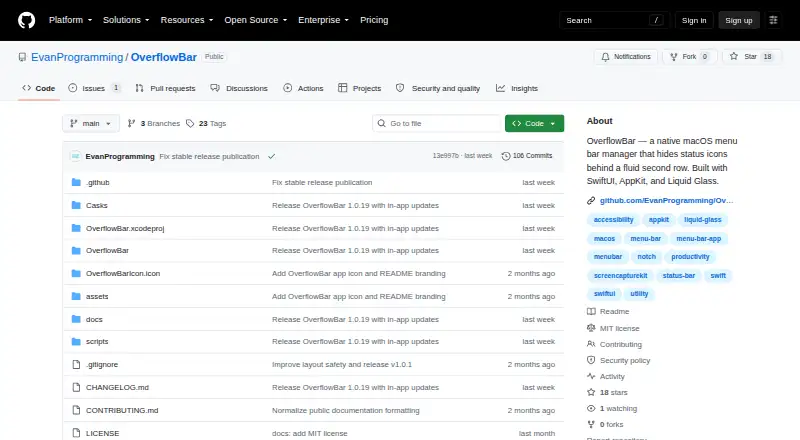
What OverflowBar is
OverflowBar is a free macOS utility that moves selected status icons out of the main menu bar into a second row. Users can reveal that row by clicking an arrow or moving the pointer to the menu bar; selecting an icon activates its original control. The app accounts for notches, multiple displays, full-screen spaces, safe areas, and reduced-motion settings. Its appearance uses Liquid Glass on macOS 26 and a lightweight material treatment on macOS 15. OverflowBar requires macOS 15 or later, and Accessibility and Screen Recording permissions are needed for its full feature set. Accessibility supports discovery, activation, and layout management, while Screen Recording captures selected menu bar icons. Wi-Fi, Battery, Siri, Control Center, and Clock remain visible, and the app restores them if a previous layout left them offscreen. It runs locally, with captured menu bar images kept in memory for the app session rather than uploaded or written to a remote service. The maker describes the project as an early public release, with compatibility work ongoing because menu bar management relies on operating-system behavior without a dedicated public API.
Who it suits
OverflowBar may suit Mac users who want to move selected status icons into a second row while keeping their original controls accessible. It is for macOS 15 or later and supports Apple Silicon and Intel Macs.
What it does well
- Free under the MIT License.
- Works with multiple displays and notches.
- Supports reduced-motion settings.
- Runs locally without analytics or advertising.
- Available as a DMG or Homebrew Cask.
What to know first
- Requires macOS 15 or later.
- Full features require Accessibility and Screen Recording permissions.
- The community release is ad-hoc signed and not notarized.
- Compatibility work is ongoing.
Limits
OverflowBar is free, with no paid plan described. Its full feature set requires Accessibility and Screen Recording permissions, and the current community release may require a Control-click and Open confirmation on first launch.
Getting started
- Use macOS 15 or later on an Apple Silicon or Intel Mac.
- Download the DMG or install the Homebrew Cask from the project website.
- Grant Accessibility and Screen Recording permissions for the full feature set.
- If macOS blocks the ad-hoc signed, non-notarized community release, Control-click the app and confirm Open.
- Use the arrow or move the pointer to the menu bar to reveal the second row.
Verdict
OverflowBar offers a focused way to reveal selected menu bar controls in a second row. Consider its permission requirements and early-release compatibility caveat, and expect to confirm opening it on first launch.
Questions
How much does OverflowBar cost?
It is free, with a free plan.
Which Macs can run it?
It requires macOS 15 or later and supports Apple Silicon and Intel Macs.
How can I install OverflowBar?
The maker offers a downloadable DMG and a Homebrew Cask.
What permissions does it use?
Accessibility supports discovery, activation, and layout management; Screen Recording captures selected menu bar icons.
Is OverflowBar open source?
Yes. The project is available under the MIT License.
Where can I get help or report a problem?
The project directs setup questions and ideas to GitHub Discussions, and reproducible bugs and feature requests to GitHub Issues.
Facts from OverflowBar's own pages
- Captured data
- Captured menu bar images are held in memory for the app session and are not uploaded or written to a remote service. · github.com, 8 Oct 2026
- Display support
- The app accounts for notches, multiple displays, full-screen spaces, safe areas, and reduced-motion settings. · github.com, 8 Oct 2026
- Distribution
- The maker offers a downloadable DMG and a Homebrew Cask installation. · github.com, 8 Oct 2026
- Hardware
- The downloadable DMG and Homebrew Cask support Apple Silicon and Intel Macs. · github.com, 8 Oct 2026
- License
- The project is available under the MIT License. · github.com, 8 Oct 2026
- Native controls
- Selecting a second-row icon activates its original menu bar control. · github.com, 8 Oct 2026
- Permissions
- Accessibility is used for discovery, activation, and layout management; Screen Recording is used to capture selected menu bar icons. · github.com, 8 Oct 2026
- Privacy
- The app runs locally and says it has no analytics, advertising, telemetry, or network data collection. · github.com, 8 Oct 2026
- Project status
- The project describes itself as an early public release and says compatibility work is ongoing because menu bar management relies on OS behavior without a dedicated public API. · github.com, 8 Oct 2026
- Purpose
- OverflowBar hides selected menu bar status icons behind an arrow and reveals them in a second row. · github.com, 8 Oct 2026
- Release status
- The maker describes OverflowBar as an early public release and says compatibility work is ongoing because menu bar management relies on OS behavior without a dedicated public API. · github.com, 8 Oct 2026
- Requirements
- OverflowBar requires macOS 15 Sequoia or later and supports Apple Silicon and Intel on its downloadable community build. · github.com, 8 Oct 2026
- Reveal options
- The second row can be revealed by clicking the arrow or moving the pointer to the menu bar. · github.com, 8 Oct 2026
- Security support
- Security fixes are provided for the latest published version, and vulnerabilities can be reported through a private GitHub Security Advisory. · github.com, 8 Oct 2026
- Signing
- The current community release is ad-hoc signed and not yet notarized, so macOS may require a Control-click and Open confirmation on first launch. · github.com, 8 Oct 2026
- Support
- The project directs users to GitHub Discussions for setup help and ideas, and GitHub Issues for reproducible bugs and feature requests. · github.com, 8 Oct 2026
- System controls
- Wi-Fi, Battery, Siri, Control Center, and Clock remain visible, and the app restores them if a previous layout left them offscreen. · github.com, 8 Oct 2026
- Visual design
- OverflowBar uses Liquid Glass on macOS 26 and a lightweight material treatment on macOS 15. · github.com, 8 Oct 2026
Where OverflowBar stands on Freedom251
- Menu Bar Customization Software#19 of 25