Freedom251 › Menu Bar Customization Software
xbar
What xbar is
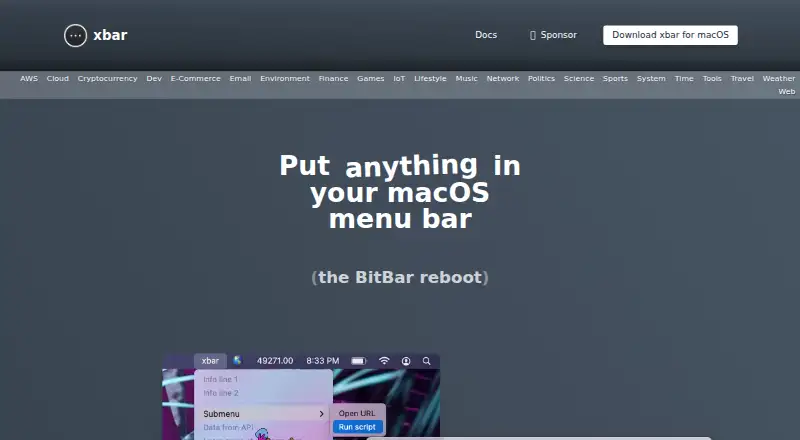
xbar puts the output of scripts and programs in the macOS menu bar, making selected information visible at a glance. Its library offers hundreds of pre-built plugins across categories such as AWS, finance, email, music, network, system, and weather. Examples include a network status display, YubiKey OATH TOTP codes, an OKX price ticker, Bluetooth trackpad battery status, miner statistics, and an RSS reader. Users can also create their own plugins in any language. Plugins can be discovered and managed in xbar's Preferences > Plugins, and the plugin directory is ~/Library/Application Support/xbar/plugins. The project describes xbar as open source under the MIT License. It says Mat Ryer and Leah Anthony rewrote the app in Go using Wails, and invites users to support it through GitHub sponsorship. xbar is free and runs on macOS; the latest release requires macOS Catalina or newer, version 10.15 or later. The app supports grouped and custom menu items as well as keyboard shortcuts. It does not support hiding or rearranging menu items. The v2.1.7-beta release notes say the plugin timeout was increased from one minute to two minutes.
Who it suits
xbar suits macOS users who want script or program output in the menu bar and prefer to choose or create the information they see. It is useful for people who want ready-made plugins across categories including finance, email, network, system, and weather.
What it does well
- Free and open source under the MIT License.
- Hundreds of pre-built plugins across many categories.
- Custom plugins can be written in any language.
- Plugins can be managed from app preferences.
- Supports grouped and custom menu items and keyboard shortcuts.
What to know first
- Requires macOS Catalina or newer, version 10.15 or later.
- Menu items cannot be hidden or rearranged.
Limits
The latest release requires macOS Catalina or newer (10.15 or later). Menu items cannot be hidden or rearranged.
Plans
| Plan | Billed and limits | Price |
|---|---|---|
| Free | Open source · MIT License | Free |
As xbarapp.com lists them, read 7 Oct 2026. The maker's own page has the final word.
Getting started
- Visit the xbar website and download the macOS app.
- Install and open xbar on macOS Catalina or newer.
- Open Preferences > Plugins to discover and manage plugins.
- Add plugins to ~/Library/Application Support/xbar/plugins.
- Write a custom plugin in any language if you want your own menu bar output.
Verdict
Choose xbar if you use macOS and want script output or plugin information in the menu bar, with the option to make your own plugins. Look elsewhere if hiding or rearranging menu items is important to your setup.
Questions
How much does xbar cost?
xbar is free; its listed plan is free.
Which platforms does xbar support?
The listed platform is macOS. The latest release requires macOS Catalina or newer, version 10.15 or later.
Is xbar open source?
Yes. The project describes it as open source under the MIT License.
Can I use my own plugins?
Yes. Users can write plugins in any language. Plugins can be discovered and managed in Preferences > Plugins.
What menu item controls are available?
xbar supports grouping and custom menu items and keyboard shortcuts. Hiding and rearranging menu items are not supported.
Who rewrote xbar?
The project says Mat Ryer and Leah Anthony rewrote it in Go using Wails.
Facts from xbar's own pages
- At-a-glance information
- The site describes xbar as a way to see information you care about at a glance. · xbarapp.com, 7 Oct 2026
- Custom plugins
- Users can write their own plugins in any language. · xbarapp.com, 7 Oct 2026
- Examples
- Featured plugins include network status, YubiKey OATH TOTP codes, an OKX price ticker, Bluetooth trackpad battery status, miner statistics, and an RSS reader. · xbarapp.com, 7 Oct 2026
- Implementation
- The project says xbar was rewritten in Go by Mat Ryer and Leah Anthony using Wails. · github.com, 7 Oct 2026
- Open source
- The project describes xbar as completely open source and links to an MIT license. · github.com, 7 Oct 2026
- Platform requirement
- The latest release requires macOS Catalina or newer (10.15 or later). · github.com, 7 Oct 2026
- Plugin library
- The site offers hundreds of pre-built plugins across categories including AWS, finance, email, music, network, system, and weather. · xbarapp.com, 7 Oct 2026
- Plugin location
- The plugin directory is ~/Library/Application Support/xbar/plugins. · github.com, 7 Oct 2026
- Plugin management
- The GitHub README says users can discover and manage plugins from Preferences > Plugins in the xbar app. · github.com, 7 Oct 2026
- Purpose
- xbar puts output from scripts or programs into the macOS menu bar. · github.com, 7 Oct 2026
- Release detail
- The v2.1.7-beta release notes say the plugin timeout was increased from one minute to two minutes. · github.com, 7 Oct 2026
- Support
- The site asks users who use xbar to consider supporting it through GitHub sponsorship. · xbarapp.com, 7 Oct 2026
Where xbar stands on Freedom251
- Menu Bar Customization Software#18 of 25