Freedom251 › Personal Email Services

Outlook.com
by Outlook.com
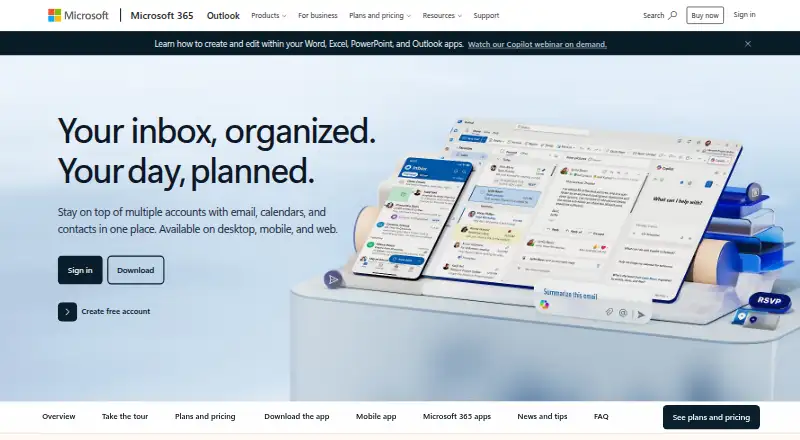
What Outlook.com is
Outlook.com brings email, calendars, tasks, and contacts together, with access across web, desktop, and mobile. Its free plan includes 15 GB of mailbox storage and core Outlook security features; email aliases are available, while custom domains are not. Microsoft 365 Basic costs $1.99 a month, billed annually at $19.99, and includes 100 GB of mailbox storage, ad-free Outlook email and calendar, and 100 GB of cloud storage. Personal costs $9.99 a month, billed annually at $99.99, with 1 TB of cloud storage and desktop Office apps; a free trial is available. Family costs $12.99 a month, billed annually at $129.99, for 1 to 6 people. Premium costs $19.99 a month, billed annually at $199.99, for up to six people. Personal and Family users can use the service on up to five devices simultaneously. Paid plans include advanced Outlook security features and OneDrive ransomware protection. The product is marked unavailable in the viewer's market.
Who it suits
Outlook.com may suit people who want email alongside calendars, tasks, and contacts, with a free option or Microsoft 365 plans for added storage and apps. The listing notes that it is unavailable in the viewer's market.
What it does well
- Free plan includes 15 GB of mailbox storage.
- Email aliases are available.
- Paid plans include advanced Outlook security features.
- Personal, Family, and Premium include desktop Office apps.
- Personal and Family work on up to five devices simultaneously.
What to know first
- Custom domains are not available.
- Product is marked unavailable in the viewer's market.
- Paid plan prices are billed annually at the listed annual amounts.
Limits
The free plan includes 15 GB of mailbox storage and core Outlook security features. Basic, the lowest-priced paid plan, includes 100 GB of mailbox storage and 100 GB of cloud storage; its subscription renews automatically unless canceled.
Plans
| Plan | Billed and limits | Price |
|---|---|---|
| Outlook Free | 15 GB mailbox storage · Web, desktop, and mobile access · Core Outlook security features | Free |
| Microsoft 365 Basic | billed annually at $19.99 · 100 GB mailbox storage · Ad-free Outlook email and calendar · 100 GB cloud storage | $1.99 a month |
| Microsoft 365 Personal | billed annually at $99.99 · 100 GB mailbox storage · Ad-free Outlook email and calendar · 1 TB cloud storage · Desktop Office apps | $9.99 a month |
| Microsoft 365 Family | billed annually at $129.99 | $12.99 a month |
| Microsoft 365 Premium | billed annually at $199.99 | $19.99 a month |
As outlook.live.com lists them, read 19 Sept 2026. The maker's own page has the final word.
Getting started
- Open the Outlook.com website.
- Choose the free Outlook plan or a Microsoft 365 plan.
- Create an account to use the selected plan.
- Use Outlook through the web, desktop, or mobile access available for the plan.
- For a paid plan, review its annual billing amount and trial option before subscribing.
Overview
Outlook.com is a personal email service that brings calendars, tasks, and contacts into the same place. It is best suited to people who want an organizer alongside their inbox, especially if they also want Microsoft 365 storage or Office apps. It is a less suitable choice if you need a custom-domain address, and availability in your market is a key consideration.
Key features
Email aliases give you some flexibility in how you use your address, but Outlook.com does not support custom domains, so it cannot serve as email at your own domain. The free plan provides 15 GB of mailbox storage and core security; that is a useful starting allowance, though paid plans are the route to 100 GB and an ad-free inbox. Paid plans also add advanced Outlook security features and OneDrive ransomware protection.
Outlook groups email, calendars, tasks, and contacts, while Microsoft Teams supports meetings, chat, calling, and collaboration. Those broader tools make the service more compelling for people already looking for a connected Microsoft setup than for someone who only needs a simple mailbox. Personal, Family, and Premium include desktop Word, Excel, PowerPoint, Outlook, and OneNote with Copilot. Premium also includes AI agents for complex tasks such as research reports and data analysis with visualization.
Pricing
Outlook Free costs nothing and includes 15 GB of mailbox storage, core security, and web, desktop, and mobile access. Choose it if that mailbox allowance meets your needs; it does not include the paid plans' ad-free email and calendar.
Microsoft 365 Basic costs $1.99 a month, billed annually at $19.99, for one person. It includes 100 GB of mailbox storage, ad-free Outlook email and calendar, and 100 GB of cloud storage. This is the lower-cost step up for one person who mainly wants more space and an ad-free experience; the listed inclusions do not include desktop Office apps.
Microsoft 365 Personal costs $9.99 a month, billed annually at $99.99, for one person. It includes 100 GB of mailbox storage, ad-free email and calendar, 1 TB of cloud storage, and desktop Office apps; a free trial is available. It fits an individual who will use the extra cloud storage and apps, but the annual renewal makes it a continuing commitment unless canceled.
Microsoft 365 Family costs $12.99 a month, billed annually at $129.99, for 1 to 6 people. It includes up to 6 TB of cloud storage, with 1 TB per person, and desktop Office apps; AI features are for the subscription owner only. Its shared price can suit a household, though it automatically renews unless canceled. Microsoft 365 Premium costs $19.99 a month, billed annually at $199.99, for up to six people. It adds AI agents for complex tasks, making it the tier to consider when those capabilities matter; it also automatically renews unless canceled.
Platforms
Outlook.com offers web, mobile, and desktop access. Microsoft 365 Personal, Family, and Premium work on PC, Mac, iPhone, iPad, and Android phones and tablets, and Personal and Family users can use the service on up to five devices simultaneously. The core platform listing also includes Android, iOS, and macOS.
Who it's for
Outlook.com suits people who want email alongside calendars, tasks, and contacts, with a free entry point and paid options for extra mailbox and cloud storage. Microsoft 365 is a stronger fit for individuals or households that will use its storage, ad-free email, and desktop Office apps. Look elsewhere if a custom domain is essential, or if the product's marked unavailability in your market prevents you from using it.
Pros and cons
- Pros: One service combines email, calendars, tasks, and contacts, reducing the need to split those personal tools across services.
- Pros: The free plan includes 15 GB of mailbox storage, while paid options reach 100 GB and add ad-free email and calendar.
- Pros: Personal, Family, and Premium bundle desktop Office apps, and Family spreads cloud storage across as many as six people.
- Cons: Custom domains are not supported, ruling it out for people who need email at their own domain.
- Cons: Paid subscriptions automatically renew unless canceled, so their annual billing requires attention at renewal time.
- Cons: Premium's AI features are not shared with Family members; they are limited to the subscription owner.
Alternatives
For a wider comparison, browse Personal Email Services. Choose Proton Mail instead if you want a free plan with 1 GB of storage and one email address, or need its listed Linux support. Zoho Mail is a fit for a small group needing a free option for up to five users, one domain, and 5 GB of mail storage per user. Gmail offers a free plan with 15 GB shared across Gmail, Google Drive, and Google Photos, rather than Outlook's mailbox-only allowance. eclipso Mail Europe, mail.ch, Yahoo Mail, Thelemail, and Yandex Mail are other listed email alternatives.
Verdict
Choose Outlook.com if you want email integrated with calendars, tasks, and contacts, and its free mailbox allowance or Microsoft 365 bundles fit your needs. Its strongest reason to choose a paid tier is the combination of more storage, ad-free email, and—in Personal, Family, and Premium—desktop Office apps. Look elsewhere if you need a custom domain, and check market availability before settling on it.
Verdict
Outlook.com combines email with calendars, tasks, and contacts, with a free plan and paid Microsoft 365 options. Availability is a key consideration because the product is marked unavailable in the viewer's market.
Questions
Is Outlook.com free?
Yes. Outlook Free costs nothing and includes 15 GB of mailbox storage, web, desktop, and mobile access, and core Outlook security features.
What does Microsoft 365 Basic cost?
Basic costs $1.99 a month, billed annually at $19.99. It is for one person and includes 100 GB of mailbox storage, ad-free Outlook email and calendar, and 100 GB of cloud storage.
Is there a free trial?
Microsoft 365 Personal and Family list a free trial option. The Personal plan is also described as including an option to try for free.
Can I use Outlook.com on my devices?
Outlook.com provides web, desktop, and mobile access. Microsoft 365 Personal, Family, and Premium work on PC, Mac, iPhone, iPad, and Android phones and tablets; Personal and Family users can use the service on up to five devices simultaneously.
Can I use a custom domain or email aliases?
Email aliases are available, but custom domains are not.
Is Outlook.com available in my market?
The product is marked as unavailable in the viewer's market.
Facts from Outlook.com's own pages
- Ad-free inbox
- Yes · outlook.live.com, 19 Sept 2026
- Ad-free email
- Microsoft 365 Basic includes ad-free Outlook email and calendar across web, mobile, and desktop apps. · microsoft.com, 27 Sept 2026
- Email aliases
- Yes · outlook.live.com, 19 Sept 2026
- Attachment limit
- 25 · outlook.live.com, 19 Sept 2026
- Basic annual price
- Microsoft 365 Basic costs $19.99 per year. · microsoft.com, 27 Sept 2026
- Basic mailbox storage
- Microsoft 365 Basic includes 100 GB of mailbox storage. · microsoft.com, 27 Sept 2026
- Copilot AI agents
- Microsoft 365 Premium includes AI agents for complex tasks such as research reports and data analysis with visualization. · microsoft.com, 27 Sept 2026
- Custom domain
- No · outlook.live.com, 19 Sept 2026
- Device limit
- Personal and Family users can use the service on up to 5 devices simultaneously. · microsoft.com, 27 Sept 2026
- Family cloud storage
- Microsoft 365 Family includes up to 6 TB of secure cloud storage, 1 TB per person. · microsoft.com, 27 Sept 2026
- Family sharing
- Microsoft 365 Family supports 1 to 6 people, with AI features for the subscription owner only. · microsoft.com, 27 Sept 2026
- Free plan
- Yes · outlook.live.com, 19 Sept 2026
- Included Microsoft apps
- Personal, Family, and Premium include Word, Excel, PowerPoint, Outlook, and OneNote desktop apps with Copilot. · microsoft.com, 27 Sept 2026
- Mailbox storage
- 100 · outlook.live.com, 19 Sept 2026
- Market availability
- The product is marked as unavailable in the viewer's market. · microsoft.com, 27 Sept 2026
- Ongoing support
- Paid plans include ongoing support when help is needed. · microsoft.com, 27 Sept 2026
- Outlook functions
- Outlook manages email, calendars, tasks, and contacts together in one place. · microsoft.com, 27 Sept 2026
- Personal cloud storage
- Microsoft 365 Personal includes 1 TB, or 1,000 GB, of secure cloud storage. · microsoft.com, 27 Sept 2026
- Personal free trial
- Microsoft 365 Personal includes an option to try for free. · microsoft.com, 27 Sept 2026
- Platform access
- web_mobile_desktop · outlook.live.com, 19 Sept 2026
- Supported platforms
- Microsoft 365 Personal, Family, and Premium work on PC, Mac, iPhone, iPad, and Android phones and tablets. · microsoft.com, 27 Sept 2026
- Security features
- Paid plans include advanced Outlook security features and OneDrive ransomware protection. · microsoft.com, 27 Sept 2026
- Teams collaboration
- Microsoft Teams supports meeting, chat, calling, and collaboration. · microsoft.com, 27 Sept 2026
Where Outlook.com stands on Freedom251
- Personal Email Services#11 of 115