Freedom251 › Photo Scanning Software
Opus
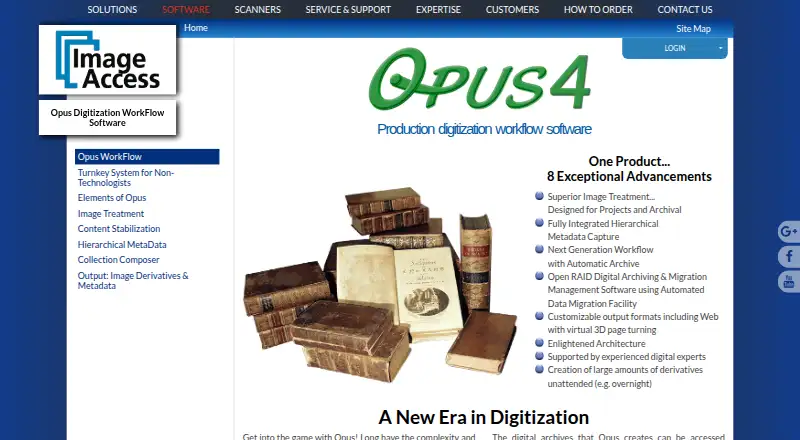
What Opus is
Opus WorkFlow is Image Access software for creating and managing digitized materials for preservation, archives, and digital collections. It is designed for libraries, museums, and archives, and its workflow manager tracks objects through digitization stages while supporting project monitoring and worker scheduling. Image treatment can separate two-up scans and correct book curve, fan, gutter, skew, and backgrounds, with manual review and adjustment available. Opus captures hierarchical metadata through templates whose fields can be configured as required, optional, repeatable, or single-value. It archives raw scans, treated images, and captured metadata, and supports Open RAID storage and data migration. The software creates image and metadata derivatives in formats including TIFF, JPEG, PDF, PDF/A, PNG, GIF, rich text, ASCII, Unicode, audio, XML, METS, MODS, and Dublin Core, and can produce web-ready digital collections. It supports output and metadata for repositories including DSpace, CONTENTdm, Fedora, Re:Discovery, OAI-PMH, and OAI-ORE, plus third-party image editing software. Opus runs on Windows and supports all Scan2Net scanners and many TWAIN scanners. Pricing is available on request.
Who it suits
Opus suits libraries, museums, and archives managing digitization projects with multiple workstations or simultaneous workers. It is especially relevant where teams need structured project tracking, image treatment, metadata capture, and archiving in one workflow.
What it does well
- Tracks digitization stages, projects, and worker schedules.
- Corrects scan issues with automatic treatment and manual adjustment.
- Captures hierarchical metadata using configurable templates.
- Archives raw scans, treated images, and metadata.
- Supports multiple repository formats and third-party image editing.
What to know first
- Runs on Windows; no other platform is listed.
- Pricing is available only on request.
Limits
The listed Opus WorkFlow plan is designed for larger digitization projects and includes multiple workflow workstations and simultaneous workers. Pricing is available by contacting Image Access.
Plans
| Plan | Billed and limits | Price |
|---|---|---|
| Opus WorkFlow | Contact Image Access for pricing. · Multiple workflow workstations · Multiple simultaneous workers · Designed for larger digitization projects | On request |
As imageaccess.com lists them, read 8 Oct 2026. The maker's own page has the final word.
Getting started
- Visit the Image Access Opus WorkFlow website.
- Contact Image Access for pricing.
- Arrange installation and training with Image Access staff.
- Use Opus on Windows with supported Scan2Net or TWAIN scanners.
Verdict
Choose Opus WorkFlow for larger institutional digitization projects that need coordinated work, image processing, metadata capture, and archiving. Teams seeking published pricing or a platform other than Windows may need to look elsewhere.
Questions
What does Opus WorkFlow do?
It manages digitization projects and creates digital assets for preservation, archives, and collections. It tracks workflow stages and supports image treatment, metadata capture, and archiving.
What does Opus cost?
Pricing is available on request from Image Access.
Which operating system does it support?
Windows is the listed platform.
Which scanners can it use?
Image Access says Opus supports all Scan2Net scanners and many TWAIN scanners.
Which repositories does it support?
The maker lists output and metadata support for DSpace, CONTENTdm, Fedora, Re:Discovery, OAI-PMH, and OAI-ORE.
Does Image Access provide setup help?
Image Access says installation and training staff can set up a system in as little as one day and provide follow-up web training.
Facts from Opus's own pages
- Archiving
- Opus archives raw scanned images, treated images, and captured metadata, and supports Open RAID storage and data migration. · imageaccess.com, 8 Oct 2026
- Headquarters
- Boca Raton, Florida, United States · imageaccess.com, 28 Sept 2026
- Image treatment
- Automatic image treatment can separate two-up images and correct book curve, fan, gutter, skew, and backgrounds, with manual review and adjustment available. · imageaccess.com, 8 Oct 2026
- Integrations
- The maker lists output and metadata support for DSpace, CONTENTdm, Fedora, Re:Discovery, OAI-PMH, and OAI-ORE repositories. · imageaccess.com, 8 Oct 2026
- Metadata
- It captures hierarchical metadata using templates with configurable required, optional, repeatable, and single-value fields. · imageaccess.com, 8 Oct 2026
- Notable limit
- Opus WorkFlow has structured project management and automatic archiving; the maker says its related FreeFlow application does not provide those functions. · imageaccess.com, 8 Oct 2026
- Outputs
- Opus creates image and metadata derivatives in formats including TIFF, JPEG, PDF, PDF/A, and PNG, and can produce web-ready digital collections. · imageaccess.com, 8 Oct 2026
- Purpose
- Opus WorkFlow creates and manages digitized assets for preservation, archives, and digital collections, including for libraries, museums, and archives. · imageaccess.com, 8 Oct 2026
- Scanner support
- The maker says Opus supports all Scan2Net scanners and many TWAIN scanners. · imageaccess.com, 8 Oct 2026
- Security and compliance
- Image Access states that its quality management system is certified to ISO 9001:2015; the page does not describe Opus-specific security controls. · imageaccess.com, 8 Oct 2026
- Support and training
- Image Access says installation and training staff can set up a system in as little as one day and provide follow-up web training. · imageaccess.com, 8 Oct 2026
- Third-party software
- Opus supports third-party image editing software, and its workflow manager allows third-party software to be used where desired. · imageaccess.com, 8 Oct 2026
- Users
- The maker describes Opus WorkFlow as designed for libraries, museums, and archives, with support for multiple workstations and simultaneous workers. · imageaccess.net, 8 Oct 2026
- Workflow management
- The workflow manager tracks objects through digitization stages and supports project monitoring and worker scheduling. · imageaccess.com, 8 Oct 2026
Where Opus stands on Freedom251
- Photo Scanning Software#28 of 29