Freedom251 › Mobile Scanning Apps
OpenScan
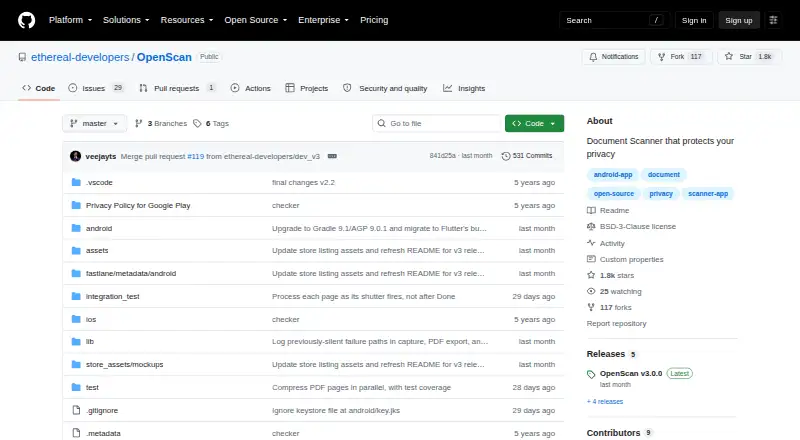
What OpenScan is
OpenScan is a free, open-source Android app that turns documents, notes, photos, and business cards into PDF files. It can detect document edges live, capture automatically, and crop scans, with additional cropping tools available. Scans can be shared as PDFs or JPGs, compressed as PDFs, uploaded to a chosen cloud-storage service, or sent through supported messaging apps. Version 3.0.0 lists six document filters and camera controls for focus, exposure, grid, zoom, front or back cameras, and related adjustments. The interface is translated into English, Greek, Hindi, Hungarian, Polish, and Tamil. The maker describes work and educational uses such as receipts, business cards, notes, and classroom boards. Source code is published on GitHub under the BSD-3-Clause license, with Android APK build instructions. Google Play reports no data collected or shared by the developer, while the privacy policy notes possible third-party and error-log information. iOS support was removed in version 2.0.0.
Who it suits
OpenScan suits Android users scanning paperwork, cards, notes, or classroom material for work and education. It also fits users wanting open-source software and cloud-sharing options.
What it does well
- Live edge detection and automatic capture
- Exports PDF or JPG scans
- Offers PDF compression and cloud uploads
- Six filters and extensive camera controls
- Translated into six listed languages
What to know first
- Android only; iOS support was removed
- Privacy policy allows possible third-party identifying data
- Absolute security cannot be guaranteed
Verdict
OpenScan provides document scanning, automatic capture, editing, and sharing without a listed charge. Its Android-only availability and the privacy policy’s stated data caveats are important boundaries.
Facts from OpenScan's own pages
- Age limit
- The privacy policy says the service does not address children under 13 and says it does not knowingly collect their personally identifiable information. · github.com, 12 Oct 2026
- Android app
- Yes · github.com, 22 Sept 2026
- Android availability
- The repository provides instructions for building an Android APK, and the README says iOS support was removed in version 2.0.0. · github.com, 12 Oct 2026
- Auto capture
- Yes · github.com, 22 Sept 2026
- Camera controls
- Version 3.0.0 lists exposure, focus, grid, autocapture, pinch-to-zoom, tap-to-focus and expose, manual exposure, and a front/back camera switch. · github.com, 12 Oct 2026
- Cloud sharing
- The README says users can upload scans or notes to their choice of cloud storage and share them through messaging apps that allow it. · github.com, 12 Oct 2026
- Cost
- The privacy policy describes the service as provided at no cost. · github.com, 12 Oct 2026
- Cropping
- The app offers cropping features for scanned documents. · play.google.com, 11 Oct 2026
- Data collection
- The privacy policy says third-party services may collect identifying information and that error log data may include IP address, device name, operating-system version, app configuration, and usage time and date. · github.com, 12 Oct 2026
- Export
- Version 3.0.0 says documents export to Downloads/OpenScan. · github.com, 12 Oct 2026
- Filters and languages
- Version 3.0.0 adds six document filter modes and says the interface is translated into English, Greek, Hindi, Hungarian, Polish, and Tamil. · github.com, 12 Oct 2026
- Free plan
- Yes · github.com, 22 Sept 2026
- Integrations
- The app can share scans through messaging apps and upload files to the user's choice of cloud storage. · play.google.com, 11 Oct 2026
- Intended users
- The maker describes work and educational uses, including scanning receipts, business cards, notes and classroom boards. · play.google.com, 11 Oct 2026
- iOS app
- No · github.com, 22 Sept 2026
- Languages
- The v3.0.0 release says the interface is translated into English, Greek, Hindi, Hungarian, Polish and Tamil. · github.com, 11 Oct 2026
- License
- The repository lists a BSD-3-Clause license. · github.com, 11 Oct 2026
- Live capture
- Version 3.0.0 adds live document-edge detection and automatic capture and cropping. · github.com, 12 Oct 2026
- Multipage PDF
- Yes · github.com, 22 Sept 2026
- New scanning features
- The v3.0.0 release lists live document detection, automatic capture and cropping, six filter modes, and camera controls. · github.com, 11 Oct 2026
- Open source
- The repository describes the app as open source and lists a BSD-3-Clause license. · github.com, 12 Oct 2026
- Platform limitation
- The v2.0.0 release notes say support for iOS was removed. · github.com, 11 Oct 2026
- Privacy
- The README says the app respects user data privacy and identifies open sourcing and privacy as differentiators. · github.com, 12 Oct 2026
- Purpose
- OpenScan is an open-source document scanner app for scanning documents, notes, photos, and business cards and converting them into PDFs. · github.com, 12 Oct 2026
Where OpenScan stands on Freedom251
- Mobile Scanning Apps#71 of 76
- Scanner apps#71 of 76