Freedom251 › Image Upscaling Software
OpenPixels
What OpenPixels is
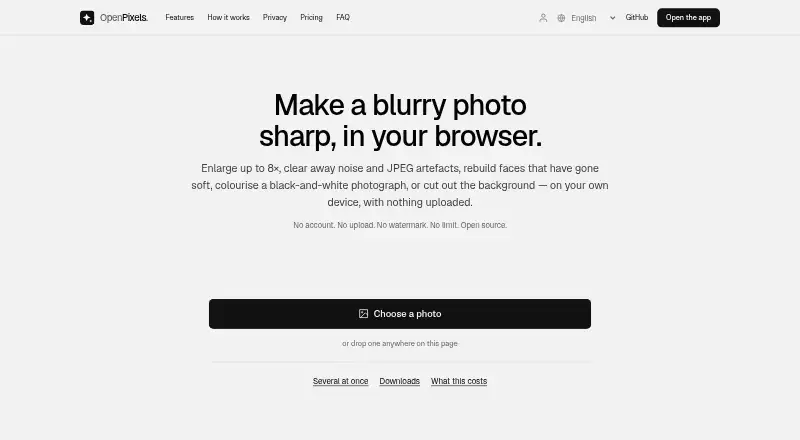
OpenPixels is a free browser-based tool for enhancing and enlarging photos. It can sharpen and denoise images, colourise them, restore faces, remove backgrounds, or clean up a photo without changing its size. Enlargement options are 2×, 4×, and up to 8×, and batch processing is supported. It accepts JPEG, PNG, and WebP files, along with still images the browser can decode; transparent results are saved as PNG. The app reports sharpness and noise measurements and compares results with the original to indicate whether enlarged detail remains faithful. Photos are processed and saved in the user's browser, and the site says they are never uploaded. After the first visit, the app and downloaded models are cached for offline use. Models download on first use; the face restorer is 340 MB and the colouriser is 228 MB. OpenPixels is available as a web app and Chrome and Firefox extensions. It has no paid tier, no limit on photos, no watermark, and no account requirement.
Who it suits
OpenPixels suits people who want browser-based image cleanup or enlargement, including batch work. Its in-browser processing and offline availability may suit users who prefer not to upload photos.
What it does well
- Enlarges images up to 8×.
- Supports batch processing and several enhancement tools.
- Photos stay in the user's browser.
- No photo limit, watermark, or account requirement.
What to know first
- Large model downloads include 340 MB and 228 MB files.
- Very large outputs may be capped by browser-tab limits.
- No API or AI portrait generation.
Limits
Very large results can exceed a browser tab's capacity, so the app may cap their size. The face restorer download is 340 MB and the colouriser download is 228 MB.
Plans
| Plan | Billed and limits | Price |
|---|---|---|
| Free | Free · No paid tier · no limit on photos · no watermark · no account required | Free |
As openpixels.app lists them, read 11 Oct 2026. The maker's own page has the final word.
Getting started
- Open the OpenPixels web app or install its Chrome or Firefox extension
- Load a JPEG, PNG, WebP, or browser-decodable still image
- Choose 2×, 4×, 8× enlargement, or cleanup at the original size
- Allow models to download on first use
- Process images individually or in batches
- Save transparent results as PNG when needed
Verdict
OpenPixels combines image enhancement, enlargement, and in-browser processing in a free tool. Large model downloads and browser limits on very large results are worth noting.
Questions
How much does OpenPixels cost?
Its Free plan costs nothing. There is no paid tier.
Does OpenPixels require an account?
No. The Free plan requires no account, allows unlimited photos, and adds no watermark.
Which platforms support OpenPixels?
It is available as a web app and as browser extensions for Chrome and Firefox.
Are photos uploaded?
Photos are processed and saved in the user's browser; the site says they are never uploaded.
What files can OpenPixels process?
It accepts JPEG, PNG, WebP, and still images the browser can decode. Transparent results are saved as PNG.
Does OpenPixels provide an API?
No API is provided, and the product does not offer AI portrait generation.
Facts from OpenPixels's own pages
- Batch processing
- It can process multiple photos without a stated limit and export results as a ZIP with measurements in a CSV. · openpixels.app, 11 Oct 2026
- Browser support
- OpenPixels is available as a web app and as browser extensions for Chrome and Firefox. · openpixels.app, 11 Oct 2026
- File formats
- It accepts still images the browser can decode, including JPEG, PNG and WebP; transparent results are saved as PNG. · openpixels.app, 11 Oct 2026
- Free plan
- Yes · openpixels.app, 22 Sept 2026
- Input formats
- JPEG, PNG, WebP · openpixels.app, 22 Sept 2026
- Maximum scale
- 8x · openpixels.app, 22 Sept 2026
- Model downloads
- Models download on first use with a progress bar; the face restorer is 340 MB and the colouriser is 228 MB. · openpixels.app, 11 Oct 2026
- Notable limit
- Very large results can exceed what a browser tab can hold, and the app says it will cap the size in that case. · openpixels.app, 11 Oct 2026
- Not supported
- OpenPixels has no API and does not provide AI portrait generation. · openpixels.app, 11 Oct 2026
- Offline use
- After the first visit, the app and downloaded models are cached and can work without a network connection. · openpixels.app, 11 Oct 2026
- Open source
- The project is available under MIT or Apache-2.0, and the site says model build steps and SHA-256 checksums are published. · openpixels.app, 11 Oct 2026
- Privacy
- Photos are processed and saved in the user's browser, and the site says they are never uploaded. · openpixels.app, 11 Oct 2026
- Quality measurements
- It reports sharpness, noise and comparisons against the original to indicate whether enlarged detail remains faithful. · openpixels.app, 11 Oct 2026
- Support
- The site directs users to email [email protected] for help or problem reports. · openpixels.app, 11 Oct 2026
- Upscaling
- It offers 2×, 4× and 8× enlargement, or cleanup without changing the original size. · openpixels.app, 11 Oct 2026
- Upscaling method
- ai · openpixels.app, 22 Sept 2026
- What it does
- OpenPixels enhances photos in the browser by enlarging, sharpening, denoising, colourising, restoring faces and removing backgrounds. · openpixels.app, 11 Oct 2026
Where OpenPixels stands on Freedom251
- Image Upscaling Software#31 of 99