Freedom251 › Admissions Software

OpenEMIS Admissions
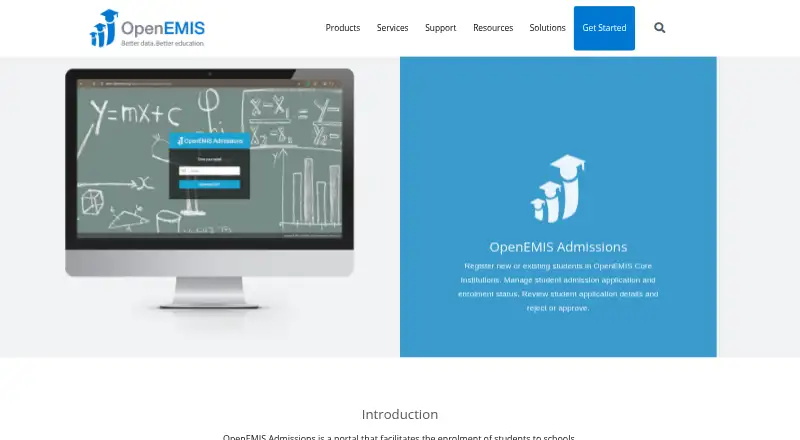
What OpenEMIS Admissions is
OpenEMIS Admissions helps schools handle student applications and enrolment. Parents can register a child online and apply for a place at multiple institutions, for either a new or existing enrolment. The application records student identity, location, address area, birthplace and guardian information. School administrators can review applications against real-time student data, manage application and enrolment status, and approve or reject requests. OpenEMIS Registrations links directly to OpenEMIS Core. The form works through a web browser or mobile device with an internet connection; listed supported browsers are Internet Explorer, Chrome, Firefox and Safari. Organisations can install the software on their own IT infrastructure or use dedicated secure hosted workspaces. OpenEMIS describes the software as free open source with no licensing fees; the listed Free open source software plan is free. Users receive a free knowledge base and product documentation. OpenEMIS says it uses industry-standard security protocols, follows OWASP recommendations and is regularly audited against common web attacks.
Who it suits
It suits schools that want parents to submit applications online and administrators to review, decide on and track enrolment requests. Organisations can install it on their own infrastructure or use dedicated hosted workspaces.
What it does well
- Parents can apply to multiple institutions.
- Administrators can approve or reject applications.
- Links directly to OpenEMIS Core.
- Works in browsers and on connected mobile devices.
- Free plan: free.
What to know first
- Online application form requires an internet connection.
- Supported browser list names Internet Explorer, Chrome, Firefox and Safari.
Limits
The Free open source software plan is free with no licensing fees. The online form requires an internet connection.
Plans
| Plan | Billed and limits | Price |
|---|---|---|
| Free open source software | no licensing fees | Free |
As openemis.org lists them, read 1 Oct 2026. The maker's own page has the final word.
Getting started
- Visit the OpenEMIS Admissions product page.
- Choose web access or download the software for installation on your organisation's IT infrastructure.
- Alternatively, access it through a dedicated secure hosted workspace.
- Open the application form in a supported browser with an internet connection.
OpenEMIS Admissions is a free, open-source tool for managing school applications and enrolment decisions. It suits schools that want families to apply online and staff to carry applications through review and approval or rejection. Its central trade-off is a no-licensing-fee workflow that depends on internet access for online applications.
Overview
Parents can submit applications for new or existing student enrolments and seek places at multiple institutions. School administrators can review applications, manage student data in real time, and track admission and enrolment status. This makes the product more than an online intake form: it also gives staff a way to record decisions and follow enrolment progress.
Applications capture student identity, location, address area and birthplace, together with guardian information. That is useful where these details are part of intake, but the admissions focus alone does not make it a fit for every school-management need.
Key features
Review and decision workflow
Approval and rejection support lets staff record application outcomes within the admissions process. Schools that need to manage a queue from submission to decision should find this more useful than a form that merely collects responses.
OpenEMIS connection and deployment
OpenEMIS Registrations directly links to OpenEMIS Core, making the product a natural option for organisations already working with that system. OpenEMIS software can be installed on an organisation’s own IT infrastructure or accessed through dedicated secure hosted workspaces. The choice gives organisations deployment flexibility, but self-installation means they must use their own infrastructure.
Browser-based access
The online application form works in a web browser on a computer or mobile device with an internet connection. The datasheet names Internet Explorer, Chrome, Firefox and Safari as supported browsers. This reaches families using common browser types, but the internet requirement rules out offline application submission.
Security and support
OpenEMIS says it protects data with industry-standard security protocols, is regularly audited against common web attacks and follows OWASP recommendations. All users receive a free knowledge base and product documentation, giving schools a reference for using the software without a licensing charge.
Pricing
Free open source software: free (no licensing fees). This is a fit for schools seeking an admissions workflow without software licence costs. The free offer removes licensing fees; it does not remove the practical choice between running the software on the school’s infrastructure and using a hosted workspace.
Platforms
OpenEMIS Admissions is available as web software and can be self-hosted; hosted workspaces are also an option. Browser-based applications require an internet connection, including when families apply from a mobile device.
Who it's for
Schools that need online applications, staff review and admission-status management—and especially organisations using OpenEMIS Core—are the clearest fit. It is less suitable for families who need an offline form or schools whose priority is a broader operational system rather than admissions and enrolment.
Pros and cons
Pros
- No licensing fees, which keeps the software cost barrier low for schools.
- Applications, review, decisions and enrolment status sit within one workflow, helping staff track an application beyond submission.
- Applicants can apply to multiple institutions, useful for families considering more than one school.
- Schools can choose self-installation or dedicated hosted workspaces.
Cons
- Online application submission requires internet access, so it does not suit offline intake.
- Self-hosting requires an organisation’s own IT infrastructure; schools that do not want to run software themselves should use a hosted workspace.
- The direct link to OpenEMIS Core is most compelling for organisations in that ecosystem, rather than a reason by itself for others to adopt it.
Alternatives
Gradelink is a paid alternative with Android, iOS, macOS, web and Windows platforms. Its Gradelink Payments plan is free (billed $0/mo; transaction fees may be covered by the school or passed to families), while SmartSend Pro is a $16.67 per mont add-on. Choose it if those platform options or its listed plans better match your needs.
Aeries SIS is a paid option available on Android, iOS, macOS, self-hosted, web and Windows, with district pricing requiring a sales quote. Consider it instead if you want to assess a district-priced system across those platforms.
Ed-admin is a paid alternative for Android, iOS and web with annual agreements and school-specific pricing. It includes 50 modules and four app portals, with pricing scoped to school size and circumstances and discounts for NGOs and low-f. Schools seeking a package described in terms of modules and portals may prefer it.
Fedena is freemium, offers a free trial, and runs on Android, API, iOS, self-hosted and web. Its Standard plan costs $999 a year, billed yearly, and includes 20 Core Modules, 17 Standard Modules, unlimited users, one-to-one online training and automat. Consider it if a broader module package, trial or training is a priority.
PowerSchool Behavior Support is a paid Android, iOS and web option with pricing not published; choose it if you are considering that product and are prepared to contact PowerSchool for a demo.
Synergy SIS is a paid Android, iOS and web option offered as a district-specific solution with a personalized demonstration. It may suit districts seeking that approach.
Jenzabar Campus Marketplace is a paid web and API option; request a demo for pricing. Consider it if you want to evaluate that marketplace instead.
UniversiTools Schedulers is a paid web product with scope and pricing set through a separate approved proposal or agreement. It may suit institutions seeking a proposal-scoped scheduling option.
For more options, browse Student Information Systems, Admissions Software, School Management Software or Online Exam Software.
Verdict
OpenEMIS Admissions is a strong choice for schools that want a no-licensing-fee online admissions workflow, particularly those already using OpenEMIS Core. Choose it for application review, decisions and enrolment-status management with a choice of self-hosted or hosted deployment; look elsewhere if online forms cannot depend on internet access or your priority is broader school operations.
Verdict
OpenEMIS Admissions covers online application submission, review and enrolment status management. Schools should consider its internet-dependent form and choose between self-installation and hosted workspaces.
Questions
How much does OpenEMIS Admissions cost?
The Free open source software plan is free, with no licensing fees.
Is OpenEMIS Admissions open source?
Yes. OpenEMIS describes its software as free open source software.
Which platforms can I use?
The listed platforms are self-hosted and web. The online application form also works on mobile devices with an internet connection.
Can parents apply to more than one school?
Yes. Applicants can apply to multiple institutions, for new or existing student enrolments.
How can an organisation deploy it?
OpenEMIS can be downloaded and installed on an organisation's own IT infrastructure, or accessed through dedicated secure hosted workspaces.
What support materials are included?
All OpenEMIS users receive a free knowledge base and product documentation.
Facts from OpenEMIS Admissions's own pages
- Administrator workflow
- School administrators can review and manage applications with real-time student data management. · openemis.org, 1 Oct 2026
- Admission status
- The product manages admission application and enrolment status and supports rejecting or approving applications. · openemis.org, 1 Oct 2026
- Applicant scope
- Applications can be submitted for new or existing student enrolments. · openemis.org, 1 Oct 2026
- Browser requirement
- The datasheet lists Internet Explorer, Chrome, Firefox or Safari as supported browsers. · openemis.org, 1 Oct 2026
- Captured data
- The application includes student identity, location, address area, birthplace and guardian information. · openemis.org, 1 Oct 2026
- Connectivity
- The online application form runs on any web browser or mobile device with an internet connection. · openemis.org, 1 Oct 2026
- Core integration
- OpenEMIS Registrations directly links to OpenEMIS Core. · openemis.org, 1 Oct 2026
- Deployment
- OpenEMIS software can be downloaded and installed on an organisation's own IT infrastructure, or accessed through dedicated secure hosted workspaces. · openemis.org, 1 Oct 2026
- License model
- OpenEMIS is described as free open source software with no licensing fees. · openemis.org, 1 Oct 2026
- Multiple institutions
- Applicants can apply to multiple institutions. · openemis.org, 1 Oct 2026
- Parent applications
- Parents can register a child online and secure a space at a school. · openemis.org, 1 Oct 2026
- Purpose
- OpenEMIS Admissions facilitates student enrolment to schools. · openemis.org, 1 Oct 2026
- Security
- OpenEMIS states that it protects data with industry-standard security protocols. · openemis.org, 1 Oct 2026
- Security practices
- OpenEMIS says it is regularly audited against common web attacks and follows OWASP recommendations. · openemis.org, 1 Oct 2026
- Support
- All OpenEMIS users receive a free knowledge base and product documentation. · openemis.org, 1 Oct 2026
Where OpenEMIS Admissions stands on Freedom251
- Admissions Software#5 of 29