Freedom251 › Internet Filtering Software
OpenDNS Home
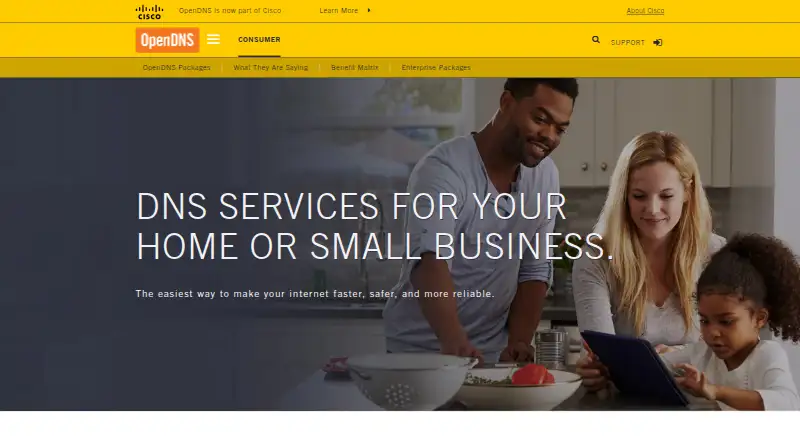
What OpenDNS Home is
OpenDNS Home provides customizable filtering and basic protection for home internet users. Its DNS settings can cover devices connected to a home network, including laptops, smartphones, tablets, DVRs, game consoles, and TVs. Listed protections include blocking malicious phishing and parental controls for devices throughout the home. OpenDNS Family Shield is a separate preconfigured option that blocks adult content and does not require sign-up. Setup involves configuring devices to use OpenDNS nameservers; the setup guide recommends configuring the home router to extend settings to connected devices. The listed nameserver addresses are 208.67.222.222 and 208.67.220.220. Help resources include FAQs, community forums, documentation, and deployment walkthroughs, and the documentation also includes API guides. OpenDNS says it was founded in 2006 and acquired by Cisco in 2015. Its consumer products are intended to provide safer, faster, and more reliable home internet. OpenDNS Home, Family Shield, and Public Service are listed as free options.
Who it suits
OpenDNS Home suits households seeking network-wide filtering and basic protection. Family Shield may suit households that want preconfigured adult-content blocking without signing up.
What it does well
- Settings can apply across devices on a home network.
- Includes protection against malicious phishing.
- Parental controls cover devices in the home.
- Family Shield blocks adult content without sign-up.
What to know first
- Setup requires configuring devices to use OpenDNS nameservers.
- Router setup is recommended to cover connected devices.
- There is no free trial; the service is listed as free.
Limits
OpenDNS Family Shield is preconfigured to block adult content. OpenDNS Home offers customizable filtering and basic protection; using the service requires configuring devices to use OpenDNS nameservers.
Plans
| Plan | Billed and limits | Price |
|---|---|---|
| OpenDNS Family Shield | Preconfigured to block adult content · no sign-up required | Free |
| OpenDNS Home | Customizable filtering · basic protection | Free |
| OpenDNS Public Service | Basic DNS-layer protection · built-in filtering configurations | Free |
As opendns.com lists them, read 11 Oct 2026. The maker's own page has the final word.
Getting started
- Open the OpenDNS Home website.
- Choose OpenDNS Home for customizable filtering, or Family Shield for preconfigured adult-content blocking without sign-up.
- Configure the home router to use OpenDNS DNS nameservers for connected-device coverage.
- Use 208.67.222.222 and 208.67.220.220 as the listed nameserver addresses.
- Consult the FAQs, community forums, documentation, or deployment walkthroughs if setup help is needed.
OpenDNS Home is a free DNS service for filtering and basic protection across a household network. It is best for families managing a mixture of computers, phones, consoles and smart devices from one router. The main trade-off is practical: coverage depends on configuring devices or the router to use OpenDNS nameservers.
Overview
OpenDNS applies its settings to devices connected through the configured home network, rather than limiting protection to a single operating system. The supported device types include laptops, smartphones, tablets, DVRs, game consoles and TVs, so it can make sense in homes where installing separate software everywhere would be impractical. OpenDNS was founded in 2006 and was acquired by Cisco in 2015.
The service is DNS-based, which makes the router an important control point. If the home router uses OpenDNS, newly connected devices can inherit the network's filtering. Devices that bypass that DNS configuration will not receive the same protection, so this is a network setup choice rather than a self-contained app installation.
Key features
Customizable household filtering
OpenDNS Home provides customizable filtering for home internet users. Its parental controls are designed to protect every device in the home, which is valuable for households with several users and varied hardware. The benefit is centralized management; the cost is that the router or each relevant device must be configured correctly.
Phishing protection
The service includes built-in protection against malicious phishing at the DNS layer. That adds a basic safety barrier while browsing, but OpenDNS Home is positioned as basic protection, not a complete security suite.
Family Shield option
OpenDNS Family Shield is the simpler choice when the requirement is straightforward adult-content blocking. It is preconfigured and needs no sign-up, reducing setup decisions. In exchange, it does not provide the customization associated with OpenDNS Home.
Setup, support and APIs
The setup guidance recommends configuring a home router and supplies the nameservers 208.67.222.222 and 208.67.220.220. OpenDNS also supports computers and laptops, smart devices, servers and home routers. FAQs, community forums, documentation and deployment walkthroughs help with implementation, while API guides serve users who need programmatic control or integration.
Pricing
OpenDNS Home is free, with no free trial because there is no paid trial period. The plan includes customizable filtering and basic protection, making it the appropriate tier for households that want control over categories rather than a preset blocklist.
OpenDNS Family Shield costs nothing. It includes preconfigured adult-content blocking and requires no sign-up. Choose it when simplicity matters more than category-level customization.
OpenDNS Public Service also costs nothing and provides basic DNS-layer protection with built-in filtering configurations. It suits users who want a preset public DNS option rather than household-specific controls. None of these plans lists a paid upgrade, seat allowance or usage quota, so the meaningful distinction is configuration scope, not capacity.
Platforms
OpenDNS supports Android, iOS, Linux, macOS, web and Windows. Its network approach additionally covers home routers, computers and laptops, smart devices and servers. Because filtering is tied to DNS settings, platform support is less important than whether each device uses the configured nameservers.
Who it's for
OpenDNS Home is a strong fit for families that want one network-level policy across many device types, especially when a router can be configured centrally. It also suits technically comfortable users who value DNS documentation and API guidance. Family Shield is better for a household seeking a no-sign-up adult-content block with minimal decisions.
Look elsewhere if you need protection that follows devices beyond the home network or does not depend on DNS changes. OpenDNS Home's central strength is also its constraint: network-wide coverage works only where the OpenDNS configuration is honored.
Pros and cons
Pros
- Free plans: Home, Family Shield and Public Service all cost nothing.
- Broad household reach: One router configuration can cover laptops, phones, tablets, TVs, DVRs and consoles.
- Useful baseline safeguards: Customizable filtering, parental controls and malicious-phishing protection address common home concerns.
- No-sign-up fallback: Family Shield provides preconfigured adult-content blocking without an account.
Cons
- DNS-dependent setup: Users must configure devices or the router with OpenDNS nameservers.
- Basic protection scope: The offering is not presented as a full device-security suite.
- Family Shield is limited: Its preset blocking gives up the customization available in OpenDNS Home.
Alternatives
Browse the Internet Filtering Software category for more options.
- AdGuard DNS is a better fit if you want a freemium service with a free trial, open-source code and broad platform coverage.
- DNS for Family suits users wanting a free family DNS service with no trial and fair-use limits for unusually high query volumes.
- FilterDNS is another free option, including self-hosted support.
- NextDNS is worth choosing if 300,000 queries per month, unlimited devices and unlimited configurations on its free plan match your needs.
- OpenBLD is an alternative for private users wanting a free tier with roughly 100,000 DNS queries per day.
- Cloudflare Gateway fits teams that need a free plan for up to 50 users or a paid pay-as-you-go tier.
- DNS Daddy is a free, open-source choice with no account, trial or subscription.
- GateSentry is a free open-source option under the Apache-2.0 license.
Verdict
Choose OpenDNS Home if you want free, customizable filtering and basic phishing protection applied centrally across a mixed home network. Its main reason to look elsewhere is the DNS setup requirement: households needing controls that work independently on each device, or outside the configured network, should consider another service.
Verdict
OpenDNS Home offers free, customizable filtering for home networks, with parental controls and phishing protection listed among its benefits. Setup requires changing DNS settings, while Family Shield is a separate no-sign-up option with preconfigured adult-content blocking.
Questions
Is OpenDNS Home free?
Yes. OpenDNS Home is listed as free.
Does OpenDNS require an account?
Family Shield requires no sign-up. The facts do not state a sign-up requirement for OpenDNS Home.
Which devices can use OpenDNS settings?
Settings can cover devices connected to the home network, including computers, laptops, smart devices, and the listed examples of phones, tablets, DVRs, game consoles, and TVs.
What nameserver addresses does OpenDNS list?
The addresses are 208.67.222.222 and 208.67.220.220.
What support resources are available?
OpenDNS provides FAQs, community forums, documentation, and deployment walkthroughs. Its documentation also includes API guides.
Who owns OpenDNS?
OpenDNS says it was founded in 2006 and acquired by Cisco in 2015.
Facts from OpenDNS Home's own pages
- APIs
- OpenDNS documentation includes guides to its APIs. · opendns.com, 11 Oct 2026
- Company history
- OpenDNS says it was founded in 2006 and was acquired by Cisco in 2015. · opendns.com, 11 Oct 2026
- Device examples
- The page lists laptops, smartphones, tablets, DVRs, game consoles, and TVs as covered device types. · opendns.com, 11 Oct 2026
- DNS addresses
- The page lists 208.67.222.222 and 208.67.220.220 as OpenDNS nameservers. · opendns.com, 11 Oct 2026
- Family Shield
- OpenDNS Family Shield is preconfigured to block adult content and requires no sign-up. · opendns.com, 11 Oct 2026
- Founded
- 2006 · opendns.com, 28 Sept 2026
- Intended users
- OpenDNS says its consumer products are designed to provide safer, faster, and more reliable internet in homes. · opendns.com, 11 Oct 2026
- Network coverage
- OpenDNS settings apply to every device that connects to the user's home network. · opendns.com, 11 Oct 2026
- Parental controls
- The benefit matrix describes parental controls that protect every device in the home. · opendns.com, 11 Oct 2026
- Purpose
- OpenDNS Home provides customizable filtering and basic protection for home internet users. · opendns.com, 11 Oct 2026
- Setup
- The setup guide instructs users to configure devices to use OpenDNS DNS nameservers and recommends setting up home routers. · opendns.com, 11 Oct 2026
- Setup support
- The support page offers FAQs, community forums, documentation, and deployment walkthroughs. · opendns.com, 11 Oct 2026
- Threat protection
- The benefit matrix lists built-in protection against malicious phishing. · opendns.com, 11 Oct 2026
Where OpenDNS Home stands on Freedom251
- Internet Filtering Software#16 of 65
- DNS Filtering Services#15 of 60