Freedom251 › Credentialing Software
OpenCred
What OpenCred is
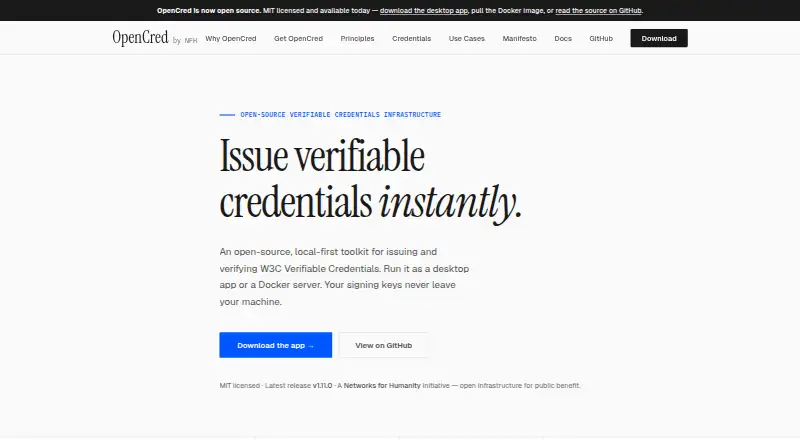
OpenCred is an open-source toolkit for issuing and verifying W3C Verifiable Credentials. Its local-first design offers a desktop app for individuals and small teams, plus a Docker server for organizations that issue credentials at scale. In the desktop app, users can issue, manage, and export credentials, including PDFs with scannable QR codes. The Docker image provides a headless HTTP API for automating issuance and verification on an organization’s own infrastructure. Its HTTP API and CLI can be embedded in student records, HR, and billing systems. Verification inputs documented by OpenCred include JSON-LD credentials, vc-jwt, sd-jwt-vc, and PixelPass QR data. Issuer signing keys remain in the issuer’s environment: desktop keys stay on the user’s machine, while server keys stay in the issuer-operated container. The Docker image runs in the operator’s infrastructure and sends no data to OpenCred or NFH Trust Labs. Credentials issued with did:key can be verified offline; did:web credentials require network access to retrieve the issuer’s DID document. Published by NFH Trust Labs, a Networks for Humanity initiative, OpenCred is licensed under MIT. Its free plan costs nothing and includes the desktop app or a self-hosted Docker server. OID4VCI support is planned.
Who it suits
OpenCred suits individuals and small teams who need to issue, manage, or export credentials from a desktop app. Organizations that want to automate issuance and verification on their own infrastructure can use the Docker server, HTTP API, and CLI.
What it does well
- Free plan includes the desktop app or self-hosted Docker server.
- Open source under the MIT licence.
- Exports credentials as PDFs with scannable QR codes.
- Supports JSON-LD, vc-jwt, sd-jwt-vc, and PixelPass QR verification inputs.
- Issuer signing keys stay in the issuer’s environment.
- did:key credentials can be verified fully offline.
What to know first
- did:web verification requires network access to retrieve the issuer’s DID document.
- OID4VCI support is planned.
Plans
| Plan | Billed and limits | Price |
|---|---|---|
| OpenCred | Free under the MIT licence · Desktop app or self-hosted Docker server | Free |
As opencred.global lists them, read 7 Oct 2026. The maker's own page has the final word.
Getting started
- Visit https://opencred.global/.
- Choose the desktop app or self-hosted Docker server.
- For organizational automation, use the headless HTTP API or CLI with student records, HR, or billing systems.
- Issue and manage credentials in the desktop app, or automate issuance and verification through the server.
Overview
OpenCred combines a desktop credential app with a self-hosted server, giving individuals, small teams and organizations a choice of how to issue and verify credentials. Its strongest appeal is control over where signing keys and credential workflows live; the trade-off is that teams needing OID4VCI support will need another option for now.
Key features
The desktop app issues, manages and exports credentials, including PDFs with scannable QR codes. That covers a straightforward certificate or badge workflow without requiring a team to operate a server. The Docker image takes a different route: its headless HTTP API supports automated issuance and verification on an organization’s own infrastructure, while the API and CLI can be embedded in student records, HR and billing systems.
Verification inputs include JSON-LD credentials, vc-jwt, sd-jwt-vc and PixelPass QR data. Credentials issued with did:key can be verified fully offline, which is useful where connectivity is uncertain. did:web credentials require network access to retrieve the issuer’s DID document, so they are not a fit for offline verification.
OpenCred says signing keys remain in the issuer’s environment: on the desktop machine or inside the issuer-operated server container. The Docker image also runs within the operator’s infrastructure and sends no data to OpenCred or NFH Trust Labs. This makes the self-hosted option relevant to organizations that want to keep issuance and verification under their own operational control, though it also means they operate the server themselves.
The project is open source under the MIT licence. Bug reports, feature requests and questions go through GitHub issues; security vulnerabilities have a private reporting route. OID4VCI support is planned, not currently supported, which is a material limitation for workflows that depend on it.
Pricing
OpenCred is free: the OpenCred plan costs nothing and includes the desktop app or a self-hosted Docker server under the MIT licence. The plan supports digital certificates, digital badges, public verification, custom branding and API access. There is no paid tier or trial to weigh against the free option; desktop use suits individuals and small teams, while organizations issuing at scale can use the self-hosted server. The cost is operational rather than subscription-based for teams choosing Docker, since they run it on their own infrastructure.
Platforms
OpenCred supports API, Linux, macOS, self-hosted, web and Windows. The desktop app provides local issuance and management, while the Docker server supplies an API for organizations that want to automate credential workflows on their infrastructure.
Who it's for
OpenCred is a good fit for individuals and small teams that want a free desktop tool for issuing and managing credentials, and for organizations that can operate a Docker deployment and want to integrate issuance or verification into existing systems. It is less suitable for teams requiring OID4VCI now or needing did:web credentials to verify without a network connection.
Pros and cons
- Pros: Free, MIT-licensed desktop and self-hosted options cover both small-scale and organizational workflows without a subscription price.
- Pros: Keeping signing keys on the local machine or in an issuer-operated container gives issuers control over key location.
- Pros: The HTTP API and CLI can integrate with student records, HR and billing systems, while the supported verification inputs span several credential formats.
- Cons: did:web verification needs network access, limiting its use in disconnected settings.
- Cons: OID4VCI is only planned, so workflows that require it cannot rely on OpenCred today.
- Cons: The Docker option is self-hosted, making it a poor match for teams seeking a managed service rather than operating their own infrastructure.
Alternatives
Awero is worth considering for a freemium option with Android and iOS apps alongside web access, including personal and organisation accounts on its free Open Access plan.
Blockcerts is another free option if Android or iOS access matters; issuing certificates may incur blockchain transaction fees.
CanCred Factory may suit readers looking for a freemium service with a free trial and mobile apps.
Open Badge Passport is a free, open-source alternative for personal use with Android and iOS apps.
POK offers a free Web2 plan with unlimited digital credentials, no user caps, setup fees or expiration; blockchain verification is pay-as-you-go at $0.30, paid once.
Certifier suits readers who want a web or API service with a free annual allowance of up to 250 credentials, one user, five templates and three forms.
CertifyMe offers a free plan with 50 credentials, two courses and one admin account, plus a free trial.
Certipha is a freemium web and API option with a free plan that has a small monthly quota and free, unlimited verification.
Browse more options in Credentialing Software.
Verdict
Choose OpenCred if you want a free, open-source toolkit that can issue credentials locally or automate workflows on infrastructure you control. Its desktop and Docker options, broad verification inputs and issuer-side key handling make it a flexible fit across small teams and organizations. Look elsewhere if OID4VCI is a current requirement, if you need did:web verification offline, or if you do not want to run your own server.
Verdict
Choose OpenCred if you need a free toolkit for issuing or verifying W3C Verifiable Credentials, with desktop and self-hosted options. Look elsewhere if your workflow requires OID4VCI support now or offline verification of did:web credentials.
Questions
Is OpenCred free?
Yes. The OpenCred plan costs nothing. There is no free trial.
Which platforms does OpenCred support?
Its listed platforms are API, Linux, macOS, self-hosted, web, and Windows.
Is OpenCred open source?
Yes. It is licensed under MIT.
Who publishes OpenCred?
NFH Trust Labs publishes OpenCred. The product site identifies it as a Networks for Humanity initiative.
Can credentials be verified offline?
Credentials issued with did:key can be verified fully offline. did:web credentials require network access to retrieve the issuer’s DID document.
What integrations are available?
The HTTP API and CLI can be embedded in existing student records, HR, and billing systems.
Facts from OpenCred's own pages
- Credential formats
- The documentation lists JSON-LD credentials, vc-jwt, sd-jwt-vc, and PixelPass QR data among supported verification inputs. · opencred.gitbook.io, 7 Oct 2026
- Desktop features
- The desktop app lets users issue, manage, and export credentials, including PDFs with scannable QR codes. · opencred.global, 7 Oct 2026
- Integration
- The homepage says the HTTP API and CLI can be embedded in existing student records, HR, and billing systems. · opencred.global, 7 Oct 2026
- Intended users
- The desktop app is described for individuals and small teams, while the Docker server is described for organizations issuing credentials at scale. · opencred.global, 7 Oct 2026
- Key security
- OpenCred says issuer signing keys stay in the issuer's environment, with desktop keys on the machine and server keys in the issuer-operated container. · opencred.gitbook.io, 7 Oct 2026
- License
- OpenCred is open source under the MIT licence. · opencred.global, 7 Oct 2026
- Notable limit
- The documentation says OID4VCI support is planned. · opencred.gitbook.io, 7 Oct 2026
- Offline verification
- The documentation says credentials issued with did:key can be verified fully offline, while did:web credentials require network access to retrieve the issuer's DID document. · opencred.gitbook.io, 7 Oct 2026
- Platforms
- Desktop installers are offered for macOS, Windows, and Linux, and the server runs wherever Docker runs. · opencred.global, 7 Oct 2026
- Privacy
- The documentation says the Docker image runs in the operator's infrastructure and sends no data to OpenCred or NFH Trust Labs. · opencred.gitbook.io, 7 Oct 2026
- Publisher
- OpenCred is published by NFH Trust Labs, which the product site identifies as a Networks for Humanity initiative. · opencred.gitbook.io, 7 Oct 2026
- Purpose
- OpenCred is an open-source, local-first toolkit for issuing and verifying W3C Verifiable Credentials. · opencred.global, 7 Oct 2026
- Server features
- The Docker image provides a headless HTTP API for organizations automating credential issuance and verification on their own infrastructure. · opencred.global, 7 Oct 2026
- Support
- The documentation directs bug reports, feature requests, and questions to GitHub issues and security vulnerability reports to private reporting. · opencred.gitbook.io, 7 Oct 2026
Where OpenCred stands on Freedom251
- Credentialing Software#10 of 31