Freedom251 › Network Documentation Software
Open Network Diagram
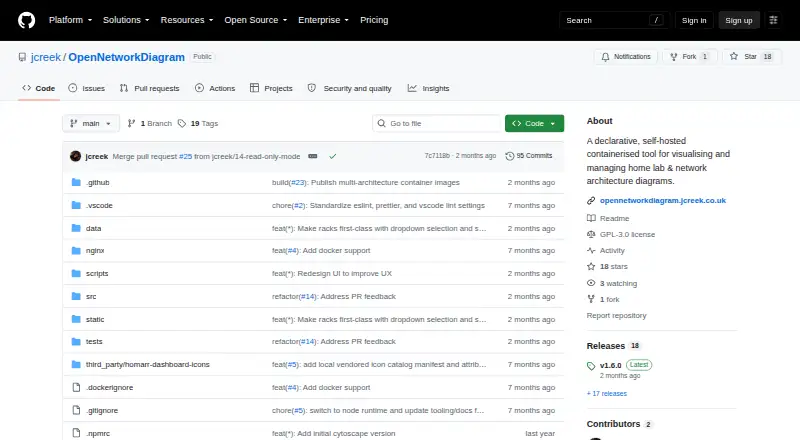
What Open Network Diagram is
Open Network Diagram is a free, self-hosted tool for mapping and managing home lab and network infrastructure. It provides network, Hosts & VMs, and rack views for documenting devices, virtual machines, subnets, VLANs and rack positions. Its IPAM panel reports subnet use, flags duplicate IP addresses and suggests the next free address. Connections can record cable type, colour and length, with colour-coded links and hover details. The application keeps topology data in JSON, which can be backed up, reused and optionally versioned. Self-hosted deployments autosave changes and retain five rolling backups. The project is Docker-first, supports writable data volumes and Docker Compose, and exposes GET and PUT operations at /api/network-data. It has no runtime dependency on external APIs, and published Docker images support AMD64 and 64-bit ARM systems, including Raspberry Pi. The software is licensed under GNU GPL v3. It does not include authentication or TLS, and topology details can expose sensitive infrastructure information. The project advises limiting deployment access or using an authenticated reverse proxy that terminates TLS.
Who it suits
Open Network Diagram is for home lab users who want an up-to-date map of machines, virtual machines, devices and rack placement. It suits people comfortable with self-hosting and restricting access to infrastructure data.
What it does well
- Free under GNU GPL v3
- Includes network, host and rack views
- IPAM detects duplicate addresses and suggests free IPs
- Self-hosted mode retains five rolling backups
What to know first
- Does not include authentication or TLS
- Topology data may expose sensitive infrastructure details
- Requires a self-hosted deployment
Plans
| Plan | Billed and limits | Price |
|---|---|---|
| Open Network Diagram | Self-hosted · Docker deployment · GNU GPL v3 | Free |
As github.com lists them, read 2 Oct 2026. The maker's own page has the final word.
Getting started
- Open the project website on GitHub.
- Deploy the Docker image, using Docker Compose if desired.
- Provide a writable data volume for self-hosted persistence.
- Restrict access through a firewall, LAN, or VPN, or use an authenticated TLS-terminating reverse proxy.
Verdict
Open Network Diagram provides inventory, topology and IPAM features in a self-hosted package. Its missing authentication and TLS make access controls an important deployment consideration.
Questions
Is Open Network Diagram free?
Yes. The plan is free.
What platforms does it support?
It is self-hosted and web-based, with API operations available. Published Docker images support AMD64 and 64-bit ARM, including Raspberry Pi systems.
Is Open Network Diagram open source?
Yes. The repository is licensed under GNU GPL v3.
Does it include authentication or TLS?
No. The project advises restricting access or placing it behind an authenticated reverse proxy that terminates TLS.
How does it save topology data?
It uses JSON as its source of truth. Self-hosted changes autosave, writes are persisted atomically, and the last five rolling backups are kept.
Facts from Open Network Diagram's own pages
- API
- The documented runtime API endpoint is GET/PUT /api/network-data. · github.com, 2 Oct 2026
- Audience
- The project is positioned for home lab users who need an up-to-date map of machines, virtual machines, devices and rack placement. · github.com, 1 Oct 2026
- Cabling
- Connections can track cable type, colour and length with colour-coded links and hover details. · github.com, 1 Oct 2026
- Data model
- The application keeps a JSON source of truth that can be backed up, reused and optionally versioned. · github.com, 1 Oct 2026
- Deployment
- The project provides Docker and Docker Compose deployment instructions with writable data volume support. · github.com, 2 Oct 2026
- Integrations
- The project says it has no runtime dependency on external APIs and includes a locally vendored icon catalog for offline-friendly behavior. · github.com, 2 Oct 2026
- IPAM
- The IPAM panel shows per-subnet utilization, detects duplicate IP conflicts, and suggests the next free IP when adding machines, devices, or VMs. · github.com, 2 Oct 2026
- JSON source of truth
- The app documents infrastructure in a visual UI while keeping a JSON source of truth that users can back up, reuse, and optionally version after reviewing for sensitive information. · github.com, 2 Oct 2026
- License
- The repository identifies the software as GNU GPL v3 licensed. · github.com, 2 Oct 2026
- Network and host views
- It provides a network view with Ethernet labels and a Hosts & VMs view for inventory and service mapping. · github.com, 2 Oct 2026
- Persistence
- Self-hosted mode autosaves JSON data and keeps the last five rolling backups. · github.com, 1 Oct 2026
- Persistence and backups
- In self-hosted mode, changes autosave to JSON, writes are persisted atomically, and rolling backups retain the last five files. · github.com, 2 Oct 2026
- Platforms
- Published Docker images support AMD64 and 64-bit ARM, including Raspberry Pi systems. · github.com, 1 Oct 2026
- Purpose
- Open Network Diagram is a declarative, self-hosted tool for visualising and managing home lab and network architecture diagrams. · github.com, 2 Oct 2026
- Rack inventory
- Rack view supports managed racks with U positions and heights, side-by-side shelf items, and click-through to the editor. · github.com, 2 Oct 2026
- Read-only mode
- Optional read-only mode prevents changes and is offered for public demonstrations and sharing. · github.com, 2 Oct 2026
- Security
- Open Network Diagram does not include authentication or TLS. · github.com, 1 Oct 2026
- Security limit
- The README advises against exposing a writable deployment directly to the internet and recommends a firewall, LAN or VPN, or an authenticated TLS-terminating reverse proxy. · github.com, 1 Oct 2026
- Security limitation
- The project does not include authentication or TLS, and its documentation advises restricting access or using an authenticated reverse proxy that terminates TLS. · github.com, 2 Oct 2026
- Sensitive data
- The project notes that topology data may expose host names, addresses, MAC addresses, and other sensitive infrastructure details. · github.com, 2 Oct 2026
- Supported image architectures
- Published Docker images support AMD64 and 64-bit ARM, including Raspberry Pi systems. · github.com, 2 Oct 2026
- Topology details
- Users can declare subnets and VLANs, track cable type, colour, and length, and expand VM lists per machine. · github.com, 2 Oct 2026
- Views
- It provides network, Hosts & VMs, and rack views for infrastructure inventory and topology mapping. · github.com, 1 Oct 2026
Where Open Network Diagram stands on Freedom251
- Network Documentation Software#10 of 27