Freedom251 › Projection Mapping Software
Onlyview
What Onlyview is
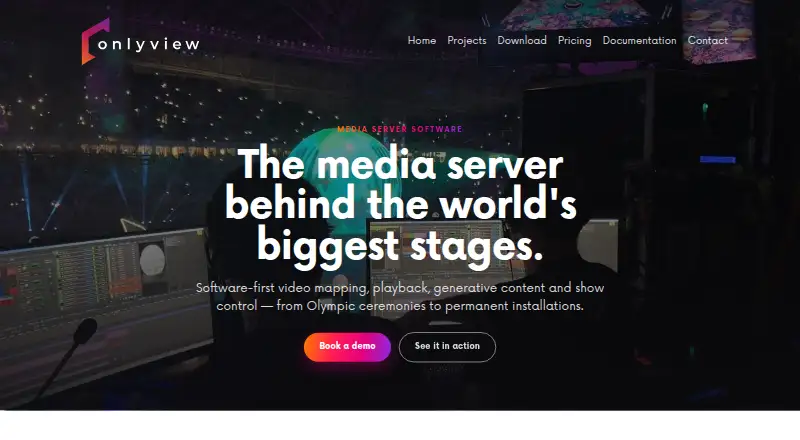
Onlyview is media-server software for video mapping, playback, generative content, and show control, available for Linux and Windows. It runs on a customer's own machines without requiring a proprietary hardware box. Its mapping tools include photogrammetric preparation, 3D calibration, screen deformation, and automated softedge blending. For LED canvases, it supports custom layouts, synchronized playback across multiple machines, and main and backup output. The product describes frame-accurate synchronized playback of 8K content across machines, with unlimited timelines and layers. It also lists built-in Notch, Unreal, and Unity support, plus real-time tracking with Blacktrax, LPM, Optitrack, Lidar, and AI vision. Show-control functions can schedule, monitor, and run long-term installations with main and backup operation. The homepage says the software can scale to 100+ projectors and be run by one operator on one timeline. External systems can send requests through an HTTP Server device for automation, triggering, and data handling. Lighting workflows can send and receive DMX data using sACN, and Art-Net is supported for recording and playback. Outputs can include SDI, NDI, Spout, SMPTE 2110, HDMI, and DisplayPort; synchronization across output types is not guaranteed. Pricing is available on request, with per-output, perpetual, and weekly rental licensing described. TouchEngine content is supported only on Windows, not Linux Media Servers. ETC Onlyview describes ETC Audiovisual as an event-services and audiovisual integration company based in Ivry-sur-Seine, France.
Who it suits
Onlyview suits audiovisual teams working on video mapping, LED canvases, synchronized playback, generative content, or long-term show-control installations. It may also suit operators who need to connect external systems or lighting data and run the software on their own Linux or Windows machines.
What it does well
- Mapping tools include 3D calibration and automated softedge blending.
- LED canvases support custom layouts and main/backup output.
- Playback supports 8K content across multiple machines.
- Built-in support includes Notch, Unreal, and Unity.
- Runs on customer machines without a proprietary hardware box.
What to know first
- Pricing is available on request, without numeric prices listed.
- TouchEngine content does not render on Linux Media Servers.
- Synchronization across output types is not guaranteed.
Limits
TouchEngine content is supported only on Windows and does not render on Linux Media Servers. Synchronization across output types is not guaranteed.
Plans
| Plan | Billed and limits | Price |
|---|---|---|
| Weekly rental license | Rent by the week; price not stated · Weekly rental; price not stated | On request |
| Perpetual license | Perpetual; price not stated · Perpetual license; price not stated | On request |
| Per-output license | Per-output licensing; price not stated | On request |
As onlyview.io lists them, read 9 Oct 2026. The maker's own page has the final word.
Getting started
- Contact the maker through https://onlyview.io/ for pricing and licensing details.
- Choose a per-output, perpetual, or weekly rental license.
- Install the software on a Linux or Windows machine.
- Prepare the mapping, playback, or show-control workflow.
- Connect supported external systems or lighting data as needed.
Verdict
Choose Onlyview if your work combines video mapping, synchronized playback, generative content, or show control and you need software that runs on your own machines. Its listed mapping, LED, tracking, and lighting capabilities cover a broad production workflow. Look elsewhere if Linux support for TouchEngine content is required, or if output-type synchronization must be guaranteed.
Questions
Which platforms does Onlyview support?
Onlyview is available for Linux and Windows. TouchEngine content is supported only on Windows.
How is Onlyview licensed?
The maker describes per-output, perpetual, and weekly rental licensing. Numeric prices are available on request.
What does Onlyview do?
It is media-server software for video mapping, playback, generative content, and show control.
Can it output to LED canvases and multiple machines?
Yes. It supports custom LED layouts, synchronized multi-machine playback, and main/backup output.
Which output formats are listed?
Outputs can include SDI, NDI, Spout, SMPTE 2110, HDMI, and DisplayPort. Synchronization across output types is not guaranteed.
Who makes Onlyview?
ETC Onlyview describes ETC Audiovisual as an event-services and audiovisual integration company based in Ivry-sur-Seine, France.
Facts from Onlyview's own pages
- Company background
- ETC Onlyview describes ETC Audiovisual as an event-services and audiovisual integration company based in Ivry-sur-Seine, France. · etc-onlyview.com, 4 Oct 2026
- External control
- An HTTP Server device lets external systems send requests to Onlyview for integrations and automation workflows. · onlyview.io, 9 Oct 2026
- Hardware
- Onlyview says it runs on the customer's own machines and does not require a proprietary box. · onlyview.io, 9 Oct 2026
- Interactive content
- The homepage lists built-in Notch, Unreal, and Unity support, plus tracking with Blacktrax, LPM, Optitrack, Lidar, and AI vision. · onlyview.io, 9 Oct 2026
- LED walls
- Onlyview supports custom LED canvas layouts, synchronized multi-machine playback, and main/backup signal operation. · onlyview.io, 9 Oct 2026
- Licensing
- The maker describes per-output, perpetual and weekly rental licensing, without listing numeric prices on the homepage. · onlyview.io, 4 Oct 2026
- Lighting integration
- The manual says Onlyview can send and receive DMX lighting data over Ethernet using sACN, and can record and replay Art-Net or sACN shows. · onlyview.io, 9 Oct 2026
- Mapping
- It supports photogrammetric preparation, 3D calibration, screen deformation and automated softedge blending. · onlyview.io, 4 Oct 2026
- Media outputs
- The manual lists SDI, NDI, Spout, and SMPTE 2110 alongside HDMI and DisplayPort outputs; synchronization between different output types is not guaranteed. · onlyview.io, 9 Oct 2026
- Network control
- An HTTP Server device lets external systems send requests to Onlyview for automation, triggering and data handling. · onlyview.io, 4 Oct 2026
- Output formats
- Media Server outputs can include SDI, NDI, Spout and SMPTE 2110 in addition to HDMI/DisplayPort; synchronization across output types is not guaranteed. · onlyview.io, 4 Oct 2026
- Platform limitation
- TouchEngine content is supported only on Windows and does not render on Linux Media Servers. · onlyview.io, 4 Oct 2026
- Playback
- The homepage describes frame-accurate synchronized playback across machines, with unlimited timelines and layers of 8K content. · onlyview.io, 9 Oct 2026
- Product
- Onlyview describes itself as media server software for video mapping, playback, generative content, and show control. · onlyview.io, 9 Oct 2026
- Projector control
- The PJLink device supports remote projector power management, shutter control, input selection, and status monitoring for compatible projectors. · onlyview.io, 9 Oct 2026
- Scale
- The homepage says one timeline and one operator can control a synchronized setup of more than 100 projectors. · onlyview.io, 9 Oct 2026
- Show control
- Onlyview can schedule, monitor and run long-term installations with main/backup operation. · onlyview.io, 4 Oct 2026
- Software-first
- Onlyview runs on the customer's own machines, with no proprietary hardware box required. · onlyview.io, 4 Oct 2026
- TouchEngine limits
- TouchEngine playback requires a separate paid TouchDesigner or TouchPlayer license on Producer and each Media Server; it is Windows-only, supports one output texture per project, and does not render on Linux Media Servers. · onlyview.io, 9 Oct 2026
- Video mapping
- Its mapping capabilities include photogrammetric preparation, 3D calibration, screen deformation, and softedge blending. · onlyview.io, 9 Oct 2026
Where Onlyview stands on Freedom251
- Projection Mapping Software#22 of 24