Freedom251 › Projection Mapping Software
Scalable Display Manager
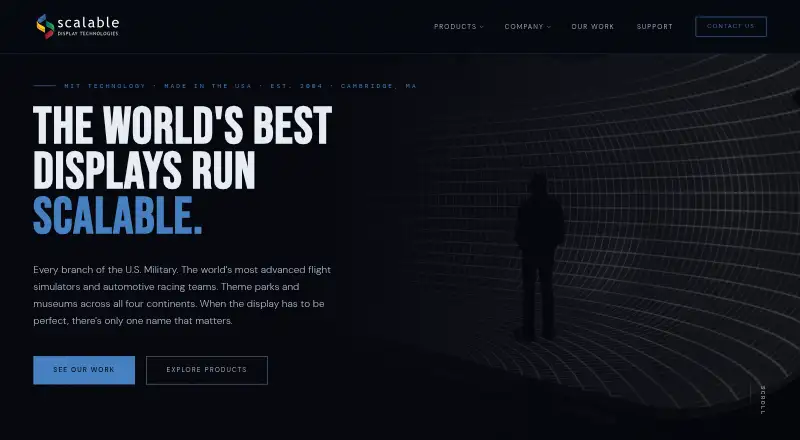
What Scalable Display Manager is
Scalable Display Manager is Windows software for camera-based projector warping and edge blending in multi-projector simulation displays. It supports unlimited projectors across domes, hemispheres, CAVEs, collimated screens, and custom geometries imported from 3D files. The maker says fixed-camera, one-click recalibration takes about 30 seconds per projector. Calibration includes sub-pixel blend registration and automatic color and intensity adjustment using calibration cameras. SDM lists more than 40 image-generator SDK integrations, including Barco Pulse, Norxe Unify, Westar Warper4K, and Epic Unreal Engine. It exports MPCDI files with configurable version, profile, depth, pixel pitch, and gamma for compatible playback systems. Host requirements include Windows 10 64-bit or Windows 11, 8 GB RAM, an Intel Core i5 or better, OpenGL 3.0 graphics, gigabit networking, and 50 GB free SSD space. Permanent licenses are priced by project scope through sales.
Who it suits
It suits organizations building projector-based simulation, training, entertainment, museum, planetarium, automotive, control-room, ProAV, or academic immersive displays. Windows-based teams that need camera calibration and multi-projector geometry support are the stated audience.
What it does well
- Supports unlimited projectors
- One-click recalibration takes about 30 seconds
- More than 40 SDK integrations listed
- Exports configurable MPCDI files
- Automatic color and intensity calibration
What to know first
- Windows host required
- Pricing is available by request
- License tied to physical calibration PC
- Display Client reassignment requires support
Limits
There is no free plan. Pricing and Display Client license counts are set during the sales process, and an assigned Display Client license cannot be reassigned without contacting support.
Plans
| Plan | Billed and limits | Price |
|---|---|---|
| Scalable Display Manager | Permanent license · price based on project scope, projector count, and advanced features · Display Client license count set during sales process | On request |
As scalabledisplay.com lists them, read 8 Oct 2026. The maker's own page has the final word.
Getting started
- Open the Scalable Display website
- Contact the sales team for project-scoped permanent licensing
- Prepare a Windows 10 64-bit or Windows 11 calibration PC meeting the listed requirements
- Install SDM on the calibration PC
- Connect calibration cameras and projectors
- Configure the display geometry and run calibration
Verdict
SDM targets complex multi-projector installations with broad geometry, calibration, integration, and export requirements. Its project-scoped licensing and hardware requirements should be reviewed with Scalable before purchase.
Questions
What does Scalable Display Manager cost?
Scalable sells permanent licenses with pricing based on project scope, projector count, and advanced features. Buyers obtain pricing through the sales team.
Which platforms does SDM support?
SDM runs on Windows. Applications using the Scalable SDK can run on Windows or Linux.
How many projectors can it handle?
The software supports unlimited projectors across domes, hemispheres, CAVEs, collimated screens, and custom 3D-file geometries.
Can SDM integrate with image generators?
SDM lists more than 40 image-generator SDK integrations, including Barco Pulse, Norxe Unify, Westar Warper4K, and Epic Unreal Engine.
What support options are available?
Scalable offers Standard and Premier support. Premier includes email, ticketing, dataset exchange, phone, TeamViewer, and remote setup.
Facts from Scalable Display Manager's own pages
- Calibration
- The maker states that fixed-camera, one-click recalibration takes about 30 seconds per projector. · scalabledisplay.com, 8 Oct 2026
- Exports
- SDM exports MPCDI files with configurable version, profile, depth, pixel pitch, and gamma for compatible third-party playback systems. · scalabledisplay.com, 8 Oct 2026
- Founded
- 2004 · scalabledisplay.com, 28 Sept 2026
- Headquarters
- Cambridge, Massachusetts, USA · scalabledisplay.com, 28 Sept 2026
- Host requirements
- The maker lists Windows 10 64-bit or Windows 11, at least 8 GB RAM, an Intel Core i5 or better, OpenGL 3.0-compatible graphics, gigabit networking, and an SSD with at least 50 GB free. · scalabledisplay.com, 8 Oct 2026
- Image quality
- Features include sub-pixel blend registration and automatic color and intensity calibration using calibration cameras. · scalabledisplay.com, 8 Oct 2026
- Integrations
- SDM lists 40+ image-generator SDK integrations and names Barco Pulse, Norxe Unify, Westar Warper4K, and Epic Unreal Engine among its integrations. · scalabledisplay.com, 8 Oct 2026
- Intended users
- The maker describes SDM deployments in defense simulation and training, themed entertainment, museums, planetariums, automotive simulators, control rooms, corporate ProAV, and academic immersive research. · scalabledisplay.com, 8 Oct 2026
- Licensing limit
- The license is tied to the physical calibration PC, and an assigned Display Client license cannot be reassigned without contacting support. · scalabledisplay.com, 8 Oct 2026
- Pricing
- Scalable sells permanent licenses and provides project-scoped pricing through its sales team. · scalabledisplay.com, 8 Oct 2026
- Purpose
- SDM is camera-based software for automatic projector warping and edge blending in multi-projector simulation displays. · scalabledisplay.com, 8 Oct 2026
- Screen geometry
- It supports unlimited projectors on domes, hemispheres, CAVEs, collimated screens, and custom geometries imported from 3D files. · scalabledisplay.com, 8 Oct 2026
- Security and deployment
- SDM can run on a dedicated calibration PC separate from the simulation host, and its support page offers remote sessions for clients with support packages. · scalabledisplay.com, 8 Oct 2026
- Support
- The maker offers Standard and Premier support tiers; Premier includes email, ticketing, dataset exchange, phone, TeamViewer, and remote setup. · scalabledisplay.com, 8 Oct 2026
- Supported operating system
- SDM runs on Windows; applications using the Scalable SDK can run on Windows or Linux. · scalabledisplay.com, 8 Oct 2026
- Support response
- The support page says typical ticket response time is within 24 hours on business days. · scalabledisplay.com, 8 Oct 2026
Where Scalable Display Manager stands on Freedom251
- Projection Mapping Software#23 of 24