Freedom251 › Projection Mapping Software
HoloMapper
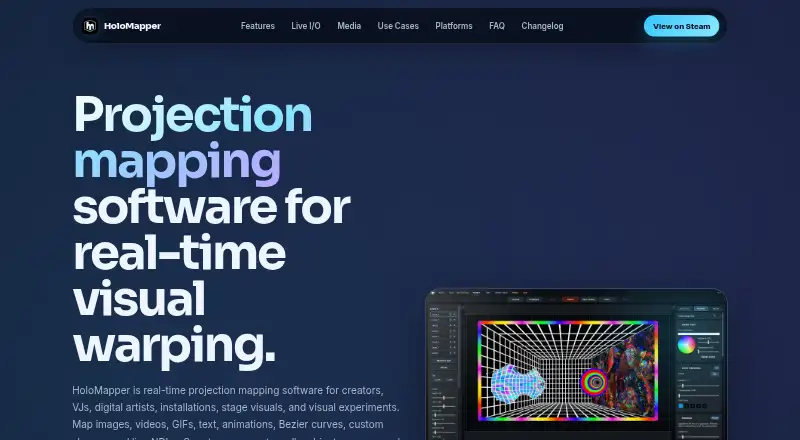
What HoloMapper is
HoloMapper is real-time projection mapping software for creating visuals on physical surfaces, with input from files and live video sources. It runs on Windows and Linux and supports workflows involving Linux, SteamOS, and Steam Deck. Creators can place images, videos, GIFs, text, animations, custom shapes, Bezier curves, and NDI or Spout sources. Mesh warping offers controls for adjusting edges and internal points to fit angled, curved, uneven, or irregular surfaces. Editing tools include quads, circles, lines, freehand drawing, filled shapes, curves, and text layers. Snapping helps align sides, corners, and rotation, while Auto Aspect can match a quad to imported media. The editor can stay on one screen while clean mapped output goes to a projector or external display. NDI and Spout support input and output for compatible live workflows. URL/browser layers and external window inputs are experimental, and their compatibility and performance may vary. HoloMapper is in Early Access, and its maker says features may change during development. It is a one-time purchase, listed at $20.99, paid once.
Who it suits
It suits projection-mapping creators, VJs, live performers, installation and event designers, creative developers, and tinkerers who need to align visuals to physical surfaces. Steam Deck projector use may require Desktop Mode with Proton Experimental.
What it does well
- Maps varied media and live NDI or Spout sources.
- Mesh warping adjusts edges and internal points.
- Clean projector output can use a separate display.
- One-time purchase; no subscription.
What to know first
- Early Access features may change during development.
- Browser and external-window inputs are experimental.
- Steam Deck projector use may require Desktop Mode and Proton Experimental.
- Paid software; no free plan.
Limits
There is no free plan. URL/browser layers and external window inputs are experimental, and their compatibility and performance can depend on the website or application, source, system, and network conditions.
Plans
| Plan | Billed and limits | Price |
|---|---|---|
| HoloMapper – Projection Mapping Tool | One-time purchase; $29.99 before the current 30% promotion. · Windows, Linux / SteamOS · Early Access | $20.99, paid once |
As holomapperstudio.com lists them, read 4 Oct 2026. The maker's own page has the final word.
Getting started
- Visit https://holomapperstudio.com/.
- Choose the HoloMapper – Projection Mapping Tool plan for $20.99, paid once.
- Use it on Windows or Linux; SteamOS and Steam Deck workflows are also supported.
- On Steam Deck, projector use may require Desktop Mode with Proton Experimental.
- Create surfaces and add media, shapes, or compatible live NDI or Spout sources.
- Send mapped output to a projector or external display.
Verdict
HoloMapper combines surface-mapping tools with live NDI and Spout workflows and separate projector output. Consider its Early Access status and experimental inputs when planning a setup.
Questions
How much does HoloMapper cost?
The HoloMapper – Projection Mapping Tool plan costs $20.99, paid once as a one-time purchase. The listed price before the current 30% promotion is $29.99.
Is there a free plan?
No. HoloMapper is a paid product.
Which platforms does it support?
It runs on Windows and Linux and supports Linux, SteamOS, and Steam Deck workflows. Projector use on Steam Deck may require Desktop Mode with Proton Experimental.
Does HoloMapper support live video input?
Yes. It supports NDI and Spout input and output for compatible live visual workflows.
Is HoloMapper a subscription?
No. The maker describes it as a buy-once product rather than a subscription.
Is HoloMapper still in development?
It is in Early Access, and its features may change, improve, or expand during development.
Facts from HoloMapper's own pages
- Alignment
- Snapping tools align sides, corners, and rotation, while Auto Aspect can match a quad to imported media’s aspect ratio. · holomapperstudio.com, 4 Oct 2026
- Early Access
- HoloMapper is in Early Access, and the maker says features may change, improve, or expand during development. · holomapperstudio.com, 4 Oct 2026
- Editing tools
- Surface tools include quads, circles, lines, freehand drawing, custom filled shapes, Bezier curves, and text layers. · holomapperstudio.com, 4 Oct 2026
- Experimental inputs
- URL/browser layers and external window inputs are experimental, and their compatibility and performance may vary by source and system. · holomapperstudio.com, 4 Oct 2026
- Intended users
- The maker lists projection mapping creators, VJs, live visual performers, installation and event designers, creative developers, and tinkerers as audiences. · holomapperstudio.com, 4 Oct 2026
- Live integrations
- HoloMapper supports NDI and Spout input and output for compatible live visual workflows. · holomapperstudio.com, 4 Oct 2026
- Media and surfaces
- It maps images, videos, GIFs, text, animations, Bezier curves, custom shapes, and live NDI or Spout sources onto physical surfaces. · holomapperstudio.com, 4 Oct 2026
- Media features
- The maker lists GIF and GIPHY importing and MP4 animation presets among its media features. · holomapperstudio.com, 4 Oct 2026
- Performance limit
- The maker cautions that experimental inputs’ compatibility and performance can depend on the website or application, source, system, and network conditions. · holomapperstudio.com, 4 Oct 2026
- Projector output
- Users can control the editor on one screen while sending clean mapped output to a projector or external display. · holomapperstudio.com, 4 Oct 2026
- Purpose
- HoloMapper is real-time projection mapping software for creators, VJs, digital artists, installations, stage visuals, and visual experiments. · holomapperstudio.com, 4 Oct 2026
- Steam Deck
- The maker says HoloMapper supports Linux, SteamOS, and Steam Deck workflows; projector use on Steam Deck may require Desktop Mode with Proton Experimental. · holomapperstudio.com, 4 Oct 2026
- Subscription
- The FAQ says HoloMapper is not subscription based and describes it as a buy-once product. · holomapperstudio.com, 4 Oct 2026
- Warping
- Mesh warping provides edge and internal point controls for aligning visuals to angled, uneven, curved, or irregular surfaces. · holomapperstudio.com, 4 Oct 2026
Where HoloMapper stands on Freedom251
- Projection Mapping Software#18 of 24