Freedom251 › Emulation Frontends
OnionOS
What OnionOS is
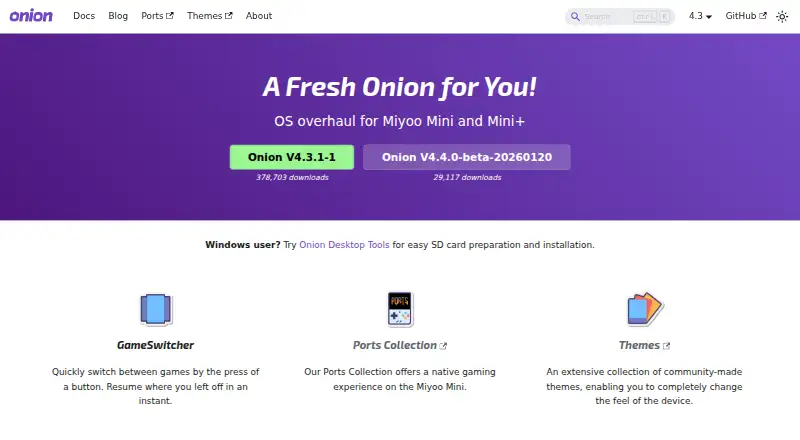
OnionOS is a free, open-source operating system overhaul for the Miyoo Mini and Miyoo Mini+ handhelds. Installed and maintained on an SD card, it includes RetroArch, optimized emulators, dedicated drivers, overlays, and filters. GameSwitcher helps users return to recent games using screenshots of their last position. Search locates games by keyword, while Game List Options can select cores, fetch cover images, start Netplay, and filter lists. The Package Manager installs and removes emulators and apps; the Activity Tracker records playtime and displays a total in the top bar. Users can also change themes and configure system settings, network services, and button shortcuts. On the Mini+, Onion adds over-the-air updates, time synchronization, cover scraping, network services such as SMB, HTTP, SSH, FTP, Telnet, hotspot, and VNC, and Netplay for online or local sessions. Easy Netplay between two Mini+ devices needs no prior Wi-Fi setup; Pokémon trading is available for GB/GBC. The Ports Collection describes 61 game ports, some requiring users to provide licensed files. Installation requires firmware 20220419 or later for the Mini, or 20230505 or later for the Mini+. Windows users can prepare and manage the SD card with Onion Desktop Tools.
Who it suits
OnionOS suits owners of Miyoo Mini or Mini+ devices who want emulator, game-library, customization, and playtime tools on their handheld. Mini+ owners can also use the listed network and multiplayer features.
What it does well
- Includes RetroArch and optimized emulators.
- GameSwitcher returns users to recent games with screenshots.
- Package Manager installs and uninstalls apps and emulators.
- Activity Tracker records and displays playtime.
- Mini+ supports Netplay and over-the-air updates.
What to know first
- Requires a compatible Miyoo Mini or Mini+ device.
- Installation requires specified minimum firmware versions.
- Built-in game image scraping is Mini+ only.
- A MainUI issue can block Wi-Fi names with special characters.
Limits
The built-in game image scraper works on Miyoo Mini Plus only. A MainUI issue can block Wi-Fi networks whose names contain special characters, and the FAQ reports no fix because MainUI is closed source.
Getting started
- Open the OnionOS website
- Check that your Miyoo Mini firmware is 20220419 or later, or Mini+ firmware is 20230505 or later
- Use an SD card for the Onion installation
- On Windows, use Onion Desktop Tools to format the card and download, install, update or configure Onion
- Insert the prepared SD card into the Miyoo Mini or Mini+
- Use Package Manager to install additional emulators or apps
Verdict
OnionOS brings game navigation, emulator, customization, and tracking tools to two Miyoo handhelds, with additional network features on the Mini+. Check device firmware requirements and the Mini+-only features before installing.
Questions
Is OnionOS free?
Yes. OnionOS is free and open source, with no free-trial period.
Which devices support OnionOS?
It supports the Miyoo Mini and Miyoo Mini+ handhelds.
How is OnionOS installed?
It is installed and maintained on an SD card. Windows users can use Onion Desktop Tools to prepare, install, update and configure it.
Does OnionOS include emulators?
Yes. It includes RetroArch with dedicated drivers, custom overlays and filters, along with optimized emulators.
What network features does Mini+ provide?
Miyoo Mini+ supports OTA updates, time synchronization, cover scraping, Netplay and services including SMB, HTTP, SSH, FTP, Telnet, hotspot and VNC.
Does OnionOS support multiplayer?
Netplay supports online or local-network sessions. Easy Netplay connects two Miyoo Mini+ devices without prior Wi-Fi setup, and Pokémon trading is available for GB/GBC.
Facts from OnionOS's own pages
- Activity tracking
- The Activity Tracker records game playtimes, displays total playtime in the top bar, and lets users share playtime screenshots. · onionui.github.io, 2 Oct 2026
- Connected features
- On Miyoo Mini Plus, Onion supports OTA updates, date and time synchronization, game-cover scraping, and network services including SMB, HTTP, SSH, FTP, Telnet, hotspot, and VNC. · onionui.github.io, 3 Oct 2026
- Customization
- Tweaks lets users adjust system settings, enable network services, and configure button shortcuts; themes can change backgrounds, categories, icons, music, and fonts. · onionui.github.io, 3 Oct 2026
- Device requirements
- The installation guide requires at least firmware 20220419 on Miyoo Mini and 20230505 on Miyoo Mini+; Onion runs from the SD card as a frontend to the device firmware. · onionui.github.io, 3 Oct 2026
- Emulation
- Onion includes RetroArch with dedicated drivers, custom overlays and filters, plus standalone PCSX and ScummVM emulators. · onionui.github.io, 3 Oct 2026
- Game collection tools
- Its Search app finds games by keyword, and its Game List Options menu can select cores, fetch cover images, launch Netplay, and filter lists. · onionui.github.io, 2 Oct 2026
- Game library
- Search finds games by keyword, and Activity Tracker records playtime and displays total playtime in the top bar. · onionui.github.io, 3 Oct 2026
- GameSwitcher
- GameSwitcher lets users browse recently played games and resume them from a screenshot of where they left off. · onionui.github.io, 3 Oct 2026
- Game switching
- GameSwitcher lets users browse recently played games and resume them with screenshots showing where they left off. · onionui.github.io, 2 Oct 2026
- Installation
- Onion is installed and kept on an SD card; the maker says Windows users can use Onion Desktop Tools to prepare the card and install or update Onion. · onionui.github.io, 2 Oct 2026
- Installation support
- Windows users can use Onion Desktop Tools to format an SD card and download, install, update, and configure Onion. · onionui.github.io, 3 Oct 2026
- Known limitation
- The FAQ says a MainUI issue can prevent Wi-Fi networks with special characters from connecting, and reports no fix because MainUI is closed source. · onionui.github.io, 3 Oct 2026
- Multiplayer
- Netplay supports online or local network sessions; Easy Netplay on two Miyoo Mini Plus devices needs no prior Wi-Fi setup, and Pokémon trading is available for GB/GBC. · onionui.github.io, 3 Oct 2026
- Network features
- On Miyoo Mini Plus, Onion offers Netplay, over-the-air updates, time synchronization, cover scraping, and network services including SMB, HTTP, SSH, and FTP. · onionui.github.io, 2 Oct 2026
- Notable limitation
- The built-in game image scraper is available on Miyoo Mini Plus only, according to the FAQ. · onionui.github.io, 2 Oct 2026
- Package Manager
- The Package Manager app installs and uninstalls emulators and apps. · onionui.github.io, 3 Oct 2026
- Ports
- The Ports Collection page describes 61 game ports; some require users to provide licensed game files. · onionui.github.io, 3 Oct 2026
- Product
- Onion is an operating system overhaul for the Miyoo Mini and Miyoo Mini+. · onionui.github.io, 3 Oct 2026
- Support
- The project directs users to GitHub Discussions, Discord, Reddit, and Facebook for community support. · onionui.github.io, 3 Oct 2026
Where OnionOS stands on Freedom251
- Emulation Frontends#23 of 25