Freedom251 › Emulation Frontends
Maximus Arcade
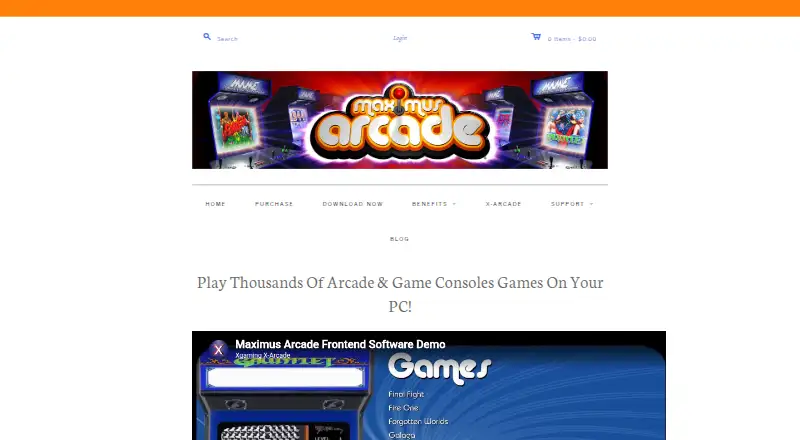
What Maximus Arcade is
Maximus Arcade is Windows software for organizing and launching classic arcade and console games through emulators. It provides a frontend for imported game libraries and supports controls including gamepads, joysticks, trackballs, mice, extended keyboards, and arcade panels. Listed emulator and system support includes MAME, DOSBox, Future Pinball, Visual Pinball, and several classic consoles, but the software does not include emulators or game files. It is designed for novice users and can run on arcade cabinets, kiosks, or computers with supported controls. Cabinet features include hiding Windows, a universal exit switch, attraction mode, and horizontal or vertical layouts. A visual theme editor, custom emulator commands, and per-game launch settings allow configuration. The maker lists LEDWiz and LEDBlinky support and Windows Media Center integration. A 30-day trial is the full version before deactivation. Paid access starts at 25 one-time; one listed license costs 10.00 USD once and covers two purchaser-owned residence computers.
Who it suits
Maximus Arcade suits Windows users building arcade cabinets, kiosks, or controller-based game setups. It is also intended for novice users organizing emulator libraries.
What it does well
- Supports many arcade and console emulators
- Works with varied game controllers
- Cabinet-focused display and exit features
- Visual theme editor and launch settings
- 30-day full-feature trial
What to know first
- Games and emulators are not included
- Windows is the supported platform
- Trial deactivates after 30 days
- Phone support is not provided
Limits
The 30-day trial is the full version but deactivates after the trial period. A purchased license may be installed on two computers owned by the purchaser at their residence.
Plans
| Plan | Billed and limits | Price |
|---|---|---|
| Maximus Arcade | Windows PC · unlock code for full version · install on 2 computers owned at your residence | $10, paid once |
As maximus-arcade.com lists them, read 7 Oct 2026. The maker's own page has the final word.
Getting started
- Open the Maximus Arcade website
- Install it on a supported Windows computer
- Import your game library
- Configure supported emulators and custom command lines
- Connect and configure your preferred controller or arcade controls
- Use the 30-day full trial or enter a purchase unlock code
Verdict
Maximus Arcade centralizes emulator-based game launching with cabinet controls and customization tools. Buyers must provide their own games and emulators and use Windows.
Questions
What does Maximus Arcade cost?
The listing describes paid access from $25 one-time. The Maximus Arcade plan is listed as $10, paid once and includes a Windows PC unlock code.
Is there a free plan or trial?
There is no free plan. A 30-day trial provides the full version without restrictions before deactivation.
Which platforms are supported?
Windows is the supported platform. The maker lists limited functionality on Windows 98.
Are games or emulators included?
No. The software does not include game files or emulators.
How many computers can use one license?
A license may be installed on two computers owned by the purchaser at their residence.
How is technical support provided?
Technical support is provided through forums; phone support is not provided.
Facts from Maximus Arcade's own pages
- Cabinet features
- Features include hiding the Windows environment, a universal exit switch, attraction mode, and horizontal or vertical layouts. · maximus-arcade.com, 7 Oct 2026
- Compatibility
- The maker lists Windows operating systems as supported, with limited functionality on Windows 98, and recommends a 1 GHz or faster processor and 128 MB RAM. · maximus-arcade.com, 7 Oct 2026
- Controls
- The frontend supports gamepads, joysticks, trackballs, mice, extended keyboards, and arcade control panels. · maximus-arcade.com, 7 Oct 2026
- Creator
- The about page says Maximus Arcade was created by Lance Endres in response to frustrations with existing classic game and emulator software. · maximus-arcade.com, 7 Oct 2026
- Customization
- The product includes a WYSIWYG theme editor and supports custom emulator command lines and per-game launch parameters. · maximus-arcade.com, 7 Oct 2026
- Emulator support
- The product page lists support for systems and emulators including MAME, DOSBox, Future Pinball, Visual Pinball, and multiple classic console systems. · maximus-arcade.com, 7 Oct 2026
- Game files
- The software does not include games, and the maker says it cannot advise where to download ROMs. · maximus-arcade.com, 7 Oct 2026
- Integrations
- The maker lists LEDWiz and LEDBlinky support and says the frontend can be incorporated into Windows Media Center. · maximus-arcade.com, 7 Oct 2026
- Intended users
- The maker says it is designed for novice users and is suited to arcade cabinets, kiosks, or computers with a keyboard, trackball, or joystick. · maximus-arcade.com, 7 Oct 2026
- License limit
- A license may be installed on two computers owned by the purchaser at their residence. · maximus-arcade.com, 7 Oct 2026
- Purpose
- Maximus Arcade is Windows software for managing and launching classic arcade and console games through emulators. · maximus-arcade.com, 7 Oct 2026
- Support
- Technical support is provided through the forums; the about page says phone support is not provided. · maximus-arcade.com, 7 Oct 2026
- Trial
- The 30-day trial is the full version without restrictions other than deactivation after 30 days. · maximus-arcade.com, 7 Oct 2026
Where Maximus Arcade stands on Freedom251
- Emulation Frontends#25 of 25