Freedom251 › Video Annotation Software
Onform
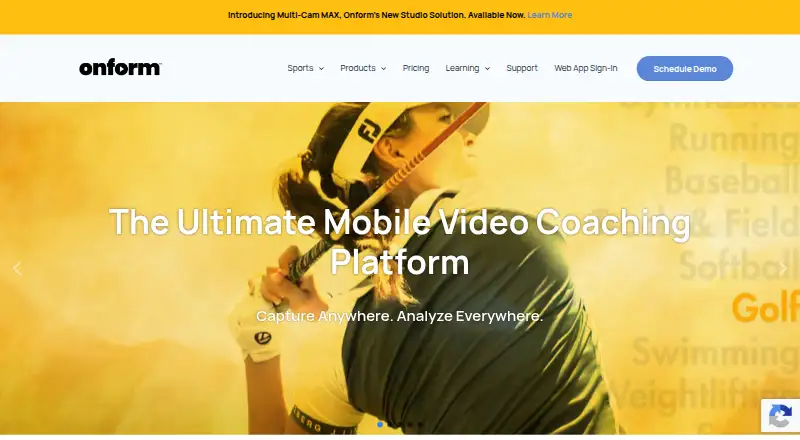
What Onform is
Onform is a sports video coaching app for coaches and athletes who want to capture, review, analyze, and share feedback. Its tools include slow-motion and frame-by-frame playback, drawing on video, voice-overs, side-by-side comparisons, and quick sharing. The company describes use across more than 150 sports, including golf, track and field, baseball, softball, and swimming. Capture supports 1080p HD at up to 240 fps, with five recording modes, and videos are backed up to cloud storage. Coach Pro adds 3D golf views and data, Kinematic Sequence, and as many as four simultaneous angles. Plans include a free option and a 14-day trial. Individual Standard is $9.99 a month, Individual Premium is $14.99 a month, Coach Standard is $39.99 a month, and Coach Pro is $59.99 a month. It is available on Android, iOS, web, and Windows, though Android has fewer features than iOS.
Who it suits
Onform suits coaches and athletes who want video feedback across a range of sports, particularly golf users seeking specialized analysis. Its coach and individual plans cover different video and collaboration needs.
What it does well
- Slow-motion and frame-by-frame video review
- Capture up to 1080p HD at 240 fps
- Automatic cloud backup for videos
- Free plan and 14-day trial
- HIPAA-compliant platform with BAA option
What to know first
- Android has fewer features than iOS
- New recording unavailable after trial without subscription
- Individual Standard limits voice-overs to five monthly
Limits
Individual Basic is free when connected to a coach and supports reviewing coach-shared videos, recording personal videos via auto-detect, and responding to coach feedback. Individual Standard costs $9.99 per month and allows up to 1,000 personal videos and 5 voice-overs per month; Individual Premium costs $14.99 per month and allows up to 5,000 personal videos and 20 voice-overs per month. If a user does not subscribe after the 14-day trial, existing videos remain accessible but recording new videos is unavailable.
Plans
| Plan | Billed and limits | Price |
|---|---|---|
| Individual Basic | Free when connected to a coach · Review coach-shared videos · record personal videos via auto-detect · respond to coach feedback | Free |
| Individual Premium | $14.99 monthly; $40.99 quarterly; $149.99 yearly · Up to 5,000 personal videos · 20 voice-overs/month · multi-cam up to 4 angles · 3D golf data | $14.99 a month |
| Coach Basic | $19.99 monthly; $53.99 quarterly; $199.99 yearly · 2,000 videos · 20 voice-overs/month · 20 individual workspaces · 3 team workspaces | $19.99 a month |
| Coach Standard | $39.99 monthly; $107.99 quarterly; $399.99 yearly · Unlimited videos, voice-overs, teams, athletes, and organizations · multi-cam up to 2 angles | $39.99 a month |
| Multi-Cam MAX Upgrade | Starting at $499 per bay · For existing compatible fixed cameras · requires Onform Coach Standard or Coach Pro account | $499, paid once |
| Coach Pro | $59.99 monthly; $161.99 quarterly; $599.99 yearly · Unlimited videos · multi-cam up to 4 angles · 60-minute recording · 3D golf visuals and data | $59.99 a month |
| Individual Standard | $9.99 monthly; $26.99 quarterly; $99.99 yearly · Up to 1,000 personal videos · 5 voice-overs/month · free when working with a Coach Standard or Pro coach | $9.99 a month |
| Multi-Cam MAX New Install | Single camera solutions starting at $999 · Hardware bundle · custom packages based on setup and preferred camera system | $999, paid once |
As onform.com lists them, read 30 Sept 2026. The maker's own page has the final word.
Getting started
- Open the Onform website or use the Android, iOS, or Windows app.
- Choose the free plan or begin the 14-day trial.
- Select an individual or coach plan that fits your video and coaching needs.
- Record video using one of the five recording modes.
- Review footage with playback, annotation, voice-over, or comparison tools.
- Share video feedback with athletes or coaches.
Onform is a video coaching service for athletes and coaches who want to capture movement, analyze it closely, and share feedback. It is strongest for coach-led sports instruction, with added golf analysis on higher tiers. The plan choice matters: coach features, personal-video caps, and Android support vary.
Overview
Onform brings recording and coaching feedback into a single video workflow. Slow-motion and frame-by-frame playback, frame-accurate marking, annotations, voice-overs, and side-by-side comparisons help explain technique visually. Athletes can respond to coach feedback, while automatic cloud backup helps preserve recordings without filling device storage.
The app serves coaches and athletes across more than 150 sports, including golf, track and field, baseball, softball, and swimming. Capture supports 1080p HD video at up to 240 fps and five recording modes. That combination suits movement analysis better than a general-purpose video library, though the practical value depends on platform and plan.
Key features
- Detailed review: Slow motion, frame-by-frame playback, frame-accurate marking, drawing annotations, voice-overs, and side-by-side comparison offer several ways to explain a technique. Voice-over quotas on lower plans make spoken feedback a resource to budget rather than an unlimited habit.
- Golf tools: Individual Premium and Coach Pro include 3D golf data or visuals, and Coach Pro adds Kinematic Sequence. Higher tiers also support up to four simultaneous angles; this is valuable for golfers who need multiple perspectives, but unnecessary for coaches focused on a single clip.
- Connected equipment: FullSwing KIT and Garmin R10 compatibility are listed, with Pocket Radar and Stalker Sport Radar integrations on Coach Standard and Pro. These connections make the coach plans more relevant to equipment-based sessions; Standard and Pro are the tiers to consider for the two radar integrations.
- Fixed-camera bays: Multi-Cam MAX streams compatible fixed-camera footage to an iPad and supports up to four cameras per bay. Existing compatible-camera setups can use the upgrade, while new installs have a separate hardware bundle.
- Healthcare use: Onform states that its platform is HIPAA-compliant and can sign a Business Associate Agreement with healthcare customers. Support is offered by phone or email, and the company says it often responds within an hour; phone support runs Monday–Friday, 10am–7pm ET.
Pricing
Onform is freemium and offers a 14-day trial. Monthly prices below are the stated monthly rates; quarterly and yearly billing options are included where provided.
- Individual Basic — free: Free when connected with a coach. It lets athletes review coach-shared videos, record personal videos via auto-detect, and respond to feedback. It is a narrow companion option, not a standalone paid analysis tier.
- Individual Standard — $9.99 a month: Up to 1,000 personal videos and five voice-overs a month; it is also free when working with a Coach Standard or Pro coach. Quarterly billing is $26.99 and yearly billing is $99.99. This fits athletes who want a personal library and some spoken feedback, but the voice-over cap is modest.
- Individual Premium — $14.99 a month: Up to 5,000 personal videos, 20 voice-overs a month, multi-cam up to four angles, and 3D golf data. Quarterly billing is $40.99 and yearly billing is $149.99. It suits independent athletes, especially golfers, who need more storage headroom and multi-angle review.
- Coach Basic — $19.99 a month: 2,000 videos, 20 voice-overs a month, 20 individual workspaces, and three team workspaces. Quarterly billing is $53.99 and yearly billing is $199.99. It is the entry point for coaches organizing multiple clients, but the video and feedback quotas constrain heavier use.
- Coach Standard — $39.99 a month: Unlimited videos, voice-overs, teams, athletes, and organizations, plus multi-cam up to two angles. Quarterly billing is $107.99 and yearly billing is $399.99. It is a better fit for an active coaching operation that would outgrow Basic’s caps, though it has fewer camera angles than Pro.
- Coach Pro — $59.99 a month: Unlimited videos, multi-cam up to four angles, 60-minute recording, and 3D golf visuals and data. Quarterly billing is $161.99 and yearly billing is $599.99. This is the clearest fit for golf coaches who need longer captures and the fullest listed multi-angle toolkit.
- Multi-Cam MAX Upgrade — $499, paid once: Starts at $499 per bay for existing compatible fixed cameras and requires Coach Standard or Coach Pro. It makes sense for an eligible installed setup, not as a standalone subscription.
- Multi-Cam MAX New Install — $999, paid once: Single-camera solutions start at $999, with hardware bundles and custom packages based on setup and preferred camera system. This is for a bay requiring new hardware; package cost depends on configuration.
If a user does not subscribe after the 14-day trial, existing videos remain accessible but recording new videos is unavailable. That restriction makes the trial useful for evaluating the workflow, but not a continuing free recording plan.
Platforms
Onform supports Android, iOS, web, and Windows. Android has fewer features than iOS: launch monitor support, Pocket Radar, external UVC cameras, and multi-cam are unavailable in the Android guide. Coaches who depend on those tools should choose another supported device for that work rather than assume feature parity.
Who it's for
Onform is best suited to coaches who regularly explain movement through video and athletes who want to revisit that feedback. Individual Standard or Premium can fit self-directed athletes, while Coach Basic suits smaller programs and Standard or Pro better accommodates unlimited team and athlete counts. Golfers gain the most from the specialized data and multi-angle options. Android users and coaches who need the unavailable Android integrations should weigh those limits before committing.
Pros and cons
- Pro: Multiple review methods, from frame-accurate marking to voice-over, let coaches tailor feedback to the movement being discussed.
- Pro: Automatic cloud backup and broad sport coverage make it practical for ongoing coaching libraries across many disciplines.
- Pro: Coach Standard and Pro remove video and voice-over caps, while Pro adds four-angle review and 60-minute recording.
- Con: Individual and Coach Basic plans impose video or monthly voice-over limits, so frequent users may need a more expensive tier.
- Con: Android lacks several equipment and camera features, limiting it for workflows that rely on launch monitors, radar, UVC cameras, or multi-cam.
- Con: Trial users who do not subscribe cannot record new videos afterward, even though they can still access existing ones.
Alternatives
For a broad comparison of annotation-focused products, browse Video Annotation Software.
- BORIS is a free, open-source option for readers who want software distributed under GNU GPL v.3 rather than a sports coaching subscription.
- ELAN is a free alternative for readers seeking video annotation software on Linux, macOS, or Windows.
- Frame.io is worth considering when a small team wants a free plan with up to two members, two projects, and 2GB storage rather than sports-specific coaching features.
- FrameQuery may suit readers whose priority is metadata search and local, Drive, or NAS sharing and backup, rather than coach-athlete video feedback.
- Label Studio is another freemium alternative for readers looking for a labeling platform instead of a sports coaching workflow.
- InqScribe is an alternative for readers comparing transcription-oriented software on macOS or Windows.
- Roboflow may be a better fit for readers focused on model training and inference, with a free tier that includes 10 credits a month.
- CVAT offers a free Community option for personal use and small teams under the MIT license, making it an alternative for those annotation needs.
Verdict
Choose Onform if coaching depends on precise, shareable sports video feedback, especially for golf or a team that needs uncapped coaching libraries. Its main strength is the joined-up capture, review, and feedback workflow; its main cautions are the paid-plan caps at lower tiers, limited Android feature set, and the end of new recording after the trial without a subscription. Athletes who only need to review a coach's shared clips can start with Individual Basic, while busier coaches should budget for Standard or Pro.
Verdict
Onform combines video review, coaching feedback, and sharing for sports teams and individual athletes. Check the Android feature limits and post-trial recording restriction before choosing a plan.
Questions
Is Onform free?
Yes. Individual Basic is free when connected to a coach. It supports reviewing coach-shared videos, recording personal videos via auto-detect, and responding to coach feedback.
What does a 14-day trial include after it ends?
If you do not subscribe, existing videos remain accessible, but you cannot record new videos.
What platforms does Onform support?
Onform is available on Android, iOS, web, and Windows. Its Android guide lists fewer features than iOS.
How much do the main plans cost?
Individual Standard is $9.99 per month, Individual Premium is $14.99 per month, Coach Standard is $39.99 per month, and Coach Pro is $59.99 per month.
Does Onform support launch monitors and sports radar?
The pricing comparison lists compatibility with FullSwing KIT and Garmin R10 launch monitors. Coach Standard and Coach Pro also list Pocket Radar and Stalker Sport Radar integrations.
Can Onform be used for healthcare video workflows?
Onform states that its platform is HIPAA-compliant and that it can sign a Business Associate Agreement with healthcare customers.
Facts from Onform's own pages
- Android limits
- Onform's Android guide lists fewer features for Android than iOS, including unavailable launch monitor, Pocket Radar, external UVC camera, and multi-cam support. · support.onform.com, 30 Sept 2026
- Capture
- Onform says it captures 1080p HD video at up to 240 fps and offers five recording modes. · onform.com, 30 Sept 2026
- Cloud storage
- The product automatically backs up videos to its cloud to save device storage. · onform.com, 30 Sept 2026
- Founded
- 2020 · onform.com, 28 Sept 2026
- Golf analysis
- Coach Pro includes 3D golf visualizations and data, Kinematic Sequence, and up to four simultaneous video angles. · onform.com, 30 Sept 2026
- Headquarters
- Bellvue, Colorado, United States · onform.com, 28 Sept 2026
- HIPAA
- Onform states that its platform is HIPAA-compliant and that it can sign a Business Associate Agreement with healthcare customers. · onform.com, 30 Sept 2026
- Integrations
- The pricing comparison lists compatibility with FullSwing KIT and Garmin R10 launch monitors, plus Pocket Radar and Stalker Sport Radar integrations on Coach Standard and Pro. · onform.com, 30 Sept 2026
- Multi-Cam MAX
- Multi-Cam MAX streams compatible fixed-camera footage to an iPad and supports up to four fixed cameras per bay. · onform.com, 30 Sept 2026
- Post-trial access
- If a user does not subscribe after the 14-day trial, the pricing page says existing videos remain accessible but recording new videos is unavailable. · onform.com, 30 Sept 2026
- Purpose
- Onform is a sports video analysis and coaching app for capturing, reviewing, analyzing, and sharing video feedback with athletes. · onform.com, 30 Sept 2026
- Sports and audience
- The company describes the app as serving coaches and athletes across 150+ sports, including golf, track and field, baseball, softball, and swimming. · onform.com, 30 Sept 2026
- Support
- Support is available by phone or email, and the company says it often responds within an hour; phone support is listed Monday–Friday, 10am–7pm ET. · onform.com, 30 Sept 2026
- Video analysis
- Features include slow-motion and frame-by-frame review, drawing annotations, voice-overs, side-by-side comparisons, and instant sharing. · onform.com, 30 Sept 2026
Where Onform stands on Freedom251
- Video Annotation Software#9 of 34