Freedom251 › Game Remote Play Software
OneCast
What OneCast is
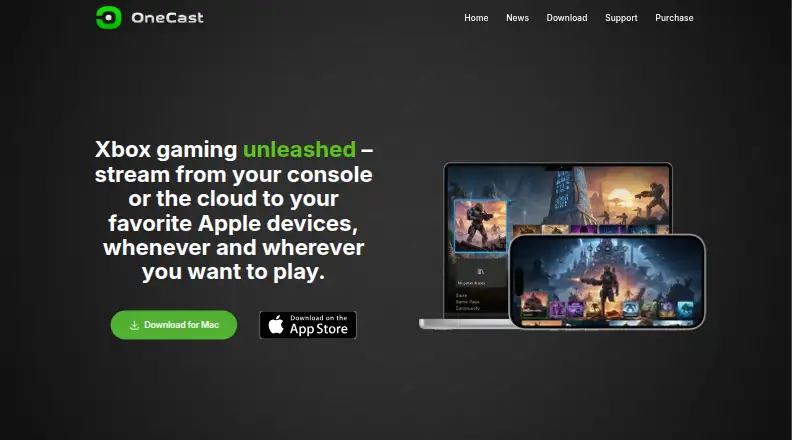
OneCast streams games from supported Xbox consoles or Xbox Cloud Gaming to Apple devices. It supports Xbox One, Xbox One S, Xbox One X, Xbox Series S, and Xbox Series X; Xbox 360 is not supported. Cloud gaming requires a Game Pass subscription, and OneCast says this option does not require a console. After internet play is configured, users can stream Xbox games away from home. Video can reach 1440p, with options to retain the original aspect ratio or fill the screen. Controls include Xbox, PlayStation, and other supported controllers, keyboard and mouse, and customizable touch controls on iPhone and iPad. OneCast also supports Xbox Party Chat and describes echo cancellation for use with a device’s built-in speakers and microphone. The download page lists iPhone, iPad, iPod touch, Apple TV, and Mac. Mac requires macOS 13 or later; iOS and tvOS require version 16 or later. A seven-day trial is available for the iOS and Apple TV version.
Who it suits
OneCast suits Xbox players who want to stream games to Apple devices, including users who prefer controllers, keyboard and mouse, or touch controls. Cloud play requires Game Pass; remote play requires internet play configuration.
What it does well
- Streams up to 1440p.
- Supports Xbox and PlayStation controllers.
- Offers customizable iPhone and iPad touch controls.
- Supports Xbox Party Chat.
- iOS and Apple TV version has a seven-day trial.
What to know first
- Xbox 360 is not supported.
- Cloud gaming requires a Game Pass subscription.
- Mac requires macOS 13 or later.
- iOS and tvOS require version 16 or later.
Limits
The iOS and Apple TV plan provides a seven-day free trial before its one-time purchase. A Mac license is for one user and personally owned Macs, with limits on Xbox account logins per license key; shared keys may be restricted.
Plans
| Plan | Billed and limits | Price |
|---|---|---|
| OneCast for iOS & Apple TV | One-time purchase after 7-day free trial; price not stated on the page · App Store purchase · works on personally owned iOS devices · Family Sharing supported | On request |
| OneCast for Mac | One-time purchase, no subscription · Single-user license · use on personally owned Macs · lifetime access to current version · free updates included | On request |
As onecast.me lists them, read 7 Oct 2026. The maker's own page has the final word.
Getting started
- Open the OneCast website or download page
- Choose the iOS and Apple TV or Mac plan
- Start the seven-day trial on iOS and Apple TV
- Install on a supported Apple device
- Connect a supported Xbox console or use Xbox Cloud Gaming with Game Pass
- Configure internet play for streaming away from home
- Pair a controller, keyboard and mouse, or configure touch controls
Verdict
OneCast offers console and cloud-game streaming across listed Apple devices, with several control options and Party Chat.
Questions
Which Xbox consoles work with OneCast?
It supports Xbox One, Xbox One S, Xbox One X, Xbox Series S and Xbox Series X. Xbox 360 is not supported.
Does Cloud Gaming require a console?
OneCast says Xbox Cloud Gaming does not require a console, but it does require a Game Pass subscription.
Which Apple devices are listed?
The download page lists iPhone, iPad, iPod touch, Apple TV and Mac. Mac requires macOS 13 or later; iOS and tvOS require version 16 or later.
Is there a free trial?
The iOS and Apple TV plan includes a seven-day free trial. The Mac plan is a one-time purchase with no subscription.
What does the Mac plan include?
It is a single-user license for personally owned Macs, with lifetime access to the current version and free updates.
Who operates OneCast?
The site identifies Bitwise Solutions Ltd as the company operating OneCast.
Facts from OneCast's own pages
- Apple platforms
- The download page lists iPhone, iPad, iPod touch, Apple TV, and Mac; Mac requires macOS 13 or later and iOS and tvOS require version 16 or later. · onecast.me, 7 Oct 2026
- Cloud gaming
- Xbox Cloud Gaming requires a Game Pass subscription, and the site says no console is required for this option. · onecast.me, 7 Oct 2026
- Console support
- It supports Xbox One, Xbox One S, Xbox One X, Xbox Series S, and Xbox Series X; Xbox 360 is not supported. · onecast.me, 7 Oct 2026
- Controls
- It supports Xbox, PlayStation, and other supported controllers, plus keyboard and mouse and customizable touch controls on iPhone and iPad. · onecast.me, 7 Oct 2026
- Data storage
- The privacy policy says purchase and support data are stored on SiteGround-hosted servers, and support emails are automatically disposed of after six months. · onecast.me, 7 Oct 2026
- Headquarters
- Hong Kong · onecast.me, 28 Sept 2026
- Mac licensing limit
- A Mac license is for one user and personally owned Macs, with a limit on the number of Xbox account logins per license key; shared keys may be restricted. · onecast.me, 7 Oct 2026
- Maker
- The site identifies Bitwise Solutions Ltd as the company operating OneCast. · onecast.me, 7 Oct 2026
- Party chat
- OneCast supports Xbox Party Chat and describes echo cancellation for using a device's built-in speakers and microphone. · onecast.me, 7 Oct 2026
- Privacy data
- The privacy policy says purchase verification uses Apple purchase receipts and a device identifier, and that OneCast does not see contact or payment information or have access to the user's Apple ID. · onecast.me, 7 Oct 2026
- Remote play
- After internet play is configured, users can stream Xbox games away from home. · onecast.me, 7 Oct 2026
- Support
- The support page offers setup guides, troubleshooting and licensing information, and invites users to email questions, comments, or bug reports. · onecast.me, 7 Oct 2026
- Video
- OneCast supports streaming at up to 1440p and offers display options to preserve the original aspect ratio or fill the screen. · onecast.me, 7 Oct 2026
- What it does
- OneCast streams games from Xbox consoles or Xbox Cloud Gaming to Apple devices. · onecast.me, 7 Oct 2026
Where OneCast stands on Freedom251
- Game Remote Play Software#23 of 27