Freedom251 › Class Scheduling Software

Omnify
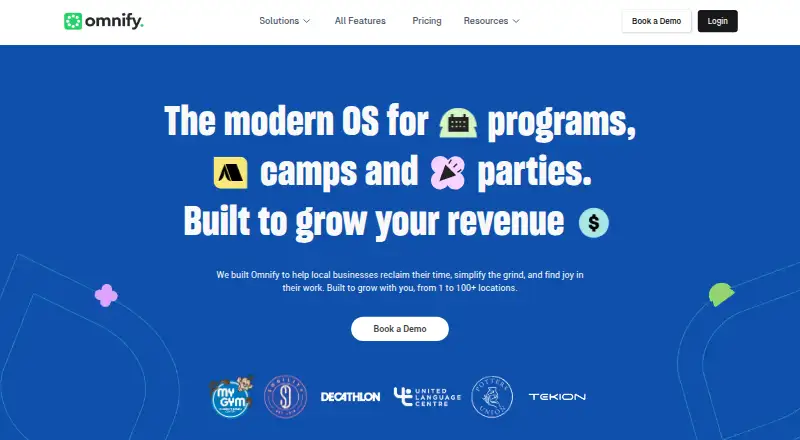
What Omnify is
Omnify is web-based business management software for service businesses that schedule classes, programs, camps, and activities. It is aimed at children's activity centers, swim schools, gymnastics academies, dance studios, martial arts schools, and fitness studios. A single dashboard can manage recurring classes, multi-day camps, workshops, birthday parties, and private sessions. Parents can create a family account, add multiple children, manage enrollments and family billing, review shared payment history, and handle digital waivers. Omnify creates a mobile-friendly storefront where customers can browse schedules, book classes, register for camps, and purchase memberships. Payment options include one-time payments, recurring memberships, class packs, subscriptions, and event registrations, with automated renewals and prorated billing. Listed integrations include Stripe, Zapier, PayPal, Razorpay, Google Analytics, WordPress, Zoom, Poptin, and Facebook Pixel. The Free Forever plan costs nothing and allows up to 100 clients, two team members, unlimited bookings, and a 5% transaction fee. Paid plans start with Launch Pro at $49 a month. The pricing note lists a 14-day trial, while the maker says paid plans can be tried free for 7 days. The Omnify Go app is currently unavailable.
Who it suits
Omnify suits service businesses that schedule classes, camps, activities, or private sessions, especially the listed children's activity and fitness organizations. Its family accounts are relevant to businesses whose customers manage enrollments for multiple children.
What it does well
- Manages recurring classes, camps, workshops, and private sessions.
- Family accounts support multiple children and shared billing.
- Storefront supports class booking and membership purchases.
- Offers recurring payments and automated renewals.
- Free Forever includes unlimited bookings.
What to know first
- Free Forever is limited to 100 clients.
- Free Forever has a 5% transaction fee.
- Paid-plan trial duration is listed as both 14 days and 7 days.
- Omnify Go app is currently unavailable.
Limits
Free Forever allows up to two team members and 100 clients, with a 5% transaction fee in addition to payment gateway fees. Paid plan limits range from 200 clients on Launch Pro to unlimited clients on Scale Pro; transaction fees range from 3% on Launch Pro to 0.5% on Scale Pro, plus gateway fees.
Plans
| Plan | Billed and limits | Price |
|---|---|---|
| Free Forever | Free forever · Up to 2 team members · Up to 100 clients · 5% transaction fee · Unlimited bookings | Free |
| Growth Pro | $149 /month · 5 team members · Up to 1,000 clients · 2% transaction fees · Unlimited bookings | $149 a month |
| Accelerate Pro | $349 /month · 10 team members · Up to 5,000 clients · 1% transaction fees · Unlimited bookings | $349 a month |
| Launch Pro | $49 /month · 2 team members · Up to 200 clients · 3% transaction fees · Unlimited bookings | $49 a month |
| Scale Pro | $599 /month · 10 team members included · Unlimited clients · 0.5% transaction fees · Unlimited bookings | $599 a month |
| Enterprise | Custom contract and pricing · Multi-location or advanced requirements · Custom solutioning · Custom reporting | On request |
As getomnify.com lists them, read 9 Oct 2026. The maker's own page has the final word.
Getting started
- Visit the Omnify website and start with the Free Forever plan or choose a paid plan.
- Use the web dashboard to set up recurring classes, camps, workshops, parties, or private sessions.
- Create the mobile-friendly storefront for customers to browse and book activities.
- Set up payment options for bookings, memberships, class packs, subscriptions, or event registrations.
- Connect any needed listed services, such as Stripe, PayPal, Zoom, or WordPress.
- Try a paid plan free; the pricing note lists 14 days, while the maker says paid plans can be tried for 7 days.
Verdict
Omnify combines scheduling, family accounts, a customer storefront, and payment options for activity-based service businesses. Review the plan client caps and transaction fees, and note that the mobile app is unavailable.
Questions
Is Omnify free?
Yes. Free Forever costs nothing and includes up to two team members, 100 clients, unlimited bookings, and a 5% transaction fee.
How much do paid plans cost?
Launch Pro costs $49 a month, Growth Pro $149 a month, Accelerate Pro $349 a month, and Scale Pro $599 a month. Enterprise uses custom contract and pricing.
How long is the free trial?
The pricing note lists a 14-day trial. The maker also says customers can try any paid plan free for 7 days.
Which platform does Omnify support?
Omnify is listed for web. The maker says the Omnify Go app is currently unavailable and will be relaunched with upgraded features.
What integrations are listed?
The listed integrations are Stripe, Zapier, PayPal, Razorpay, Google Analytics, WordPress, Zoom, Poptin, and Facebook Pixel.
Who makes Omnify?
Omnify was founded in 2016 and is headquartered in Mountain View, California, United States.
Facts from Omnify's own pages
- Audience
- The maker says it is built for children's activity centers, swim schools, gymnastics academies, dance studios, martial arts schools, and fitness studios. · getomnify.com, 9 Oct 2026
- Family accounts
- Parents can create one account, add multiple children, and manage enrollments, family billing, shared payment history, and digital waivers. · getomnify.com, 9 Oct 2026
- Feature limits
- The pricing page lists client caps of 100 on Free Forever, 200 on Launch Pro, 1,000 on Growth Pro, and 5,000 on Accelerate Pro; Scale lists unlimited clients. · getomnify.com, 9 Oct 2026
- Founded
- 2016 · getomnify.com, 28 Sept 2026
- Headquarters
- Mountain View, California, United States · getomnify.com, 28 Sept 2026
- Integrations
- The integrations page lists Stripe, Zapier, PayPal, Razorpay, Google Analytics, WordPress, Zoom, Poptin, and Facebook Pixel. · getomnify.com, 9 Oct 2026
- Mobile app
- The maker says the Omnify Go app is currently unavailable and will be relaunched with upgraded features. · getomnify.com, 9 Oct 2026
- Online storefront
- Omnify generates a mobile-friendly storefront where customers can browse schedules, book classes, register for camps, and purchase memberships. · getomnify.com, 9 Oct 2026
- Payments
- Payment options include one-time payments, recurring memberships, class packs, subscriptions, and event registrations, with automated renewals and prorated billing. · getomnify.com, 9 Oct 2026
- Product
- Omnify is business management software for service businesses that run scheduled classes, programs, camps, and activities. · getomnify.com, 9 Oct 2026
- Scheduling
- Businesses can manage recurring classes, multi-day camps, workshops, birthday parties, and private sessions from one dashboard. · getomnify.com, 9 Oct 2026
- Security
- The features page describes its payment options as secure, but the opened maker pages did not state a security certification or compliance standard. · getomnify.com, 9 Oct 2026
- Support
- The pricing page says its support specialists are available 24x7 and lists 1-on-1 onboarding for paid plans in its plan comparison. · getomnify.com, 9 Oct 2026
- Transaction fees
- The pricing FAQ lists plan transaction fees in addition to payment gateway fees: 5% for Free Forever, 2% for Growth, 1% for Accelerate, and 0.5% for Scale. · getomnify.com, 9 Oct 2026
- Trial
- Omnify says customers can try any paid plan free for 7 days. · getomnify.com, 9 Oct 2026
Where Omnify stands on Freedom251
- Class Scheduling Software#8 of 34
- Appointment Scheduling Software#74 of 138