Freedom251 › AI Voice Changer Software

Okada
What Okada is
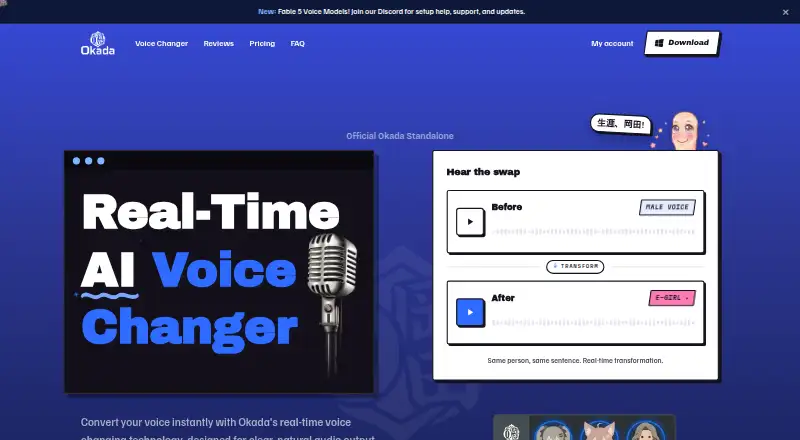
Okada is a Windows desktop AI voice changer that converts voices in real time through a virtual microphone. Users choose a voice and adjust pitch and tone; male-to-female conversion is described as production-ready, while female-to-male conversion is in beta. The service advertises latency under 20 milliseconds. Its virtual audio device can be selected as the microphone in compatible applications, including Discord, Roblox, Valorant, Twitch, YouTube, VRChat, OBS, Zoom, Fortnite, Minecraft, TeamSpeak, and Google Meet. Listed voices include free E-girl, Pro Mommy and Soft Femme, and beta Anime Girl. The free plan costs nothing, includes one voice at standard quality, adds a watermark to recordings, and excludes beta voices. Pro costs $19 a month, billed monthly, and adds all voices, studio-level output, watermark-free recordings, early beta access, and priority support. Okada supports 64-bit Windows 10 and 11; macOS is in active development.
Who it suits
Okada is aimed at gamers and streamers, and also covers voiceovers, commentary, skits, and avatar voice matching. It suits Windows users who want live voice conversion through a selectable virtual microphone.
What it does well
- Real-time voice conversion
- Virtual microphone for compatible apps
- Pitch and tone controls
- Free E-girl voice option
- Audio is not retained after sessions
What to know first
- Windows 10 and 11 only currently
- Female-to-male conversion is in beta
- Free recordings include a watermark
- Pro costs $19 a month
Limits
The Free plan includes one voice, standard quality, a watermark on recordings, and no beta voice access. Pro costs $19.00 per month and is billed monthly.
Plans
| Plan | Billed and limits | Price |
|---|---|---|
| Free | forever · E-girl voice · Standard quality · 1 voice · Watermark on recordings · No beta voice access | Free |
| Pro | monthly; cancel anytime · All voices · Studio-level output quality · No watermark · Early access to new and beta voices · Priority support | $19 a month |
As okadavoice.com lists them, read 8 Oct 2026. The maker's own page has the final word.
Getting started
- Open the Okada website
- Use a supported 64-bit Windows 10 or 11 computer
- Install Okada and select a voice
- Adjust pitch and tone as needed
- In Discord, choose Okada Virtual Mic under Voice & Video input settings
- Select the Free plan or subscribe to Pro at $19.00 per month
Verdict
Okada focuses on live character-style voice changes for Windows users, with broad named app compatibility and a free starting plan. The platform restriction, watermark, beta conversion mode, and Pro pricing are key considerations.
Questions
What does Okada cost?
Okada has a free plan. Pro costs $19.00 per month, billed monthly, and can be canceled anytime.
Which platforms does Okada support?
Okada currently supports 64-bit Windows 10 and 11. A macOS version is in active development.
Which voices are available?
The free E-girl voice is listed alongside Pro voices Mommy and Soft Femme. Anime Girl is listed among beta voices, while Pro includes all voices.
Does Okada work with Discord?
Yes. In Discord's Voice & Video input settings, select Okada Virtual Mic. Discord is one of the listed compatible apps.
What happens to audio data?
The maker says audio is processed in real time, not stored or sold, and nothing is retained after the session.
Facts from Okada's own pages
- Audio data
- The FAQ says audio is processed in real time and is not stored or sold, and says nothing is retained after the session. · okadavoice.com, 8 Oct 2026
- Integrations
- The site names Discord, Roblox, Valorant, Twitch, YouTube, VRChat, OBS, Zoom, Fortnite, Minecraft, TeamSpeak, and Google Meet as compatible apps or use cases. · okadavoice.com, 8 Oct 2026
- Latency
- The site advertises real-time latency under 20 milliseconds. · okadavoice.com, 8 Oct 2026
- macOS status
- The site says a macOS version is in active development. · okadavoice.com, 8 Oct 2026
- Purpose
- Okada is a real-time AI voice changer designed to convert voices, with male-to-female conversion described as production-ready and female-to-male conversion in beta. · okadavoice.com, 8 Oct 2026
- Setup
- For Discord, the site instructs users to select Okada Virtual Mic under Voice & Video input settings. · okadavoice.com, 8 Oct 2026
- Support
- Pro includes priority support. · okadavoice.com, 8 Oct 2026
- Virtual microphone
- Okada registers as a virtual audio device that can be selected as the microphone in apps that accept microphone input. · okadavoice.com, 8 Oct 2026
- Voice controls
- Users can choose a voice and adjust pitch and tone. · okadavoice.com, 8 Oct 2026
- Voice options
- The site lists E-girl as free, Mommy and Soft Femme as Pro voices, and Anime Girl among beta voices. · okadavoice.com, 8 Oct 2026
- Who it is for
- The site presents Okada for gamers and streamers, and also describes voiceover, commentary, skits, and avatar voice matching. · okadavoice.com, 8 Oct 2026
- Windows support
- Okada currently supports 64-bit Windows 10 and 11. · okadavoice.com, 8 Oct 2026
Where Okada stands on Freedom251
- AI Voice Changer Software#26 of 48
- Voice Changer Software#26 of 45