ocrs
What ocrs is
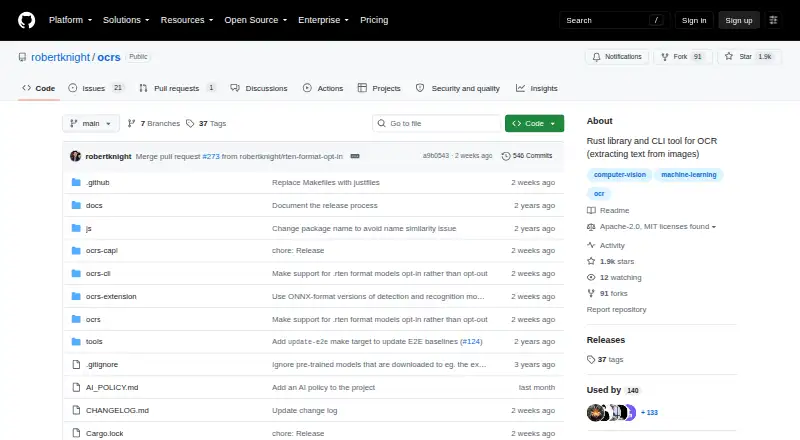
ocrs is an open-source OCR library and command-line tool written in Rust. It extracts text from images, with intended use on scanned documents, photos that contain text, and screenshots. The project aims to work on these image types with less preprocessing than older OCR engines such as Tesseract. The CLI can save recognized text, return text and layout details in JSON, or generate an annotated image that marks detected words and lines. An optional clipboard feature supports OCR from images on the system clipboard. Developers can also use the Rust library API in Rust applications, while the ocrs-capi component provides a C ABI for creating an OCR engine from model files or memory buffers and returning recognized text with line bounding boxes. The neural network models are trained in PyTorch, exported to ONNX, and run through the RTen engine. On first run, the CLI downloads its models and saves them in `~/.cache/ocrs`. ocrs is an early preview and may make more recognition errors than commercial OCR engines. It currently recognizes the Latin alphabet, with wider language support planned. The repository lists Apache-2.0 and MIT licenses.
Who it suits
ocrs suits developers building image text extraction into Rust applications or using its command-line tool. It may also suit projects needing JSON layout data, annotated output, or a C interface, provided Latin alphabet recognition is sufficient for now.
What it does well
- Open-source, with Apache-2.0 and MIT licenses.
- CLI offers text, JSON layout, and annotated image output.
- Optional clipboard feature processes images from the system clipboard.
- Rust library API and C ABI are available.
- Models download automatically on the CLI's first run.
What to know first
- The project is an early preview and may err more than commercial OCR engines.
- Current recognition is limited to the Latin alphabet.
- CLI installation requires Rust and Cargo.
Limits
The project is an early preview and warns that it may make more errors than commercial OCR engines. It currently recognizes the Latin alphabet; broader language support is planned.
Getting started
- Install Rust and Cargo.
- Install the CLI with `cargo install ocrs-cli --locked`.
- Run the CLI; it downloads required models to `~/.cache/ocrs` on first use.
- Choose text, JSON layout, or annotated image output; enable the optional `clipboard` feature for clipboard images.
Verdict
Choose ocrs if you need an open-source OCR library or CLI with text, layout JSON, and annotated image output. Its early-preview status and current Latin alphabet support make it a less suitable fit when broader language recognition or fewer errors than the project cautions about are required.
Questions
Is ocrs free?
Yes. It is free and open source, with Apache-2.0 and MIT licenses listed.
Which languages does it recognize?
It currently recognizes the Latin alphabet. Broader language support is described as planned.
Which platforms does it support?
Listed platforms include Linux, macOS, self-hosted, web, and Windows. The project also says it is intended to compile and run across platforms, including WebAssembly.
Can developers use it from code?
Yes. It provides a Rust library API and an `ocrs-capi` component with a C ABI.
What can the CLI output?
It can save extracted text, return text and layout information as JSON, or create an annotated image showing detected words and lines.
What is needed to install the CLI?
Rust and Cargo are required. The listed install command is `cargo install ocrs-cli --locked`.
Facts from ocrs's own pages
- Automatic model download
- On first run, the CLI downloads required models automatically and stores them in `~/.cache/ocrs`. · github.com, 5 Oct 2026
- C interface
- The project provides a C ABI with functions to recognize text and retrieve lines with bounding boxes. · github.com, 9 Oct 2026
- CLI
- The CLI can extract text from image files and write text, JSON layout data, or annotated PNG output. · github.com, 9 Oct 2026
- Clipboard
- The CLI supports reading an image from the system clipboard when installed with its clipboard feature. · github.com, 9 Oct 2026
- Clipboard input
- An optional `clipboard` feature enables OCR on images from the system clipboard. · github.com, 5 Oct 2026
- Image types
- The project aims to handle scanned documents, photos containing text, and screenshots with little or no preprocessing. · github.com, 9 Oct 2026
- Implementation
- Its neural network models are trained in PyTorch, exported to ONNX, and run using the RTen engine. · github.com, 5 Oct 2026
- Installation
- The CLI can be installed with Cargo using `cargo install ocrs-cli --locked`; installing it requires Rust and Cargo. · github.com, 5 Oct 2026
- JavaScript
- An alpha WebAssembly build is available for Node, browsers, and other WebAssembly runtimes. · github.com, 9 Oct 2026
- Language support
- It currently recognizes the Latin alphabet only, with support for more languages planned. · github.com, 9 Oct 2026
- Library API
- The project provides an OCR engine as a Rust library for use in Rust applications. · github.com, 5 Oct 2026
- License
- The repository lists Apache-2.0 and MIT licenses. · github.com, 9 Oct 2026
- Maturity
- The project describes itself as an early preview and says it may make more errors than commercial OCR engines. · github.com, 9 Oct 2026
- Model customization
- The C API can load custom models in ONNX format when built with the onnx feature. · github.com, 9 Oct 2026
- Model data
- The project says it uses open and liberally licensed datasets, and links to a separate repository with model, dataset, and custom training details. · github.com, 5 Oct 2026
- OCR engine
- Its neural network models are trained in PyTorch, exported to ONNX, and run using the RTen engine. · github.com, 9 Oct 2026
- Output options
- The CLI can save extracted text, return text and layout information as JSON, or create an annotated image showing detected words and lines. · github.com, 5 Oct 2026
- Platform support
- The project says it is intended to compile and run across platforms, including WebAssembly. · github.com, 5 Oct 2026
- Project status
- The project describes itself as an early preview and cautions that it may make more errors than commercial OCR engines. · github.com, 5 Oct 2026
- Purpose
- ocrs is a Rust library and CLI tool for extracting text from images using OCR. · github.com, 9 Oct 2026
- Supported image input
- The C API accepts raw 8-bit grayscale, RGB, or RGBA pixels, and callers are responsible for decoding PNG or JPEG images. · github.com, 9 Oct 2026
- Training data
- The project goal includes training on open and liberally licensed datasets. · github.com, 9 Oct 2026
Where ocrs stands on Freedom251
- OCR API Software#11 of 29