Freedom251 › GPU Tuning Software
NVIDIA_OC Daemon
What NVIDIA_OC Daemon is
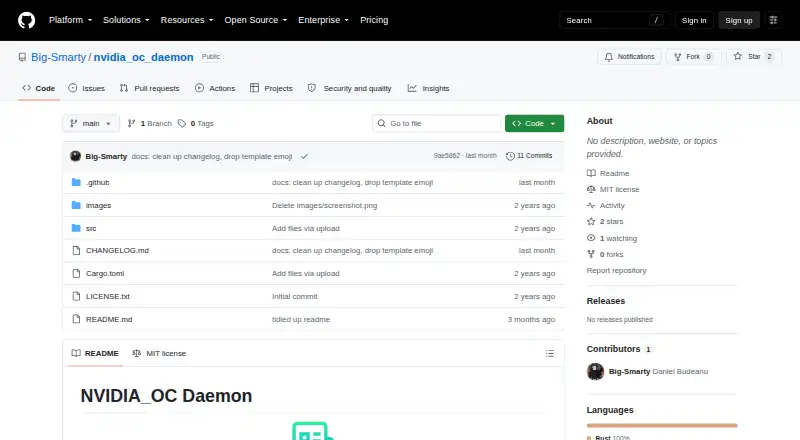
NVIDIA_OC Daemon is a Linux service for setting NVIDIA GPU clock offsets, memory clock offsets, and power limits through NVML. It is intended for systems where X.Org Coolbits tools are unavailable or not wanted, including Wayland setups. Settings live in a TOML file at /etc/nvidia_oc/config, with separate controls for each device. On its first run, the daemon creates the file using the GPU settings currently reported by the system. It watches /etc/nvidia_oc for changes and reloads edited configuration after a five-second debounce. Logs go to the terminal and to demon.log in the process working directory. The software is free under the MIT License. It needs Linux, a supported NVIDIA GPU, and a driver exposing NVML as libnvidia-ml.so. Building requires a Rust toolchain; creating configuration or applying settings requires root or equivalent permissions. The repository has no systemd unit. Overclocking and power-limit changes can crash a system, damage hardware, void warranties, or leave a machine unbootable.
Who it suits
It suits Linux users with supported NVIDIA GPUs who need GPU clock or power controls where Coolbits tools are unavailable or undesirable. Users should be comfortable with root-level configuration and the risks of changing GPU settings.
What it does well
- Controls GPU and memory clock offsets and power limits.
- Supports per-device settings.
- Reloads edited configuration after a five-second debounce.
- Free software under the MIT License.
What to know first
- Requires a supported NVIDIA GPU and NVML driver.
- Building requires a Rust toolchain.
- Configuration and setting changes require root-level permissions.
- Repository does not include a systemd unit.
Limits
The daemon can only change power limits when the GPU and driver expose those operations. Some laptop GPUs and driver or device combinations may not support querying or setting power limits.
Plans
| Plan | Billed and limits | Price |
|---|---|---|
| MIT License | use, copy, modify, publish, distribute, sublicense, and sell copies subject to license conditions | Free |
As github.com lists them, read 30 Sept 2026. The maker's own page has the final word.
Getting started
- Visit the project repository on GitHub.
- Confirm that you have Linux, a supported NVIDIA GPU, and a driver exposing NVML as libnvidia-ml.so.
- Build the software with a Rust toolchain.
- Run it with root or equivalent permissions so it can create configuration and apply settings.
- Review the generated TOML file at /etc/nvidia_oc/config and set per-device offsets or power limits.
- Edit files under /etc/nvidia_oc to have changes reloaded after the five-second debounce.
Verdict
NVIDIA_OC Daemon provides configurable NVIDIA GPU clock and power controls for Linux, including systems where X.Org Coolbits tools are not suitable. Its hardware risks, root permissions, and lack of a systemd unit are important constraints to weigh before use.
Questions
Is NVIDIA_OC Daemon free?
Yes. It is distributed under the MIT License, with a listed price of $0.
Which operating system does it support?
It supports Linux and requires a supported NVIDIA GPU.
What settings can it apply?
It supports per-device GPU frequency offsets, memory frequency offsets, and power-management limits.
Does it work with Wayland setups?
It is intended for systems where X.Org Coolbits tools are unavailable or undesirable, including Wayland setups.
What permissions and tools are needed?
Building requires a Rust toolchain. Creating configuration or applying settings requires root or equivalent permissions.
Is it open source?
The project is distributed under the MIT License, which permits use, copying, modification, publication, distribution, sublicensing, and sale subject to its license conditions.
Facts from NVIDIA_OC Daemon's own pages
- Build and privileges
- Building requires a Rust toolchain, and creating the configuration or applying settings requires root or equivalent permissions. · github.com, 30 Sept 2026
- Configuration
- The daemon loads TOML configuration from /etc/nvidia_oc/config and applies GPU clock offsets, memory clock offsets, and power limits. · github.com, 30 Sept 2026
- Deployment limit
- The repository does not currently include a systemd unit. · github.com, 30 Sept 2026
- First-run setup
- On first run, it generates /etc/nvidia_oc/config from the currently reported GPU settings. · github.com, 30 Sept 2026
- Hardware limits
- Some laptop GPUs or driver/device combinations may not support querying or setting power limits, and NVML calls can fail when operations are not exposed. · github.com, 30 Sept 2026
- Integration
- The project uses NVIDIA Management Library through nvml-wrapper and direct NVML bindings. · github.com, 30 Sept 2026
- License
- The software is distributed under the MIT License, which grants permission to use, copy, modify, publish, distribute, sublicense, and sell copies subject to license conditions. · github.com, 30 Sept 2026
- Logging
- The daemon logs to the terminal and to demon.log in its process working directory. · github.com, 30 Sept 2026
- Per-device controls
- Configuration supports per-device GPU frequency offsets, memory frequency offsets, and power management limits. · github.com, 30 Sept 2026
- Purpose
- NVIDIA_OC Daemon is a Rust daemon for applying NVIDIA GPU overclocking settings through NVML. · github.com, 30 Sept 2026
- Reloading
- It watches /etc/nvidia_oc recursively and reloads modified configuration after a five-second debounce. · github.com, 30 Sept 2026
- Requirements
- It requires Linux with a supported NVIDIA GPU and an NVIDIA driver exposing NVML as libnvidia-ml.so. · github.com, 30 Sept 2026
- Safety warning
- The README warns that overclocking and changing GPU power limits can crash systems, damage hardware, void warranties, or make a machine unbootable. · github.com, 30 Sept 2026
- Target systems
- It is intended for systems where X.Org Coolbits tools such as GreenWithEnvy or nvidia-settings are unavailable or undesirable, including Wayland setups. · github.com, 30 Sept 2026
Where NVIDIA_OC Daemon stands on Freedom251
- GPU Tuning Software#13 of 16