Freedom251 › Augmented Reality Software
NVIDIA AR SDK
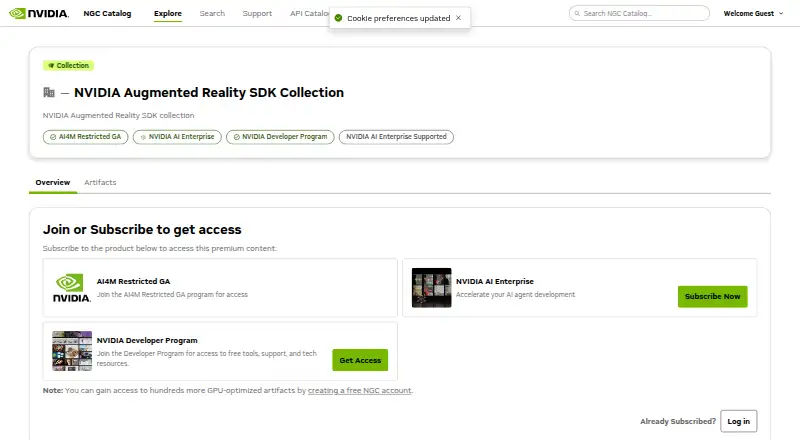
What NVIDIA AR SDK is
NVIDIA AR SDK is a free developer toolkit for adding AI features that model and track faces and bodies in video. It uses NVIDIA GPUs with Tensor Cores for processing. Face detection and tracking produce bounding boxes, while facial landmark tracking predicts 68 or 126 points and head poses. Its 3D Body Pose Estimation feature predicts 77 body keypoints in 2D and 3D camera coordinates. Eye Contact estimates gaze angles and can redirect a person’s eyes toward the camera within a permissible range. Other features include facial expression estimation, LipSync animation from audio, and Active Speaker Detection using video and synchronized audio.
The Core package includes runtime libraries, development headers and APIs, documentation, integration guides, feature installation scripts, and a README. NVIDIA distributes the Core and optional features through NVIDIA GPU Cloud (NGC); users need to sign in to an NGC account to download the Core. The package includes a script for fetching features from NGC. NVIDIA provides sample applications in a GitHub repository, and its user guide covers running the SDK in a Linux container. Eye Contact and LipSync are also available in ready-to-deploy NIM containers. Use is governed by NVIDIA’s software license and product-specific AI terms, while associated models follow their own stated licenses.
Who it suits
The SDK suits developers building video processing applications that use AI-powered face, body, gaze, or audio-linked features. It is available for Linux, Windows, and self-hosted use; Windows on Arm users have a narrower feature set.
What it does well
- Includes face, landmark, and body pose tracking.
- Estimates gaze and supports eye redirection within a permissible range.
- LipSync uses audio to animate lip movement.
- Core package includes APIs, documentation, and integration guides.
- NVIDIA provides sample applications for SDK features.
What to know first
- Downloading the Core requires an NGC account login.
- Windows on Arm supports only Body Pose Estimation or Body Detection paths.
- LipSync and Active Speaker Detection are unsupported on Windows on Arm.
Limits
On Windows on Arm, only the Body Pose Estimation or Body Detection path is available; LipSync and Active Speaker Detection are unsupported. The catalog requires an NGC account login to download the Core package.
Getting started
- Open the NVIDIA NGC catalog page for the AR SDK.
- Sign in to an NGC account to download the Core package.
- Use the Core package’s installation scripts to fetch optional features from NGC.
- Review the included documentation and integration guides.
- Use NVIDIA’s GitHub sample applications to explore the features.
- Follow the user guide to run the SDK in a Linux container, if applicable.
Verdict
Choose NVIDIA AR SDK if you are developing video processing software and need its face, body, gaze, expression, or audio-linked features. It is free and includes developer materials and sample applications. Windows on Arm deployments have limited feature availability, and downloads require an NGC account.
Questions
Is NVIDIA AR SDK free?
Yes. Its pricing model is free, with a free plan.
Which platforms does it support?
The listed platforms are Linux, self-hosted, and Windows. Publishing targets are Windows x86-64 and Linux x86-64.
What does the SDK do?
It provides AI features for modeling and tracking human faces and bodies from video, along with gaze, expression, LipSync, and Active Speaker Detection features.
How do I download the Core package?
The Core package is distributed through NVIDIA GPU Cloud, and users need to be logged in to an NGC account to download it.
What license applies?
Use is governed by NVIDIA’s Software License Agreement and Product-Specific Terms for NVIDIA AI Products. Associated models follow the license specified for each model.
Are sample applications available?
Yes. NVIDIA links sample applications for the SDK features from its GitHub repository.
Facts from NVIDIA AR SDK's own pages
- Access
- The catalog says users need to be logged in to an NGC account to download the SDK Core. · catalog.ngc.nvidia.com, 7 Oct 2026
- Additional features
- The SDK also includes facial expression estimation, LipSync animation from audio, and Active Speaker Detection using video and synchronized audio. · docs.nvidia.com, 7 Oct 2026
- Body pose
- 3D Body Pose Estimation predicts 77 body keypoints in 2D and 3D camera coordinates from video frames. · docs.nvidia.com, 7 Oct 2026
- Core package
- The Core package contains runtime libraries, development headers and APIs, documentation, integration guides, feature installation scripts, and a README. · catalog.ngc.nvidia.com, 7 Oct 2026
- Deployment
- The user guide includes instructions for running the SDK in a Linux container. · docs.nvidia.com, 7 Oct 2026
- Distribution
- The SDK Core and optional features are distributed through NVIDIA GPU Cloud (NGC), and the Core package provides a script to fetch features from NGC. · catalog.ngc.nvidia.com, 7 Oct 2026
- Eye Contact
- Eye Contact estimates gaze angles and can redirect a person's eyes toward the camera within a permissible range. · docs.nvidia.com, 7 Oct 2026
- Face features
- Face detection and tracking uses bounding boxes, while facial landmark tracking predicts 68 or 126 landmark points and head poses. · docs.nvidia.com, 7 Oct 2026
- Features
- Features include face detection and tracking, facial landmark tracking, body pose estimation, eye contact, facial expression estimation, LipSync, and active speaker detection. · docs.nvidia.com, 7 Oct 2026
- GPU processing
- It uses NVIDIA GPUs with Tensor Cores for high-throughput, low-latency processing. · docs.nvidia.com, 7 Oct 2026
- Integration
- NVIDIA provides sample applications demonstrating the SDK features in a GitHub repository. · catalog.ngc.nvidia.com, 7 Oct 2026
- Intended users
- The catalog describes the SDK as a resource for developers building video processing applications with AI-powered AR features. · catalog.ngc.nvidia.com, 7 Oct 2026
- License
- Use is governed by NVIDIA's Software License Agreement and Product-Specific Terms for NVIDIA AI Products; associated models follow the license specified for each model. · catalog.ngc.nvidia.com, 7 Oct 2026
- NIM containers
- The catalog lists Eye Contact and LipSync as available AR SDK features in ready-to-deploy NIM containers. · catalog.ngc.nvidia.com, 7 Oct 2026
- Platforms
- The catalog lists x86-64 Windows and Linux support; the user guide also describes Windows on Arm support with feature restrictions. · catalog.ngc.nvidia.com, 7 Oct 2026
- Purpose
- The SDK provides AI features for real-time modeling and tracking of human faces and bodies from video. · catalog.ngc.nvidia.com, 7 Oct 2026
- Samples
- NVIDIA links sample applications for all AR SDK features from its GitHub repository. · catalog.ngc.nvidia.com, 7 Oct 2026
- Support
- The catalog directs NVIDIA AI Enterprise customers to the NVIDIA AI Enterprise Support Portal and documentation hub. · catalog.ngc.nvidia.com, 7 Oct 2026
- Windows on Arm limit
- On Windows on Arm, LipSync and Active Speaker Detection are unsupported, and only the Body Pose Estimation or Body Detection path is available. · docs.nvidia.com, 7 Oct 2026
Where NVIDIA AR SDK stands on Freedom251
- Augmented Reality Software#10 of 19