Freedom251 › Extended Reality Software
MindAR
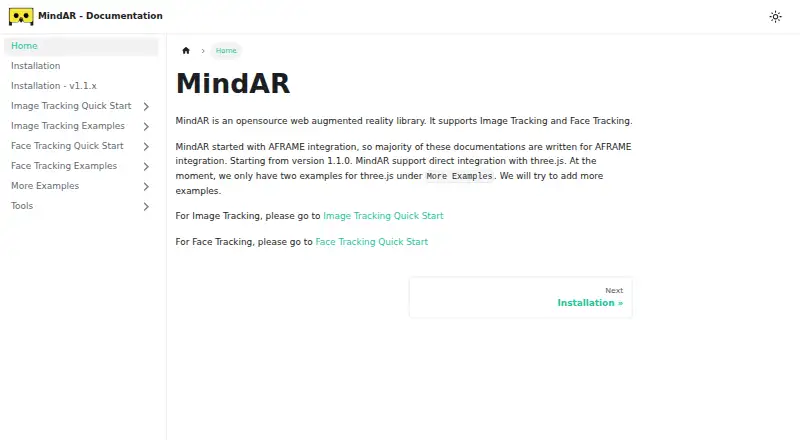
What MindAR is
MindAR is a free, open-source library for building web augmented reality experiences with image or face tracking. Its image-tracking example starts a device camera, detects an image target and displays an augmented object on it; the face-tracking example detects a face and shows augmented objects. The library integrates with A-Frame and Three.js through separate builds for the two tracking methods. It can run in a plain static HTML file and be added with an HTML script or npm. A browser-based tool compiles image targets, and static HTML pages can be hosted anywhere. The project says it uses WebGL and web workers for performance, and the code is released under the MIT License. Camera access is required for the examples, with a webcam needed for desktop testing. Three.js integration requires version 137 or later, and Three.js is an external dependency. The project directs people looking for location or fiducial-marker tracking to AR.js. MindAR Studio is a related free drag-and-drop tool for creating face-tracking AR and exporting static pages for self-hosting.
Who it suits
MindAR suits developers creating browser-based AR pages that use image or face tracking. It is also relevant to people who want to build static HTML experiences and host them themselves.
What it does well
- Free and released under the MIT License.
- Supports both image and face tracking.
- Can run in a plain static HTML file.
- Includes a browser-based image-target compiler.
What to know first
- Requires camera access for its examples.
- Desktop testing requires a webcam.
- Three.js integration requires v137 or later as an external dependency.
- Does not provide location or fiducial-marker tracking.
Plans
| Plan | Billed and limits | Price |
|---|---|---|
| MindAR | Open-source web AR library · image and face tracking | Free |
As hiukim.github.io lists them, read 2 Oct 2026. The maker's own page has the final word.
Getting started
- Open the MindAR documentation website.
- Choose the image-tracking or face-tracking build for the experience.
- Add MindAR through an HTML script or npm.
- For Three.js integration, use Three.js v137 or later as an external dependency.
- Grant camera access; use a webcam for desktop testing.
- Use the browser-based compiler to prepare image targets, when needed.
- Host the resulting static HTML page wherever static pages can be hosted.
Verdict
MindAR provides a focused web library for image- and face-tracking experiences, with static-page deployment options. It is not the fit for location or fiducial-marker tracking, and Three.js users need to provide the required external dependency.
Questions
How much does MindAR cost?
MindAR is free. Its listed plan is free.
Which tracking methods does it support?
MindAR supports image tracking and face tracking. The project directs users seeking location or fiducial-marker tracking to AR.js.
Which platforms can publish MindAR experiences?
MindAR publishes to web browsers using static HTML pages. The project says its static HTML example can be hosted anywhere.
Can I use MindAR with Three.js?
Yes. The integration requires Three.js v137 or later, and Three.js is an external dependency.
Is MindAR open source?
Yes. The repository is released under the MIT License.
What is MindAR Studio?
It is a related free drag-and-drop tool for building face-tracking AR and exporting static webpages for self-hosting.
Facts from MindAR's own pages
- Browser compiler
- The project provides a browser-based tool to compile image targets. · github.com, 2 Oct 2026
- Camera access
- The project README says examples require camera access and a webcam for desktop testing. · github.com, 2 Oct 2026
- Face tracking
- The face tracking quick start demonstrates a virtual try-on app that starts the device camera, detects a face, and displays augmented objects. · hiukim.github.io, 2 Oct 2026
- Hosting
- The project README says its static HTML example can be hosted anywhere. · github.com, 2 Oct 2026
- Image tracking
- The image tracking quick start builds a webpage that starts the device camera, detects an image target, and displays an augmented object on it. · hiukim.github.io, 2 Oct 2026
- License
- The repository is released under the MIT License. · github.com, 2 Oct 2026
- Notable scope limit
- The README directs users seeking location or fiducial-marker tracking to AR.js. · github.com, 2 Oct 2026
- Performance
- The project README says MindAR uses WebGL and web workers for performance. · github.com, 2 Oct 2026
- Related services
- The README describes MindAR Studio as a free drag-and-drop tool for building face-tracking AR and exporting static webpages for self-hosting. · github.com, 2 Oct 2026
- Rendering
- The library supports integration with A-Frame and Three.js, with separate builds for image tracking and face tracking. · hiukim.github.io, 2 Oct 2026
- Requirements
- The Three.js integration requires Three.js v137 or later, and the library treats Three.js as an external dependency. · hiukim.github.io, 2 Oct 2026
- Setup
- MindAR can run in a plain static HTML file and can be installed through an HTML script or npm. · hiukim.github.io, 2 Oct 2026
- Support and maintenance
- The README says the library is maintained by an individual developer and invites contributions, with funding intended to support ongoing development and timely issue responses. · github.com, 2 Oct 2026
- What it does
- MindAR is an open-source web augmented reality library for image tracking and face tracking. · hiukim.github.io, 2 Oct 2026
Where MindAR stands on Freedom251
- Extended Reality Software#7 of 26
- Augmented Reality Software#9 of 19