Freedom251 › Virtual Reality Software

CenarioVR
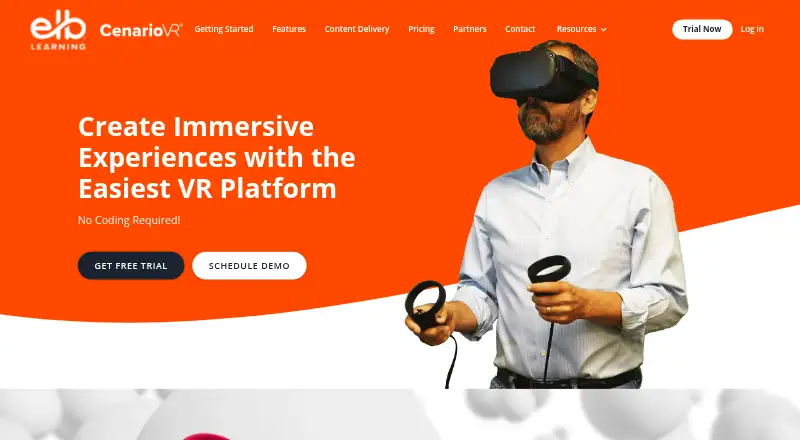
What CenarioVR is
CenarioVR is a no-code platform for creating immersive VR learning experiences. Authors build scenes from equirectangular images or 360-degree video, then add hotspots, questions, info cards, multimedia, 3D models, and drag-and-drop interactions. The authoring tools also support conditional branching, timed objects, linked scenes, quizzes, and spatial audio with per-object volume adjustment. GLB objects can be positioned, rotated, animated, and used as hotspots.
Courses can be published as SCORM, xAPI, cmi5, or HTML and delivered through an LMS. CenarioVR includes xAPI tracking and an analytics dashboard with real-time performance data. Published content can be viewed in Chrome, Firefox, Microsoft Edge, or Safari, through iOS and Android apps, in Windows standalone mode, and on supported VR headsets such as Meta Quest, HTC Vive, Lenovo Mirage S3, and Pico. Phones and tablets need an accelerometer for VR features; authoring is intended for a laptop or personal computer. CenarioVR connects with Lectora, Lectora Online, and ReviewLink, and embedded content can exchange JSON messages with its parent course. The Stand Alone App plan starts at $5,268 a year, and a free trial is offered.
Who it suits
CenarioVR suits organizations creating interactive VR learning courses for delivery through an LMS or supported devices and headsets. It is also relevant to teams that need assessments, SCORM export, xAPI tracking, and collaborative authoring.
What it does well
- Builds scenes from equirectangular images or 360-degree video.
- Offers branching, quizzes, hotspots, and multimedia interactions.
- Publishes courses in SCORM, xAPI, cmi5, or HTML.
- Includes xAPI tracking and real-time performance data.
- Supports headset, mobile, browser, and Windows viewing.
- Connects with Lectora, Lectora Online, and ReviewLink.
What to know first
- There is no free plan.
- The listed Stand Alone App plan starts at $5,268 a year.
- Phones and tablets are not supported for authoring.
- Hosted learner distribution depends on the purchased plan.
Limits
The product has no free plan; the listed Stand Alone App plan starts at $5,268 a year. Hosted learner distribution depends on the purchased plan, and phones and tablets are not supported for course authoring.
Plans
| Plan | Billed and limits | Price |
|---|---|---|
| CenarioVR Stand Alone App | Starting at $5,268/year · Contact sales; US pricing | $5,268 a year |
As cenariovr.com lists them, read 9 Oct 2026. The maker's own page has the final word.
Getting started
- Visit the CenarioVR website and review the free-trial offer.
- Use a laptop or personal computer for course authoring.
- Create scenes from equirectangular images or 360-degree video.
- Add interactions, quizzes, multimedia, or 3D objects.
- Publish in SCORM, xAPI, cmi5, or HTML for LMS or supported-device viewing.
Verdict
Choose CenarioVR if you need no-code VR course authoring with interactive scenes, LMS publishing, and performance tracking. Look elsewhere if you need a free plan or want to author courses on a phone or tablet.
Questions
Does CenarioVR have a free plan or trial?
It has no free plan, but a free trial is offered.
What does the listed plan cost?
The CenarioVR Stand Alone App plan is listed at $5,268 a year, billed starting at $5,268/year; contact sales. The listing specifies US pricing.
Which platforms can view CenarioVR content?
The listed platforms are web, Windows, iOS, and Android. The maker also lists Chrome, Firefox, Microsoft Edge, Safari, Windows standalone viewing, and multiple VR headsets.
Can courses be delivered through an LMS?
Yes. Published content can be delivered through an LMS, including SCORM- or xAPI-based LMSs.
What formats can CenarioVR publish?
Courses can be published in SCORM formats, xAPI, cmi5, and HTML.
Which integrations are listed?
CenarioVR connects with Lectora, Lectora Online, and ReviewLink. Embedded content can also send JSON messages to its parent frame and receive messages to set variables or run events.
Facts from CenarioVR's own pages
- 3D objects
- Authors can add GLB objects that can be rotated, positioned, animated, and used as hotspots. · cenariovr.com, 8 Oct 2026
- Audio
- The product supports spatial audio placement and per-object volume adjustment. · cenariovr.com, 8 Oct 2026
- Authoring limitation
- Mobile phone and tablet development is not supported; the FAQ recommends using a laptop or personal computer to author. · knowledgebase.elblearning.com, 9 Oct 2026
- Branching and quizzes
- The authoring tools include conditional branching, timed objects, linked scenes, quizzes, multimedia, and hotspots. · cenariovr.com, 8 Oct 2026
- Compliance
- ELB Learning states that CenarioVR is SOC 2 Type II compliant. · elblearning.com, 9 Oct 2026
- Devices and browsers
- The maker lists Chrome, Firefox, Microsoft Edge, and Safari for published content, plus iOS and Android apps and Windows standalone viewing. · cenariovr.com, 8 Oct 2026
- Distribution limit
- The number of learners for CenarioVR-hosted distribution depends on the purchased plan; externally hosted content has unlimited viewing potential according to the FAQ. · knowledgebase.elblearning.com, 9 Oct 2026
- Headquarters
- American Fork, Utah, United States · cenariovr.com, 28 Sept 2026
- Headset support
- The maker lists Meta Quest, Go and Rift devices, HTC Vive devices, Lenovo Mirage S3, and Pico headsets as viewing options. · cenariovr.com, 8 Oct 2026
- Integration
- CenarioVR content embedded in another course can send JSON messages to its parent frame and receive messages to set variables or run events. · cenariovr.com, 8 Oct 2026
- Integrations
- CenarioVR connects with Lectora, Lectora Online, and ReviewLink, and Lectora has a CenarioVR object type. · knowledgebase.elblearning.com, 9 Oct 2026
- Interactions
- Scenes can include hotspots, questions, info cards, multimedia, 3D models, conditional branching, and drag-and-drop interactions. · products.elblearning.com, 9 Oct 2026
- Learning systems
- Published content can be delivered through an LMS, including SCORM- or xAPI-based LMSs. · cenariovr.com, 8 Oct 2026
- Mobile requirement
- Phones and tablets need an accelerometer to use the VR features. · cenariovr.com, 8 Oct 2026
- No-code authoring
- The product page describes VR course authoring as requiring no coding. · products.elblearning.com, 9 Oct 2026
- Publishing
- Content can be published to HTML, SCORM, xAPI, and cmi5, including for LMS or website hosting. · knowledgebase.elblearning.com, 9 Oct 2026
- Purpose
- CenarioVR is an online authoring tool for creating virtual reality simulations in 360° environments. · knowledgebase.elblearning.com, 9 Oct 2026
- Scenario limit
- The FAQ says Pro and the ELB Learning Authoring Suites Platinum plan allow unlimited scenario creation. · knowledgebase.elblearning.com, 9 Oct 2026
- Scene creation
- Authors can generate 360-degree images with the AI Wizard or upload their own 360-degree image or video. · products.elblearning.com, 9 Oct 2026
- Security
- The FAQ says user data is backed up nightly in encrypted, compressed form. · knowledgebase.elblearning.com, 9 Oct 2026
- Support
- ELB Learning lists a knowledge base with CenarioVR tutorials, help articles, and getting-started guides. · knowledgebase.elblearning.com, 9 Oct 2026
- Supported devices
- The maker lists web and mobile access, iOS and Android apps, Windows standalone, LMSs, and multiple VR headsets including Meta Quest, HTC Vive, and Pico. · products.elblearning.com, 9 Oct 2026
- Tracking
- Built-in LRS and xAPI tracking provides real-time dashboards, and data can be downloaded as CSV. · products.elblearning.com, 9 Oct 2026
- Trial
- The maker offers a free 30-day CenarioVR trial. · hub.elblearning.com, 9 Oct 2026
Where CenarioVR stands on Freedom251
- Virtual Reality Software#9 of 30
- Extended Reality Software#8 of 26
- Course Authoring Software#17 of 28