Freedom251 › Virtual Reality Learning Platforms

Labster
What Labster is
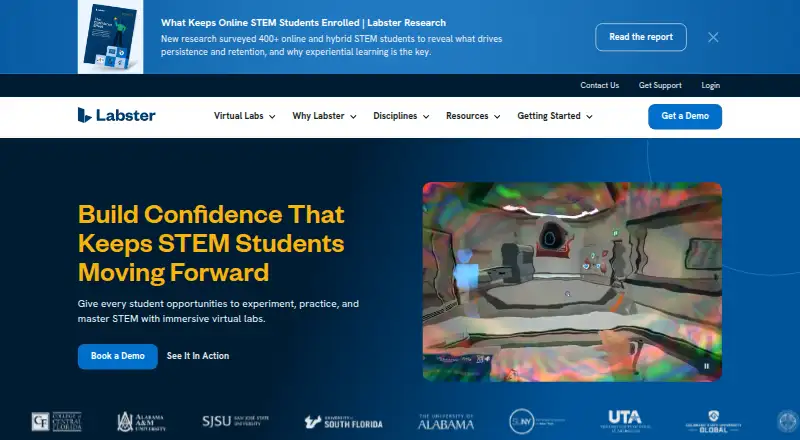
Labster provides interactive virtual lab assignments for learning foundational science and practicing lab techniques and procedures. Its catalog spans STEM subjects and contains more than 300 virtual lab simulations. Each simulation offers a guided scenario, allows learners to repeat it at their own pace without a stated limit, and gives students instant feedback. For assessment, the platform includes automatic grading, customizable quizzes, and a modular assignment builder. A course mapping tool helps instructors match virtual labs to a syllabus, and Labster lists compatibility with Canvas, Google Classroom, Blackboard, Moodle, Schoology, and D2L Brightspace.
Simulations run on Windows and Mac computers in supported browsers. Some are available on iPads and Chromebooks through the Labster app; smartphones, including iPhones and Android phones, cannot play simulations. Labster is available for purchase by instructors, faculty, and administrators at educational institutions. A free trial is available, and paid pricing is on request. Custom institutional or department engagements typically begin at $5,000 a year, with final pricing depending on the solution and implementation requirements. Labster is headquartered in Boston, Massachusetts, USA, and Copenhagen, Denmark.
Who it suits
Labster suits instructors, faculty, and administrators at educational institutions who want virtual science labs with guided practice and assessment tools. Its course mapping tool and listed LMS compatibility can help fit simulations into an existing syllabus and learning environment.
What it does well
- More than 300 simulations cover STEM subjects.
- Guided scenarios allow unlimited self-paced repetition.
- Students receive instant feedback during simulations.
- Automatic grading, customizable quizzes, and assignment building are included.
- Course mapping helps align virtual labs with a syllabus.
- Lists compatibility with six learning management systems.
What to know first
- Smartphones cannot play simulations.
- Some simulations are supported on iPads and Chromebooks only through the Labster app.
- Purchase is available to educational institution instructors, faculty, and administrators.
Plans
| Plan | Billed and limits | Price |
|---|---|---|
| Custom institutional or department engagement | Annual engagements typically begin at $5,000 USD; final pricing depends on the solution and implementation requirements. · Student volume discounts · scalable contracts · onboarding tiers · customer service options | $5,000 a year |
As labster.com lists them, read 5 Oct 2026. The maker's own page has the final word.
Getting started
- Visit the Labster website.
- Check that the intended device is supported: Windows or Mac in a supported browser, or an iPad or Chromebook for some simulations through the app.
- Request a free trial.
- If purchasing, contact Labster about an institutional or department engagement; purchases are available to instructors, faculty, and administrators at educational institutions.
Verdict
Choose Labster if you need guided virtual science practice, assessment tools, and a way to match labs to a syllabus. It offers a broad STEM simulation library and several LMS integrations. Institutions looking for smartphone-based simulation access should look elsewhere, since smartphones are not supported for playing simulations.
Questions
Is there a free plan?
No. Labster offers a free trial, and its pricing model is paid.
How much does Labster cost?
Pricing is on request. Custom institutional or department engagements typically begin at $5,000 a year; final pricing depends on the solution and implementation requirements.
Which devices can run Labster simulations?
Simulations run on Windows and Mac computers in supported browsers. Some simulations are supported on iPads and Chromebooks through the Labster app; smartphones are not supported for playing simulations.
Which learning management systems does Labster list?
Labster lists Canvas, Google Classroom, Blackboard, Moodle, Schoology, and D2L Brightspace.
Who can purchase Labster?
Instructors, faculty, and administrators at educational institutions can purchase it.
Where is Labster headquartered?
Labster lists headquarters in Boston, Massachusetts, USA, and Copenhagen, Denmark.
Facts from Labster's own pages
- Assessment
- The platform includes automatic grading, customizable quizzes, and a modular assignment builder. · labster.com, 5 Oct 2026
- Content library
- Labster says its catalog contains more than 300 virtual lab simulations across STEM subjects. · labster.com, 5 Oct 2026
- Course matching
- Labster provides a course mapping tool to match virtual labs to a syllabus. · labster.com, 5 Oct 2026
- Data residency
- Labster says it uses five AWS regions—the US, Germany, UK, Canada, and Australia—to support customer geographical data tenancy requirements. · labster.com, 5 Oct 2026
- Device limitation
- Labster says it does not support playing simulations on smartphones, including iPhones and Android phones. · help.labster.com, 5 Oct 2026
- Free trial
- Labster offers free trials for qualified buyers, arranged through a sales representative. · labster.com, 5 Oct 2026
- Headquarters
- Boston, Massachusetts, USA; Copenhagen, Denmark · labster.com, 28 Sept 2026
- LMS integrations
- Labster lists compatibility with Canvas, Google Classroom, Blackboard, Moodle, Schoology, and D2L Brightspace. · labster.com, 5 Oct 2026
- Purpose
- Labster provides interactive virtual lab assignments that teach foundational science concepts and let learners practice lab techniques and procedures. · labster.com, 5 Oct 2026
- Security
- Labster states that it achieved SOC 2 Type 2 compliance in May 2026 and holds TX-RAMP Level 2 certification. · labster.com, 5 Oct 2026
- Simulation features
- Simulations offer guided scenarios, unlimited self-paced repetition, and instant student feedback. · labster.com, 5 Oct 2026
- Support
- Labster provides live support through Help Center chat and lists [email protected] for email support. · labster.com, 5 Oct 2026
- Supported devices
- Simulations can run on Windows and Mac computers in supported browsers; iPads and Chromebooks are supported for some simulations through the Labster app. · help.labster.com, 5 Oct 2026
- Who can purchase
- Labster is available for purchase by instructors, faculty, and administrators at educational institutions. · labster.com, 5 Oct 2026
Where Labster stands on Freedom251
- Virtual Reality Learning Platforms#8 of 24
- Virtual Reality Software#11 of 30
- Virtual Lab Software#12 of 27
- Science Learning Software#16 of 25
- Chemistry Simulation Software#24 of 33