Noteside
What Noteside is
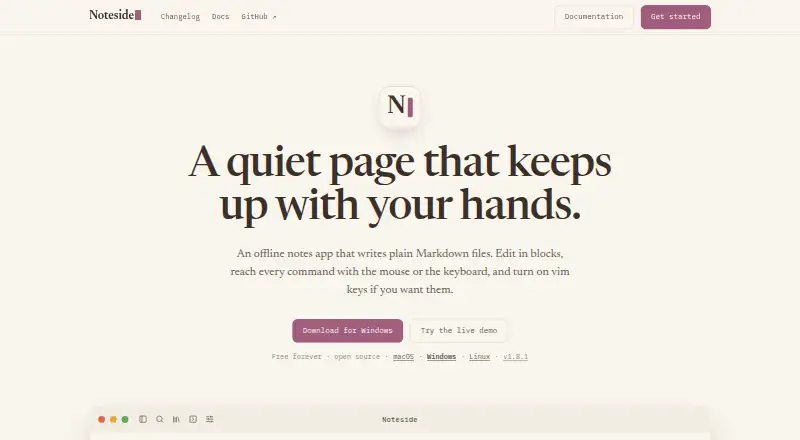
Noteside is a free offline notes app that writes plain Markdown files into folders on your computer. It needs no account and, according to its maker, has no sync or cloud round-trip. Notes can be grouped in real subdirectories shown as collapsible sidebar sections. Its block editor supports headings, tables, task lists, callouts, syntax-highlighted code, and KaTeX mathematics. You can use mouse or keyboard controls, vim modes and motions, a searchable command palette, and remappable shortcuts. The maker describes fuzzy search across 50,000 notes as taking about a millisecond. Because files remain ordinary Markdown rather than database records, they can be opened in another editor and backed up. Noteside runs on macOS, Windows, Linux, and the web, with offline access listed. The project uses a Rust core and the operating system webview. The Free plan is free forever, open source, and priced at $0.
Who it suits
It suits people who want fast, minimalist offline notes and are comfortable handling Markdown files. It also fits users who prefer local folders over account-based storage.
What it does well
- Stores notes as portable Markdown files
- Works offline on four listed platforms
- Supports vim modes and remappable shortcuts
- Organizes notes in real subdirectories
- Free forever and open source
What to know first
- No built-in synchronization
- Requires working with Markdown files
- No account or cloud round-trip is provided
Plans
| Plan | Billed and limits | Price |
|---|---|---|
| Free | Free forever · open source | Free |
As noteside.app lists them, read 12 Oct 2026. The maker's own page has the final word.
Verdict
Noteside focuses on local Markdown storage, keyboard-friendly editing, and offline access across desktop and web platforms. Its lack of synchronization favors users who manage their own files and backups.
Facts from Noteside's own pages
- Audience
- The maker presents Noteside for people who want fast, minimalist, offline notes and can work with Markdown files. · noteside.app, 12 Oct 2026
- Desktop technology
- Noteside uses a Rust core and the operating system's webview, according to the maker. · noteside.app, 12 Oct 2026
- Editor
- It supports editable blocks including headings, tables, task lists, callouts, syntax-highlighted code, and KaTeX math. · noteside.app, 12 Oct 2026
- Free plan
- Yes · noteside.app, 20 Sept 2026
- Input
- The app supports mouse and keyboard use, vim modes and motions, a searchable command palette, and remappable shortcuts. · noteside.app, 12 Oct 2026
- Integrations
- The maker describes Markdown files that can be read in any editor and backed up; no named third-party integrations are listed on the page. · noteside.app, 12 Oct 2026
- Maker
- The project README identifies Josh Daniel as the maker. · github.com, 12 Oct 2026
- Network and account
- The maker says Noteside needs no account and has no sync or cloud round-trip. · noteside.app, 12 Oct 2026
- Notable limit
- The maker says Noteside has no sync, so the site does not describe built-in cross-device synchronization. · noteside.app, 12 Oct 2026
- Offline access
- Yes · noteside.app, 20 Sept 2026
- Organization
- Notes can be grouped into real subdirectories shown as collapsible sidebar sections. · noteside.app, 12 Oct 2026
- Platforms
- The site offers downloads for macOS, Windows, and Linux, and a live demo in the browser. · noteside.app, 12 Oct 2026
- Search
- The maker says fuzzy search across 50,000 notes takes about a millisecond. · noteside.app, 12 Oct 2026
- Storage
- Notes are stored as plain Markdown files in folders on the user's machine, without a database. · noteside.app, 12 Oct 2026
- What it does
- Noteside is an offline notes app that writes plain Markdown files. · noteside.app, 12 Oct 2026
Where Noteside stands on Freedom251
- Notes apps#37 of 83
- Note-taking apps#107 of 216