Freedom251 › AI Note-Taking Apps

NoteGen
What NoteGen is
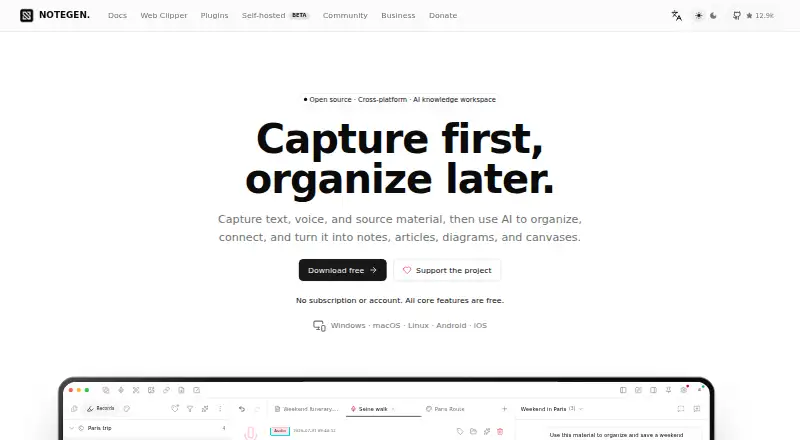
NoteGen is a free workspace that captures text, voice, and source material, then uses AI to organize it into notes, articles, diagrams, and canvases. Text, audio, screenshots, images, links, files, and tasks can be gathered in one stream. Notes use standard Markdown files, with support for tables, math, diagrams, and Mermaid. AI chat can answer questions and generate content; Agent can complete multi-step tasks with tools after required approval. Canvas links notes, records, images, links, shapes, and charts as connected nodes, and can generate diagrams with AI. Users can configure OpenAI-compatible providers such as ChatGPT, Gemini, Ollama, LM Studio, or a custom platform. Local storage is the default for notes and related data, though enabled online functions may send relevant information to configured services. Sync choices include GitHub, Gitee, GitLab, Gitea, S3, WebDAV, OneDrive, and iCloud Drive. Core features are free. Installers are listed for Windows, macOS, Linux, Android, and iOS, with the mobile versions marked beta. NoteGen Server adds accounts, device pairing, real-time sync, team collaboration, and account administration, and is described as experimental.
Who it suits
NoteGen suits people who want to collect varied source material and organize it as Markdown notes, diagrams, or canvases with AI assistance. It may also suit users who want local-first storage, configurable AI providers, or several sync options.
What it does well
- Core features are free.
- Collects text, audio, images, links, files, and tasks in one stream.
- Markdown editor supports tables, math, diagrams, and Mermaid.
- Offers AI chat and multi-step Agent workflows requiring approval.
- Notes and related data are stored locally by default.
- Supports multiple sync services and configurable AI providers.
What to know first
- Android and iOS installers are identified as beta.
- NoteGen is not yet signed for macOS, and the download page provides quarantine bypass steps.
- Self-hosted NoteGen Server is described as experimental.
- Enabled online features may send relevant data to configured services.
Plans
| Plan | Billed and limits | Price |
|---|---|---|
| Free | No subscription or account · all core features are free | Free |
As notegen.top lists them, read 2 Oct 2026. The maker's own page has the final word.
Getting started
- Visit the NoteGen website.
- Download an installer for Windows, macOS, Linux, Android, or iOS.
- Configure an OpenAI-compatible provider if you want to use AI workflows.
- Choose a sync option if you want synchronization across services.
Verdict
Choose NoteGen if you want a free Markdown workspace that combines capture, AI organization, and connected canvases. Consider its beta mobile availability and unsigned macOS status when choosing where to install it; online features can send relevant data to configured services.
Questions
Is NoteGen free?
Yes. The Free plan costs nothing and includes all core features.
Which platforms are available?
Installers are listed for Windows, macOS, Linux, Android, and iOS, with Android and iOS identified as beta.
Does NoteGen store notes locally?
Notes, records, chats, memories, vector indexes, and settings are stored locally by default. Enabled online features may send relevant data to configured services.
Which AI providers can I use?
Users can configure OpenAI-compatible providers, including ChatGPT, Gemini, Ollama, LM Studio, or a custom platform.
What sync services does NoteGen support?
Options include GitHub, Gitee, GitLab, Gitea, S3, WebDAV, OneDrive, iCloud Drive, and experimental NoteGen self-hosting.
Is NoteGen open source?
The supplied product details do not state whether NoteGen is open source.
Facts from NoteGen's own pages
- AI providers
- Users can configure OpenAI-compatible providers, including ChatGPT, Gemini, Ollama, LM Studio, or a custom platform. · notegen.top, 2 Oct 2026
- AI workflows
- Chat answers questions and generates content, while Agent can perform multi-step tasks using tools after required approval. · notegen.top, 2 Oct 2026
- Analytics
- Anonymous startup analytics sends an ephemeral session ID, operating system, locale, and app version, but not note content, file names, paths, AI chats, or a hardware machine ID. · notegen.top, 2 Oct 2026
- Canvas
- Canvas supports notes, records, images, links, shapes, and charts as connected nodes, with AI-generated diagrams and Mermaid. · notegen.top, 2 Oct 2026
- Capture
- It collects text, audio, screenshots, images, links, files, and tasks in one stream. · notegen.top, 2 Oct 2026
- Local storage and privacy
- Notes, records, chats, memories, vector indexes, and settings are stored locally by default; enabled online features may send relevant data to configured services. · notegen.top, 2 Oct 2026
- Markdown
- The editor uses standard Markdown files and supports tables, math, diagrams, and Mermaid. · notegen.top, 2 Oct 2026
- Platform availability
- The download page lists Windows, macOS, Linux, Android, and iOS installers, with Android and iOS identified as beta. · notegen.top, 2 Oct 2026
- Purpose
- NoteGen captures text, voice, and source material, then uses AI to organize it into notes, articles, diagrams, and canvases. · notegen.top, 2 Oct 2026
- Security limit
- The download page says NoteGen is not yet signed for macOS and provides instructions for bypassing the quarantine warning. · notegen.top, 2 Oct 2026
- Self-hosting
- NoteGen Server offers accounts, device pairing, real-time sync, team collaboration, and account administration, and is described as experimental. · notegen.top, 2 Oct 2026
- Support
- The maker directs users to QQ and WeChat community groups for feedback and usage discussions and recommends GitHub Issues for reproducible bugs or feature requests. · notegen.top, 2 Oct 2026
- Sync integrations
- Sync options include GitHub, Gitee, GitLab, Gitea, S3, WebDAV, OneDrive, iCloud Drive, and experimental NoteGen self-hosting. · notegen.top, 2 Oct 2026
- Web clipper
- The Web Clipper saves user-selected page content locally, with later processing depending on model, image-hosting, and sync settings. · notegen.top, 2 Oct 2026
Where NoteGen stands on Freedom251
- AI Note-Taking Apps#16 of 42