Freedom251 › Digital Asset Management Software
Nomad Media
by Nomad Media
What Nomad Media is
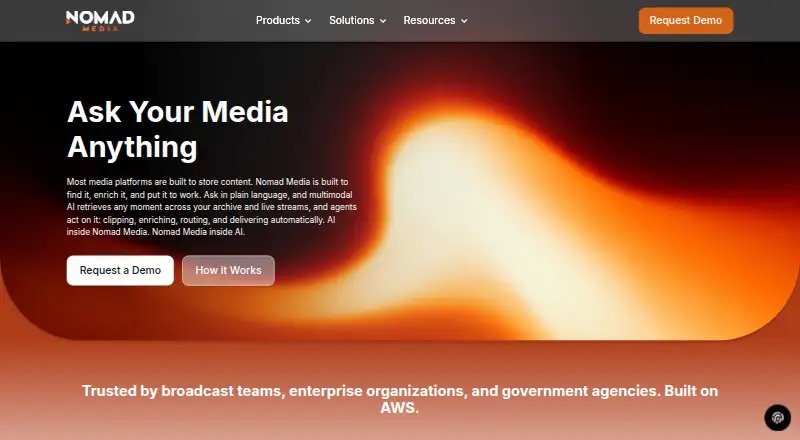
Nomad Media is a cloud-native media asset management platform for teams that store, organize, search, enrich, and distribute large video libraries. It handles video, audio, documents, and images, with metadata and tagging, version history, guest sharing, and API access. Semantic search finds material by meaning across visuals, audio, and speech, including moments associated with a face, object, scene, or spoken word. Its AI layer generates metadata, recognizes and tags people, and supports agents that clip, enrich, and route content; the platform also exposes an MCP interface and public API. Live provides broadcast control, clipping during a stream, and automatic conversion from live video to VOD with AI enrichment. Manage supports hybrid and cloud deployment. Connect supports migrations, two-way real-time synchronization, and browsing and searching Glacier archives without retrieval. Nomad Media Explorer is a native Mac and Windows app that integrates the library with Finder or File Explorer without local file caching. Linux users can access functionality through a command-line interface, while a mobile experience is under evaluation. Security options include role- and content-level permissions, guest contributor approval, and SSO including SAML and OAuth 2.0. Pricing is on request, and visitors can request a one-hour live demo.
Who it suits
Nomad Media suits broadcast, enterprise, and government teams managing large media libraries, as well as corporate, news, public-sector, and worship workflows. It is also relevant to teams that need media search, live video workflows, archive access, or controlled external contributions.
What it does well
- Supports video, audio, documents, and images.
- Semantic search covers visuals, audio, and speech.
- Live supports clipping during a stream and live-to-VOD conversion.
- Hybrid and cloud deployment options are available.
- SSO options include SAML and OAuth 2.0.
What to know first
- Pricing is on request.
- Linux has CLI access but no visual desktop application.
- A mobile experience is under evaluation.
Limits
Pricing is on request. Linux access has no visual desktop application, and the mobile experience is under evaluation.
Getting started
- Visit the Nomad Media website.
- Request a one-hour live demo.
- Choose a platform: API, Linux, Mac, web, or Windows.
- For a visual desktop app, use Nomad Media Explorer on Mac or Windows.
- For Linux access, use the command-line interface built on the SDK.
Verdict
Consider Nomad Media for large media libraries that need semantic search, AI enrichment, live workflows, or hybrid and cloud deployment. Pricing requires a request, and Linux users work through a command-line interface rather than a visual desktop app.
Questions
How is Nomad Media priced?
Pricing is on request. The website invites visitors to request a one-hour live demo.
Which platforms does Nomad Media support?
The listed platforms are API, Linux, Mac, web, and Windows. The native Nomad Media Explorer app is for Mac and Windows; Linux has CLI access.
What media can it manage?
It supports video, audio, documents, and images.
Does it provide API access?
Yes. The product includes API access and exposes a public API and an MCP interface.
Which integrations are named?
Connect names Adobe, newsroom tools, and AWS services. Partnerships listed include Bitmovin, Dolby OptiView, MediaKind, Red5, TwelveLabs, and Videon.
What security and access options are described?
The FAQ describes role- and content-level permissions, guest contributor approval, and SSO options including SAML and OAuth 2.0.
Facts from Nomad Media's own pages
- AI workflows
- Its AI layer generates metadata, recognizes and tags people, and supports agents that clip, enrich, and route content; it also exposes an MCP interface and public API. · nomad.media, 9 Oct 2026
- API access
- Yes · nomad.media, 20 Sept 2026
- Archive limits
- The FAQ says Glacier assets can be browsed and searched without retrieval, while restored files can be selected as needed. · nomad.media, 9 Oct 2026
- Supported asset types
- video,audio,documents,images · nomad.media, 20 Sept 2026
- Audience
- The company describes its platform as serving broadcast, enterprise, and government teams, and lists corporate, news, public-sector, and worship use cases. · nomad.media, 9 Oct 2026
- Compliance
- The FAQ says AWS maintains public compliance documentation and Nomad Media maintains business documentation such as an information security policy, background checks, and system documentation. · nomad.media, 9 Oct 2026
- Compliance documentation
- Nomad Media says AWS publishes its compliance documentation and that Nomad Media maintains business documentation such as an information security policy and system documentation. · nomad.media, 9 Oct 2026
- Desktop app
- Nomad Media Explorer is a native Mac and Windows application that brings the media library into Finder or File Explorer without local file caching. · nomad.media, 9 Oct 2026
- Desktop platforms
- Nomad Media Explorer is a native Mac and Windows application that integrates the media library with Finder or File Explorer. · nomad.media, 9 Oct 2026
- External access
- The Content Portal supports external users with granular permissions and administrator approval for guest contributors. · nomad.media, 9 Oct 2026
- Guest sharing
- Yes · nomad.media, 20 Sept 2026
- Headquarters
- 610 Tustin Ave, Newport Beach, CA 9266, United States · nomad.media, 28 Sept 2026
- Integrations
- The product page names Adobe, newsroom tools, and AWS services as Connect integrations; its partnerships page lists Bitmovin, Dolby OptiView, MediaKind, Red5, TwelveLabs, and Videon. · nomad.media, 9 Oct 2026
- Intended users
- The maker describes the platform for broadcast teams, enterprises, and government agencies, and also lists corporate, news, public-sector, and worship workflows. · nomad.media, 9 Oct 2026
- Linux and mobile
- The Explorer page says Linux has CLI access but no visual desktop app, and that a mobile experience is under evaluation. · nomad.media, 9 Oct 2026
- Linux support
- The site says Linux has no visual desktop application, but users can access full functionality through a command-line interface built on the SDK. · nomad.media, 9 Oct 2026
- Live video
- Live supports one-click broadcast control, clipping during a stream, and automatic live-to-VOD conversion with AI enrichment. · nomad.media, 9 Oct 2026
- Metadata and tagging
- Yes · nomad.media, 20 Sept 2026
- Migration and integrations
- Connect supports migrations, two-way real-time synchronization, and connections to Adobe, newsroom tools, and AWS services. · nomad.media, 9 Oct 2026
- Mobile availability
- The site says a mobile experience is under evaluation. · nomad.media, 9 Oct 2026
- Pricing access
- The site offers a live demo request and does not display plan prices on the pages reviewed. · nomad.media, 9 Oct 2026
- Product
- Nomad Media is a cloud-native media asset management platform for storing, organizing, searching, enriching, and distributing large video libraries. · nomad.media, 9 Oct 2026
- Sales and pricing
- The site invites visitors to request a one-hour live demo; the opened maker pages did not state a price or trial duration. · nomad.media, 9 Oct 2026
- Security and access
- The FAQ describes role-based and content-level permissions, guest contributor approval, and SSO support including SAML and OAuth 2.0. · nomad.media, 9 Oct 2026
Where Nomad Media stands on Freedom251
- Digital Asset Management Software#88 of 151
- AI Video Search Tools#21 of 24