Freedom251 › Video Editing Software
Node Video
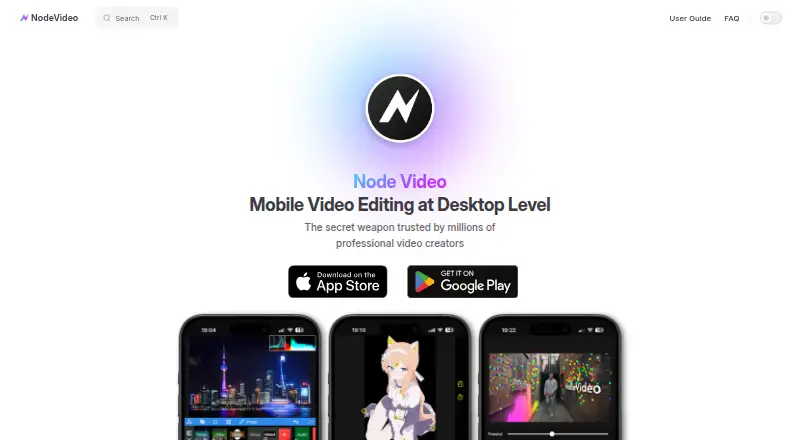
What Node Video is
Node Video is a video editor for Android, iOS, and macOS, designed to bring desktop-style workflows to phones. Its layered timeline supports keyframes, curve editing, clip splitting, and picture-in-picture layer ordering. Editors can add properties and effects, including content from the in-app Asset Store. Advanced tools include 3D camera tracking and optical-flow frame interpolation. Optical Flow analyzes motion and creates intermediate frames for smoother slow motion, and the maker marks that feature free. Projects export as video, with resolution following project settings by default, and 4K export is supported. The product is described as fully offline and ad-free. The Free plan costs nothing and provides 90% of features for life. Advanced 3D work can require strong GPU and Vulkan support. Complex projects, high-resolution media, and demanding effects may slow previews or cause crashes on memory-limited phones. Official documentation is still under development.
Who it suits
Node Video suits mobile editors who want layered timelines, keyframes, effects, and advanced motion tools. It is also relevant to users seeking offline, ad-free editing with a free feature set.
What it does well
- Free plan includes 90% of features
- Layered timeline with keyframes and curves
- 3D camera tracking
- Optical Flow slow motion
- 4K export support
What to know first
- Advanced 3D features need capable hardware
- Complex projects may slow or crash phones
- Official documentation is under development
Plans
| Plan | Billed and limits | Price |
|---|---|---|
| Free | 90% of features free for life | Free |
| Pro Yearly | yearly · Unlimited access to all features and content offered for purchase | $19.99 a year |
| Pro Monthly | monthly · Unlimited access to all features and content offered for purchase | $3.49 a month |
| Pro Lifetime | one-time purchase · Unlimited access to all features and content offered for purchase | $59.99, paid once |
As nodevideo.com lists them, read 12 Oct 2026. The maker's own page has the final word.
Verdict
Node Video provides substantial timeline and motion-editing tools across mobile and macOS platforms. Its free plan covers most features, while hardware demands and developing documentation are important considerations.
Facts from Node Video's own pages
- Advanced tools
- The maker highlights 3D camera tracking and optical flow frame interpolation as professional editing features. · nodevideo.com, 12 Oct 2026
- Desktop app
- Yes · nodevideo.com, 21 Sept 2026
- Device requirements
- The maker says some advanced 3D features have high hardware requirements, especially for GPU and Vulkan support. · nodevideo.com, 12 Oct 2026
- Documentation
- The maker says its official documentation is under development and points users to creator tutorials on TikTok, YouTube, and Instagram. · nodevideo.com, 12 Oct 2026
- Effects
- Users can add properties and effects, many of which are available through the in-app Asset Store. · nodevideo.com, 12 Oct 2026
- Export
- Projects can be exported as video, and export resolution follows the project settings by default. · nodevideo.com, 12 Oct 2026
- 4K export
- Yes · nodevideo.com, 21 Sept 2026
- Free plan
- Yes · nodevideo.com, 21 Sept 2026
- Mobile app
- Yes · nodevideo.com, 21 Sept 2026
- Offline and ads
- The product page describes NodeVideo as 100% offline and ad-free. · nodevideo.com, 12 Oct 2026
- Performance limits
- The maker notes that complex projects, high-resolution media, and demanding effects can cause sluggish previews or crashes on memory-limited phones. · nodevideo.com, 12 Oct 2026
- Platforms
- The maker's terms state the app is available on Android and iOS. · nodevideo.com, 12 Oct 2026
- Privacy
- The privacy policy says the app may retain requested personal information, use Unity and other third-party services, and collect diagnostic log data after errors. · nodevideo.com, 12 Oct 2026
- Product
- NodeVideo is a mobile video editing app designed to bring professional desktop editing workflows and tools to phones. · nodevideo.com, 12 Oct 2026
- Security
- The privacy policy says the maker uses commercially acceptable means to protect information but cannot guarantee absolute security. · nodevideo.com, 12 Oct 2026
- Slow motion
- Optical Flow creates intermediate frames from motion analysis to make slowed footage smoother, and the maker marks the feature Free. · nodevideo.com, 12 Oct 2026
- Support
- The maker directs users with questions or suggestions to [email protected]. · nodevideo.com, 12 Oct 2026
- Timeline editing
- The guide describes layered timeline editing with keyframes, curve editing, splitting, and picture-in-picture layer ordering. · nodevideo.com, 12 Oct 2026
Where Node Video stands on Freedom251
- Video Editing Software#41 of 153