
Nightingale
What Nightingale is
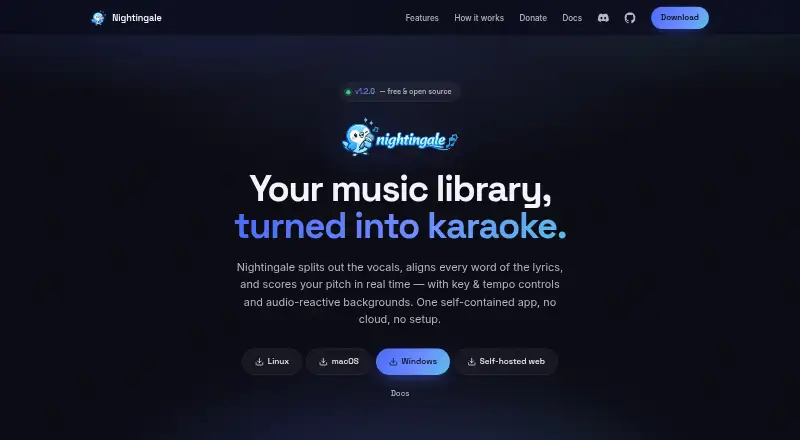
Nightingale is a free, open-source karaoke app that turns music-library songs into sing-along tracks with separated vocals, synchronized lyrics, and real-time pitch scoring. It works with local folders and libraries from Plex Media Server, Jellyfin, and Navidrome. Vocal separation uses UVR Karaoke or Demucs, while WhisperX transcribes and aligns lyrics and LRCLIB lyrics can be used when available. Japanese, Chinese, Cantonese, and Korean songs can display character-level alignment and romanized readings. After analysis, listeners can change key and tempo, follow pitch scoring, and edit lyrics or provide timed LRC and Enhanced LRC files. Plain lyrics can also be pasted for alignment. Playback backgrounds include GPU shaders, Pixabay video styles, and video files. Nightingale supports MP4 and MKV files and experimental UltraStar song folders. Separate player profiles keep score histories distinct, and playback supports gamepad navigation and touch controls. Native Linux, macOS, and Windows builds can use CUDA or Metal acceleration when available, with CPU fallback. The web build can run on a Linux computer at home and open in a browser. The app is available free of charge.
Who it suits
Nightingale suits people who want karaoke from their own music libraries, including users with local folders or Plex, Jellyfin, or Navidrome. It also fits households or groups that want separate player score histories and desktop or browser-based playback.
What it does well
- Uses local, Plex, Jellyfin, and Navidrome music libraries
- Supports multiple vocal-separation models
- Offers lyric editing and timed lyric input
- Keeps score histories separate by player profile
- Free and open-source under GPL-3.0-or-later
What to know first
- UltraStar song-folder support is experimental
- Web build runs on a Linux computer on a home network
- No free trial is listed
Plans
| Plan | Billed and limits | Price |
|---|---|---|
| Nightingale | Free and open-source karaoke app | Free |
As nightingale.cafe lists them, read 7 Oct 2026. The maker's own page has the final word.
Getting started
- Visit https://nightingale.cafe/.
- Choose a native build for Linux, macOS, or Windows, or use the web build on a Linux computer on a home network.
- Provide music from a local folder or a Plex, Jellyfin, or Navidrome library.
- Let the app analyze a song, or provide or edit its lyrics.
- Adjust key or tempo and choose playback controls and backgrounds.
Nightingale is a free, open-source karaoke application that builds sing-along tracks from music you already own or host. It is best for technically inclined singers with a local or home-network library, especially those who need strong lyric handling for Asian languages. The trade-off is that you create and analyze tracks yourself instead of choosing from a packaged karaoke catalog.
Overview
Nightingale turns songs from local folders, Plex Media Server, Jellyfin, or Navidrome into karaoke performances. Vocal separation uses either the UVR Karaoke model or Demucs, while WhisperX transcribes and aligns lyrics word by word; LRCLIB lyrics are used when available. This makes a personal music collection usable for karaoke, but the preparation and analysis workflow is central to the experience.
Key features
Lyrics support is a major strength. You can provide timed LRC or Enhanced LRC files, paste plain lyrics for alignment, or edit existing lyrics. Japanese, Chinese, Cantonese, and Korean songs receive per-character alignment and romanized readings, which is particularly useful when standard word-level timing is inadequate.
Once a track has been analyzed, you can change its key and tempo and view pitch scoring in real time. That combination suits singers who want feedback rather than simple lyric display. Ten GPU shader backgrounds, five Pixabay video styles, and video-file backgrounds add visual variety without changing the core singing tools.
The app supports .mp4 and .mkv video files and experimental UltraStar song folders. Separate player profiles keep score histories apart, and gamepad navigation plus touch playback controls make it more practical for shared or living-room use. Vocal controls and track creation are included in the free Nightingale plan.
Privacy is another reason to consider it: the site describes Nightingale as having no cloud, and Navidrome login details are encrypted on disk. It is GPL-3.0-or-later open source, with Discord support and optional Patreon and Ko-fi support.
Pricing
Nightingale: free. The plan is a free and open-source karaoke app, with no free trial because the product itself is free. There are no paid tiers or published usage quotas, so it is the natural choice for individuals and self-hosters who can supply their own music libraries. You give up the convenience of a bundled commercial song catalog, and the software's track-analysis workflow remains part of the cost in time.
Platforms
Native builds run on Linux, macOS, and Windows. CUDA or Metal acceleration is used when available, with CPU fallback, so compatible hardware can reduce processing time without making those accelerators mandatory. A self-hosted web build runs on a Linux computer on a home network and is opened in a browser. The platform mix suits households with mixed devices, although the web deployment specifically requires a Linux host.
Who it's for
Choose Nightingale if you have music in local folders or Plex, Jellyfin, or Navidrome and want to turn that collection into scored karaoke. It is especially compelling for multilingual singers who need per-character timing or romanization, and for households that want profiles, controllers, and touch playback. Look elsewhere if your priority is instant access to a large supplied song selection or a minimal setup before singing.
Pros and cons
- Pros: Vocal separation and track creation work with personal libraries rather than requiring a fixed catalog.
- Pros: WhisperX alignment, editable lyrics, and CJK character timing cover demanding lyric workflows.
- Pros: Key and tempo changes, real-time pitch scoring, and separate score histories support practice and group play.
- Pros: Free GPL-licensed software, native desktop builds, and a self-hosted browser option avoid subscription costs and cloud dependence.
- Cons: Songs must be analyzed and prepared, so it is less immediate than a service with ready-to-sing tracks.
- Cons: The browser deployment requires a Linux home-network host, limiting its appeal for users who want a hosted web service.
- Cons: UltraStar support is experimental, so users depending on that format should treat it as an additional rather than definitive workflow.
Alternatives
Browse Karaoke Software for a wider comparison. Pick KaraFun instead if you prefer freemium access across Android, iOS, macOS, web, and Windows, with a Premium plan at £7.99 a month; its free tier includes free songs and Premium previews.
Karaoke 5 is a better fit when a Windows or macOS player and manager are enough; its free edition has no synchronization, YouTube downloads, mobile management, or music quiz. Choose OpenKJ for free, open-source karaoke hosting across desktop, mobile, and web platforms, or its OpenKJ Songbook service from $9.99 a month.
Encore Karaoke suits users wanting a free open-source player on Android, Linux, macOS, or Windows, but its song library is not included. Karaoke Mugen is another free, MIT-licensed option for Linux, macOS, web, and Windows.
Choose Kanto Karaoke Player&Recorder if recording is central and macOS or Windows is sufficient; its free Windows version limits playlists to five songs and recordings to one minute. Performous offers free software for Linux, macOS, and Windows. Smule is the alternative for Android, iOS, or web users who want to join existing duets at no cost, with a 19.99 USD-per-month VIP All Access Pass.
Verdict
Nightingale is the strongest choice for singers who want to build karaoke from their own libraries, control lyrics closely, and receive pitch feedback without paying for software. Its main reason to look elsewhere is equally clear: anyone seeking an instant, supplied catalog will find the preparation workflow less suitable than a catalog-based service.
Verdict
Nightingale combines library-based karaoke, lyric tools, and pitch scoring in desktop and self-hosted web builds. Its experimental UltraStar support and Linux requirement for the web build are worth noting.
Questions
How much does Nightingale cost?
Nightingale is free, with a listed plan price of $0.
Which platforms does it support?
Native builds are available for Linux, macOS, and Windows. A web build can run on a Linux computer on a home network and open in a browser.
Which music libraries can it use?
It can use local folders, Plex Media Server, Jellyfin, and Navidrome libraries.
Is Nightingale open source?
Yes. It is licensed under GPL-3.0-or-later.
Can I edit lyrics or create karaoke tracks?
Users can provide timed LRC or Enhanced LRC lyrics, paste plain lyrics for alignment, and edit existing lyrics. Vocal controls and track creation are supported.
What does Nightingale say about privacy?
The site describes the app as having no cloud. Navidrome login details are encrypted on disk.
Facts from Nightingale's own pages
- CJK support
- Japanese, Chinese, Cantonese, and Korean songs support per-character alignment and romanized readings. · nightingale.cafe, 7 Oct 2026
- File support
- The app supports .mp4 and .mkv video files and experimental UltraStar song folders. · nightingale.cafe, 7 Oct 2026
- License and support
- Nightingale is free and open-source under GPL-3.0-or-later; the maker links to Discord and offers Patreon and Ko-fi support. · nightingale.cafe, 7 Oct 2026
- Lyrics
- WhisperX transcribes and aligns lyrics word by word, and LRCLIB lyrics are used when available. · nightingale.cafe, 7 Oct 2026
- Lyrics editing
- Users can provide timed LRC or Enhanced LRC lyrics, paste plain lyrics for alignment, and edit existing lyrics. · nightingale.cafe, 7 Oct 2026
- Music sources
- It can use local folders, Plex Media Server, Jellyfin, and Navidrome libraries. · nightingale.cafe, 7 Oct 2026
- Playback controls
- After analysis, users can adjust a song's key and tempo and view real-time pitch scoring. · nightingale.cafe, 7 Oct 2026
- Privacy and connection
- The site describes the app as having no cloud, and says Navidrome login details are encrypted on disk. · nightingale.cafe, 7 Oct 2026
- Profiles and controls
- It supports separate score histories for multiple player profiles, gamepad navigation, and touch playback controls. · nightingale.cafe, 7 Oct 2026
- Purpose
- Nightingale turns songs in a music library into karaoke with separated vocals, synchronized lyrics, and real-time pitch scoring. · nightingale.cafe, 7 Oct 2026
- Self-hosting
- The web build can run on a Linux computer on a home network and be opened from a browser. · nightingale.cafe, 7 Oct 2026
- Stem separation
- Vocals are separated from instrumentals using the UVR Karaoke model or Demucs. · nightingale.cafe, 7 Oct 2026
- Supported desktops
- Native builds are available for Linux, macOS, and Windows, with CUDA or Metal acceleration when available and CPU fallback. · nightingale.cafe, 7 Oct 2026
- Visuals
- Playback offers 10 GPU shader backgrounds, five Pixabay video styles, and video-file backgrounds. · nightingale.cafe, 7 Oct 2026
Where Nightingale stands on Freedom251
- Karaoke Software#7 of 30