Karaoke Mugen
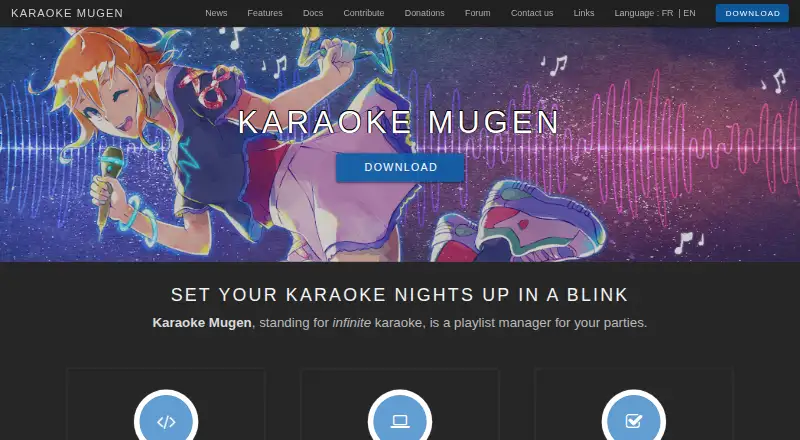
What Karaoke Mugen is
Karaoke Mugen is a playlist manager for karaoke parties, designed for an operator to organize songs and manage audience participation. Operators can add, remove, reorder, shuffle, import, and export songs, while guests can submit requests from their own devices. An operator can let guests vote on the next song, set song or singing-time quotas, and apply blacklists or whitelists. Sessions can include automixes and quiz mode. The player offers playback controls, automatic volume adjustment, pitch and speed changes, and a synchronized second video player. It accepts video formats supported by mpv, uses ASS subtitles, and can import formats including Ultrastar, Karafun, and KBP. Users can save profiles and favorites online, link AniList, Kitsu, or MyAnimeList accounts for songs from watched anime, and display the current song on Discord. Once installed, configured, and up to date, the app can run without internet; guests must be on the same Wi-Fi network. It is free and open source under the MIT license, with Windows, macOS, and Linux builds. Linux binaries require GLIBC 2.31 or higher.
Who it suits
Karaoke Mugen suits people running private karaoke sessions or public events where an operator coordinates requests. It may also suit users who want playlist controls, audience voting, or quiz mode.
What it does well
- Guests can suggest songs from their own devices.
- Operators can enable voting on the next song.
- Includes quotas, automixes, and quiz mode.
- Can run offline after setup and updating.
- Free and open source under the MIT license.
What to know first
- Guests need to share the same Wi-Fi network.
- Linux binaries require GLIBC 2.31 or higher.
- Windows portable version requires manual file replacement to update.
Plans
| Plan | Billed and limits | Price |
|---|---|---|
| Karaoke Mugen | MIT-licensed software; no paid plan listed | Free |
As mugen.karaokes.moe lists them, read 4 Oct 2026. The maker's own page has the final word.
Getting started
- Visit the Karaoke Mugen website.
- Choose a Windows, macOS, or Linux build from the download page.
- On Linux, confirm the system has GLIBC 2.31 or higher.
- Install and configure the app, then bring it up to date.
- Connect guests on the same Wi-Fi network for local participation.
Karaoke Mugen is open-source software for running karaoke sessions, with an operator managing the queue and guests joining in with requests. It suits hosts who want structure without giving up audience participation. Its strongest case is a flexible, free event tool; its main trade-off is the setup and operating responsibility it puts on the host.
Overview
The software is designed for both private karaoke with friends and public events. Operators manage the playlist while guests can suggest songs from their own devices, leaving the host in control of what actually plays. That balance makes it useful for groups that want input from the room without turning song selection into an unmanaged queue.
Once installed, configured, and up to date, Karaoke Mugen can run offline. Guests must still be on the same Wi-Fi network to participate, so it fits a prepared local event rather than a remote gathering. Some features are optional online services, including update checks, repository song downloads, online accounts, and shortened session URLs.
Key features
Queue and audience controls
Operators can add, remove, reorder, shuffle, import, and export songs, with smart shuffle among the playlist tools. Guests submit requests, and the host selects from them; voting can also let the audience choose what plays next. Quotas for songs or singing time, plus blacklists and whitelists, help keep a busy session manageable, but they require the operator to set the rules.
Automixes, sessions, and quiz mode give hosts additional ways to shape an event. User profiles and favorites can be saved online, and users can connect AniList, Kitsu, or MyAnimeList to get songs from anime they have watched. These options are particularly relevant to anime karaoke groups; they are not necessary for a host who only needs a basic playlist.
Playback and compatibility
The player offers playback controls, automatic volume adjustment, pitch and speed changes, and a synchronized second video player. It accepts video formats supported by mpv and uses ASS subtitles; imports include Ultrastar, Karafun, and KBP. Dual-screen lyrics display supports setups where performers and the audience need separate views. The WebSockets API gives developers a route to build additional interfaces or clients.
Karaoke Mugen can show the currently sung song on a user's Discord profile. Usage statistics are sent to Karaoke Mugen Server only with user consent, a useful privacy control for operators who prefer not to share them.
Pricing
Karaoke Mugen is free: the Karaoke Mugen plan costs free. It is MIT-licensed open-source software, and no paid plan is offered. That makes the full host-and-guest feature set a straightforward choice for organizers who do not want a subscription; there is no paid tier to turn to for a different service level.
Platforms
The maker provides Windows, macOS, and Linux builds, and supports web access for guest participation. Linux binaries require GLIBC 2.31 or higher, which may rule out older systems. The Windows portable version cannot update automatically; users must replace its files from a new ZIP archive, a maintenance drawback for anyone choosing the portable build.
Who it's for
Karaoke Mugen is best for a host who wants to run private parties or public events from a central playlist while still taking requests from the room. Its quotas, filters, voting, and session modes suit organizers who need more control than a free-for-all queue. It is less compelling for someone who wants a turnkey consumer karaoke experience rather than software to configure and operate, or for events whose guests cannot share a Wi-Fi network.
Pros and cons
- Pro: Guests can request songs and vote while the operator retains control of the queue, balancing participation with event management.
- Pro: After setup and updates, offline playback supports local events without a continuing internet connection.
- Pro: Playlist tools, quotas, filters, and multiple event modes give hosts practical ways to manage different group sizes and formats.
- Pro: Free, MIT-licensed software avoids subscription costs and allows additional interfaces through a WebSockets API.
- Con: Guests need to be on the same Wi-Fi network, limiting participation to a shared local setting.
- Con: The operator must configure the software and manage the event; the Windows portable build also needs manual file replacement to update.
- Con: Linux users need GLIBC 2.31 or newer, excluding systems below that requirement.
Alternatives
Compare karaoke software if you want to weigh more options. KaraFun is a freemium option across Android, iOS, macOS, web, and Windows, with a free plan and a £7.99-per-month Premium plan; choose it if you prefer that plan structure and platform range. Karaoke 5 has a free edition whose limits include no synchronization, YouTube downloads, mobile management, or music quiz, so it may fit a simpler desktop setup. OpenKJ is another free, open-source karaoke hosting option, with a free trial and a paid songbook plan starting at $9.99 per month; consider it if that hosting-and-songbook model suits your event better. Nightingale is a free, open-source karaoke app and a reasonable alternative to compare.
Kanto Karaoke Player&Recorder has a free version for Windows with a five-song playlist cap, one-minute recording and MIDI-to-MP3 limits, and no professional use; its Mac free version is another option to compare. Performous is free software with Windows, macOS, and Linux downloads, making it another cross-platform choice to consider. Smule is freemium on Android, iOS, and web, with free access to existing duets and a $19.99-per-month VIP All Access Pass; choose it if joining duets is the priority. TKaraoke is a freemium alternative with a free trial.
Verdict
Choose Karaoke Mugen if you want a free, open-source way to run a host-led karaoke event with requests, voting, and playlist controls, especially when offline operation matters after preparation. Look elsewhere if you need remote guest participation, a more turnkey setup, or a Windows portable build that updates automatically.
Verdict
Karaoke Mugen gives an event operator control over playlists, requests, and participation, with options for offline use after setup. Linux users need GLIBC 2.31 or higher, and Windows portable users must replace files to update.
Questions
Is Karaoke Mugen free?
Yes. The listed Karaoke Mugen plan is free, and the software is MIT-licensed.
Which platforms does it support?
The listed platforms are Linux, macOS, web, and Windows. The download page provides desktop builds for Windows, macOS, and Linux.
Can it work without internet?
Yes, once installed, configured, and up to date. Guests need to be on the same Wi-Fi network to use it.
What media formats can it play or import?
It accepts video formats supported by mpv and uses ASS subtitles. Imports include formats such as Ultrastar, Karafun, and KBP.
Does it connect to other services?
Users can link AniList, Kitsu, or MyAnimeList accounts for songs from watched anime. The current song can be shown on a user's Discord profile.
Is Karaoke Mugen open source?
Yes. It is published under the MIT license.
Facts from Karaoke Mugen's own pages
- API
- The project provides a WebSockets API for additional interfaces or clients. · mugen.karaokes.moe, 4 Oct 2026
- Audience features
- The software supports song voting, user quotas, automixes, sessions, and quiz mode. · mugen.karaokes.moe, 4 Oct 2026
- Audience participation
- Guests can suggest songs from their devices, and operators can let the audience vote on which song plays next. · mugen.karaokes.moe, 4 Oct 2026
- Discord
- The app can show the currently sung song on a user's Discord profile. · mugen.karaokes.moe, 4 Oct 2026
- Downloads
- The download page lists Windows, macOS, and Linux builds; it states Linux binaries require GLIBC 2.31 or higher. · mugen.karaokes.moe, 4 Oct 2026
- Formats and API
- The software accepts video formats supported by mpv, uses ASS subtitles, can import several other subtitle formats, and provides a WebSockets API. · mugen.karaokes.moe, 4 Oct 2026
- Group requests
- Guests can suggest songs from their own devices, while an operator selects songs from the suggestions. · mugen.karaokes.moe, 4 Oct 2026
- Integrations
- Users can link accounts to AniList, Kitsu, or MyAnimeList to get song lists from anime they have watched. · mugen.karaokes.moe, 4 Oct 2026
- Intended users
- The site describes private karaoke with friends and public events where an operator manages audience suggestions. · mugen.karaokes.moe, 4 Oct 2026
- License and source
- Karaoke Mugen is open source and published under the MIT license. · mugen.karaokes.moe, 4 Oct 2026
- Linux requirement
- The Linux binaries require GLIBC 2.31 or higher. · mugen.karaokes.moe, 4 Oct 2026
- Media formats
- The app accepts video formats supported by mpv and uses ASS subtitles, with import support for formats including Ultrastar, Karafun, and KBP. · mugen.karaokes.moe, 4 Oct 2026
- Media playback
- The player supports playback controls, automatic volume adjustment, pitch and speed changes, and a synchronized second video player. · mugen.karaokes.moe, 4 Oct 2026
- Offline use
- Karaoke Mugen can be used without an internet connection; on a local network, users need to be on the same Wi-Fi network. · mugen.karaokes.moe, 4 Oct 2026
- Optional online features
- Optional online features include update checks, downloading songs from karaoke repositories, online user accounts, and a shortened session URL. · mugen.karaokes.moe, 4 Oct 2026
- Playlist management
- Operators can add, remove, shuffle, import, export, and reorder songs in playlists. · mugen.karaokes.moe, 4 Oct 2026
- Playlist tools
- Operators can manage, import, export, shuffle, and reorganize playlists, including smart shuffle. · mugen.karaokes.moe, 4 Oct 2026
- Portable update limit
- The Windows portable version is not compatible with automatic updates and must be updated by replacing its files from a new ZIP archive. · mugen.karaokes.moe, 4 Oct 2026
- Privacy setting
- Usage statistics can be sent to Karaoke Mugen Server only with the user's consent. · mugen.karaokes.moe, 4 Oct 2026
- Purpose
- Karaoke Mugen is a playlist manager for karaoke parties. · mugen.karaokes.moe, 4 Oct 2026
- Security and privacy
- Usage statistics can be sent to Karaoke Mugen Server only if the user gives consent. · mugen.karaokes.moe, 4 Oct 2026
- Support
- The project directs users to its forum, Discord server, email address, and issue trackers for questions and bug reports. · mugen.karaokes.moe, 4 Oct 2026
- Supported desktop systems
- The maker lists Windows, macOS, and Linux support; its download page provides installers or packages for all three. · mugen.karaokes.moe, 4 Oct 2026
- User accounts
- Users can save profiles and favorites online and link accounts to AniList, Kitsu, or MyAnimeList to get songs from anime they have watched. · mugen.karaokes.moe, 4 Oct 2026
Where Karaoke Mugen stands on Freedom251
- Karaoke Software#5 of 30