Freedom251 › Guitar Amp Software
Neural Amp Modeler
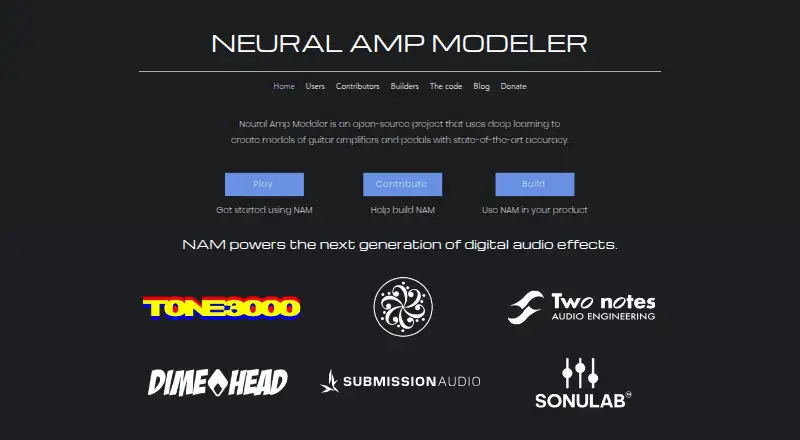
What Neural Amp Modeler is
Neural Amp Modeler (NAM) uses deep learning to build models of guitar amplifiers and pedals. The project is free, and its three code repositories use permissive open-source licenses and accept contributions. Users can train models in Google Colab or install the Python trainer locally from PyPI. The Gateway plugin loads and plays snapshot models; ParametricOD demonstrates modeling across an overdrive’s controls. The plugin repository provides VST3 and AU plugins alongside a standalone desktop app. Models can be shared through TONE3000, a community-organized online library. NAM runs on Windows, macOS, Linux, Raspberry Pi, embedded systems, and websites. A1 models remain supported in NeuralAmpModelerCore and NeuralAmpModelerPlugin. Builders can also incorporate NAM’s modeling technology into their products. The training code uses PyTorch Lightning; version 0.12.3 excludes compromised Lightning versions 2.6.2 and 2.6.3.
Who it suits
NAM suits guitarists and builders looking for a free, open-source way to model amplifier and pedal sounds. Its online or local training options may also suit users who want to create models themselves.
What it does well
- Free project with three permissively licensed repositories
- Train models online or locally
- VST3, AU, and standalone app formats
- A1 models remain supported
- Runs on desktop, web, Raspberry Pi, and embedded systems
What to know first
- Training code depends on PyTorch Lightning
- The listed standalone supported platforms are Windows, macOS, and Linux
Plans
| Plan | Billed and limits | Price |
|---|---|---|
| Neural Amp Modeler | open-source project · continuous development | Free |
As neuralampmodeler.com lists them, read 1 Oct 2026. The maker's own page has the final word.
Getting started
- Open the Neural Amp Modeler website.
- Train models online in Google Colab or install the Python-based trainer from PyPI.
- Use the plugin repository for VST3 or AU plugins, or the standalone desktop application.
- Share models through TONE3000 if desired.
Neural Amp Modeler is an open-source project for creating and playing deep-learning models of guitar amps and pedals. It best suits guitarists who want to train or share gear models, and builders who want to use the modeling technology in their own products. Its breadth across desktop, web and embedded systems is a strength; training is less suited to anyone looking for a preset-only, plug-and-play workflow.
Overview
NAM links model creation, playback and community sharing rather than focusing on a fixed sound library. Users can train models in Google Colab or install the Python-based trainer from PyPI, then share models through TONE3000, a community-organized online library. Three permissively licensed code repositories are open to contributions, which makes the project relevant to developers as well as players.
The Gateway plugin plays snapshot models of gear, while the plugin repository creates VST3 and AU plugins and a standalone desktop application. NAM also supports impulse response loading. Together, these options cover plugin and standalone use, but model training involves a cloud notebook or Python rather than a simple in-app training workflow.
Key features
- Model training: Google Colab offers an online route; the PyPI trainer supports local installation. That choice is useful for users comfortable with either workflow, but may add friction for guitarists who want to stay entirely within a conventional amp-sim interface.
- Snapshot playback: Gateway loads and plays models of favorite gear. This is suited to capturing and using a particular setup, rather than adjusting a model across the source gear's controls.
- Parametric modeling: ParametricOD demonstrates modeling an overdrive across its knobs and switches. It points to a more flexible kind of model than a single snapshot, though the project describes this as a demonstration.
- Model sharing and development: TONE3000 provides a community library, while the open repositories invite contributions and let builders incorporate NAM modeling technology into their products.
- Compatibility: Existing A1 models remain supported in NeuralAmpModelerCore and NeuralAmpModelerPlugin, a practical advantage for users with an existing model collection.
NAM's training code depends on PyTorch Lightning. Version 0.12.3 excludes compromised Lightning versions 2.6.2 and 2.6.3; users managing a training setup should take that dependency into account.
Pricing
Neural Amp Modeler costs nothing. The free offering is the open-source project, with continuous development; there are no paid tiers or stated seat or quota limits to weigh. Its cost advantage is clear, but users should expect to work with the project's training and playback tools rather than a paid, bundled catalog of fixed amp and effects models.
Platforms
The standalone app is supported on Windows, macOS and Linux, and an IR loader is included. NAM also runs on websites, Raspberry Pi and embedded systems, extending its reach beyond desktop guitar rigs. That range is useful for builders and developers, while the core player still needs a compatible plugin host or standalone setup for desktop use.
Who it's for
NAM is a strong fit for guitarists who want to make their own models, exchange them with a community, or keep using A1 models. It is also a natural option for builders seeking open-source modeling technology and broad system support. Players who only want a ready-made collection of amps and effects, or who prefer not to use Python or Google Colab for training, may be better served by a conventional amp-simulation product.
Pros and cons
- Pros: Free and open source, with three permissively licensed repositories and contributions welcomed.
- Pros: Training, snapshot playback, parametric modeling, IR loading and model sharing support distinct parts of a model-building workflow.
- Pros: Desktop, web, Raspberry Pi and embedded-system support gives players and builders room to use the technology in different contexts.
- Pros: Continued A1 model support helps users retain compatibility with existing models.
- Cons: Training uses Google Colab or a Python-based local tool, which is a less direct route than selecting a ready-made sound.
- Cons: Gateway centers on snapshot playback; users seeking a model that represents an overdrive's full control range will need the parametric approach demonstrated by ParametricOD.
Alternatives
For a wider range of guitar amp software, browse Guitar Amp Software.
- Amp Locker is another free option on Linux, macOS and Windows; its free download includes Prestige 1950, seven FX pedals and seven rack FX, with extra modules purchased individually and owned outright. Choose it for that defined included rig rather than NAM's model-training and sharing approach.
- Amplifikation 360 offers a free tier on macOS and Windows. Consider it instead if you want to compare a freemium amp-software option on those desktop platforms.
- GENOME has a free Intro tier with four TSM-Ai amplifiers, 14 pedals, five DynIR cabinets and four Studio FX, as well as a free trial. Choose it if that ready-to-use collection on iOS, macOS or Windows is a better fit than building models.
- Helix Stadium Native has a free Intro tier with no time limit, including five Agoura amps (11 channels), five cabs, 15 studio effects and two Proxy clones per preset. Its macOS and Windows support may suit players looking for a bundled free starting point.
- IK Multimedia ReSing is a separate macOS and Windows option with a free tier including two voices, two instruments and one RVC import, but no model generation. Choose it for those voice and instrument tools rather than amp-model training.
- Amped has a free Roots tier with one amp, 5034 Fluff, on Windows and Mac, in standalone, VST3 and AU formats. It is a simpler free amp option if one included amp is enough.
- AIDA-X is another free option, with support for Linux, macOS, Windows, web and self-hosted use.
- TH-U is a paid alternative for Windows, macOS and iOS.
Verdict
Choose Neural Amp Modeler if you want a free, open project for training, playing and sharing gear models, or need modeling technology that can reach beyond a desktop guitar rig. Its main trade-off is the technical training path: guitarists who want a ready-made amp-and-effects collection without Python or Colab should look elsewhere.
Verdict
NAM combines model training, plugin playback, and community model sharing in a free project. Its broad system support and continued A1 compatibility are useful considerations for guitarists and builders.
Questions
How much does Neural Amp Modeler cost?
The project is listed as free, with a plan of $0.
Is it open source?
Yes. NAM has three code repositories under permissive open-source licenses, and contributions are welcome.
Which platforms does it support?
The listed platforms are Linux, macOS, web, and Windows. NAM also runs on Raspberry Pi and embedded systems.
Can I train models online?
Yes. Users can train models online in Google Colab or install the Python-based trainer locally from PyPI.
What plugin formats are available?
The plugin repository creates VST3 and AU plugins. It also provides a standalone desktop application.
Can I get help as a builder?
Builders seeking help can contact [email protected].
Facts from Neural Amp Modeler's own pages
- A2 compatibility
- Existing A1 models remain supported in NeuralAmpModelerCore and NeuralAmpModelerPlugin. · neuralampmodeler.com, 1 Oct 2026
- Builder integration
- Builders can use NAM's open-source modeling technology in their own products. · neuralampmodeler.com, 1 Oct 2026
- Gateway plugin
- Gateway loads and plays snapshot models of users' favorite gear. · neuralampmodeler.com, 1 Oct 2026
- Model sharing
- Users can share models through TONE3000, a community-organized online library. · neuralampmodeler.com, 1 Oct 2026
- Model trainer
- Users can train models online in Google Colab or install the Python-based trainer locally from PyPI. · neuralampmodeler.com, 1 Oct 2026
- Open source
- NAM has three code repositories available under permissive open-source licenses and open to contributions. · neuralampmodeler.com, 1 Oct 2026
- Parametric modeling
- ParametricOD demonstrates NAM parametric modeling across the full range of an overdrive's knobs and switches. · neuralampmodeler.com, 1 Oct 2026
- Plugin formats
- The plugin repository creates VST3 and AU plugins plus a standalone desktop application. · neuralampmodeler.com, 1 Oct 2026
- Security notice
- NAM's training code depends on PyTorch Lightning, and version 0.12.3 excludes compromised Lightning versions 2.6.2 and 2.6.3. · neuralampmodeler.com, 1 Oct 2026
- Support
- Builders seeking help can contact [email protected]. · neuralampmodeler.com, 1 Oct 2026
- Supported systems
- NAM runs on Windows, macOS, Linux, Raspberry Pi, embedded systems, and websites. · neuralampmodeler.com, 1 Oct 2026
- What it does
- Neural Amp Modeler uses deep learning to create models of guitar amplifiers and pedals with state-of-the-art accuracy. · neuralampmodeler.com, 1 Oct 2026
Where Neural Amp Modeler stands on Freedom251
- Guitar Amp Software#9 of 35