Freedom251 › Ransomware Protection Software
NetApp Ransomware Resilience
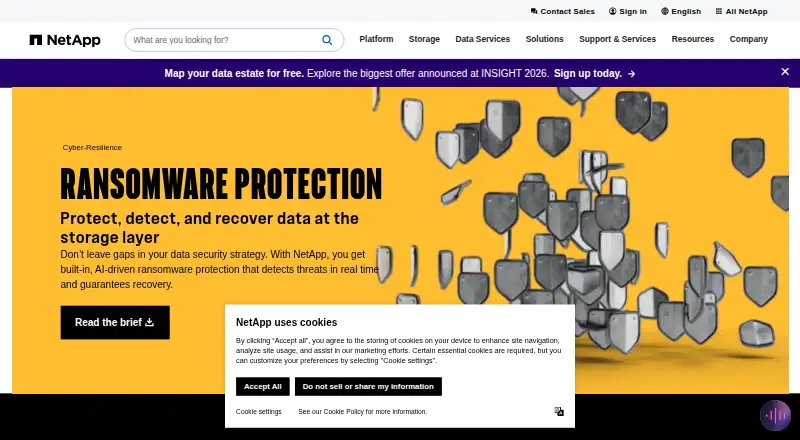
What NetApp Ransomware Resilience is
NetApp Ransomware Resilience helps organizations assess ransomware readiness, protect workloads, detect threats, and recover data. Access is through the NetApp Console, which works in a modern web browser, and the listed platforms include web and API. Supported environments include on-premises ONTAP, Cloud Volumes ONTAP on AWS, Google Cloud, and Azure, Azure NetApp Files, and Amazon FSx for NetApp ONTAP. Workload sources include block storage, SQL Server, Oracle, file shares, and VMware datastores; backup destinations include AWS S3, Google Cloud Platform, Azure Blob, and NetApp StorageGRID. Machine learning detects anomalous encryption and user activity in real time. For a potential attack, the service can create locked point-in-time snapshots and coordinate recovery for VMs, file shares, and block storage. It recognizes several patterns, including data breach and data destruction, though some detection types require user activity detection to be configured. Use requires a NetApp ONTAP One license. A 30-day trial is available; after it, protected workloads are billed per GB based on ONTAP-reported data before efficiencies, with snapshot space excluded from sizing.
Who it suits
NetApp Ransomware Resilience is for organizations protecting supported NetApp environments and workloads that need threat detection and recovery coordination. It suits teams already using or able to obtain the required ONTAP One license.
What it does well
- Detects anomalous encryption and user activity in real time
- Can create locked point-in-time snapshots
- Supports recovery for VMs, file shares, and block storage
- Works with several cloud and on-premises environments
- 30-day trial is available
What to know first
- Requires a NetApp ONTAP One license
- Some detection types require user activity detection configuration
- User activity detection excludes Azure NetApp Files and Google Cloud NetApp Volumes
- After trial, protected workloads incur per-GB charges
Limits
The free trial lasts 30 days and applies to new deployments. After the trial, protected workload data is billed per GB based on ONTAP-reported data before efficiencies; snapshot space is excluded from sizing.
Plans
| Plan | Billed and limits | Price |
|---|---|---|
| 30-day free trial | New deployments · no charge during trial · 30 days | Free |
| Bring your own license (BYOL) | NetApp License File obtained from a NetApp sales representative · Requires NetApp ONTAP One license | On request |
| Pay-as-you-go subscription | Per GB for data associated with protected workloads, as reported by ONTAP before efficiencies · Purchased capacity or PAYGO subscription · requires NetApp ONTAP One license | On request |
As netapp.com lists them, read 8 Oct 2026. The maker's own page has the final word.
Getting started
- Open the NetApp Ransomware Resilience website.
- Access the service through the NetApp Console using a modern web browser.
- Use a new deployment to start the 30-day free trial.
- Ensure the deployment has a NetApp ONTAP One license.
- Select supported workloads and backup destinations for protection.
Verdict
The service combines ransomware readiness, detection, snapshots, and recovery across listed NetApp environments. Confirm license needs, environment limitations, and post-trial capacity billing before adopting it.
Questions
Is there a free plan or trial?
There is no free plan. A 30-day free trial is available for new deployments.
What license does it require?
Ransomware Resilience requires a NetApp ONTAP One license. That license includes the machine-learning model used for anomalous user behavior detection.
Which platforms can I use?
It supports API and web access through the NetApp Console. The Console can be used with any modern web browser.
What can it recover?
It can orchestrate recovery of workloads including VMs, file shares, and block storage, and can create locked point-in-time snapshots for potential attacks.
Does it integrate with NetApp Backup and Recovery?
Yes. The integration supports discovering and setting snapshot and backup policies for file shares, plus file- and workload-consistent recovery.
Facts from NetApp Ransomware Resilience's own pages
- Attack types
- It recognizes encryption by entropy, encryption by user behavior, data breach, data destruction, and suspicious user behavior; several types require user activity detection to be configured. · docs.netapp.com, 8 Oct 2026
- Backup destinations
- Supported backup targets include AWS S3, Google Cloud Platform, Microsoft Azure Blob, and NetApp StorageGRID. · docs.netapp.com, 8 Oct 2026
- Billing limit
- Protected workloads count against capacity after the trial and are charged per GB based on ONTAP-reported data before efficiencies; snapshot space is excluded from sizing. · docs.netapp.com, 8 Oct 2026
- Company
- NetApp describes itself as an intelligent data infrastructure company. · netapp.com, 8 Oct 2026
- Console access
- Ransomware Resilience is accessed through the NetApp Console, and the FAQ says the Console can be used with any modern web browser. · docs.netapp.com, 8 Oct 2026
- Detection
- It detects potential attacks in real time using machine learning to identify anomalous encryption and user activity. · docs.netapp.com, 8 Oct 2026
- Integration
- It works with NetApp Backup and Recovery to discover and set snapshot and backup policies for file shares and to perform file- and workload-consistent recovery. · docs.netapp.com, 8 Oct 2026
- License requirement
- Ransomware Resilience requires a NetApp ONTAP One license, and its license includes the machine-learning model used for anomalous user behavior detection. · docs.netapp.com, 8 Oct 2026
- Notable limitations
- User activity detection is not supported for Azure NetApp Files or Google Cloud NetApp Volumes, and ARP/AI in ONTAP requires ONTAP 9.16 or later. · docs.netapp.com, 8 Oct 2026
- Purpose
- Ransomware Resilience helps assess ransomware readiness, protect workloads, detect threats, and recover data. · docs.netapp.com, 8 Oct 2026
- Response and recovery
- For potential attacks, it can create locked point-in-time snapshots and orchestrate recovery of workloads including VMs, file shares, and block storage. · docs.netapp.com, 8 Oct 2026
- Supported environments
- It supports on-premises ONTAP, Cloud Volumes ONTAP on AWS, Google Cloud, and Azure, Azure NetApp Files, and Amazon FSx for NetApp ONTAP through the NetApp Console. · docs.netapp.com, 8 Oct 2026
- Workloads
- Supported workload data sources include block storage, Microsoft SQL Server, Oracle, file shares, and VMware datastores. · docs.netapp.com, 8 Oct 2026
Where NetApp Ransomware Resilience stands on Freedom251
- Ransomware Protection Software#9 of 22