Freedom251 › Ransomware Protection Software

Malwarebytes Ransomware Protection
Visit Malwarebytes Ransomware Protection Alternatives Pricing
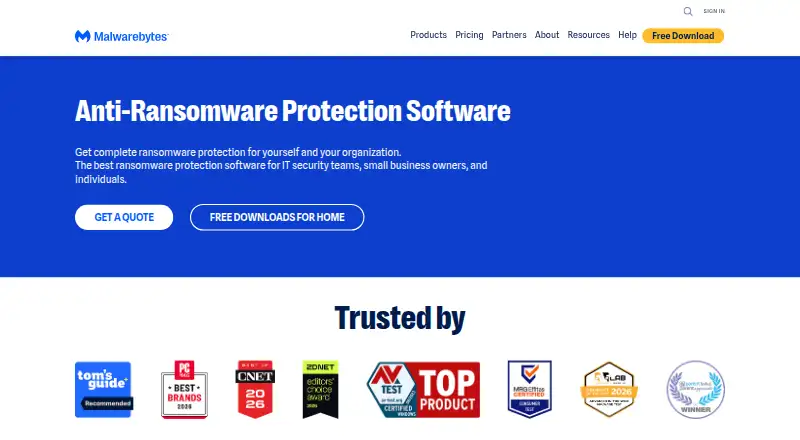
What Malwarebytes Ransomware Protection is
Malwarebytes Ransomware Protection is a feature of Malwarebytes Premium for detecting and removing ransomware and other threats. Premium automatically scans for threats and actively blocks aggressive ransomware. Its protection uses artificial intelligence and machine learning to address online and emerging threats, including some threats traditional antivirus protection may not stop. On Windows, Malwarebytes says Premium also blocks zero-day ransomware attacks.
When a scan finds threats, the software shows them for review. It removes them only after the user approves cleanup. Malwarebytes lists its software for Windows, macOS, Android, and iOS, but ransomware protection is available on fewer platforms: it is a paid feature on Windows and Android, unavailable on Mac, and not offered for iOS or iPadOS. The Windows-specific zero-day blocking claim applies to Windows. A 14-day trial is listed, and ransomware protection is packaged with Premium rather than as a separate free plan. Malwarebytes was founded in 2008 and is based in Santa Clara, California. It provides support through its Help Center and community forums.
Who it suits
It suits people who want ransomware scanning and cleanup as part of Malwarebytes Premium, especially Windows and Android users. Windows users may also value the stated zero-day ransomware blocking; the feature is unavailable on Mac and absent on iOS or iPadOS.
What it does well
- Automatically scans for ransomware and other threats.
- Uses artificial intelligence and machine learning for threat detection.
- Blocks zero-day ransomware attacks on Windows.
- Users approve cleanup after reviewing detected threats.
- A 14-day trial is listed.
What to know first
- There is no free plan.
- Ransomware protection is unavailable on Mac.
- Ransomware protection is not offered for iOS or iPadOS.
- The feature is paid on Windows and Android.
Limits
The 14-day trial is listed. Ransomware protection is a paid Premium feature on Windows and Android; it is unavailable on Mac and not offered for iOS or iPadOS.
Plans
| Plan | Billed and limits | Price |
|---|---|---|
| Malwarebytes Premium (ransomware protection feature) | The pricing page shows annual billing, but its numeric prices are not exposed in the page text. · Ransomware protection is a paid feature on Windows; individual plan device limits and current prices are not available in the opened page text. | On request |
As malwarebytes.com lists them, read 4 Oct 2026. The maker's own page has the final word.
Getting started
- Open the Malwarebytes ransomware protection website.
- Choose the download and install Malwarebytes Premium software.
- Use the listed 14-day trial.
- Run a scan and review any detected threats.
- Approve cleanup to remove reported threats.
Verdict
Choose Malwarebytes Ransomware Protection if you want automated scanning, threat blocking, and user-approved cleanup within Premium. Windows users have the stated zero-day protection; look elsewhere if you need ransomware protection on Mac or iOS/iPadOS.
Questions
Is there a free plan?
No. Ransomware protection is presented as a feature of Malwarebytes Premium, and the listing says there is no free plan.
Is a trial available?
Yes. A 14-day trial is listed.
Which platforms have ransomware protection?
The help center lists the feature as paid on Windows and Android, unavailable on Mac, and not offered for iOS or iPadOS.
How does threat removal work?
The software scans and reports detected threats for review, then cleans them up after the user approves removal.
Who makes Malwarebytes?
Malwarebytes was founded in 2008 and is based in Santa Clara, California.
Facts from Malwarebytes Ransomware Protection's own pages
- AI and machine learning
- The ransomware protection page says the protection uses artificial intelligence and machine learning against online and emerging threats. · malwarebytes.com, 4 Oct 2026
- Company background
- Malwarebytes says it was founded in 2008 and is based in Santa Clara, California. · malwarebytes.com, 4 Oct 2026
- Company location
- Malwarebytes says it is based in Santa Clara, California, with offices and remote employees around the world. · malwarebytes.com, 3 Oct 2026
- Compatibility scope
- The page names PCs, Macs, and mobile devices as devices ransomware can infect, while specifically describing zero-day ransomware blocking on Windows. · malwarebytes.com, 3 Oct 2026
- Detection methods
- The page says its ransomware protection uses artificial intelligence and machine learning against online and emerging threats. · malwarebytes.com, 3 Oct 2026
- Downloads
- The ransomware page links to a download and directs users to install Malwarebytes Premium software. · malwarebytes.com, 3 Oct 2026
- Founded
- The company page says Malwarebytes was founded seventeen years before the page’s current presentation. · malwarebytes.com, 3 Oct 2026
- Headquarters
- Santa Clara, California, USA · malwarebytes.com, 28 Sept 2026
- Paid feature and OS limits
- The help center lists Ransomware Protection as paid on Windows, unavailable on Mac, and paid on Android; it lists no ransomware protection for iOS or iPadOS. · help.malwarebytes.com, 4 Oct 2026
- Plans and price visibility
- The pricing page shows annual plans and device counts, but the opened page text renders prices as placeholders rather than numeric amounts. · malwarebytes.com, 4 Oct 2026
- Platforms
- The pricing page says Malwarebytes works on PC, Mac, Android, and iOS; plan features vary by operating system. · malwarebytes.com, 4 Oct 2026
- Privacy safeguards
- The DPA describes TLS or equivalent encryption in transit, AES-256 or equivalent encryption at rest where appropriate, and least-privilege access controls. · malwarebytes.com, 4 Oct 2026
- Proactive protection
- Premium automatically scans and protects against ransomware. · malwarebytes.com, 4 Oct 2026
- Product packaging
- Malwarebytes presents ransomware protection as a feature of Malwarebytes Premium. · malwarebytes.com, 4 Oct 2026
- Product relationship
- The page presents ransomware protection as a feature of Malwarebytes Premium. · malwarebytes.com, 3 Oct 2026
- Ransomware removal
- After scanning, Malwarebytes reports detected threats and, with the user’s approval, cleans up ransomware and other threats. · malwarebytes.com, 3 Oct 2026
- Scan and removal
- The described removal flow scans the device, reports detected threats for review, and cleans them up after the user approves removal. · malwarebytes.com, 4 Oct 2026
- Security assurances
- The company DPA states that Malwarebytes maintains SOC 2 Type II and ISO 27001 certifications. · malwarebytes.com, 4 Oct 2026
- Support
- Malwarebytes links users to its Help Center and community forums. · malwarebytes.com, 3 Oct 2026
- Support and guarantee
- The pricing page advertises free customer support and a 60-day money-back guarantee. · malwarebytes.com, 4 Oct 2026
- Threat blocking
- Malwarebytes says Premium actively blocks aggressive ransomware and zero-day ransomware attacks on Windows. · malwarebytes.com, 4 Oct 2026
- Traditional antivirus
- The page says Premium can fight threats that traditional antivirus protection cannot stop. · malwarebytes.com, 3 Oct 2026
- Who it is for
- The pricing page offers individual, family, and small-business categories, with small-business tiers for a sole proprietor, boutique business, and small office. · malwarebytes.com, 4 Oct 2026
- Zero-day protection
- The page says Premium blocks zero-day ransomware attacks on Windows. · malwarebytes.com, 3 Oct 2026
Where Malwarebytes Ransomware Protection stands on Freedom251
- Ransomware Protection Software#11 of 22